
1 परिचय
This manual provides essential information for setting up, operating, maintaining, and troubleshooting your HP Chromebook 14a-ne1013dx. This device is designed for productivity and entertainment, featuring a reliable Intel Celeron N4500 processor, a 14-inch HD display, and the Chrome OS operating system.
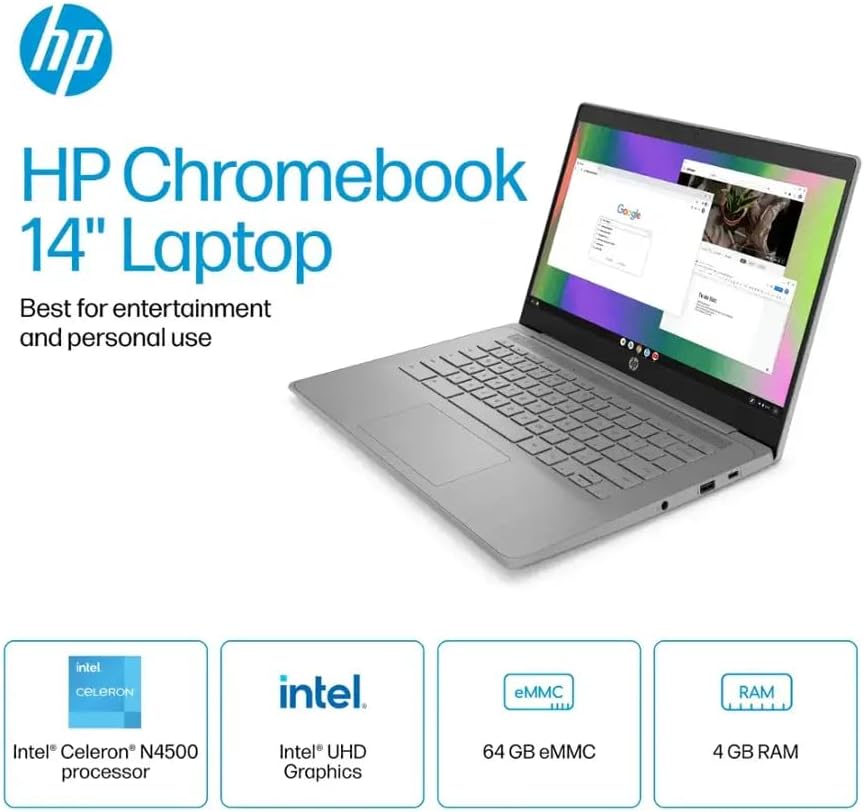
चित्र 1.1: HP Chromebook 14a-ne1013dx overview, highlighting its core components: Intel Celeron N4500 processor, Intel UHD Graphics, 64GB eMMC storage, and 4GB RAM.
2. सेटअप
2.1 अनपैकिंग और प्रारंभिक निरीक्षण
पैकेजिंग से सभी घटकों को सावधानीपूर्वक निकालें। सुनिश्चित करें कि नीचे सूचीबद्ध सभी वस्तुएँ मौजूद हैं और क्षतिग्रस्त नहीं हैं।

चित्र 2.1: Items included in the box: HP Chromebook 14-inch Laptop, 45W USB Type-C power adapter, and setup instructions.
बॉक्स में क्या है:
- HP Chromebook 14-inch Laptop (Model: 14a-ne1013dx)
- 45W USB Type-C Power Adapter
- सेटअप निर्देश
- एकीकृत Webकैम
2.2 पावर ऑन और प्रारंभिक कॉन्फ़िगरेशन
- Connect the 45W USB Type-C power adapter to the Chromebook and a power outlet.
- Open the laptop lid. The Chromebook should power on automatically. If not, press the power button located on the keyboard.
- Follow the on-screen prompts to select your language, connect to a Wi-Fi network, and sign in with your Google account. A Google account is required to use Chrome OS.
3. अपने क्रोमबुक का संचालन करना
3.1 Chrome OS Basics
Your HP Chromebook runs on Chrome OS, a lightweight operating system designed for speed, simplicity, and security. It integrates seamlessly with Google services and provides access to a wide range of web-based applications and Android apps.

चित्र 3.1: Chrome OS security features, including built-in virus protection and automatic updates, ensuring a secure and efficient user experience.
3.2 डिस्प्ले और मल्टीमीडिया
The 14-inch HD (1366 x 768) micro-edge, anti-glare display provides clear visuals for work and entertainment. Dual speakers enhance the audio experience.

चित्र 3.2: The 14-inch micro-edge display is ideal for streaming and multimedia consumption, allowing multiple applications to be viewएक साथ संपादित करें।
3.3 बंदरगाह और कनेक्टिविटी
Your Chromebook is equipped with various ports for connecting peripherals and external displays.

चित्र 3.3: Port layout of the HP Chromebook 14a-ne1013dx, including HDMI 1.4b, USB Type-A, USB Type-C, and a headphone/microphone combo jack.
- 1x SuperSpeed USB 3.1 Type-C: For data transfer, power delivery, and display output.
- 2x SuperSpeed USB 3.0 Type-A: For connecting USB devices like mice, keyboards, and external storage.
- 1x HDMI 1.4: बाहरी मॉनिटर या टीवी से कनेक्ट करने के लिए।
- 1x Headphone/microphone combo: ऑडियो इनपुट और आउटपुट के लिए.
Wireless connectivity includes Wi-Fi (802.11a/b/g/n/ac) and Bluetooth for connecting to wireless networks and accessories.
4. रखरखाव
4.1 अपने क्रोमबुक की सफाई
- स्क्रीन: एक मुलायम, रोएं रहित कपड़े का हल्के से प्रयोग करेंampened with water or a screen cleaner specifically designed for electronics. Do not spray cleaner directly onto the screen.
- कीबोर्ड और चेसिस: एक मुलायम, सूखे कपड़े का प्रयोग करें। जिद्दी गंदगी के लिए, हल्के सूखे कपड़े का प्रयोग करें।amp कपड़े का इस्तेमाल किया जा सकता है। कठोर रसायनों या घर्षणकारी पदार्थों से बचें।
- बंदरगाह: Ensure ports are free of dust and debris. Use compressed air if necessary, holding the can upright to prevent liquid propellant from spraying.
4.2 बैटरी केयर
- To maximize battery lifespan, avoid extreme temperatures.
- It is recommended to occasionally discharge the battery below 20% and then fully recharge it.
- The Chromebook supports HP Fast Charge for quick recharging.
5। समस्या निवारण
5.1 सामान्य मुद्दे और समाधान
| मुद्दा | संभावित स्थिति |
|---|---|
| क्रोमबुक चालू नहीं हो रहा है। | Ensure the power adapter is securely connected to both the Chromebook and a working power outlet. Try a different outlet. If the battery is completely drained, it may take a few minutes to show signs of charging. |
| वाई-फाई से कनेक्ट नहीं हो सकता. | Check if Wi-Fi is enabled in Chrome OS settings. Restart your router and modem. Verify the Wi-Fi password. Try connecting to a different network if available. |
| बाह्य डिस्प्ले का पता नहीं चला। | Ensure the HDMI cable is securely connected to both the Chromebook and the external display. Check the input source on your external display. Try a different HDMI cable or port if available. |
| धीमा प्रदर्शन. | Close unnecessary browser tabs and applications. Clear browser cache and cookies. Ensure Chrome OS is up to date. Consider a powerwash (factory reset) as a last resort, backing up your data first. |
| Webकैमरा काम नहीं कर रहा है। | Ensure no physical cover is obstructing the webcam. Check privacy settings in Chrome OS to ensure applications have permission to access the camera. Restart the Chromebook. |
6. विनिर्देश
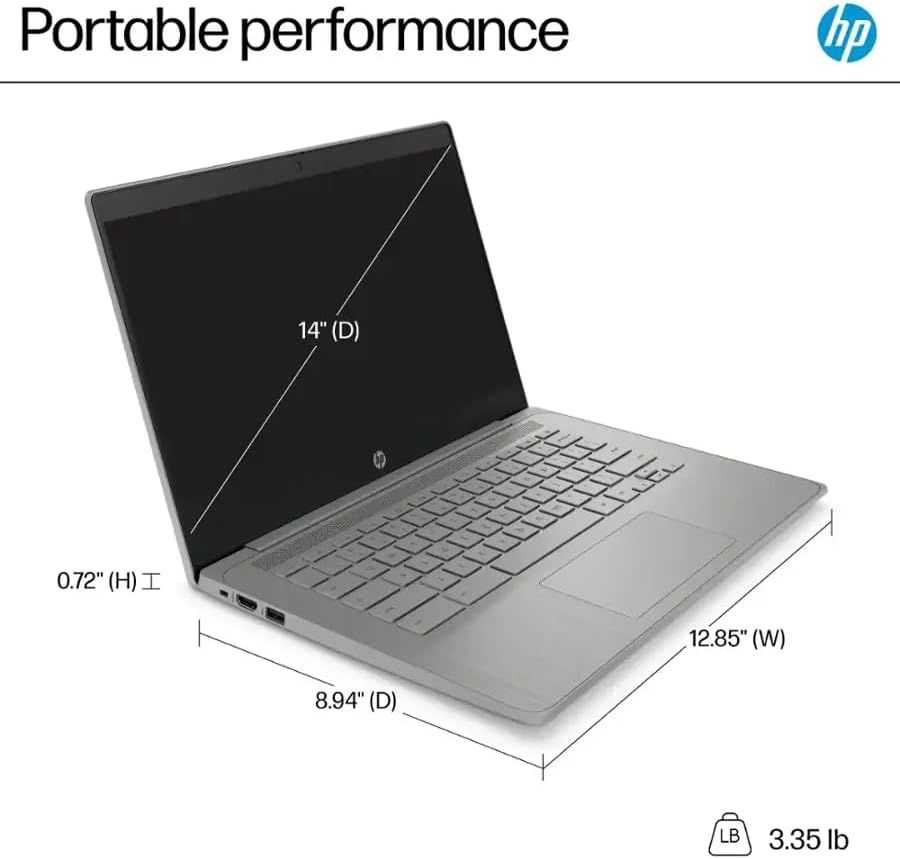
चित्र 6.1: Physical dimensions and weight of the HP Chromebook 14a-ne1013dx.
| विशेषता | विवरण |
|---|---|
| मॉडल नाम | 14a-ne1013dx |
| प्रोसेसर | Intel Celeron N4500 (1.1 GHz, up to 2.8 GHz burst) |
| GRAPHICS | इंटेल UHD ग्राफ़िक्स (एकीकृत) |
| प्रदर्शन | 14-inch diagonal, HD (1366 x 768), micro-edge, anti-glare, 250 nits, 60Hz LCD |
| टक्कर मारना | 4जीबी डीडीआर4 एसडीरैम |
| भंडारण | 64जीबी ईएमएमसी |
| ऑपरेटिंग सिस्टम | क्रोम ओएस |
| वायरलेस संपर्क | 802.11a/b/g/n/ac वाई-फाई, ब्लूटूथ |
| बंदरगाहों | 1x SuperSpeed USB 3.1 Type-C, 2x SuperSpeed USB 3.0 Type-A, 1x HDMI 1.4, 1x Headphone/microphone combo |
| अंतर्निहित मीडिया | Webकैम |
| आयाम (लम्बाई x चौड़ाई x ऊँचाई) | 12.85" x 8.94" x 0.72" (32.64 सेमी x 22.71 सेमी x 1.83 सेमी) |
| वज़न | 3.35 पाउंड (1.52 किग्रा) |
| रंग | स्लेटी |
| विशेष लक्षण | Chrome OS, HP Fast Charge |
7. वारंटी जानकारी
Your HP Chromebook 14a-ne1013dx comes with a एक वर्ष की सीमित वारंटी. Please refer to the warranty documentation included with your product for full terms and conditions. Keep your proof of purchase for warranty claims.
8. समर्थन
तकनीकी सहायता, ड्राइवर डाउनलोड या उत्पाद संबंधी अधिक जानकारी के लिए, कृपया HP के आधिकारिक सहायता केंद्र पर जाएँ। website. You can typically find support resources by searching for your model number (14a-ne1013dx) on the HP support portal.
एचपी समर्थन Webसाइट: www.hp.com/support


