
પરિચય
This manual provides detailed instructions for setting up, operating, maintaining, and troubleshooting your HP 230 Wireless Keyboard and Mouse Combo. Please read this manual thoroughly before using the product to ensure optimal performance and longevity.
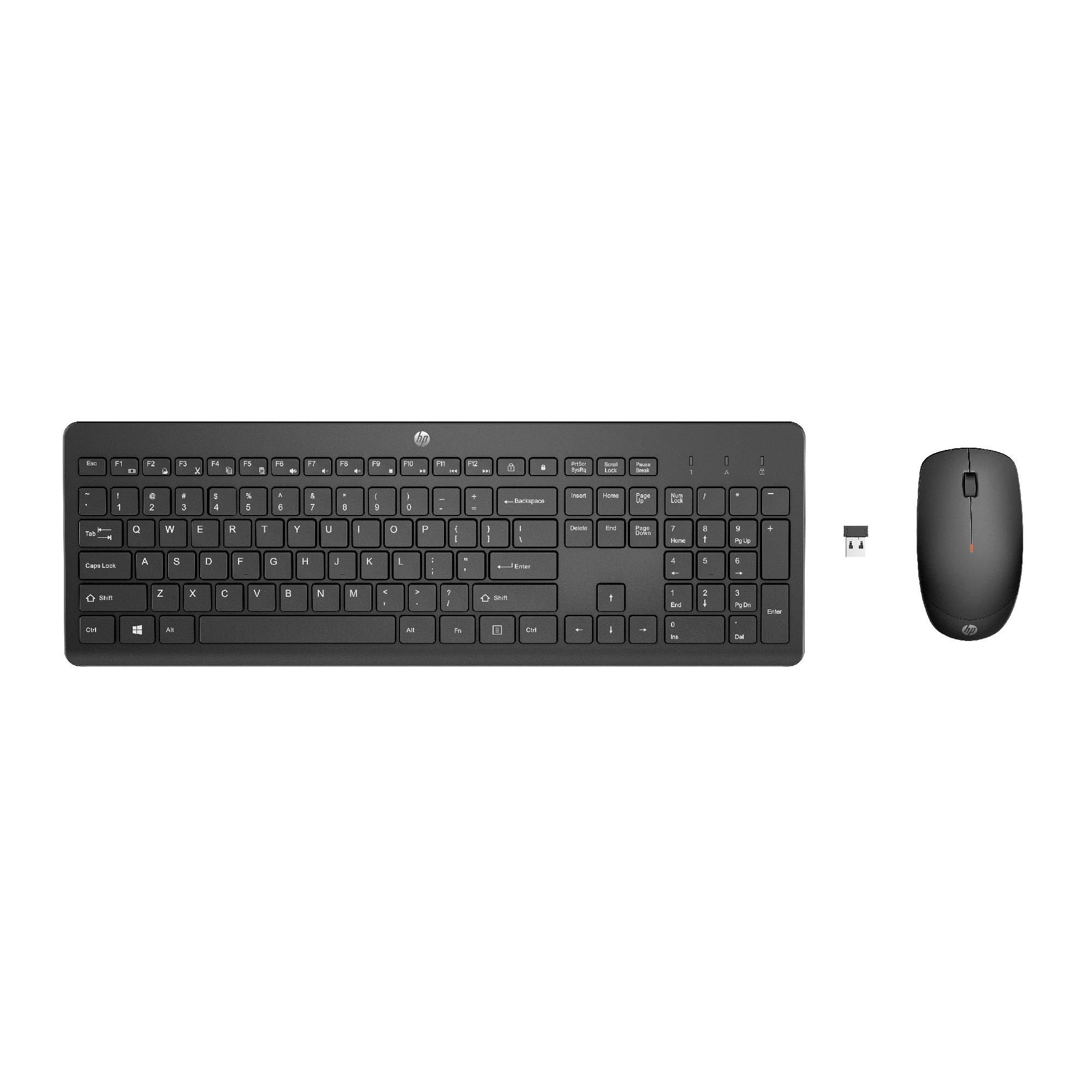
Image: The HP 230 Wireless Keyboard and Mouse Combo, showing both devices in black.
પેકેજ સામગ્રી
ખાતરી કરો કે બધી વસ્તુઓ પેકેજમાં હાજર છે:
- HP 230 વાયરલેસ કીબોર્ડ
- એચપી 230 વાયરલેસ માઉસ
- USB-A Wireless Dongle (2.4 GHz)
- 2 AAA Batteries (for keyboard)
- 1 AA Battery (for mouse)
- Product Information and Warranty Card
સેટઅપ સૂચનાઓ
1. બેટરીઓ ઇન્સ્ટોલ કરો
- કીબોર્ડ માટે: Locate the battery compartment on the underside of the keyboard. Insert two AAA batteries, ensuring correct polarity (+/-).
- માઉસ માટે: Locate the battery compartment on the underside of the mouse. Insert one AA battery, ensuring correct polarity (+/-).
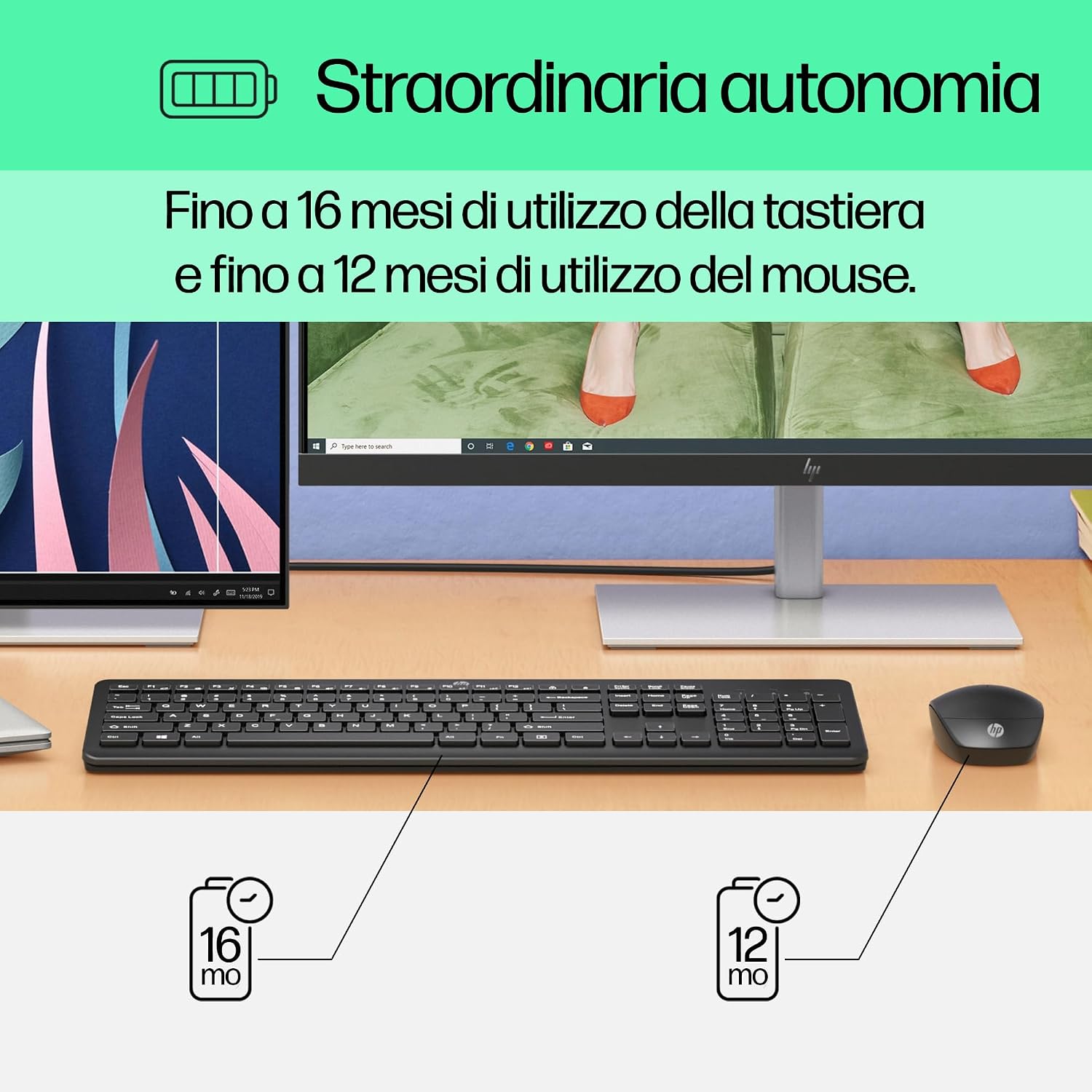
Image: Diagram illustrating battery life for the keyboard (16 months with 2 AAA) and mouse (12 months with 1 AA).
2. Connect the USB-A Wireless Dongle
- Locate the USB-A wireless dongle, typically stored in the mouse's battery compartment or included separately in the packaging.
- Insert the USB-A dongle into an available USB Type-A port on your computer (desktop, laptop, tablet, or All-in-One PC).
- Your computer should automatically detect and install the necessary drivers. This is a Plug and Play device, requiring no manual driver installation.

Image: The HP 230 wireless keyboard and mouse positioned next to a laptop, illustrating wireless connectivity.
The keyboard and mouse are pre-paired with the dongle and should be ready for use immediately after connection.
ઓપરેશન
કીબોર્ડ કાર્યો
The HP 230 Wireless Keyboard features a full-size layout with a numeric keypad and silent chicklet keys for comfortable and quiet typing.
- સાયલન્ટ ટાઇપિંગ: The keyboard is designed for reduced noise during typing, making it suitable for quiet environments.
- Fn Key Shortcuts: નો ઉપયોગ કરો Fn key in combination with the F1-F12 function keys for quick access to various functions such as volume control, home page, bookmarks, and email.
- સંખ્યાત્મક કીપેડ: કાર્યક્ષમ ડેટા એન્ટ્રી માટે એક સમર્પિત આંકડાકીય કીપેડ શામેલ છે.

છબી: વિગતવાર view of the HP 230 keyboard layout, highlighting function keys and silent chicklet keys, with dimensions.

Image: A close-up of the HP 230 keyboard showing the Fn keys and their associated shortcut icons, emphasizing productivity.
માઉસ કાર્યો
The HP 230 Wireless Mouse is designed for precise navigation and comfortable use.
- ચોકસાઇ ટ્રેકિંગ: The mouse features a 1600 DPI optical sensor for accurate and smooth cursor movement.
- સ્ક્રોલ વ્હીલ: Use the scroll wheel for easy vertical navigation through documents and web પૃષ્ઠો
- Left and Right Buttons: Standard left and right-click functionality for interaction with your computer.
- એમ્બિડેક્સટ્રસ ડિઝાઇન: Suitable for both left-handed and right-handed users.

છબી: ઉપરથી નીચે સુધી view of the HP 230 mouse, showing its ergonomic design, scroll wheel, and 1600 DPI specification, with dimensions.

Image: Graphic illustrating the precise movement of the HP 230 mouse with up to 1600 DPI tracking.
જાળવણી
Proper maintenance ensures the longevity and performance of your HP 230 combo.
- સફાઈ:
- નરમ, લિન્ટ-ફ્રી કાપડનો ઉપયોગ કરોampened with water or a mild cleaning solution to clean the surfaces of the keyboard and mouse.
- કઠોર રસાયણો, ઘર્ષક પદાર્થો અથવા દ્રાવકોનો ઉપયોગ કરવાનું ટાળો.
- કીબોર્ડ માટે, ચાવીઓ વચ્ચેથી ધૂળ અને કચરો દૂર કરવા માટે સંકુચિત હવાનો ઉપયોગ કરો.
- બેટરી રિપ્લેસમેન્ટ:
- જ્યારે કામગીરી બગડે અથવા ઓછી બેટરી સૂચક (જો હાજર હોય તો) પ્રકાશિત થાય ત્યારે બેટરી બદલો.
- Always use new, high-quality batteries of the specified type (AAA for keyboard, AA for mouse).
- સ્થાનિક નિયમો અનુસાર જૂની બેટરીઓનો નિકાલ કરો.
- સંગ્રહ: When not in use for extended periods, remove the batteries to prevent leakage. Store the devices in a cool, dry place.
મુશ્કેલીનિવારણ
If you encounter issues with your HP 230 Wireless Keyboard and Mouse Combo, try the following solutions:
| સમસ્યા | ઉકેલ |
|---|---|
| કીબોર્ડ અથવા માઉસ જવાબ આપી રહ્યું નથી |
|
| લેગિંગ અથવા તૂટક તૂટક કનેક્શન |
|
| માઉસ કર્સર અનિયમિત છે અથવા સરળતાથી ચાલતું નથી |
|
વિશિષ્ટતાઓ
| લક્ષણ | વિગત |
|---|---|
| બ્રાન્ડ | HP |
| મોડલ નંબર | એચપી 230 |
| રંગ | કાળો |
| કનેક્ટિવિટી ટેકનોલોજી | 2.4 GHz Radiofrequency (Wireless USB-A Dongle) |
| કીબોર્ડ લેઆઉટ | QWERTY |
| કીઓની સંખ્યા (કીબોર્ડ) | 104 |
| Special Keyboard Feature | Silent Typing, Fn-key shortcuts |
| માઉસ DPI | 1600 DPI |
| માઉસ ડિઝાઇન | અસ્પષ્ટ |
| સુસંગત ઓપરેટિંગ સિસ્ટમ્સ | Windows 10, Windows 11 (also Windows 7, Windows 8) |
| Minimum OS Requirement | વિન્ડોઝ 10 |
| કીબોર્ડ બેટરીનો પ્રકાર | 2 x AAA બેટરી |
| માઉસ બેટરી પ્રકાર | 1 x AA બેટરી |
| Estimated Keyboard Battery Life | 16 મહિના સુધી |
| Estimated Mouse Battery Life | 12 મહિના સુધી |
| ભલામણ કરેલ ઉપયોગ | Computer typing and navigation |
વોરંટી માહિતી
The HP 230 Wireless Keyboard and Mouse Combo comes with a 2-વર્ષની ઉત્પાદન વોરંટી from the date of purchase. Please retain your proof of purchase for warranty claims. For detailed terms and conditions, refer to the warranty card included in your package or visit the official HP support webસાઇટ
EU spare parts availability: 1 year.
આધાર
For further assistance, technical support, or to access updated drivers and documentation, please visit the official HP support webસાઇટ:
You may also find helpful information and FAQs on the product's Amazon page or by contacting HP customer service directly.