
1. Introdución
This manual provides essential instructions for the safe and efficient use of your Samsung Smart FHD 43'' TV, model LS43F6000FGXZD. Please read this manual thoroughly before operating the device and retain it for future reference. Your new television features Full HD resolution, HDR technology, PurColor, and the Tizen™ operating system for a rich viewexperiencia ing.
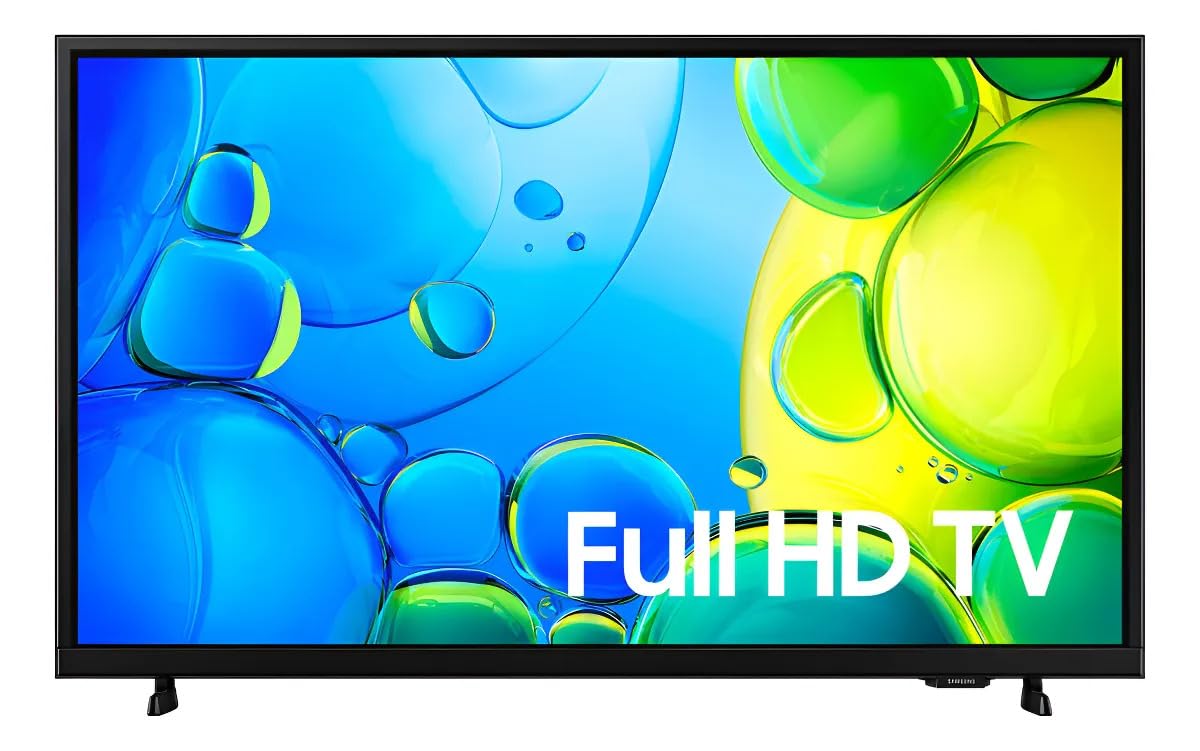
Figura 1: Fronte view of the Samsung Smart FHD 43'' TV.
2. Información de seguridade
Always follow these basic safety precautions to reduce the risk of fire, electric shock, and injury.
- Non expoña este aparello á choiva nin á humidade.
- Non bloquee ningunha abertura de ventilación. Instáleo segundo as instrucións do fabricante.
- Non instale preto de fontes de calor como radiadores, rexistros de calor, cociñas ou outros aparellos (incluíndo amplificadores) que producen calor.
- Protexa o cable de alimentación para evitar que se pise ou se pinche, especialmente nos enchufes, tomas de corrente e no punto de saída do aparello.
- Use só anexos/accesorios especificados polo fabricante.
- Remita todo o servizo a persoal de servizo cualificado. O mantemento é necesario cando o aparello sufriu algún dano.
- Ensure the TV is placed on a stable surface or securely mounted to prevent tipping.
3. Que hai na caixa
Carefully unpack your TV and ensure all components are present. If any items are missing or damaged, contact your retailer.
- Samsung Smart FHD 43'' TV
- Mando a distancia (require 2 pilas AA, non sempre incluídas)
- Cable de alimentación
- Video Adapter (if applicable)
- Stand Components (Base/Feet)
- Manual de usuario (este documento)
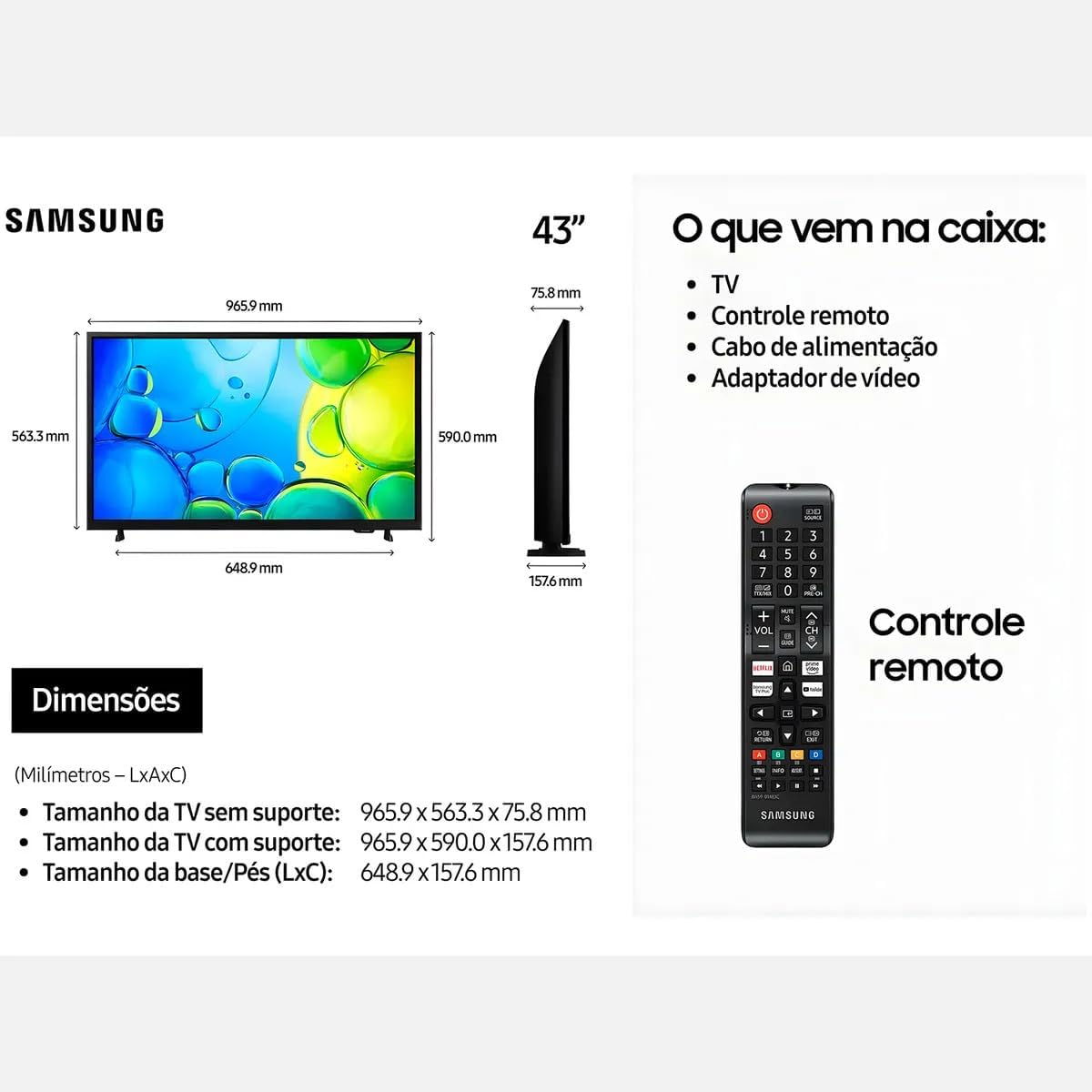
Figure 2: Illustration of items typically included in the product packaging, along with TV dimensions.
4. Configuración
4.1 Desembalaxe
Remove the TV and all accessories from the packaging. It is recommended to keep the original packaging for future transport or servicing.
4.2 Colocación do soporte
If you are placing the TV on a table or cabinet, attach the included stand. Follow the instructions provided in the stand assembly guide. Ensure all screws are tightened securely.
4.3 Montaxe na parede
For wall mounting, use a VESA-compliant wall mount kit (100 x 200 mm, sold separately). Consult a professional for wall mounting to ensure proper installation and safety.
4.4 Conexión de periféricos
Conecta os teus dispositivos externos ao televisor usando os portos axeitados.
- HDMI: Connect Blu-ray players, game consoles, or set-top boxes to the HDMI ports. This TV has 2 HDMI ports.
- USB: Connect USB storage devices for media playback to the USB 3.0 port. This TV has 1 USB 3.0 port.
- Rede (LAN): Para unha conexión a internet por cable, conecte un cable Ethernet ao porto LAN.
- Antena/Cable: Conecta a antena ou a toma de televisión por cable.
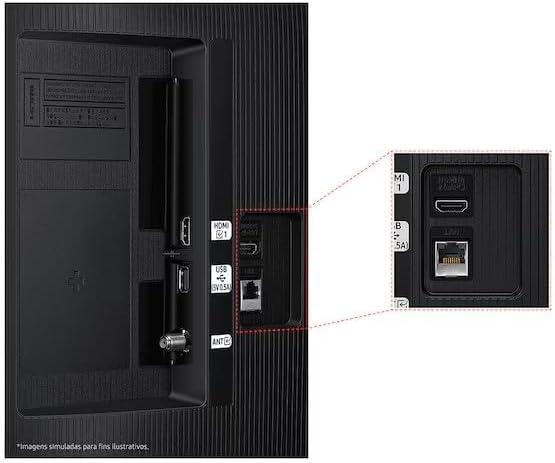
Figure 3: Rear panel connections, highlighting HDMI, USB, and LAN ports.
4.5 Acendido inicial e asistente de configuración
After connecting all necessary cables, plug the power cord into an electrical outlet. The TV will power on and guide you through the initial setup wizard, which includes language selection, network connection (Wi-Fi or wired), channel scanning, and smart features configuration.
5. Funcionamento do televisor
5.1 Control remotoview
Insert two AA batteries into the remote control. The remote allows you to navigate menus, change channels, adjust volume, and access smart features. Refer to the diagram on the remote control for button functions.
5.2 Funcións básicas da televisión
- Potencia: Prema o botón de acendido do mando a distancia para acender ou apagar o televisor.
- Volume: Use os botóns Subir/Baixar volume para axustar o nivel do son.
- Canle: Use os botóns Canle arriba/abaixo para cambiar de canle.
- Fonte: Prema o botón Source para alternar entre os dispositivos de entrada conectados (HDMI 1, HDMI 2, TV, etc.).
5.3 Funcións da Smart TV (Tizen OS)
Your Samsung Smart TV runs on the Tizen™ operating system, providing access to a wide range of applications and services. Connect your TV to the internet via Wi-Fi or Ethernet to utilize these features.
- App Store: Download and install various applications like Netflix, YouTube, and Amazon Prime Video.
- Web Navegador: Navega por internet directamente desde o teu televisor.
- Smart Hub: Access all your smart features, apps, and connected devices from one central location.

Figure 4: The Tizen operating system interface, showing available applications.
The TV also features Knox Security, ensuring your data and privacy are protected.
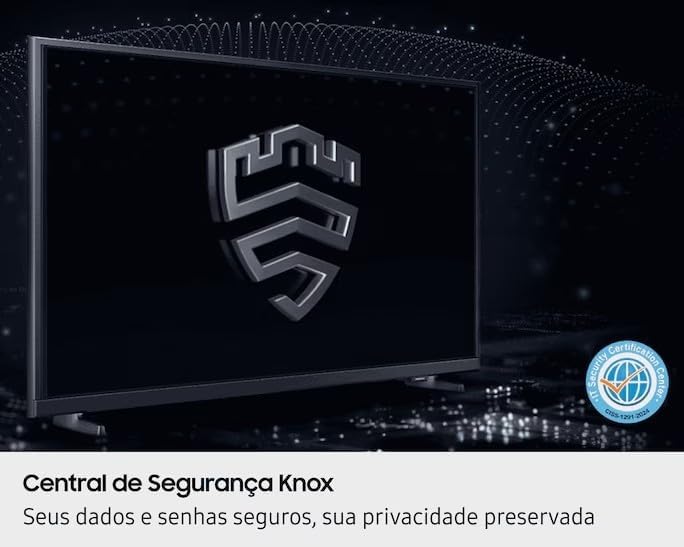
Figure 5: Knox Security Central, highlighting data and privacy protection.
5.4 Configuración da imaxe
Axusta a configuración da imaxe para optimizar o teu viewexperiencia ing.
- Modo de imaxe: Select from various preset modes (Standard, Dynamic, Movie, etc.) or customize your own.
- Brillo/Contraste: Axusta esta configuración para que se adapte ao teu entorno.
- Tecnoloxía HDR: This TV supports HDR10+, providing greater depth in details, even in very bright or dark scenes.
- Cor pura: Enhances color accuracy and vibrancy for a more lifelike image.
- Potenciador do contraste: Automatically adjusts contrast for improved picture depth.

Figure 6: HDR Technology in action, showing enhanced detail in both bright and dark areas.
5.5 Configuración de son
Customize audio output through the sound settings menu. Options may include sound modes, equalizer settings, and audio output selection (TV speakers, external soundbar, Bluetooth audio).
5.6 Conectividade
- Bluetooth: Conecta dispositivos Bluetooth compatibles, como auriculares ou barras de son, sen fíos.
- Wi-Fi: Connect to your home wireless network for internet access and smart features.
6. Mantemento
6.1 Limpeza do televisor
- Pantalla: Limpe a pantalla con suavidade cun pano suave e sen pelusa. Para marcas difíciles, d lixeiramenteampEnxágüe o pano con auga ou cun limpador de pantallas especializado. Nunca pulverice líquido directamente sobre a pantalla.
- Corpo do televisor: Use un pano suave e seco para limpar o po da estrutura e do panel traseiro do televisor.
- Importante: Desconecte sempre o televisor da toma de corrente antes de limpalo.
6.2 Actualizacións de software
Your TV may receive software updates to improve performance and add new features. You can usually configure the TV to update automatically or check for updates manually through the settings menu (typically under Support > Software Update).
7 Solución de problemas
Se tes problemas co teu televisor, consulta as seguintes solucións habituais antes de contactar co servizo de asistencia.
| Problema | Posible Solución |
|---|---|
| Sen poder | Asegúrate de que o cable de alimentación estea conectado correctamente tanto ao televisor como a unha toma de corrente que funcione. Proba a toma de corrente con outro dispositivo. |
| Sen imaxe, pero hai son | Comproba a fonte de entrada. Asegúrate de que o dispositivo conectado estea acendido e funcione correctamente. Proba cun cable HDMI diferente. |
| Sen son, pero si imaxe | Check the volume level and ensure the TV is not muted. Verify audio output settings. If using external speakers, check their connections and power. |
| O control remoto non funciona | Replace the batteries (AA type). Ensure there are no obstructions between the remote and the TV's IR sensor. |
| Non se pode conectar á wifi | Ensure your router is on and functioning. Re-enter the Wi-Fi password. Try restarting both the TV and your router. |
| Problemas de calidade de imaxe (por exemplo, borrosa, distorsionada) | Comprobe a resolución da fonte. Axuste a configuración da imaxe (brillo, contraste, nitidez). Asegúrese de que os cables estean conectados correctamente. |
8. Especificacións
Key technical specifications for the Samsung Smart FHD 43'' TV (Model: LS43F6000FGXZD).
| Característica | Detalle |
|---|---|
| Número de modelo | LS43F6000FGXZD |
| Tamaño da pantalla | 43 polgadas |
| Tecnoloxía de visualización | FHD (alta definición completa) |
| Resolución | FHD (1920 x 1080 pixels) |
| Taxa de actualización | 60 Hz |
| Sistema Operativo | Tizen™ |
| Soporte HDR | HDR10+ |
| Mellora da imaxe | HDR Technology, PurColor, Contrast Enhancer |
| Conectividade | Bluetooth, Wi-Fi, 2x HDMI, 1x USB 3.0 |
| Servizos de Internet compatibles | Netflix, YouTube, Amazon Prime |
| Estándar de montaxe VESA | 100 x 200 mm |
| Dimensions (W x D x H) without stand | 965.9 x 75.8 x 563.3 mm |
| Dimensions (W x D x H) with stand | 965.9 x 157.6 x 590.0 mm |
| Peso (sen soporte) | 6.5 kg |
| Voltage | 110-220 Volts (check product label for specific range) |
| Tipo de batería de control remoto | AA (x2) |
9. Garantía e soporte
9.1 Garantía do produto
This Samsung Smart FHD 43'' TV (Model: LS43F6000FGXZD) comes with a Garantía limitada de 12 meses from the date of purchase. This warranty covers manufacturing defects and malfunctions under normal use. Please retain your proof of purchase for warranty claims. For detailed terms and conditions, refer to the warranty card included with your product or visit the official Samsung support websitio.
9.2 Atención ao cliente
For technical assistance, troubleshooting beyond this manual, or warranty service, please contact Samsung Customer Support. You can find contact information (phone numbers, chat support, service center locations) on the official Samsung websitio para a súa rexión.
When contacting support, please have your TV's model number (LS43F6000FGXZD) and serial number ready. The serial number is typically located on a sticker on the back of the TV.


