
Lockin Veno Smart Lock
Lockin Veno Smart Lock User Manual
Model: Veno Smart Lock
Introdución
This manual provides essential information for the installation, operation, and maintenance of your Lockin Veno Smart Lock. Please read this guide thoroughly before using the product to ensure proper functionality and safety.
Produto rematadoview
Compoñentes
The Lockin Veno Smart Lock system includes the exterior smart lock unit, the interior lock mechanism, and a rechargeable battery pack. Familiarize yourself with all components before beginning installation.

Image: Lockin Veno Smart Lock components.
Características clave
- Next-Gen Palm Vein Recognition: Unlock in 0.17 seconds with 99.9% accuracy. This touchless system offers military-grade security and hygiene benefits.
- Múltiples métodos de desbloqueo: Choose from palm vein recognition, fingerprint scan, passcode, smartphone app, Bluetooth, or emergency mechanical key for flexible access.
- Duración da batería de 7 meses: Powered by intelligent power management, the smart lock lasts an incredible 7 months on a single charge, with automatic app notifications for low battery.
- All-Weather IP65 Protection: Built with a reinforced zinc alloy housing, the lock is IP65-certified against rain, dust, and extreme temperatures (-4°F to 158°F).

Image: Palm vein recognition functions reliably under various hand conditions.
Configuración
Instalación
The Lockin Veno Smart Lock is designed for quick and hassle-free installation. No complicated wiring or special tools are typically needed. Refer to the detailed installation guide included in your product packaging for step-by-step instructions specific to your door type.
Instrucións de funcionamento
Métodos de desbloqueo
Your Lockin Veno Smart Lock offers six convenient ways to access your home:
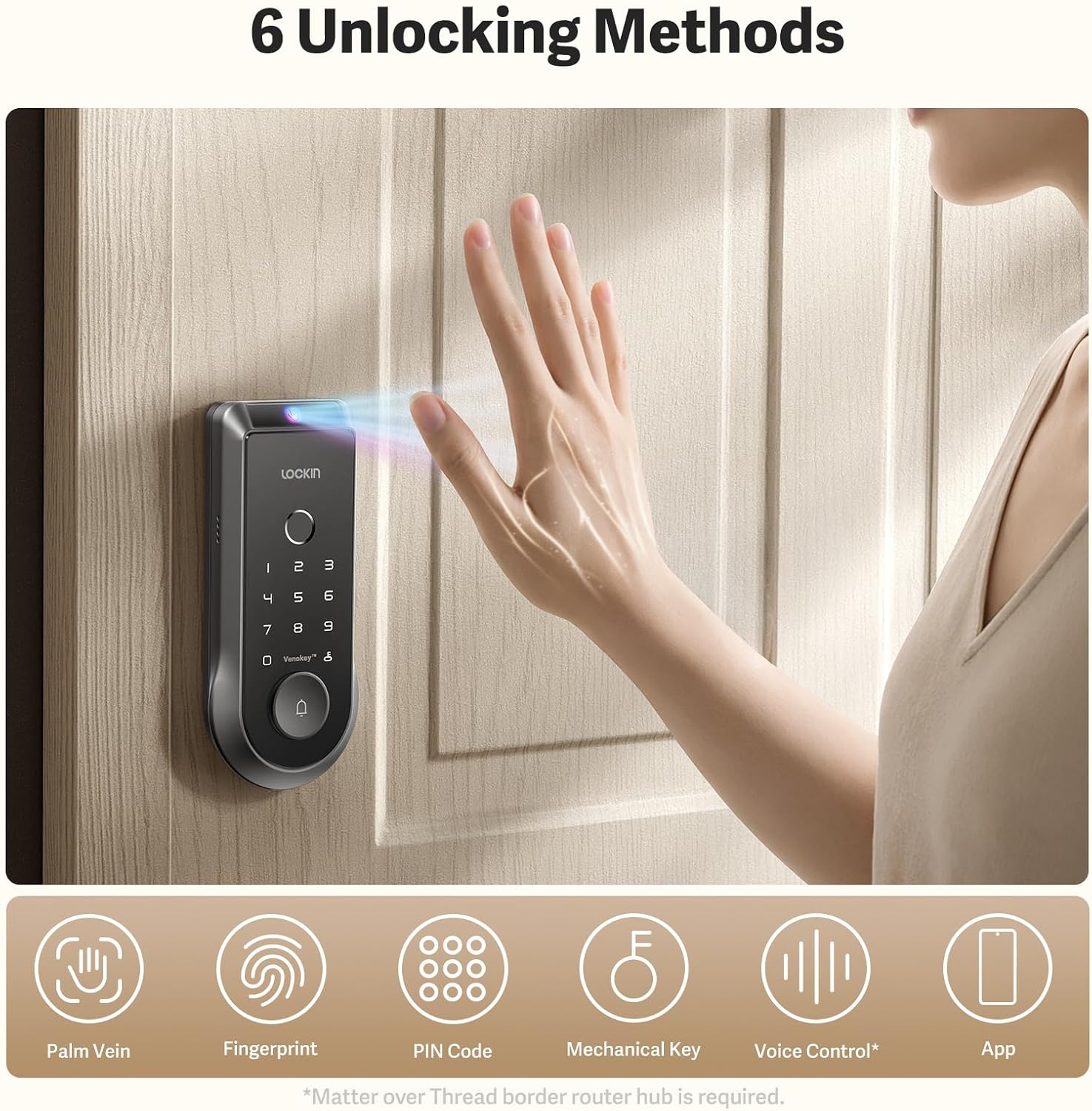
Imaxe: Máis deview dos seis métodos de desbloqueo.
- Palm Vein Recognition: Simply wave your hand over the sensor for rapid, touchless entry.
- Escaneado de impresións dixitais: Use the integrated fingerprint scanner for quick and secure access.
- Contrasinal: Enter your personalized numerical code on the keypad.
- Aplicación para smartphone: Control and unlock your door remotely via the Lockin app.
- Bluetooth: Unlock using Bluetooth connectivity through the app when in close proximity.
- Chave mecánica de emerxencia: A traditional key is provided for manual unlocking in emergencies.

Image: Palm vein recognition and app interface.
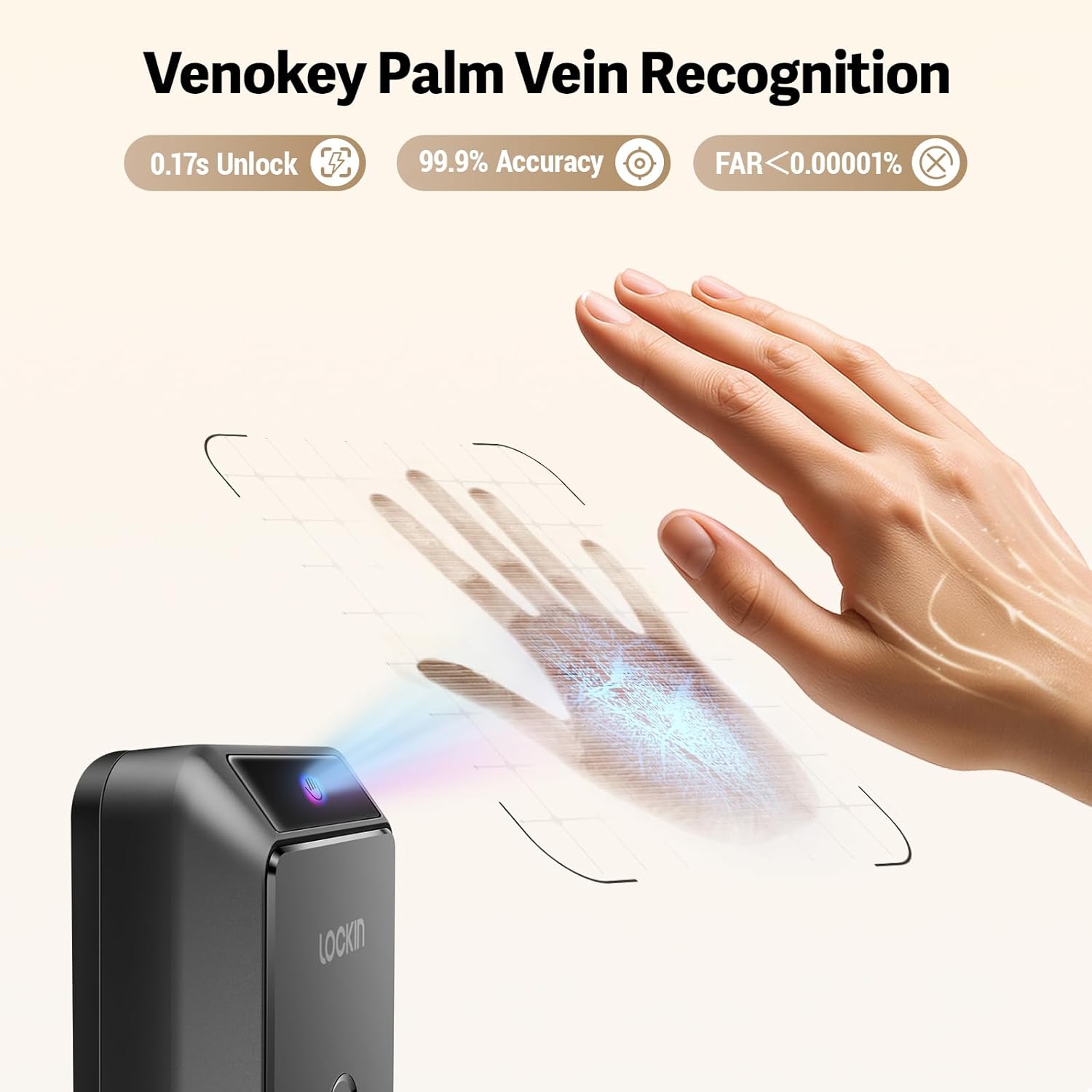
Imaxe: Detallada view of Venokey Palm Vein Recognition in action.
Características da aplicación
Lockin App Functionality
The Lockin app provides comprehensive control and monitoring capabilities:
- Real-time Video: View live 2K Kelvin video from your lock's integrated camera.
- Panorámica de 180º View: Get a wide-angle perspective of your entryway.
- AI Alerts: Receive intelligent alerts for suspicious activity or events.
- Xestión multiusuario: Easily add, remove, and manage access permissions for family members, guests, or service providers.
Xestión da batería
Duración da batería e carga
The Lockin Veno Smart Lock is designed for extended use, offering up to 7 months of battery life on a single charge. The intelligent power management system ensures efficiency. You will receive automatic app notifications when the battery level drops below 20%, providing ample time for recharging.

Image: Rechargeable battery pack for the Lockin Veno Smart Lock.

Image: USB-C charging options for the battery pack.

Image: Battery specifications and weather resistance.
Mantemento
Coidados e Protección
To ensure the longevity and optimal performance of your Lockin Veno Smart Lock, regular maintenance is recommended. The lock features an IP65 rating, providing protection against dust and water splashes. Its reinforced zinc alloy housing is designed to withstand daily wear and tear. Clean the exterior with a soft, damp pano. Evite produtos de limpeza abrasivos ou solventes que poidan danar o acabado ou os compoñentes electrónicos.
Resolución de problemas
Problemas comúns
If you encounter any issues with your Lockin Veno Smart Lock, please refer to the comprehensive troubleshooting section in the full product manual. Common issues and their solutions, including battery concerns, connectivity problems, and recognition errors, are detailed there. For further assistance, contact Lockin customer support.
Especificacións
| Atributo | Detalle |
|---|---|
| Estilo do modelo | Veno Smart Lock & Rechargeable Battery |
| ASIN | B0FDVFCQJW |
| Data de primeira dispoñibilidade | 10 de xuño de 2025 |
Garantía e Soporte
The Lockin Veno Smart Lock comes with a manufacturer's warranty. Please refer to the warranty card included with your product for specific terms and conditions. For technical support, product inquiries, or warranty claims, please visit the official Lockin website or contact their customer service department directly. Contact information can be found in your product packaging or on the Lockin brand store page.