
uuffoo 940&941
uuffoo Solar Powered Rock Speakers Instruction Manual
Modelo: 940&941
Produto rematadoview
The uuffoo Solar Powered Rock Speakers are designed to provide high-quality audio and ambient lighting for outdoor environments. These speakers blend seamlessly into garden and patio settings, offering both solar and USB charging capabilities, multi-color LED lighting, and a dual pairing system for immersive stereo sound. They are built with IP44 water-resistant protection, making them suitable for various weather conditions.

Image: A pair of uuffoo solar powered rock speakers, showcasing their natural rock-like appearance and compact design, suitable for outdoor placement.
Configuración
Carga inicial
Before first use, it is recommended to fully charge the speakers. The uuffoo rock speakers offer two charging methods:
- Carga solar: Place the speakers in a location that receives direct sunlight for optimal charging. The integrated solar panel on top of the speaker will convert sunlight into energy to charge the internal battery.
- Carga USB-C: For faster charging or when sunlight is limited, use the provided USB-C charging cable. Connect the cable to the USB-C port on the speaker and plug the other end into a compatible USB power adapter (not included). A full charge typically takes approximately 5 hours via USB.
Once fully charged, the speakers can provide up to 50 hours of ambient lighting or 5 hours of continuous music playback.

Image: A uuffoo rock speaker illustrating its dual charging capabilities: solar charging via the top panel and USB-C charging via the side port.
Colocación
For best performance, place the speakers in an open area where Bluetooth signals are not obstructed and where the solar panel can receive ample sunlight. Ensure the speakers are stable and not prone to tipping.
Instrucións de funcionamento
Encendido/apagado
Locate the power button on the side of the speaker. Press and hold the power button for a few seconds to turn the speaker on or off. A confirmation sound or LED indicator will confirm the status.
Emparellamento Bluetooth (altofalante único)
- Asegúrate de que o altofalante estea acendido e en modo de emparellamento Bluetooth (indicado por un LED intermitente).
- No teu dispositivo móbil (teléfono intelixente, tableta, portátil), activa o Bluetooth e busca os dispositivos dispoñibles.
- Select "uuffoo Rock Speaker" from the list of devices.
- Once connected, the speaker will emit a confirmation sound, and the LED indicator will become solid.
Dual Pairing System (TWS - True Wireless Stereo)
To achieve a synchronized stereo experience with two uuffoo rock speakers:
- Turn on both speakers. Ensure they are not currently connected to any other Bluetooth device.
- On one speaker (this will be your main speaker), double-press the Bluetooth pairing button. It will search for the second speaker.
- Os dous altofalantes conectaranse automaticamente entre si. Un son de confirmación indicará que o emparellamento TWS se realizou correctamente.
- Now, connect your mobile device to the main speaker via Bluetooth as described in the "Bluetooth Pairing (Single Speaker)" section. Both speakers will now play audio in stereo.
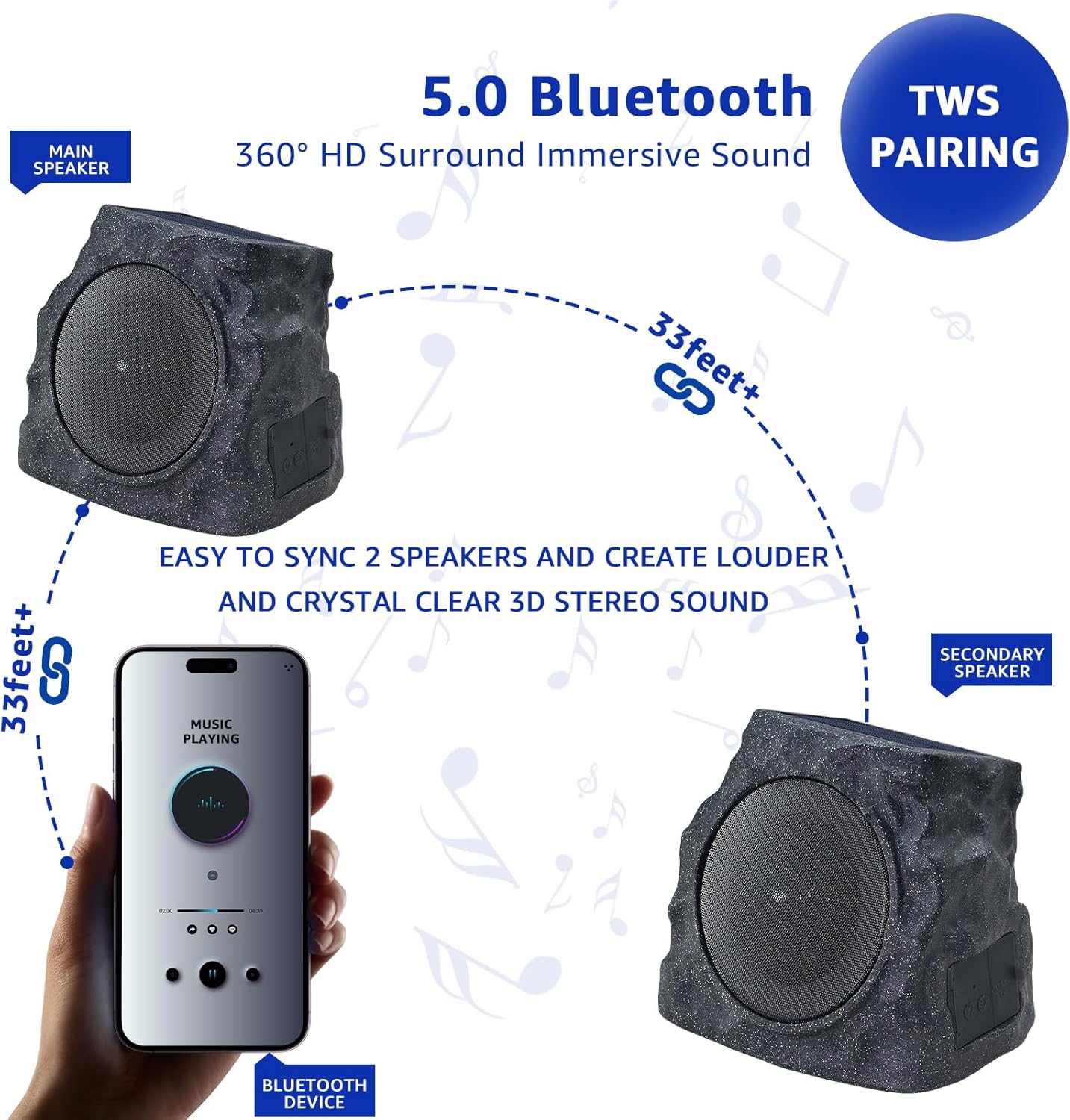
Image: A visual representation of the True Wireless Stereo (TWS) pairing process, showing a main speaker and a secondary speaker wirelessly connected to each other and to a mobile device for immersive 360-degree sound.
Modos de iluminación
The speakers feature 7 dynamic color modes with fluid transitional effects. The lights automatically activate at night. Use the dedicated light mode button (if available, otherwise it's automatic) to cycle through different lighting effects or turn them off.
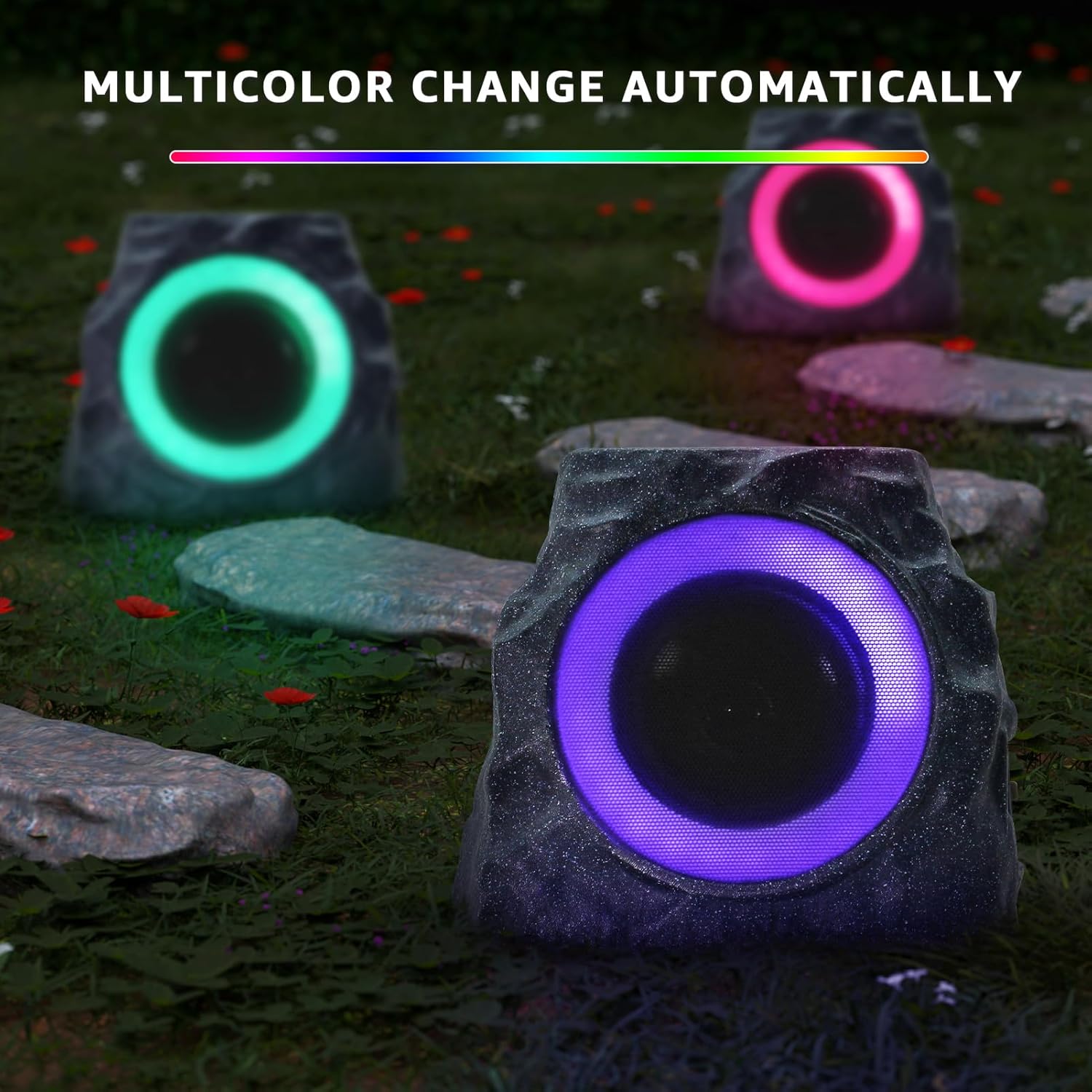
Image: Multiple uuffoo rock speakers illuminated with various RGB colors, demonstrating their ability to create an enchanting ambiance in an outdoor space.
Mantemento
- Limpeza: Limpe os altofalantes cun suave, damp pano para eliminar a sucidade ou os restos. Evite o uso de produtos químicos agresivos ou produtos de limpeza abrasivos.
- Almacenamento: If not used for an extended period (e.g., over 3 months), fully charge the speaker using the USB data cable before storing it in a cool, dry place. This helps maintain battery health.
- Resistencia á auga: The speakers are IP44 water-resistant, meaning they are protected against splashing water from any direction. They are suitable for outdoor use in light rain or near pools but should not be submerged in water.
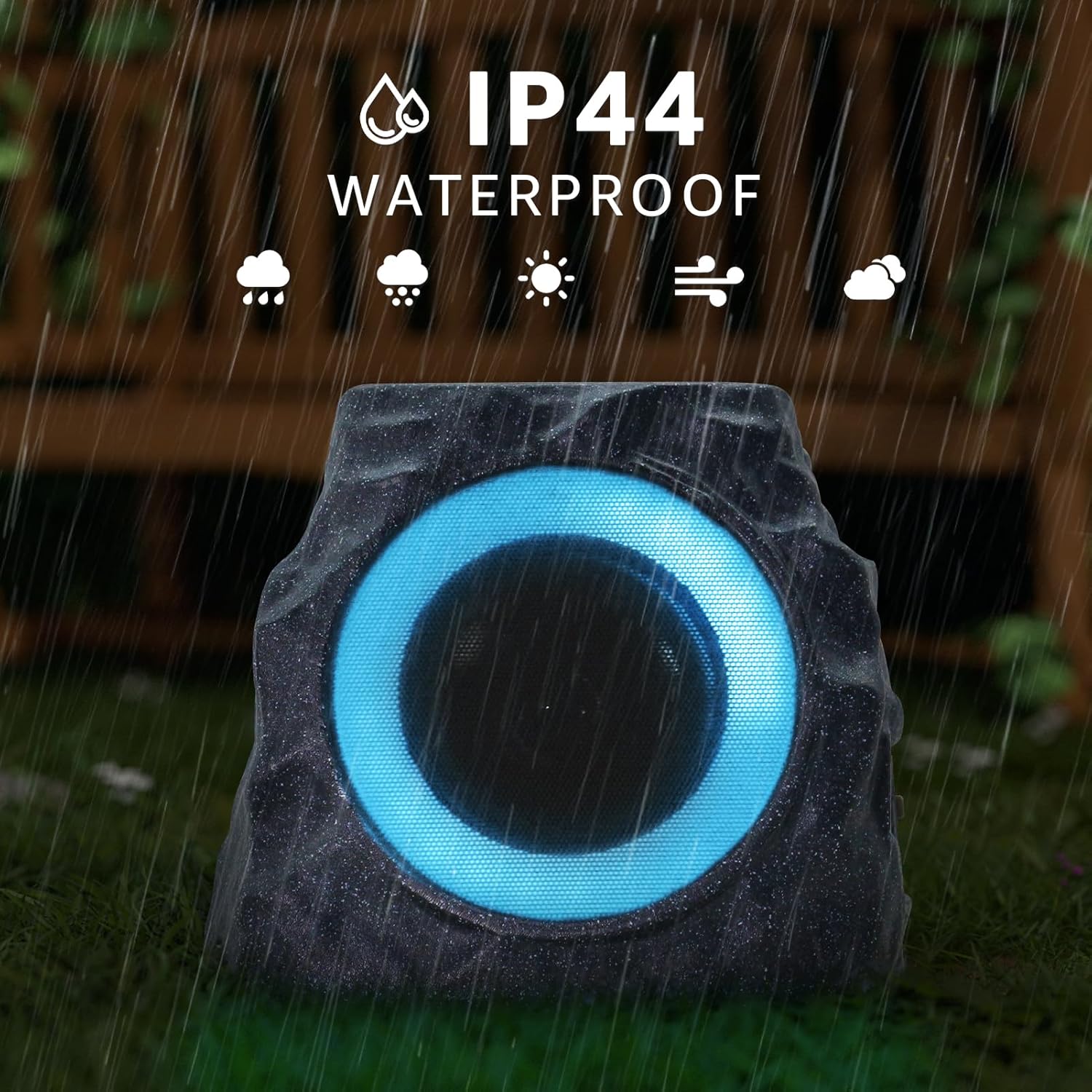
Image: A uuffoo rock speaker with a blue light ring, shown outdoors in the rain, emphasizing its IP44 water-resistant design.
Resolución de problemas
| Problema | Causa posible | Solución |
|---|---|---|
| O altofalante non se acende. | Batería baixa; Botón de acendido non premido correctamente. | Charge the speaker using solar power or USB-C. Ensure the power button is pressed and held for a few seconds. |
| Non se pode conectar por Bluetooth. | Speaker not in pairing mode; Device Bluetooth off; Too far from device; Already connected to another device. | Ensure speaker is in pairing mode (flashing LED). Turn Bluetooth on your device. Move device closer to speaker (within 33 feet). Disconnect from other devices. |
| Sen son ou volume baixo. | Volume too low on speaker or device; Speaker not connected; Audio source issue. | Increase volume on both speaker and connected device. Re-establish Bluetooth connection. Check audio source on your device. |
| Fallou o emparellamento de TWS. | Altofalantes demasiado separados; un altofalante xa está emparellado cun dispositivo. | Ensure both speakers are close to each other. Disconnect both speakers from any other Bluetooth devices before attempting TWS pairing. |
| As luces non funcionan. | Low battery; Light mode off; Sensor issue. | Charge the speaker. Check if the light mode is enabled (lights activate automatically at night). |
Especificacións
| Característica | Detalle |
|---|---|
| Nome do modelo | 941-UUFFOO |
| Tipo de altofalante | Ao aire libre |
| Características especiais | LED Light, Stereo Pairing, Waterproof |
| Usos recomendados | Interior/Exterior |
| Dispositivos compatibles | portátil, teléfono intelixente, tableta |
| Configuración da canle de son envolvente | 2.0 |
| Cor | 2PCS (Rock Gray) |
| Compoñentes incluídos | Power Cable (USB-C), User Manual |
| Dimensións do produto | 8.5"W x 7.3"D x 8.1"H (approx. 21.7cm W x 18.5cm D x 20.5cm H) |
| Peso do elemento | 2.69 quilogramos (aprox. 5.92 libras) |
| Nivel de resistencia á auga | IP44 (Impermeable) |
| Tipo de garantía | Limitado |
| Alcance máximo de Bluetooth | 33 pés (aprox. 10 metros) |
| Número de elementos | 2 |
| Método de control | Toca |
| Tecnoloxía de comunicación sen fíos | Bluetooth |
| Tamaño do altofalante | 2 polgadas |
| Fonte de enerxía | Energía solar |
| Número de baterías | 1 C battery required (per speaker) |
| Tipo de controlador de audio | Driver dinámico |
| Tempo de carga | 5 horas (vía USB) |
| Material | Plástico |

Image: A detailed diagram illustrating the dimensions of the uuffoo rock speaker, including its height, width, and depth, along with icons for solar panel, speaker lighting, and USB-C charge port.
Garantía e Soporte
The uuffoo Solar Powered Rock Speakers come with a Garantía limitada. For specific details regarding warranty coverage, duration, and terms, please refer to the warranty information provided with your purchase documentation or contact uuffoo customer support directly.
If you encounter any issues or have questions not covered in this manual, please contact the seller or manufacturer for assistance. Keep your purchase receipt or order number handy for faster service.
Manufacturer: uuffoo
Seller: UUFFOO (via Amazon)
Para obter máis axuda, pode visitar o uuffoo Store on Amazon.
Ask a question about this manual
Ask about setup, troubleshooting, compatibility, parts, safety, or missing instructions. Manuals+ will review the question and use this page’s manual context to help answer it.