
Introdución
Thank you for choosing the VECHTEL 2 Din Car Stereo. This device features a 7-inch touchscreen with wireless CarPlay and Android Auto, Bluetooth 5.1, FM radio, Mirror Link functionality, and support for a rear view camera. This manual provides essential information for installation, operation, maintenance, and troubleshooting to ensure optimal performance and user safety.
Información de seguridade
- Lea atentamente todas as instrucións antes da instalación e uso.
- Professional installation is recommended to prevent damage to the unit or vehicle.
- Non manexes o dispositivo dun xeito que te distraia da condución. Prioriza sempre a seguridade viaria.
- Ensure all wiring is correctly connected to avoid short circuits or electrical hazards.
- Manteña a unidade lonxe da auga e da humidade excesiva.
- Non intente desmontar nin modificar a unidade. Isto anulará a garantía.
Contido do paquete
Verifica que todos os elementos estean presentes no paquete:
- 1 x VECHTEL 2 Din Car Stereo
- 1 x Traseiro View Cámara
- 1 x cable de alimentación
- 1 x cable de altofalante
- 1 x mando a distancia
- 1 x micrófono externo
- 1 x Manual de usuario

Image: VECHTEL 2 Din Car Stereo with included accessories.
Produto rematadoview
The VECHTEL car stereo features a 7-inch HD touchscreen for intuitive control and a clear display. Physical buttons and a rotary volume knob provide convenient access to essential functions while driving.

Image: 7-inch HD Touch Screen display comparison.

Image: Car stereo interface and port overview.
Configuración
Instalación
This unit is a standard 2 DIN size. Ensure your vehicle's dashboard opening is compatible. It is highly recommended to have the unit installed by a qualified professional to ensure correct wiring and secure mounting.
Conexións de cableado
Connect the power cable, speaker cables, external microphone, and rear view camera according to the provided wiring diagram in the included user manual. Pay close attention to positive and negative terminals to avoid damage.
- Potencia: Connect to the vehicle's power supply (ACC, B+, Ground).
- Relatores: Connect to your vehicle's speakers (Front Left, Front Right, Rear Left, Rear Right).
- Cámara traseira: Connect the video input (CVBS) and power for the camera. The unit will automatically display the camera feed when reversing.
- Micrófono externo: Plug into the designated microphone input for improved call clarity.
- USB/AUX: Connect USB devices for media playback or charging, and AUX for external audio sources.
Instrucións de funcionamento
CarPlay sen fíos e Android Auto
Connect your smartphone wirelessly via Bluetooth to access CarPlay or Android Auto. This allows safe use of navigation, music, and messaging apps through the car stereo's display. Voice control via Siri or Google Assistant is supported for hands-free operation.
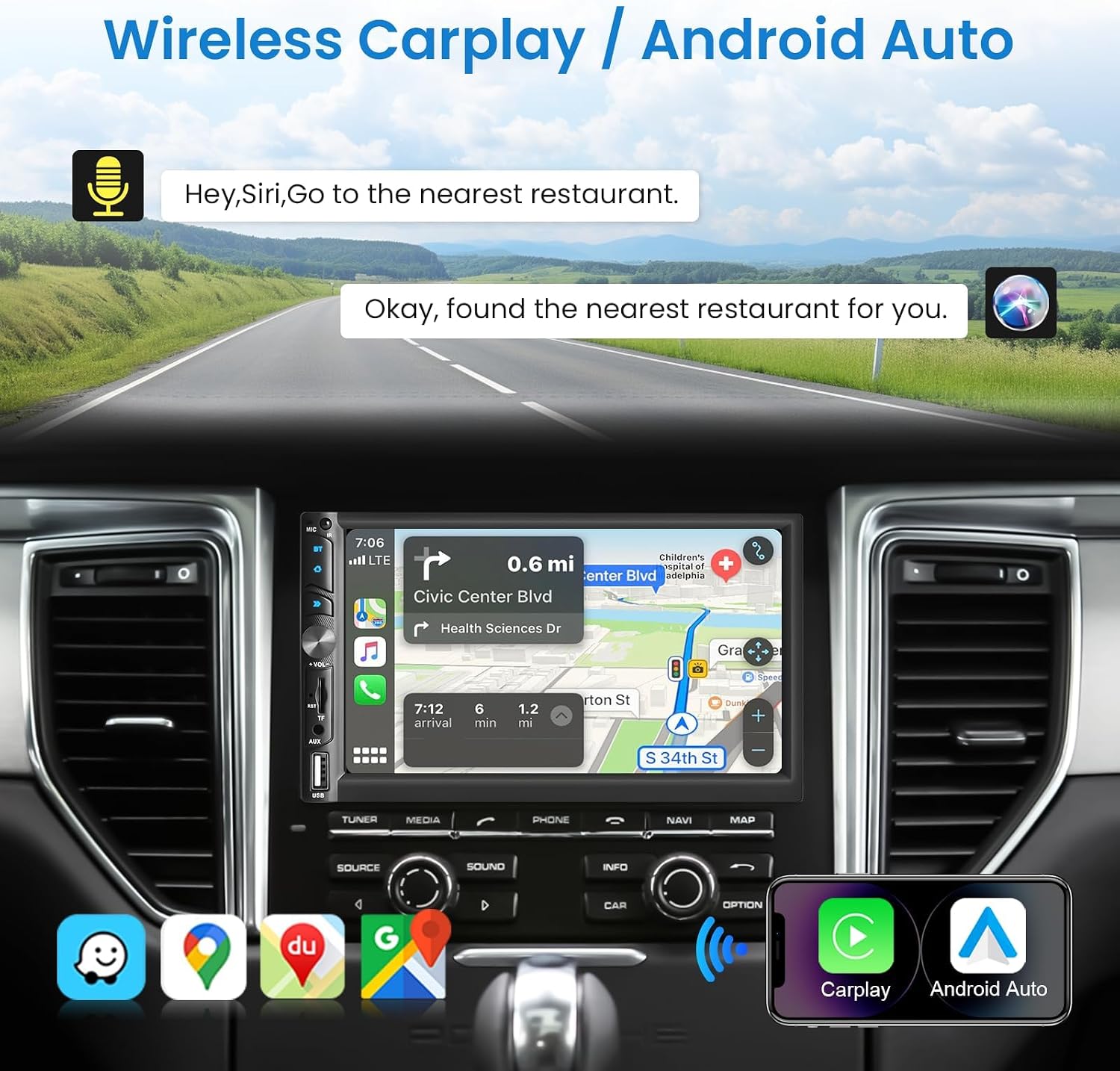
Image: Wireless CarPlay / Android Auto in use.
Conectividade Bluetooth 5.1
The unit features Bluetooth 5.1 for stable and fast wireless connections. Pair your phone to make hands-free calls and stream audio. The dual microphone system (built-in and external) ensures clear communication.

Image: Upgraded Bluetooth 5.1 features.
Función de ligazón espello
Connect your iOS or Android smartphone via USB to use the Mirror Link function. This allows you to display your phone's screen content, such as navigation apps, Spotify, or YouTube, directly on the car stereo's display.

Image: iOS / Android Mirror Link in action.
Radio FM
Tune into your favorite FM radio stations. The unit supports 18 preset stations for quick access.
Traseira View Cámara
When the vehicle is shifted into reverse, the car stereo automatically displays the feed from the included 12-LED night vision rear camera. This feature provides a wide-angle view to assist with parking and maneuvering.

Imaxe: Traseira View Camera display and features.
Configuración de son
Adjust the audio output to your preference using the built-in 10-band equalizer. The unit also supports woofer output for enhanced bass performance.

Image: Excellent Sound Quality settings and connections.
USB/TF/AUX Playback
Insert a USB drive or TF card into the respective ports for media playback. Connect external audio devices via the AUX input.
Mantemento
- Limpeza: Usa un pano suave e seco para limpar a pantalla e a unidade. Evita produtos de limpeza abrasivos ou solventes.
- Actualizacións de software: Check the VECHTEL website or contact support for any available software updates to ensure optimal performance and new features.
- Condicións ambientais: Evite expoñer a unidade a temperaturas extremas ou á luz solar directa durante períodos prolongados.
Resolución de problemas
| Problema | Causa posible | Solución |
|---|---|---|
| Sen poder | Cableado incorrecto; fusible fundido; problema coa batería do vehículo. | Check power connections (ACC, B+, Ground). Inspect vehicle fuses. Consult a professional if necessary. |
| Sen son | Incorrect speaker wiring; Volume too low; Mute function active; Audio source issue. | Verify speaker connections. Increase volume. Disable mute. Check selected audio source. |
| Conexión Bluetooth inestable | Interference; Device too far; Phone Bluetooth issue. | Ensure phone is close to the unit. Restart phone and car stereo. Re-pair the device. |
| A cámara traseira non se mostra | Incorrect camera wiring; Camera power issue; Reverse trigger not connected. | Check camera video input and power connections. Ensure the reverse trigger wire is correctly connected to the vehicle's reverse light circuit. |
| A pantalla táctil non responde | System freeze; Dirt on screen. | Restart the unit. Clean the screen with a soft cloth. |
Especificacións
| Característica | Detalle |
|---|---|
| Número de modelo | 113266 |
| Tamaño da pantalla | 7.0 polgadas |
| Resolución de pantalla | 1024*600 |
| Voltage | 12 V |
| Versión Bluetooth | 5.1 |
| Potencia de saída | 4*45W (180 Watts total) |
| Interface USB | USB 2.0 |
| Entrada inversa | CVBS |
| Rango de radio FM | 87.5-108.0 MHz |
| DVR Support | Si |
| Woofer Output | Si |
| Formatos de audio | MP3 / WMA / WAV / APE / FLAC |
| Formatos de vídeo | MKV/AVI/TS/TP/MP4/M4V (Max bitrate 50-80Mbps) |
| Dimensións (D x W x H) | 9.2 x 17.8 x 9.8 cm |
Información da garantía
This VECHTEL car stereo is covered by a garantía de tres anos from the date of purchase. This warranty covers manufacturing defects and malfunctions under normal use. Please retain your proof of purchase for warranty claims. The warranty does not cover damage caused by improper installation, misuse, accidents, or unauthorized modifications.
Apoio
VECHTEL specializes in automotive electronics and provides dedicated customer support. If you encounter any issues with compatibility, installation, or operation, please do not hesitate to contact us. Our professional team is available to provide assistance.
For technical support, please follow these steps:
- Paso 1: Locate your order on the platform where you purchased the product.
- Paso 2: Click on the seller's name (VECHTEL) and select the option to 'Ask a question' or 'Contact seller'.
We offer 24/7 technical support to ensure your satisfaction.