
1. Introdución
This manual provides detailed instructions for the installation, operation, and maintenance of your EZoneTronics RM-26VW93-2G32 9-inch Android 11 Car Stereo. This universal car radio is designed for various VW models including Passat, Golf MK5, Golf MK6, Jetta, T5, EOS, POLO, Touran, Seat, and Sharan. It features an Android 11 operating system, integrated CarPlay and Android Auto, Bluetooth 5.0, FM/RDS radio, and GPS navigation. Please read this manual thoroughly before using the product to ensure proper function and safety.
2. Información de seguridade
- Manexa sempre o dispositivo de forma responsable e de acordo coas normas de tráfico locais. Unha condución distraída pode provocar accidentes.
- Do not attempt to install or repair the unit yourself if you are not qualified. Improper installation can cause damage to the vehicle's electrical system or the unit itself.
- Asegúrate de que todo o cableado estea conectado e illado correctamente para evitar curtocircuítos.
- Manteña a unidade lonxe da auga e da humidade excesiva.
- Evite expor a unidade a temperaturas extremas.
3. Contido do paquete
Verifique que todos os elementos que se indican a continuación estean incluídos no seu paquete:
- 1 x EZoneTronics Android Car Stereo Unit
- 1 x Antena GPS
- 1 x VW Wiring Harness
- 1 x CANBUS Box
- 1 x Radio Antenna Adapter
- 1 x Adaptador USB
- 1 x Manual de usuario (este documento)
4. Produto rematadoview
The EZoneTronics RM-26VW93-2G32 is a 9-inch universal car stereo designed to enhance your driving experience with advanced features and seamless integration. Key features include:
- Sistema Android 11: Provides a fast, stable, and user-friendly operating environment.
- 9-inch TFT Capacitive Touchscreen: High-definition display with 1280 x 720 pixels for clear visuals.
- Integrated CarPlay & Android Auto: Connect your smartphone via USB for navigation, music, calls, and messages.
- Bluetooth 5.0: For hands-free calling, phonebook access, and audio streaming (A2DP).
- Navegación GPS: Built-in receiver compatible with various navigation apps like Waze, Navfree, and Google Maps.
- Radio FM/RDS: Automatic memory and preset scanning for your favorite stations.
- Soporte para o control do volante: Retains original vehicle steering wheel control functionality via CANBUS.
- Reproductor multimedia: Supports various audio and video formats.
- Entrada da cámara traseira: Supports CVBS/AHD cameras for parking assistance.
- 32 GB de memoria flash: Ample storage for music, map data, and videos.
- 4 x 45W Output Power: Ofrece audio nítido e potente.
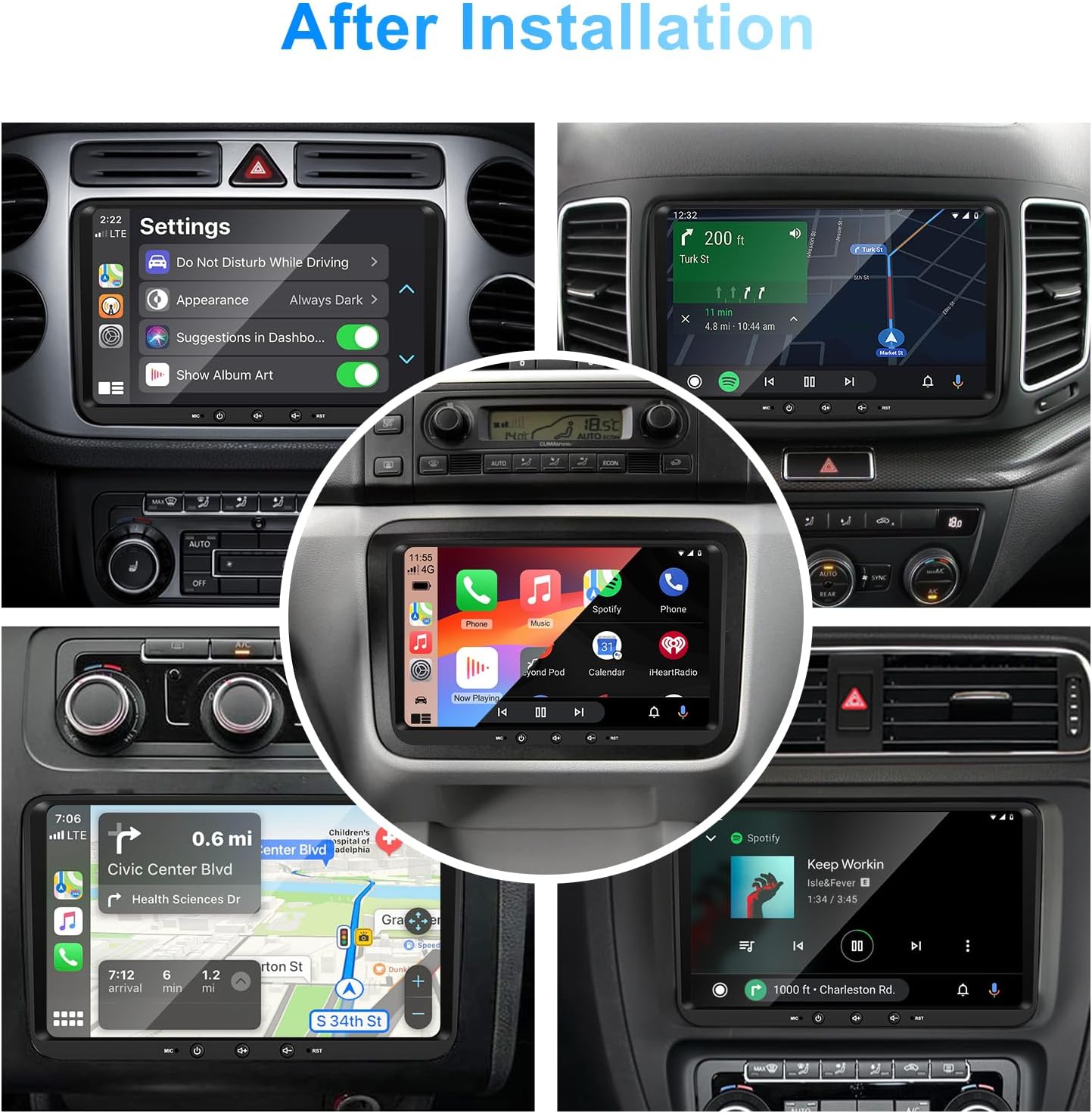
Imaxe 1: Fronte view of the EZoneTronics 9-inch Android 11 Car Stereo unit, showcasing its large touchscreen display and sleek design.
5. Configuración e instalación
Recoméndase a instalación por parte dun profesional. Asegúrese de desconectar a alimentación do vehículo antes de comezar a instalación.
5.1 Diagrama de cableado
Refer to the following diagram for proper wiring connections. Each connector is labeled for clarity.

Image 2: Detailed wiring diagram illustrating connections for the power harness, CANBUS box, USB extension, backup camera video input, radio antenna adapter, and GPS antenna.
5.2 Pasos de instalación (xerais)
- Eliminar a unidade orixinal: Carefully remove your vehicle's existing car stereo unit and trim panels.
- Conectar o arnés de alimentación: Connect the provided VW wiring harness to the vehicle's wiring and then to the car stereo unit. Ensure all connections are secure.
- Connect CANBUS Box: Integrate the CANBUS box as shown in the wiring diagram. This enables steering wheel controls and other vehicle data integration.
- Conectar a antena GPS: Monte a antena GPS nun lugar con luz despexada view of the sky (e.g., dashboard or windshield corner) and connect it to the unit.
- Connect Radio Antenna: Use the provided radio antenna adapter to connect the vehicle's radio antenna to the unit.
- Connect USB Adapters: Connect the USB extension harnesses for external USB devices.
- Conexións opcionais: Connect any optional accessories such as a backup camera (CVBS/AHD), external amplifier (RCA output), or additional video inputs/outputs.
- Funcionalidade de proba: Before fully reassembling the dashboard, temporarily connect the unit and test all functions (power, audio, radio, GPS, Bluetooth, steering wheel controls, camera).
- Unidade segura: Once all functions are verified, secure the car stereo unit in the dashboard and reassemble all trim panels.
6. Instrucións de funcionamento
This section details the primary functions and operations of your EZoneTronics car stereo.
6.1 Funcionamento básico
- Encendido/apagado: Press and hold the power button (usually on the front panel) to turn the unit on or off. A short press typically mutes/unmutes audio.
- Control de volume: Use the physical volume knob or the on-screen controls to adjust the audio level.
- Interfaz de pantalla táctil: Navigate through menus and applications by tapping, swiping, and pinching on the 9-inch capacitive touchscreen.
6.2 Sistema Android 11
The unit runs on Android 11, providing a familiar smartphone-like experience. You can download and install various applications from the Google Play Store.

Image 3: Screenshot of the Android 11 system interface, showing various applications and media options available on the car stereo.
6.3 CarPlay e Android Auto
Connect your iPhone or Android smartphone via USB to access CarPlay or Android Auto. This allows for safe and convenient use of phone features while driving.
- Conexión: Connect your smartphone to one of the unit's USB ports using a certified USB cable.
- Activación: The unit should automatically detect and prompt you to launch CarPlay or Android Auto. Follow on-screen instructions.
- Características: Access navigation, make calls, send/receive messages, and play music using voice commands (Siri or Google Assistant) or the touchscreen.

Image 4: Display showing the CarPlay interface with Siri voice commands and the Android Auto interface with Google Assistant commands, demonstrating smartphone integration.
6.4 Navegación GPS
The unit includes a built-in GPS receiver and supports various navigation applications.
- Pre-installed Maps: Sygic Maps are typically pre-installed. For offline use, download regional map data as needed.
- Navegación en liña: Connect to Wi-Fi or use a mobile hotspot to access real-time traffic information and online map services like Google Maps.
- External GPS Antenna: Ensure the external GPS antenna is properly connected and positioned for optimal signal reception.

Image 5: The car stereo displaying an online navigation map, showing a route and real-time traffic conditions within a vehicle dashboard.
6.5 Bluetooth 5.0
Connect your smartphone via Bluetooth for hands-free communication and audio streaming.
- Emparejamento: Enable Bluetooth on your smartphone and search for the car stereo (e.g., "EZoneTronics"). Select the device and confirm the pairing code.
- Chamadas mans libres: Make and receive calls directly from the car stereo. Access your phonebook and recent call history.
- Transmisión de audio (A2DP): Play music from your smartphone through the car stereo's speakers.

Image 6: The car stereo displaying music playback via Bluetooth 5.0, with a smartphone shown next to it also playing music, illustrating the wireless audio connection.
Radio 6.6 FM/RDS
Access local radio stations with the built-in FM/RDS tuner.
- Afinación: Use the on-screen controls to manually tune to frequencies or perform an automatic scan for available stations.
- Presets: Garda as túas emisoras favoritas nos botóns predefinidos para acceder a elas rapidamente.
- RDS (Sistema de datos de radio): Displays station information such as song title, artist, or program type where available.
6.7 Control do volante
The unit supports your vehicle's original steering wheel controls through the CANBUS box, allowing you to manage audio and other functions without taking your hands off the wheel.
- Funcionalidade: Control volume, change tracks, answer calls, and switch modes directly from your steering wheel.
- Configuración: In some cases, steering wheel controls may require initial configuration in the unit's settings menu.

Image 7: Illustration showing a steering wheel with control buttons and corresponding icons on the car stereo display, indicating seamless integration of steering wheel controls.
6.8 Audio Settings (32-Band EQ)
Customize your audio experience with the built-in 32-band equalizer and other sound controls.
- Equalizer: Adjust frequency bands to fine-tune the sound output to your preference.
- Preset EQ Modes: Select from various preset equalizer modes (e.g., Pop, Rock, Jazz, Classic).
- Fader / Balance: Adjust the audio distribution between front/rear and left/right speakers.
- Sonoridade: Enhance bass and treble at low volume levels.

Image 8: Screenshot of the car stereo's 32-band equalizer interface, showing adjustable frequency sliders and preset sound modes, along with a visual representation of sound distribution in a car cabin.
6.9 After Installation Overview
Once installed, the unit provides a comprehensive interface for various functions, including system settings, navigation, media playback, and vehicle information.
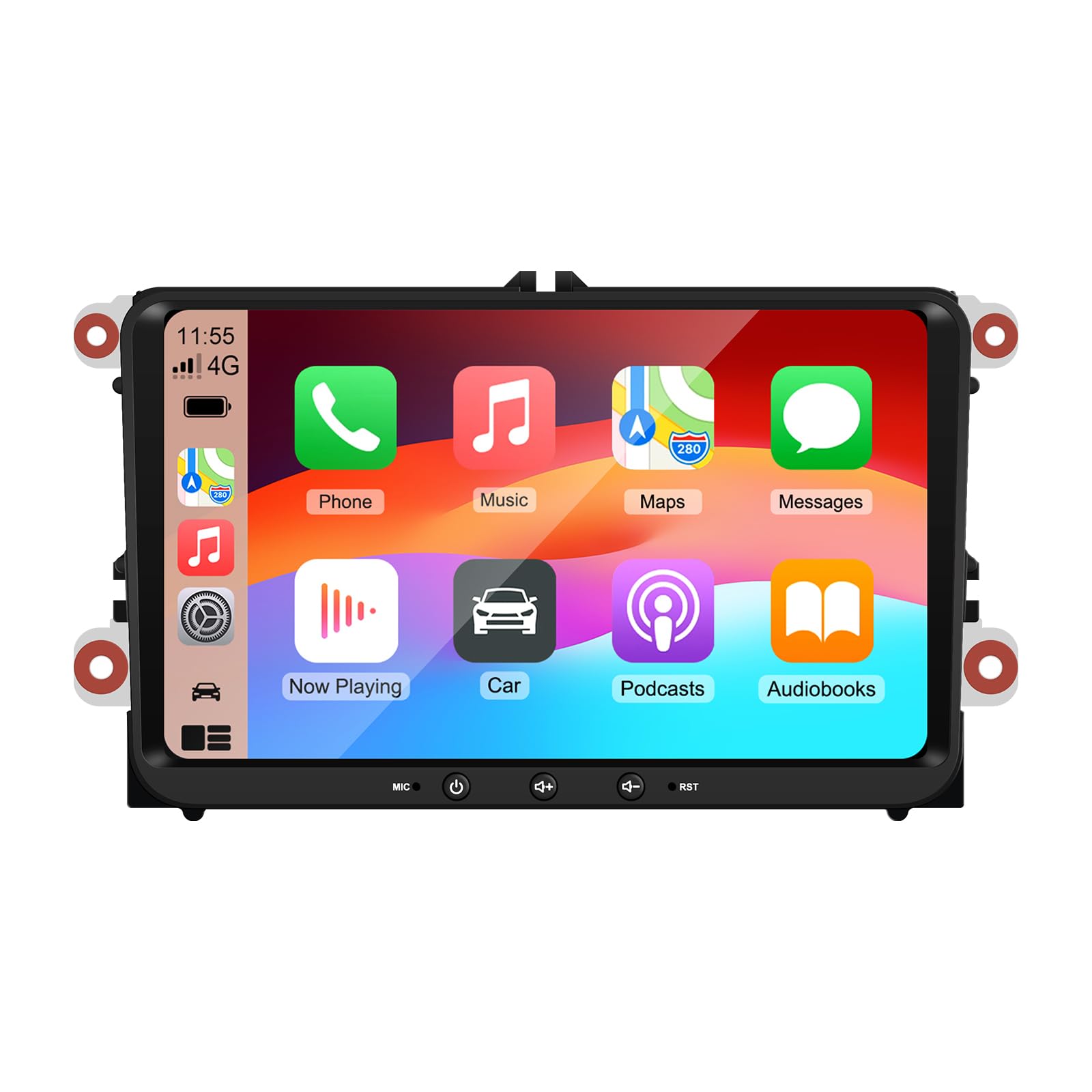
Image 9: A collage of various screen displays from the car stereo after installation, showing settings, navigation, CarPlay, Spotify, and vehicle information screens.
7. Mantemento
- Limpeza da pantalla: Usa un pano suave e sen pelusa para limpar con suavidade a pantalla táctil. Para manchas difíciles, limpa lixeiramenteampEnxugue o pano con auga ou un limpador de pantallas. Evite produtos químicos agresivos.
- Actualizacións de software: Comprobe periodicamente se hai actualizacións de software a través do menú de configuración da unidade ou do fabricante websitio para garantir un rendemento óptimo e o acceso a novas funcións.
- Restablecemento do sistema: If the unit experiences persistent issues, a factory reset option is available in the settings. Note that this will erase all user data and settings.
8 Solución de problemas
If you encounter problems with your EZoneTronics car stereo, refer to the following common issues and solutions:
| Problema | Causa posible | Solución |
|---|---|---|
| A unidade non se acende. | Incorrect wiring; Blown fuse; Vehicle power issue. | Check power connections and fuses. Consult a professional installer. |
| Sen son. | Volume muted; Speaker wiring incorrect; Ampcuestión de lifier. | Check volume and mute settings. Verify speaker connections. |
| Sinal GPS perdido ou impreciso. | Antena GPS colocada incorrectamente ou desconectada. | Asegúrate de que a antena GPS teña unha visión clara view do ceo e está conectado de forma segura. |
| Falla o emparellamento Bluetooth. | Bluetooth not enabled on phone/unit; Incorrect pairing process. | Ensure Bluetooth is active on both devices. Restart pairing process. |
| Os controis do volante non funcionan. | CANBUS box not connected; Incorrect configuration. | Verify CANBUS box connection. Check steering wheel control settings in the unit. |
9. Especificacións
Technical specifications for the EZoneTronics RM-26VW93-2G32 car stereo:
| Característica | Especificación |
|---|---|
| Número de modelo | RM-26VW93-2G32 |
| Sistema Operativo | Android 11 |
| Tamaño da pantalla | 9 polgadas |
| Resolución de visualización | 1280 x 720 píxeles |
| Procesador | Quad Core 1.5G |
| RAM | 2G DDR4 |
| Almacenamento interno | Memoria flash de 32 GB |
| Versión Bluetooth | 5.0 |
| Potencia de saída | 4 x 45W (180 Watts total) |
| Número de canles | 2 |
| Receptor GPS | Built-in, with external antenna |
| Wi-Fi | Integrado |
| Entrada USB | 2 x USB traseiro |
| Entrada da cámara | CVBS/AHD compatible |
| Fabricante | Rhythm Electronics Limited |
10. Garantía e soporte
10.1 Información da garantía
The EZoneTronics RM-26VW93-2G32 car stereo comes with a 1 ano de garantía from the date of purchase. This warranty covers manufacturing defects and malfunctions under normal use. It does not cover damage caused by improper installation, misuse, accidents, or unauthorized modifications.
10.2 Atención ao cliente
For technical assistance, warranty claims, or any questions regarding your product, please contact our customer support team:
- Correo electrónico: support@ezonetronics.com
When contacting support, please provide your product model number (RM-26VW93-2G32) and a detailed description of the issue.