
1. Introdución
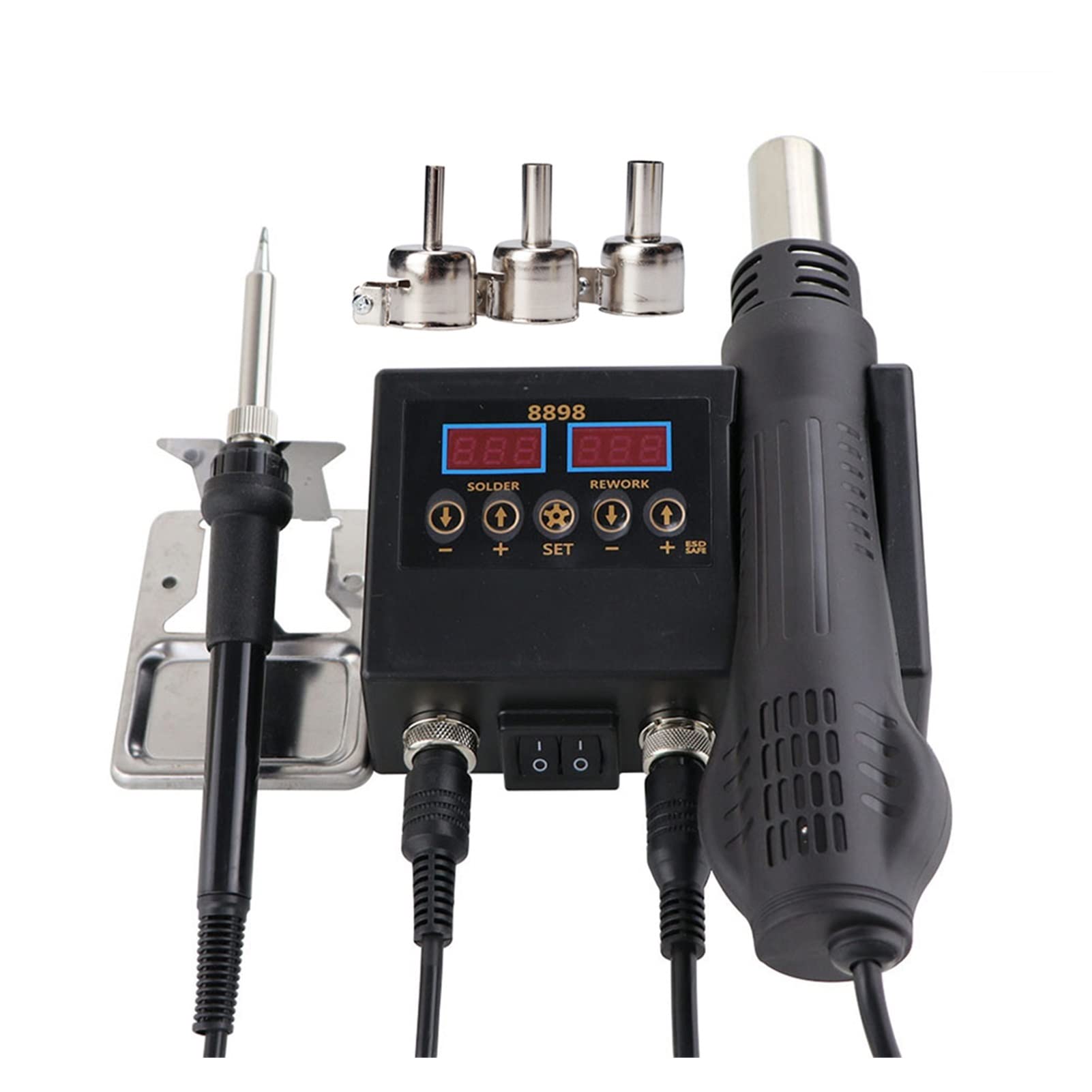
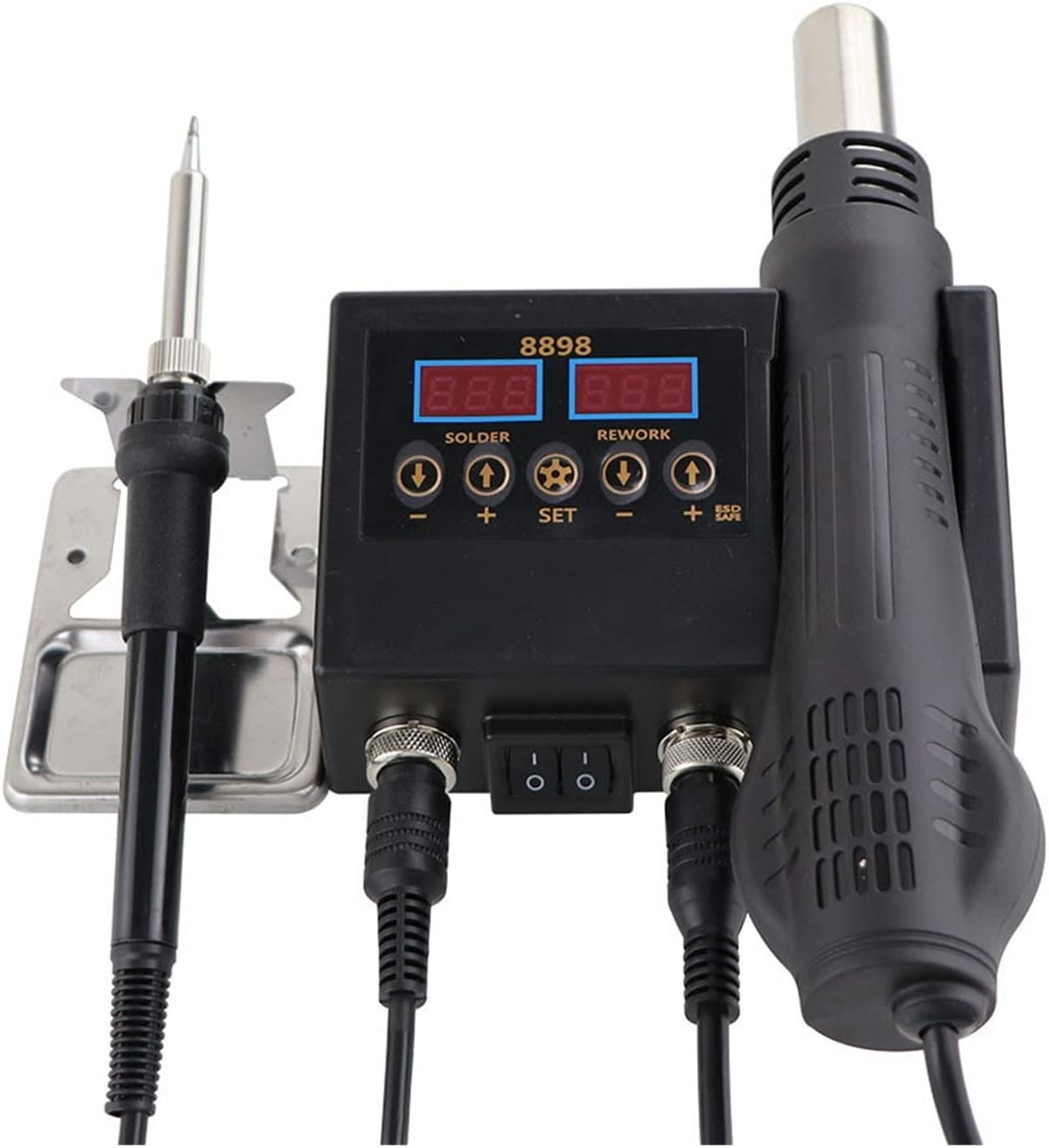
Thank you for choosing the ZHDBD 8898 2-in-1 Soldering Rework Station. This device integrates a hot air gun and a soldering iron into a single unit, providing versatile functionality for electronic repair, SMD component rework, and general soldering tasks. This manual provides essential information for safe operation, setup, and maintenance of your new equipment. Please read it thoroughly before use.
2. Características do produto
- Integrated hot air gun and soldering iron for 2-in-1 rework station functionality.
- Dual LCD digital displays for precise temperature monitoring of both tools.
- Compact design with extremely low noise operation, optimizing workspace.
- Intelligent self-detection function ensures safe personal operation.
- Automatic cooling function extends heater lifespan and protects the hot air gun.
- Handle with sensor switch for quick access to operation mode and automatic standby.
3. Contido do paquete
Comprobe o contido do paquete ao recibilo para asegurarse de que estea presente con todos os elementos:
- ZHDBD 8898 Main Control Unit
- Hot Air Gun Handle
- Mango de Soldador
- Soporte para pistola de aire quente
- Soldering Iron Stand with Sponge
- Assorted Hot Air Nozzles (typically 3-4 sizes)
- Cable de alimentación
- Manual de usuario (este documento)
4. Especificacións
| Característica | Especificación |
|---|---|
| Potencia total | 750 W |
| Vol. De entradatage | (Typically 110V/220V, 50Hz/60Hz - not specified, assuming standard) |
| Pistola de aire quente | |
| Potencia de saída | 500 W |
| Rango de temperatura | 100 °C - 480 °C |
| Estabilidade da temperatura | ± 2 °C |
| Fluxo de aire | 120 L/min (Max) |
| Soldador | |
| Potencia de saída | 60 W |
| Rango de temperatura | 180 °C - 500 °C |
| Estabilidade da temperatura | ± 1 °C |
| Material do quentador | Cerámica |
| Deseño | Seguro ESD |
| Tipo de visualización | LCD |
5. Instrucións de seguridade
To prevent injury or damage to the equipment, always observe the following safety precautions:
- Altas temperaturas: The hot air gun and soldering iron tips reach very high temperatures. Avoid direct contact with skin or flammable materials.
- Ventilación: Use the station in a well-ventilated area to avoid inhaling solder fumes, which can be harmful.
- Protección ocular: Always wear safety glasses to protect your eyes from solder splatter or flying debris.
- Seguridade eléctrica: Ensure the power cord is properly grounded. Do not operate with wet hands or in damp ambientes. Desconecte a alimentación antes de limpar ou realizar tarefas de mantemento.
- Colocación adecuada: Place the unit on a stable, heat-resistant surface. Ensure the hot air gun is always placed in its holder when not in use, allowing it to cool down safely.
- Nenos e animais: Manteña o dispositivo fóra do alcance dos nenos e das mascotas.
- Materiais inflamables: Keep flammable liquids, gases, and materials away from the work area.
- Protección ESD: The soldering iron features an ESD-safe design. For sensitive components, ensure proper grounding practices are followed.
6. Configuración
Follow these steps to set up your ZHDBD 8898 Soldering Rework Station:
- Desempaquetar: Retire coidadosamente todos os compoñentes da embalaxe.
- Colocación: Place the main control unit on a stable, heat-resistant, and level workbench. Ensure adequate space around the unit for ventilation.
- Conectar a pistola de aire quente: Connect the hot air gun handle cable to the corresponding port on the main unit. Secure the connector by tightening the retaining ring.
- Conectar o soldador: Connect the soldering iron handle cable to its designated port on the main unit. Secure the connector.
- Install Holders: Attach the hot air gun holder to the side of the main unit. Place the soldering iron stand on your workbench and insert the soldering iron into it. Ensure the cleaning sponge is moistened.
- Conexión de alimentación: Conecte o cable de alimentación á unidade principal e logo conécteo a unha toma de corrente con conexión a terra.
7. Instrucións de funcionamento
This section details the operation of both the hot air gun and the soldering iron.
7.1 Funcionamento xeral
- Encendido: Flip the main power switch on the front panel to the "ON" position. The digital displays will illuminate.
- Selección da ferramenta: The unit allows independent operation of the hot air gun and soldering iron. Use the respective power switches for each tool if available, or simply pick up the tool to activate it (due to sensor switch).
- Axuste de temperatura: Usa o UP e ABAIXO buttons below each display to set the desired temperature for the hot air gun and soldering iron. The SET button may be used to cycle through settings or confirm.

7.2 Hot Air Gun Operation
- Seleccionar boquilla: Choose an appropriate nozzle size for your application and attach it securely to the hot air gun.
- Temperatura establecida: Adjust the hot air gun temperature using the controls. Recommended range for most SMD rework is 300°C - 400°C, but consult component datasheets.
- Axustar o fluxo de aire: Adjust the airflow using the dedicated knob or buttons (if present) to a suitable level. Start with lower airflow for delicate components.
- Activación: Pick up the hot air gun from its holder. The unit will automatically start heating to the set temperature.
- Operación: Direct the hot air stream evenly over the component to be reworked. Maintain a safe distance to avoid overheating or damaging surrounding components.
- Standby/Cool-down: When finished, place the hot air gun back into its holder. The unit will automatically enter cool-down mode, blowing cool air until a safe temperature is reached, then entering standby. Do not unplug the unit during cool-down.
7.3 Soldering Iron Operation
- Compoñentes limpos: Ensure the electronic components and PCB pads to be soldered are clean and free of oxidation.
- Temperatura establecida: Adjust the soldering iron temperature. A common starting point is 300°C - 400°C, depending on the solder type and component sensitivity.
- Enlatando o consello: Once the iron reaches the set temperature, apply a small amount of solder to the tip. This "tins" the tip, preventing oxidation and improving heat transfer. Wipe excess solder on the moistened sponge.
- Soldadura:
- Place the hot soldering iron tip onto the joint where the component lead meets the PCB pad.
- Apply solder to the joint, not directly to the iron tip. The heat from the iron should melt the solder, allowing it to flow smoothly around the joint.
- Retira o fío de soldadura e, a seguir, o soldador. Deixa que a unión arrefríe de forma natural sen que ninguén se mova.
- Limpeza: Regularly clean the soldering iron tip on the moistened sponge during use to remove oxidation and old solder.
8. Mantemento
Proper maintenance ensures the longevity and optimal performance of your rework station.
- Soldering Iron Tip Care:
- Always tin the tip before and after use.
- Limpar a punta regularmente con anunciosamp esponxa ou la de latón.
- Avoid excessive pressure when cleaning, as this can damage the tip plating.
- Replace tips when they become pitted or heavily oxidized and cannot be tinned.
- Hot Air Gun Nozzles: Ensure nozzles are clean and free of debris. Replace if damaged or clogged.
- Limpeza xeral:
- Desconecte a alimentación antes de limpar.
- Wipe the main unit and handles with a soft, damp pano. Non use produtos de limpeza ou disolventes abrasivos.
- Ensure no liquids enter the unit's vents or ports.
- Almacenamento: Garde a unidade nun ambiente seco e libre de po cando non a estea a usar.
9 Solución de problemas
Consulta a táboa seguinte para ver os problemas comúns e as súas solucións:
| Problema | Causa posible | Solución |
|---|---|---|
| A unidade non se acende. | No power supply; power switch off; faulty power cord. | Check power cord connection; ensure power switch is ON; test outlet. |
| Hot air gun not heating or no airflow. | Handle not seated correctly; heater element failure; fan failure. | Ensure hot air gun is properly placed in its holder and then removed to activate; check connections. If problem persists, contact support. |
| Soldering iron not heating. | Iron not connected; heater element failure; tip not making good contact. | Check soldering iron cable connection; ensure tip is securely fastened. If problem persists, contact support. |
| Soldering iron tip not tinning or poor heat transfer. | Oxidized tip; insufficient temperature; incorrect tip. | Clean and re-tin the tip; increase temperature; replace with a new tip if severely damaged. |
| Código de erro na pantalla. | Internal fault; sensor issue. | Refer to specific error codes in a more detailed manual (if available) or contact customer support with the error code. |
10. Garantía e soporte
The ZHDBD 8898 Soldering Rework Station is designed for reliability and performance. For warranty information, please refer to the documentation provided at the time of purchase or contact your retailer. If you encounter any issues or require technical assistance, please contact ZHDBD customer support through your purchase platform or the official brand website for prompt service.