
1. Introdución
Thank you for choosing the iMuto SL200QC 20000mAh Quick Charge Power Bank. This manual provides essential information for the safe and efficient operation of your device. Please read it thoroughly before use and retain it for future reference.
2. Produto rematadoview
The iMuto SL200QC is a high-capacity portable charger designed to provide fast and reliable power to your electronic devices. It features Qualcomm Quick Charge 3.0 technology and iM-Power auto-detection for optimized charging.
2.1 Contido do paquete
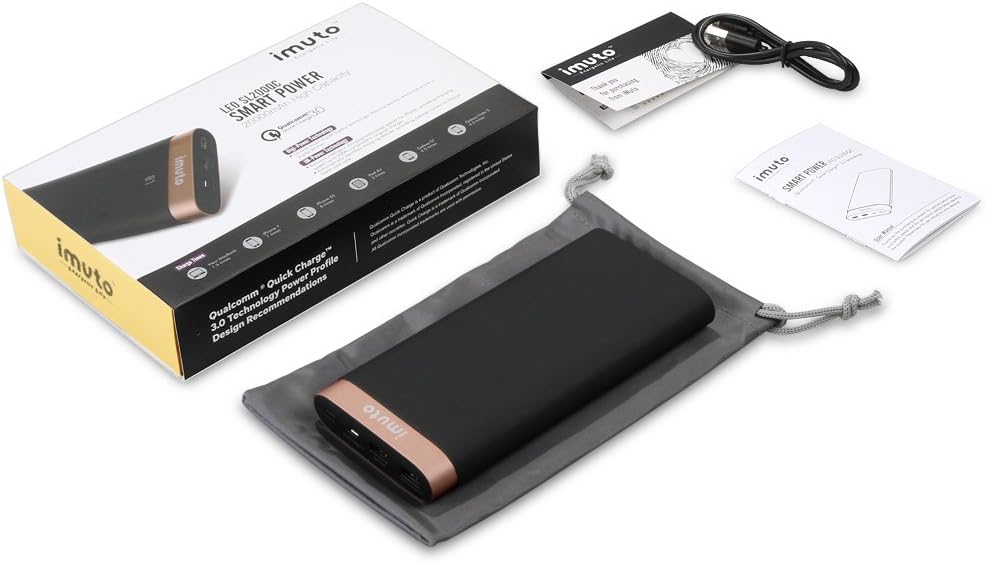
Image: The iMuto SL200QC Power Bank package contents, showing the power bank, a micro USB charging cable, a user manual, and a carrying pouch.
O paquete normalmente inclúe:
- iMuto SL200QC Power Bank
- Cable de carga micro USB
- Manual de usuario
- Bolsa de transporte
2.2 Características do dispositivo

Image: The iMuto SL200QC Power Bank, highlighting its two USB output ports (USB1 with Quick Charge 3.0, USB2 with iM-Power Technology), a Micro USB input port, and the digital power display.
- Digi-Power Technology: A smart digital screen displays the remaining power level in percentage.
- Dual USB Output Ports:
- USB1: Qualcomm Quick Charge 3.0 (5-6V/3A, 6-9V/2A, 9-12V/1.5A) for compatible devices.
- USB2: iM-Power Technology (5V/1A-2.4A) for intelligent device detection and optimized charging.
- Entrada de micro USB: Supports Quick Charge 3.0 (5V-9V/2A, 9V-12V/1.5A) for rapid recharging of the power bank.
- Alta capacidade: 20000mAh Li-ion battery cells.
- Protección de seguridade intelixente: Built-in safeguards against overcharge, overvoltage, sobreintensidade e curtocircuítos.
3. Configuración
Before first use, it is recommended to fully charge your iMuto SL200QC Power Bank.
3.1 Carga inicial do banco de enerxía
- Connect the provided Micro USB cable to the Micro USB input port on the power bank.
- Connect the other end of the Micro USB cable to a USB wall charger (a Quick Charge 3.0/2.0 compatible charger is recommended for fastest recharging).
- The digital display will show the charging progress. The power bank is fully charged when the display shows "100".

Image: The iMuto SL200QC Power Bank connected to a wall charger via its Micro USB input, illustrating the recharging process. A full charge takes approximately 7 hours with a QC3.0/QC2.0 charger.
A full recharge using a Quick Charge 3.0/2.0 compatible charger typically takes about 7 hours. Using a standard 5V/2A charger will take longer.
4. Instrucións de funcionamento
4.1 Checking Remaining Power
Press the power button once to activate the digital display. The screen will show the remaining battery percentage. A pantalla apagarase automaticamente despois duns segundos para aforrar enerxía.
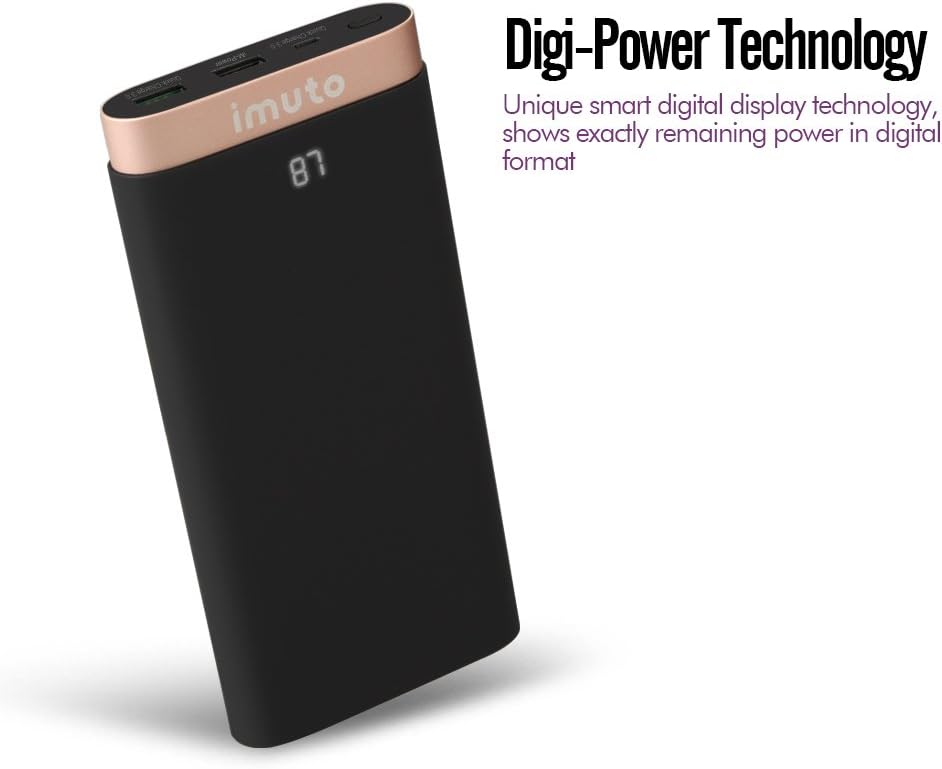
Image: The iMuto SL200QC Power Bank showing "87" on its digital display, indicating 87% remaining battery charge.
4.2 Carga dos seus dispositivos
The iMuto SL200QC can charge up to two devices simultaneously.

Image: The iMuto SL200QC Power Bank connected to a smartphone and a tablet, demonstrating its ability to charge two devices concurrently.
- Connect your device's charging cable to one of the USB output ports on the power bank.
- Conecte o outro extremo do cable ao dispositivo.
- The power bank will automatically begin charging your device. The digital display will illuminate to show the remaining power.
- Para deter a carga, simplemente desconecta o dispositivo.
Note on Ports:
- USB1 (Quick Charge 3.0): Use this port for devices compatible with Quick Charge technology to achieve the fastest charging speeds.
- USB2 (iM-Power Technology): This port intelligently detects your device's charging requirements and delivers the optimal current up to 2.4A.
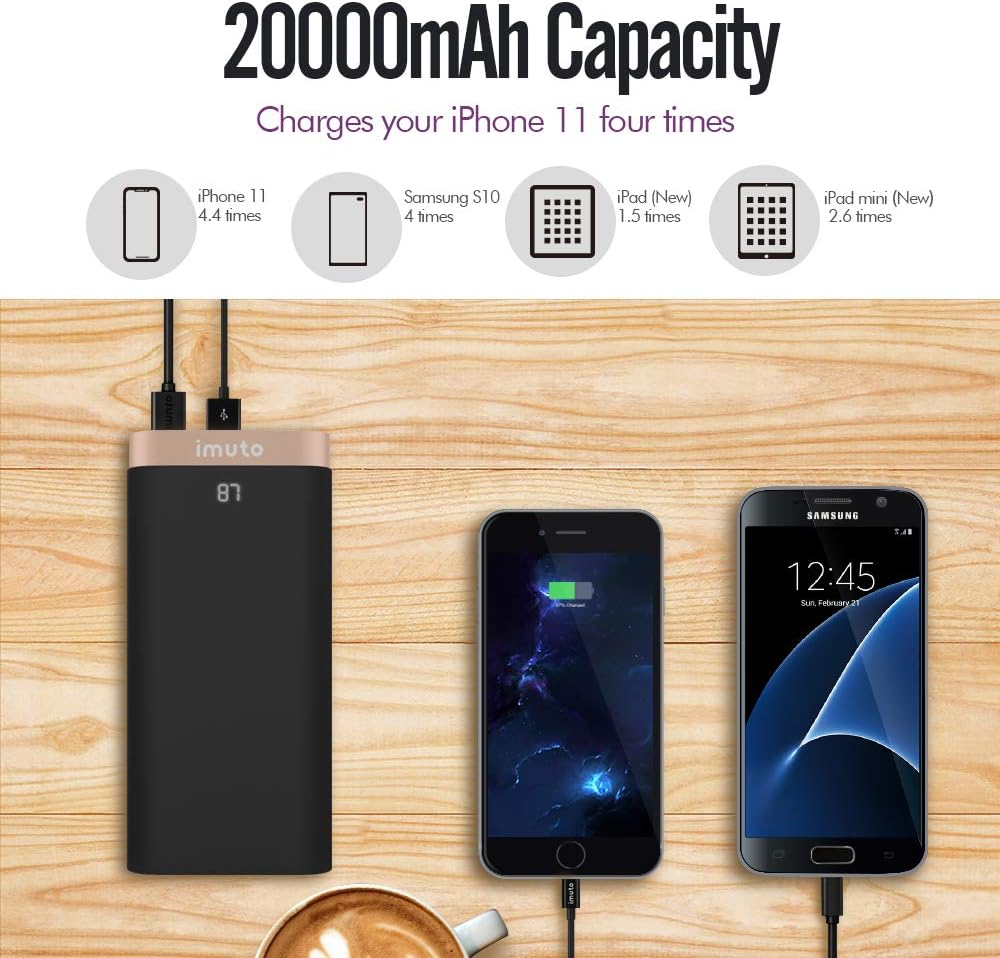
Image: The iMuto SL200QC Power Bank shown next to a smartphone and tablet being charged, with illustrations indicating its 20000mAh capacity can charge an iPhone 11 approximately 4.4 times, a Samsung S10 4 times, an iPad (New) 1.5 times, and an iPad mini (New) 2.6 times.
5. Mantemento
- Manteña o banco de enerxía lonxe de temperaturas extremas, luz solar directa e ambientes húmidos.
- Non expoña o banco de enerxía á auga ou a outros líquidos.
- Clean the power bank with a dry, soft cloth. Do not use abrasive cleaners or solvents.
- Store the power bank in a cool, dry place when not in use. For prolonged storage, it is recommended to charge the power bank to about 50-75% every 3 months to maintain battery health.
- Evite deixar caer ou someter o banco de enerxía a fortes impactos.
6 Solución de problemas
| Problema | Causa posible | Solución |
|---|---|---|
| O banco de enerxía non carga os dispositivos. |
|
|
| O banco de enerxía non se recarga. |
|
|
| Velocidade de carga lenta. |
|
|
| A pantalla dixital non funciona. |
|
|
7. Especificacións
| Característica | Detalle |
|---|---|
| Modelo | SL200QC |
| Capacidade da batería | 20000mAh / 74Wh |
| Tipo de batería | Li-ion (8 cells) |
| Micro USB Input (QC 3.0) | 5V-9V/2A, 9V-12V/1.5A |
| USB1 Output (QC 3.0) | 5-6V/3A, 6-9V/2A, 9-12V/1.5A |
| USB2 Output (iM-Power) | 5V / 1A-2.4A |
| Potencia de saída total | 25 vatios (máx.) |
| Dimensións | 17.2 x 8.18 x 2.24 cm |
| Peso | 650 g |
| Dispositivos compatibles | iPhone, iPad, Samsung Galaxy, Google Nexus/Pixel, Nintendo Switch, Xperia, LG, Lumia, and other USB-powered devices. |

Imaxe: Unha explosión view of the iMuto SL200QC Power Bank, illustrating its internal components including A-class Li-ion battery cells, Digi-Power technology circuit board, multiple smart protection system, power button, and aviation aluminum alloy shell.
8. Garantía e soporte
8.1 Información da garantía
The iMuto SL200QC Power Bank comes with an 18 meses de garantía from the date of purchase. This warranty covers manufacturing defects and ensures reliable performance under normal use. Please retain your proof of purchase for warranty claims.
A garantía non cobre os danos causados por mal uso, accidentes, modificacións non autorizadas ou desastres naturais.
8.2 Atención ao cliente
For any questions, technical assistance, or warranty claims, please contact iMuto customer support. Refer to the contact information provided on the official iMuto websitio web ou a documentación da súa compra.