
1. Introdución
The KODAK PLAYSPORT (Zx5) HD Waterproof Pocket Video Camera is designed for capturing high-definition videos and photos in various environments. Its robust construction makes it shockproof, dustproof, and waterproof up to 10 feet (3 meters), ideal for active lifestyles. This manual provides essential information for setting up, operating, and maintaining your camera.

Imaxe 1: Fronte view of the Kodak PlaySport (Zx5) HD Waterproof Pocket Video Camera in Black.
2. Que hai na caixa
- Kodak PlaySport (Zx5) HD Waterproof Pocket Video Camera
- Manual de usuario
3. Características do produto
- Shockproof, dustproof, and waterproof up to 10 ft (3 meters)
- Kodak's Share button for easy sharing
- Full 1080p HD videos and 5 MP HD stills
- Built-in digital image stabilization for sharper videos
- On-camera editing capabilities
4. Configuración
4.1 Instalación da batería
- Localiza a porta do compartimento da batería na cámara.
- Slide the latch to open the battery compartment.
- Insert the Lithium Ion battery, ensuring correct orientation according to the diagram inside the compartment.
- Close the battery compartment door securely until it latches.
4.2 Instalación da tarxeta de memoria
The camera uses SDHC flash memory cards.
- With the battery compartment open, locate the SDHC card slot.
- Insert the SDHC card into the slot until it clicks into place.
- Pecha a porta do compartimento da batería.
4.3 Carga da cámara
Use the provided USB cable to charge the camera. Connect the micro-USB end to the camera's charging port and the USB-A end to a compatible USB power adapter (not included) or a computer.
5. Instrucións de funcionamento
5.1 Encendido/apagado
Manteña premido o botón de acendido situado na parte superior da cámara para acender ou apagar.
5.2 Gravación de vídeos
- Acende a cámara.
- Press the dedicated record button (usually marked with a red dot) to start recording.
- Preme de novo o botón de gravación para deter a gravación.
5.3 Facer fotos
- Acende a cámara.
- Switch to photo mode if necessary (refer to on-screen menu).
- Preme o botón do obturador para facer unha foto.
5.4 Función de zoom
Use the zoom controls (W for wide, T for telephoto) to adjust the digital zoom during recording or photo capture.
5.5 Reprodución
Access the playback mode via the menu to review your recorded videos and photos on the camera's 2-inch screen.
5.6 Connecting to a TV/Computer
The camera supports HDMI connectivity for viewing content on a TV. Use a mini-HDMI to HDMI cable (sold separately). For computer connection, use the USB cable to transfer files.
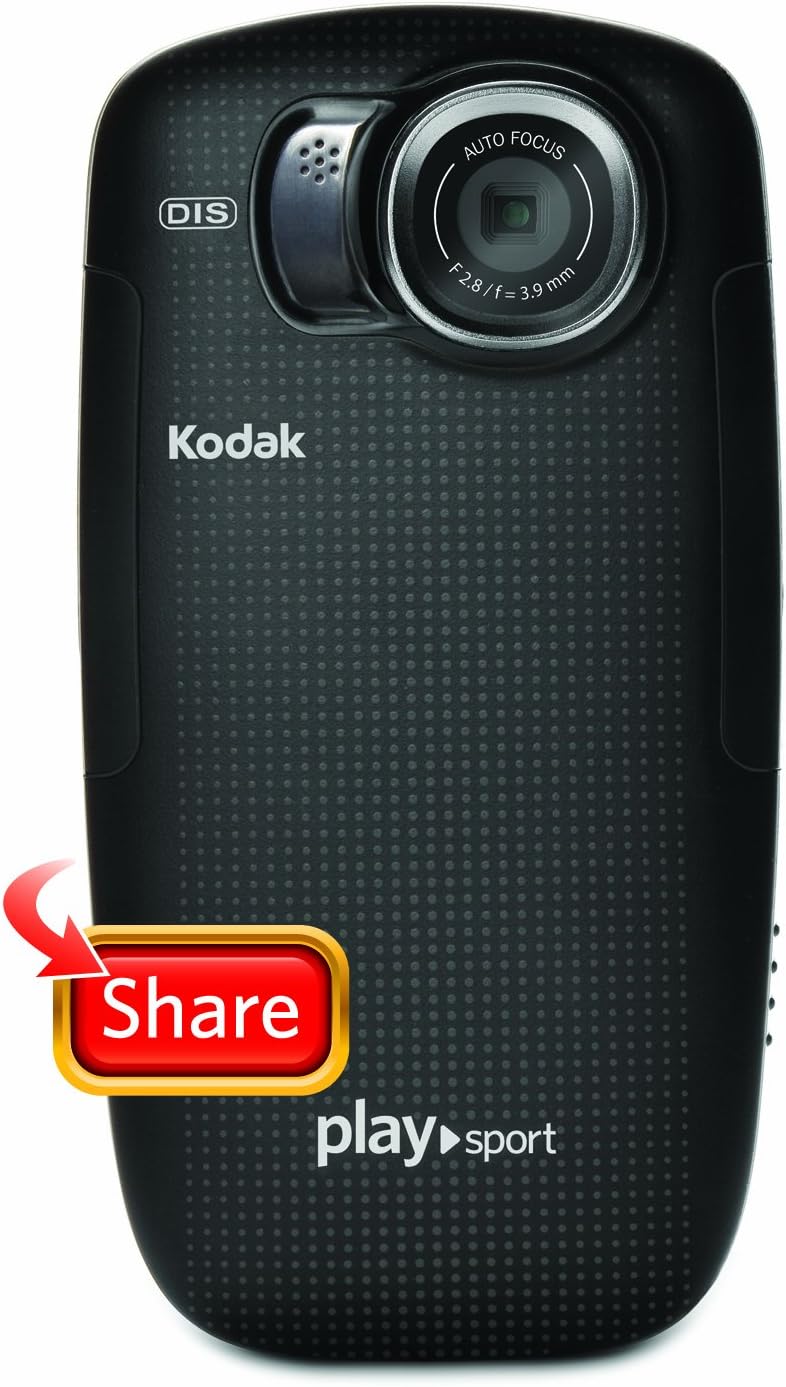
Imaxe 2: Costas view of the Kodak PlaySport (Zx5) showing the screen and control buttons.

Imaxe 3: Fronte view of the Kodak PlaySport (Zx5) with the screen displaying a captured image.
6. Mantemento
6.1 Limpeza
After using the camera in saltwater, rinse it thoroughly with fresh water and pat dry. Ensure all access flaps are open to dry completely to prevent salt buildup and hinge issues.
6.2 Coidado coa batería
Charge the battery fully before each use. Store the camera and battery in a cool, dry place when not in use.
7 Solución de problemas
7.1 A cámara non se acende
- Asegúrese de que a batería estea inserida correctamente e completamente cargada.
- Manteña premido o botón de acendido durante uns segundos.
7.2 Poor Audio Quality with External Microphone
Some users have reported issues with external microphone input. Ensure the microphone is properly connected. If issues persist, consider using the built-in microphone or alternative audio recording methods.
7.3 Access Flaps Jamming
Regularly clean and dry the camera, especially after saltwater exposure, to prevent salt or debris from causing the access flaps to jam.
7.4 On-Camera Editing Issues
For long videos, on-camera trimming may cause the device to lock up. It is recommended to offload videos to a computer and use dedicated video editing software for extensive edits.
8. Especificacións
| Característica | Detalle |
|---|---|
| Marca | KODAK |
| Nome do modelo | PlaySport (Zx5) |
| Resolución de captura de vídeo | 1080 p |
| Resolución efectiva de fotografías | 5 MP |
| Tipo de memoria flash | Sdhc |
| Tamaño da pantalla | 2 polgadas |
| Nivel de resistencia á auga | Waterproof (up to 10 ft / 3 meters) |
| Estabilización da imaxe | Dixital |
| Zoom dixital | 4x |
| Tecnoloxía de conectividade | HDMI, USB |
| Peso do elemento | 125 gramos |
9. Garantía e soporte
For warranty information or technical support, please refer to the documentation included with your product or visit the official KODAK support website. Contacting the manufacturer directly is recommended for any product-related inquiries.

Image 4: The Kodak PlaySport (Zx5) camera submerged in water, demonstrating its waterproof capability.