
1. Táirge Tharview
The Philips 55MLED610/94 is a 55-inch 4K Ultra HD QLED Smart QD-Mini LED Google TV. It features advanced display technology, smart connectivity, and integrated audio solutions for an enhanced viewtaithí.

Tosaigh view of the Philips 55MLED610/94 55-inch 4K QD-Mini LED Google TV.
Príomhghnéithe:
- Taispeáin: 4K QD-Mini LED Panel, Philips Halo Control Technology, Dolby Vision, Local Dimming, 120 Hz Motion Clarity HSR, HDR 10+, 178 Degree Wide Viewing Angle, MEMC, ALLM.
- Smart TV: Google TV operating system, 2GB RAM, 32GB ROM, Quad Core Processor, Dual band WIFI 5, Hands-Free Voice Control, Screen Mirroring, Google Assistant compatibility.
- Fuaim: 36 Watts Output, Dolby Atmos, Dolby Audio.
- Nascacht: 3 HDMI Ports (including HDMI 2.1), 2 USB Ports, 1 LAN Port, 1 Antenna Input, 1 Satellite Input, 1 Digital Audio Out (Optical), 1 AV-IN, 1 Earphone port.
2. Socrú agus Suiteáil
2.1 Díphacáil agus Ábhar
Carefully unpack the television and ensure all components are present.
- 1N TV Unit
- 2N Stand Bases
- Treoir Thapa Tosaigh 1N
- Cárta Barántas 1N
- 1N Cianrialú
- 2N AAA Batteries (for remote)
- 1N Power Cord
- 4N Screws (for stand/mount)
- 1N AV Converting Cable

Illustration showing the TV unit and its included accessories for setup.
2.2 Suiteáil Seasamh nó Gléasadh Balla
The television supports both table-top stand installation and wall mounting.
- Sliabh an Tábla: Attach the provided stand bases to the bottom of the TV unit using the included screws. Ensure the stand is stable on a flat surface.
- Mount Mount: For wall mounting, use a compatible VESA wall mount (not included) and follow the instructions provided with the wall mount. Refer to the TV's back panel for mounting points.

cúil view of the television, highlighting the mounting points and various input/output ports.
2.3 Forimeallaigh a Nascadh
Connect your external devices such as set-top boxes, gaming consoles, and audio systems to the TV using the appropriate ports.
- HDMI: Use HDMI ports for high-definition video and audio from devices like Blu-ray players or gaming consoles. HDMI 2.1 supports advanced features.
- USB: Ceangail tiomántáin USB le haghaidh athsheinm meán nó stórála seachtrach.
- LAN: Le haghaidh nasc idirlín sreangaithe cobhsaí.
- Antenna/Satailít: Connect your antenna or satellite dish for broadcast TV.
- Aschur Fuaime Digiteach (Optúil): Chun ceangal le córais fuaime seachtracha.
- AV-ISTEACH: Le haghaidh gléasanna níos sine a úsáideann físeán ilchodach agus fuaim steireo.
- Fón Cluas: Le haghaidh éisteacht phríobháideach.

mionsonraithe view of the television's input and output ports, including HDMI, USB, LAN, and audio connections.
3. Treoracha Oibriúcháin
3.1 An Chumhacht Tosaigh agus Socrú Google TV
After connecting the power cord, press the power button on the remote control or TV. Follow the on-screen instructions to complete the initial setup, including language selection, network connection (Wi-Fi or LAN), and Google account sign-in.

The Google TV interface, showing various streaming applications and content recommendations.
3.2 Feidhmeanna Cianrialtáin
The provided remote control uses both IR and Bluetooth technology. Insert the two AAA batteries as indicated.

The remote control for the Philips 55MLED610/94 TV, featuring dedicated buttons for streaming services and Google Assistant.
- Cnaipe Cumhachta: Casann sé an teilifís air nó as.
- Pad Loingseoireachta: Le haghaidh nascleanúint agus roghnú roghchláir.
- Cnaipe Cúntóir Google: Gníomhaíonn sé rialú gutha le haghaidh orduithe agus cuardaigh.
- Cnaipí Toirte/Cainéal: Adjusts volume and changes channels.
- Cnaipí Aicearra Aipeanna: Direct access to popular streaming services like Netflix and Prime Video.
3.3 Smart TV Features and Applications
The Google TV platform provides access to a wide range of applications and services.
- Aipeanna réamhshuiteáilte: Access popular streaming services such as Prime Video, Netflix, Hotstar, Zee5, YouTube, Eros Now, Hungama, JioCinema, and SonyLiv.
- Cúntóir Google: Bain úsáid as rialú gutha saor ó lámha chun ábhar a chuardach, gléasanna baile cliste a rialú, agus faisnéis a fháil.
- Scáthánú Scáileáin (Miracast): Cast content from compatible mobile devices to the TV screen.
- Web Brabhsálaí: Brabhsáil an t-idirlíon go díreach ar do theilifís.
3.4 Socruithe Taispeána agus Fuaime
Coigeartaigh socruithe pictiúr agus fuaime chun do chuid a bharrfheabhsú viewtaithí éisteachta agus éisteachta.
- Modhanna Pictiúir: Select from various picture modes (e.g., Standard, Vivid, Movie, Game) or customize settings like brightness, contrast, color, and sharpness.
- Dolby Vision & HDR10+: The TV automatically detects and optimizes content for Dolby Vision and HDR10+ for enhanced dynamic range and color.
- Modhanna Fuaime: Choose sound modes (e.g., Standard, Music, Movie) or adjust equalizer settings. Dolby Atmos provides immersive audio.
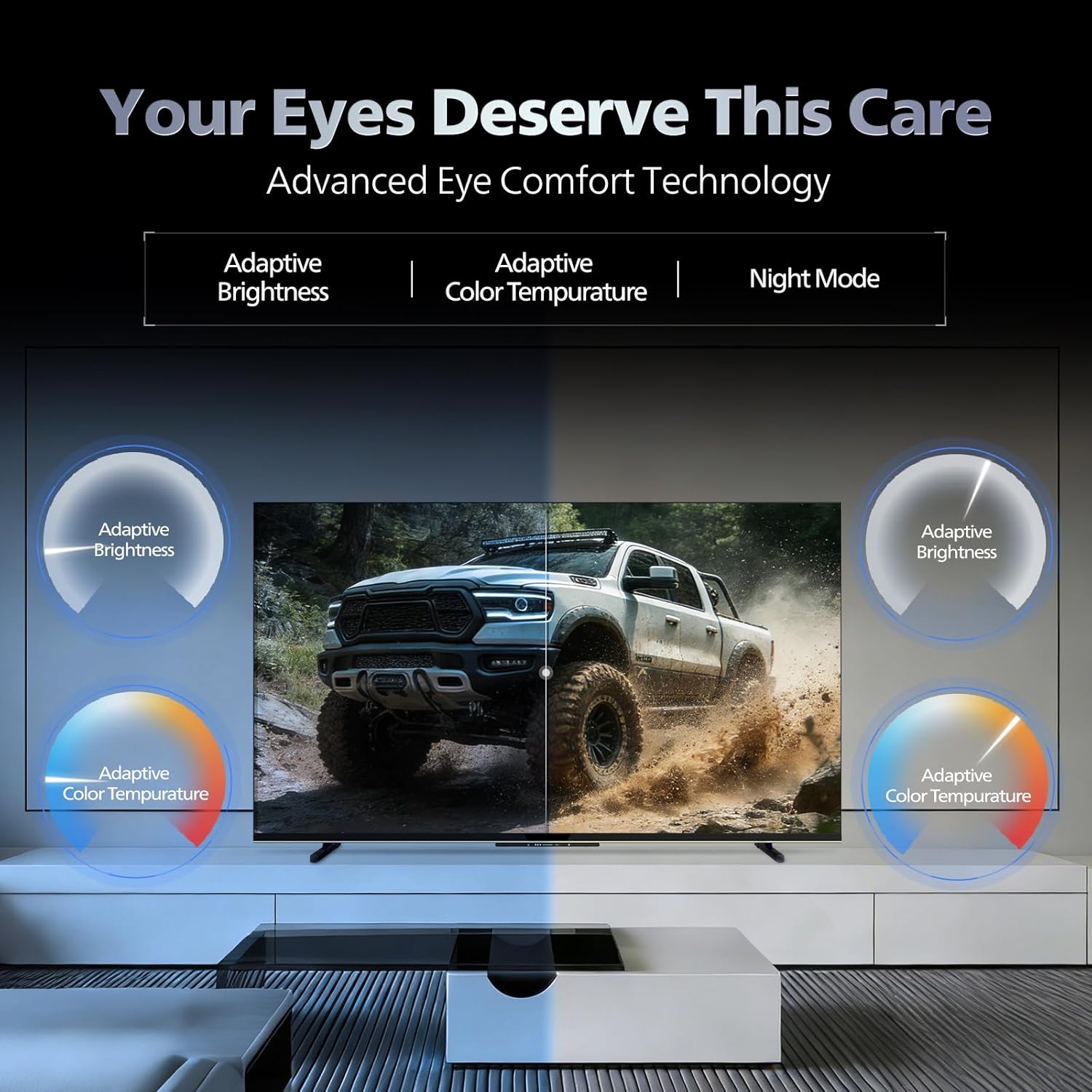
- Teicneolaíocht Chompord Súl: Features like Adaptive Brightness, Adaptive Color Temperature, and Night Mode are available to reduce eye strain.

Visual representation of the TV's advanced eye comfort technology, including adaptive brightness and color temperature.

A visual demonstrating the immersive multi-dimensional audio experience provided by Dolby Atmos on the television.
4. Cothabháil
4.1 Glanadh an teilifíseáin
To clean the screen and cabinet, first unplug the power cord. Use a soft, lint-free cloth. For stubborn marks, lightly dampNigh an t-éadach le huisce nó le glantóir scáileáin éadrom, neamh-scríobach. Ná spraeáil an glantóir go díreach ar an scáileán choíche.
Tábhachtach: The television is nach bhfuil uiscedhíonach. Avoid exposing it to liquids.
4.2 Nuashonrú Bogearraí
Ensure your TV's software is up to date for optimal performance and security. The TV will typically prompt you for available updates. You can also manually check for updates in the settings menu.
5. Fabhtcheartú
If you encounter issues with your television, try the following basic troubleshooting steps before contacting support.
- Gan Cumhacht: Cinntigh go bhfuil an corda cumhachta plugáilte go daingean isteach sa teilifís agus in asraon cumhachta atá ag obair. Bain triail as asraon eile.
- Gan Pictiúr/Fuaim: Check all cable connections (HDMI, AV, Antenna). Ensure the correct input source is selected on the TV.
- Cianda Gan Obair: Cuir na cadhnraí sa chianrialtán in áit a chéile. Cinntigh nach bhfuil aon bhacainní idir an cianrialtán agus braiteoir infridhearg an teilifíseáin.
- Fadhbanna Nascachta Idirlín: Restart your Wi-Fi router. Check the TV's network settings and ensure it's connected to the correct network. Try a wired LAN connection if possible.
- Fadhbanna Cáilíochta Pictiúr: Coigeartaigh socruithe pictiúr (gile, codarsnacht, géire). Cinntigh go bhfuil foinse an ábhair ardchaighdeáin.
The television displaying a fast-paced gaming scene, highlighting its 120Hz refresh rate and gaming optimization features.
6. Sonraíochtaí
| Gné | Sonraigh |
|---|---|
| Uimhir Mhúnla | 55MLED610/94 |
| Méid an Scáileáin | 55 Inse (138 cm) |
| Teicneolaíocht Taispeána | QD-Mini LED |
| Rún | 4K Ultra HD (3840×2160) |
| Ráta Athnuachana | 120 Hz HSR |
| Formáid HDR Tacaithe | HDR10+, Dolby Vision |
| Viewing Uillinn | 178 Céim |
| Aschur Fuaime | 36 Watts |
| Ionchódú Fuaime | Dolby Atmos, Dolby Audio |
| Córas Oibriúcháin | Teilifíse Google |
| RAM | 2GB |
| ROM | 32GB |
| Nascacht | Wi-Fi (Dual band WIFI 5), Bluetooth 5.1, 3 HDMI (1x HDMI 2.1 eARC), 2 USB, 1 LAN, 1 Antenna, 1 Satellite, 1 Digital Audio Out (Optical), 1 AV-IN, 1 Earphone |
| Toisí Táirge (D x W x H) | 8D x 144.5W x 84H Ceintiméadair |
| Item Weight Without Stand | 9.4 cileagram |
| Tomhaltas Cumhachta | 130 Watts |
| Rátáil Fuinnimh | 3 réalta |
| Tomhaltas Bliantúil Fuinnimh | 182 kWh / Bliain |
| Comhpháirteanna San áireamh | TV Unit, Stand Bases, Quick Start Guide, Warranty Card, Remote, Batteries, Power cord, Screws, AV Converting Cable |

Dimensional drawing of the Philips 55MLED610/94 TV, showing height, width, and depth measurements.
7. Barántas agus Tacaíocht
7.1 Faisnéis Bharántas
A 1-year warranty is provided by the manufacturer from the date of purchase. Warranty claims can be processed using your Amazon e-invoice.
The warranty covers manufacturing defects but does not cover spares.
7.2 Tacaíocht do Chustaiméirí
For assistance, contact the brand's toll-free number: 18004256396. Please provide the product's model name (55MLED610/94) and seller's details from your invoice. The service center will schedule a convenient service slot.
Monaróir: Radiant Appliances And Electronics Private Limited
Survey No. 111, 112, S-2 A 1, Ecity, Fabcity, Maheshwaram Mandal Raviryala Village, Ranga Reddy, Telangana- 501141
Allmhaireoir: TPV Technology India Private Limited
Unit No. 307-308 3rd Floor, SEWA Corporate Park MG Road Gurugram Haryana 122002