
Xgody XGODY X32
Xgody X32 Android 14 Smartphone User Manual
Model: XGODY X32
Ynlieding
Welcome to the Xgody X32 Android 14 Smartphone User Manual. This guide provides comprehensive instructions for setting up, operating, maintaining, and troubleshooting your new device. The Xgody X32 is designed for ease of use, featuring a compact 5.5-inch display, an octa-core processor, and the latest Android 14 operating system.

Figure 1: Xgody X32 Smartphone (Blue)
Wat is yn 'e doaze
Kontrolearje by it iepenjen fan it pakket oft alle folgjende items ynbegrepen binne:
- 1 * XGODY X32 Smartphone
- 1 * Oplader
- 1 * Phone Case
- 1 * Screen Protector (pre-applied or included)
- 1 * USB Type-C kabel
- 1 * brûkershantlieding (dit dokumint)

Figure 2: Package Contents and Phone Dimensions
Opsette
1. Batterij Ynstallaasje
The battery may not be pre-installed upon first reception. Follow these steps to install the battery before using your phone.
- Locate the notch on the lower left side of the back cover.
- Hold your phone firmly and push the case through the notch to remove the back cover.
- Insert the battery into the phone's battery compartment, ensuring the contacts align.
- Replace the back cover by aligning it and pressing firmly until it clicks into place.
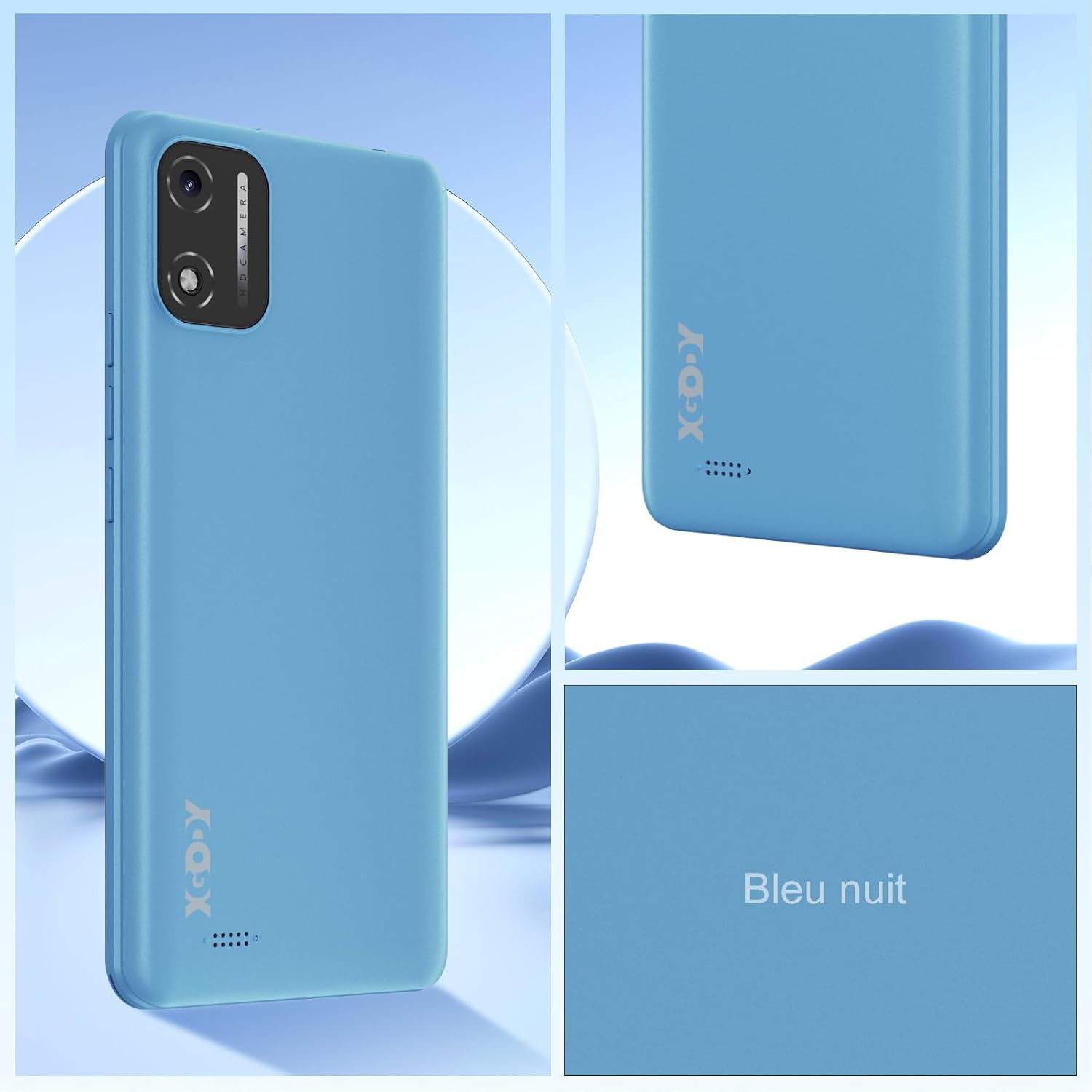
Figure 3: Battery Installation Guide
2. Ynstallearjen fan SIM-kaart en Micro SD-kaart
The Xgody X32 supports dual SIM cards (Nano SIM) and one Micro SD card for expandable storage up to 128GB.
- With the back cover removed (as per battery installation), locate the SIM and Micro SD card slots.
- Carefully insert your Nano SIM cards into the designated SIM1 and SIM2 slots.
- Insert your Micro SD card into the Micro SD slot.
- Ensure all cards are seated correctly before replacing the back cover.

Figure 4: SIM and SD Card Slot Configuration
3. Earste ynskeakeling en opladen
After installing the battery and cards, press and hold the power button located on the side of the phone until the Xgody logo appears. For first use, it is recommended to fully charge the device.
- Ferbine de USB Type-C-kabel mei de oplaadpoarte fan 'e tillefoan.
- Connect the other end of the cable to the provided charger and plug it into a power outlet.
- In oplaadindikator sil op it skerm ferskine.
Operating Your Xgody X32
1. Android 14 bestjoeringssysteem
The Xgody X32 runs on Android 14, offering an intuitive and efficient user experience. Key features include enhanced personalization, improved battery efficiency, and robust privacy controls.

Figure 5: Android 14 User Interface Overview
2. Face ID Unlock
Unlock your phone quickly and securely using Face ID.
- Navigearje nei Ynstellings > Feiligens & privacy > Gesicht ûntskoattelje.
- Folgje de oanwizings op it skerm om jo gesicht te registrearjen.
- As jo ienris registrearre binne, sjoch gewoan nei jo tillefoan om it te ûntsluten.
Figuer 6: Gesichtsûntslutingsfunksje
3. Kamerafunksjes
The Xgody X32 features an 8MP main camera and a 5MP front camera, equipped with an LED flash for clear photos and video calls.
- Iepenje de Kamera applikaasje fan jo thússkerm of app-lade.
- Wikselje tusken de foar- en efterkamera's mei it kamera-ikoantsje.
- Tap the shutter button to capture photos.
- Explore various modes such as Beauty Mode for enhanced selfies.

Figure 7: Camera Specifications and Features
4. Konnektivität
Your Xgody X32 supports 4G LTE for fast mobile data, Wi-Fi for internet access, and Bluetooth for connecting to accessories.
- Wi-Fi: Gean nei Ynstellings > Netwurk en ynternet > Ynternet om ferbining te meitsjen mei beskikbere Wi-Fi-netwurken.
- Mobiele gegevens (4G LTE): Soargje derfoar dat jo SIM-kaart aktyf is en dat mobile data ynskeakele is yn Ynstellings > Netwurk en ynternet > SIMs.
- Bluetooth: Koppelje mei Bluetooth-apparaten fia Ynstellings > Ferbûne apparaten > Ferbining foarkar > Bluetooth.
5. Audio and Navigation
The phone includes a 3.5mm headphone jack for wired audio accessories and supports global navigation systems.
- 3.5 mm koptelefoanjack: Stek jo koptelefoan yn foar privee harkjen.
- GPS/Navigation: The Xgody X32 supports GPS, GLONASS, and Galileo for accurate location services and navigation.
Ûnderhâld
1. Batterij Soarch
The 2850mAh battery provides reliable power for daily use. To maximize battery life:
- Avoid ekstreme temperatueren.
- Brûk de levere lader en kabel.
- Foarkom it faak folslein ûntladen fan 'e batterij.
- Enable battery saver mode in Android settings when needed.
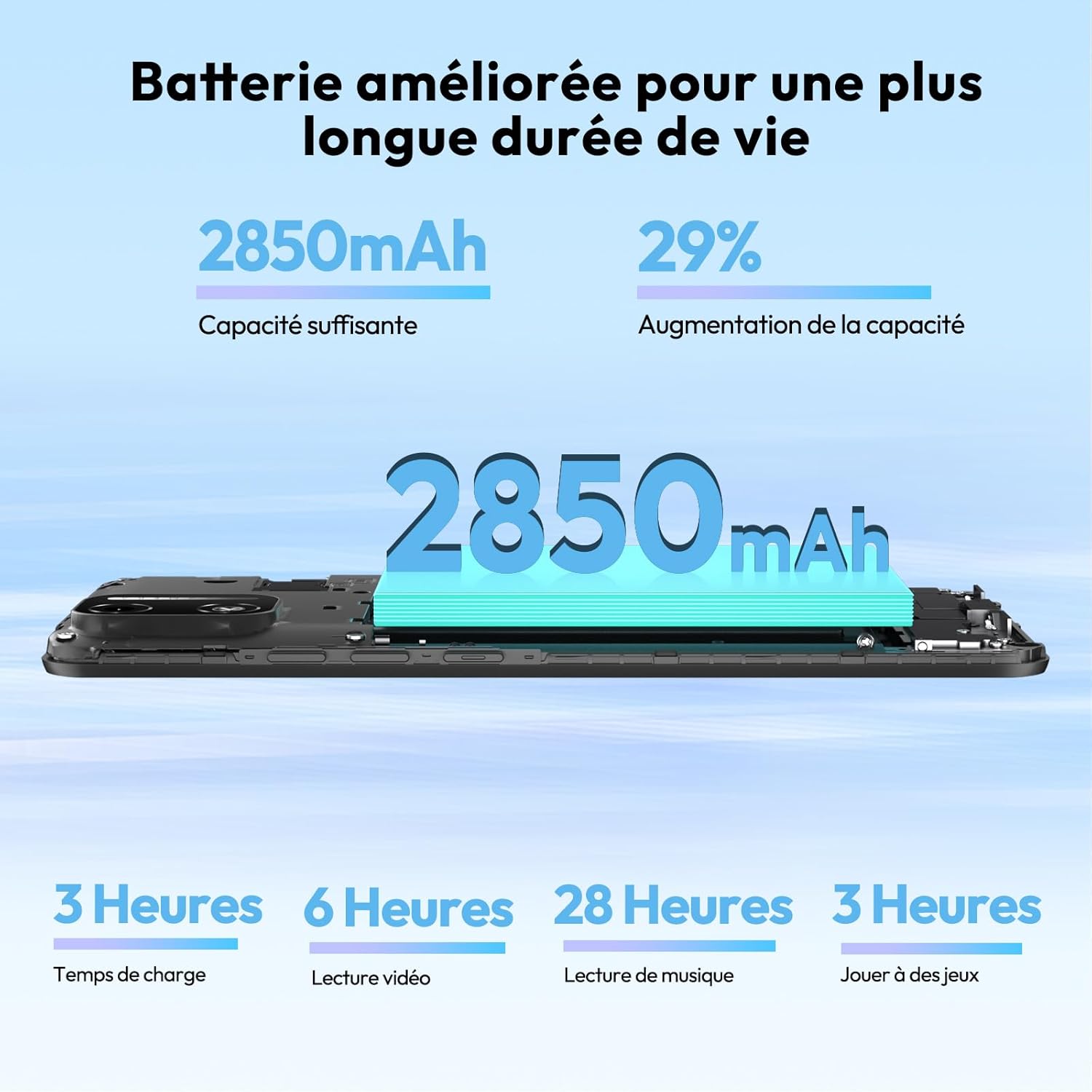
Figure 8: Battery Capacity and Estimated Usage
2. Jo apparaat skjinmeitsje
Brûk in sêfte, pluisfrije doek om it skerm en de behuizing fan jo tillefoan skjin te meitsjen. Foarkom abrasive materialen of hurde gemikaliën.
3. Software Updates
Kontrolearje regelmjittich op software-updates om optimale prestaasjes en feiligens te garandearjen.
- Gean nei Ynstellings > Systeem > Systeem fernijing.
- Ferbine mei in Wi-Fi-netwurk foardat jo updates downloade om mobile datakosten te foarkommen.
Troubleshooting
| Probleem | Mooglike oarsaak / oplossing |
|---|---|
| De tillefoan giet net oan. | Ensure battery is correctly installed and charged. Connect to charger for at least 15 minutes. |
| Batterij net opladen. | Check charger and USB cable for damage. Try a different outlet. Ensure charging port is clean. |
| SIM-kaart net ûntdutsen. | Ensure SIM card is correctly inserted into the slot. Restart the phone. Verify SIM card is active with your carrier. |
| Min netwurk sinjaal. | Move to an area with better coverage. Check if mobile data is enabled. Restart the phone. |
| De tillefoan reagearret net of is stadich. | Close unused applications. Clear cache. Restart the phone. Consider a factory reset if issues persist (backup data first). |
| Phone heats up during use. | This can be normal during heavy use (gaming, video streaming). If excessive, close background apps or reduce usage. |
Spesifikaasjes
| Eigenskip | Detail |
|---|---|
| Model Namme | XGODY X32 |
| Bestjoeringssysteem | Android 14 |
| Skerm | 5.5-inch IPS Screen, 720 x 1280 Resolution |
| Prozessor | Octa-Core (MediaTek Helio P60T / Unisoc SC9863) |
| RAAM | 2GB (expandable with 2GB virtual RAM) |
| Ynterne opslach | 16GB |
| Wreidzjen opslach | Oant 128GB fia Micro SD-kaart |
| Rear Kamera | 8 Megapixels with LED Flash |
| Front Kamera | 5 Megapixels |
| Batterij | 2850mAh Lithium-ion |
| Konnektivität | 4G LTE, Wi-Fi, Bluetooth |
| SIM Card Type | Dûbele Nano SIM-kaart |
| Feiligens Features | Gesichts-ID ûntsluten |
| Audio Jack | 3.5 mm |
| Navigaasje | GPS, GLONASS, Galileo |
| Ofmjittings (ca.) | 5.88 inches (height) x 2.78 inches (width) x 0.39 inches (thickness) |
| Gewicht (ca.) | 200g |
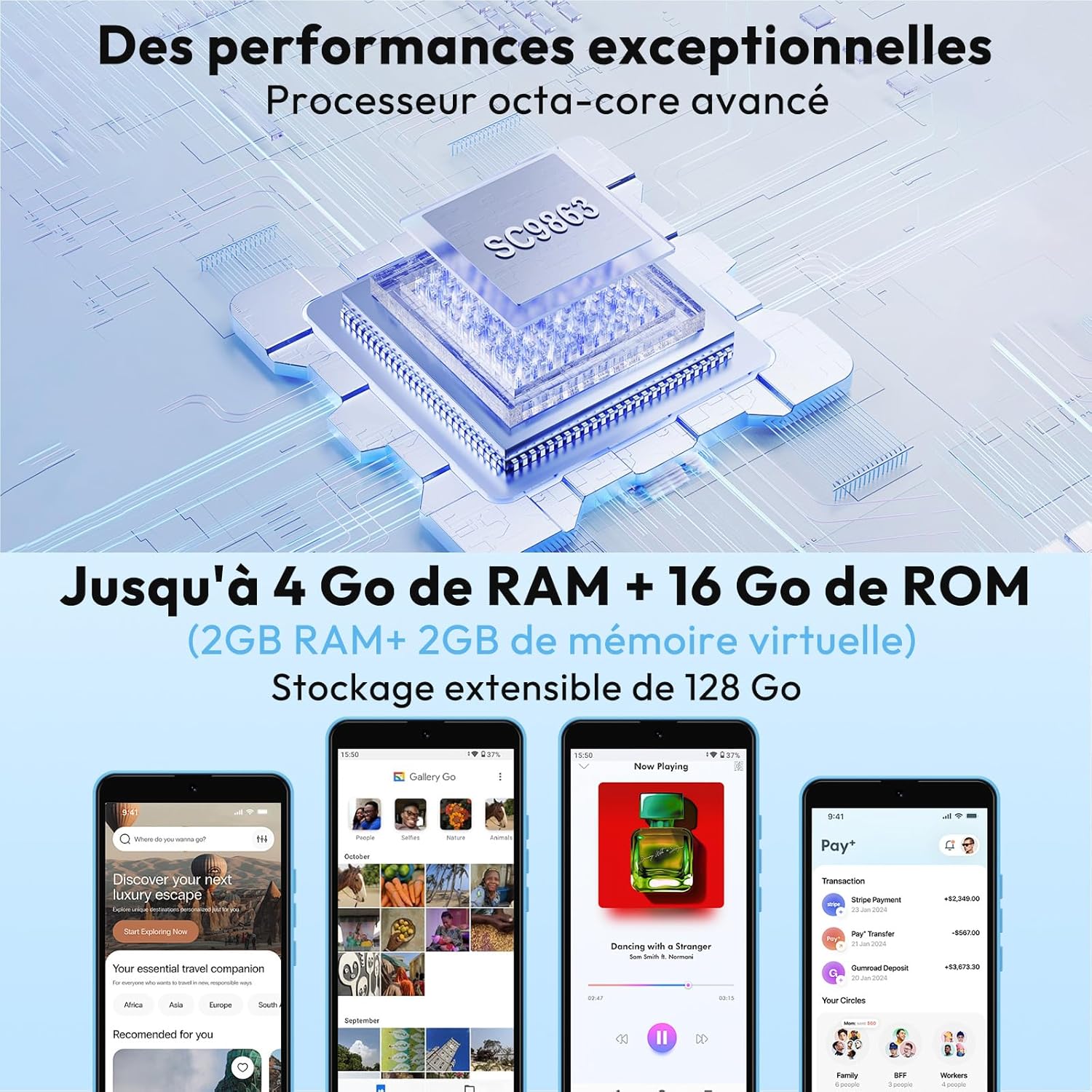
Figure 9: Octa-Core Processor and Memory Configuration
Garânsje en stipe
The Xgody X32 comes with a manufacturer's warranty.
- Fabrikant garânsje: Ienjierrige garânsje.
- For technical support or warranty claims, please refer to the contact information provided with your purchase or visit the official Xgody website.
- Ynformaasje oer de beskikberens fan reserveûnderdielen wurdt net jûn.