
Ynlieding
This manual provides detailed instructions for the safe and effective operation of your ENGiNDOT SC-L01 Self-Leveling Cross Line Laser Level. Please read this manual thoroughly before using the device and retain it for future reference. The ENGiNDOT SC-L01 is designed for various leveling and alignment tasks, offering both self-leveling and manual modes for versatility.

Image: The ENGiNDOT SC-L01 laser level projecting cross lines for alignment tasks.
Safety Information
Nim altyd de folgjende feilichheidsmaatregels yn acht om ferwûnings en skea oan it apparaat te foarkommen:
- Laserstraling: Do not stare directly into the laser beam. Avoid direct eye exposure.
- Bern: Hâld it apparaat bûten it berik fan bern.
- Miljeu: Use the device in a well-lit area. Avoid using it in explosive atmospheres.
- Ûnderhâld: Besykje it apparaat net sels útinoar te heljen of te reparearjen. Rieplachtsje kwalifisearre servicepersoniel.
- Batterijen: Ensure batteries are inserted with correct polarity. Do not mix old and new batteries or different types of batteries. Remove batteries if the device will not be used for an extended period.
Pakketynhâld
Kontrolearje oft alle items yn it pakket oanwêzich binne:
- ENGiNDOT Laser Level SC-L01
- Magnetyske Mounting Plate
- Nylon Zippered Pouch
- 2 x AAA-batterijen
- User Manual (dit dokumint)
Fideo: In oerview of the ENGiNDOT SC-L01 Laser Level and its included accessories.
Opsette
1. Ynstallearje Batterijen
- Sykje it batterijfak oan 'e ûnderkant fan it apparaat.
- Iepenje de batterij compartment cover.
- Doch 2 AAA-batterijen yn, en soargje derfoar dat de polariteit goed is (+/-).
- Slút it deksel fan it batterijfak feilich.

Image: The laser level's battery compartment and various fixing methods, including magnetic mounting and tripod use.
2. Mounting it apparaat
The ENGiNDOT SC-L01 offers flexible mounting options:
- Magnetyske montage: Attach the magnetic mounting plate to metal surfaces. The laser level can then be rotated 360 degrees on the plate.
- Tripod montage: The device features a 1/4-20 mounting thread on its base, compatible with standard camera tripods for stable positioning.
Operating Instructions
1. Oan- / útskeakelje
- To turn on the device, slide the Power/Lock switch to the unlocked position and press the Power Button.
- To turn off the device, slide the Power/Lock switch to the locked position and press the Power Button.
2. Operating Modes
The laser level features two operating modes:
- Self-nivelleringsmodus:
Slide the Power/Lock switch to the unlocked position. The laser will automatically self-level within 4 degrees. If the device is outside this range, the laser beams will flash to indicate it cannot self-level. This mode is ideal for achieving perfectly horizontal and vertical lines.
- Hânlieding modus:
Slide the Power/Lock switch to the locked position. The laser lines will be projected, but they will not self-level. This mode allows you to project lines at any desired angle, useful for tasks like installing handrails or decorative patterns.

Image: Illustration of the two operating modes: self-leveling for automatic horizontal/vertical lines and manual mode for angled projections.
Video: Demonstrates how to turn off the laser in self-leveling mode and switch between modes.
3. Applikaasjes
The ENGiNDOT SC-L01 is suitable for various tasks, including:
- Tiling installation
- Picture and photo hanging
- Ynstallaasje fan doarren en finsters
- Furniture alignment
- General interior decoration and construction tasks

Ofbylding: Examples of the laser level in use for tasks such as floor tiling, wall decoration, and picture hanging.
Ûnderhâld
Goed ûnderhâld soarget foar de lange libbensdoer en krektens fan jo lasernivo:
- Reiniging: Wiskje it apparaat mei in sêft, damp cloth. Do not use abrasive cleaners or solvents. Keep the laser windows clean for optimal visibility.
- Opslach: Store the device in its zippered pouch in a dry, cool place when not in use. Remove batteries for long-term storage.
- Duorsumens: The device features an IP54 water/debris resistant over-molded housing and TPE material wrapped rubber for enhanced durability. While robust, avoid unnecessary drops or impacts.
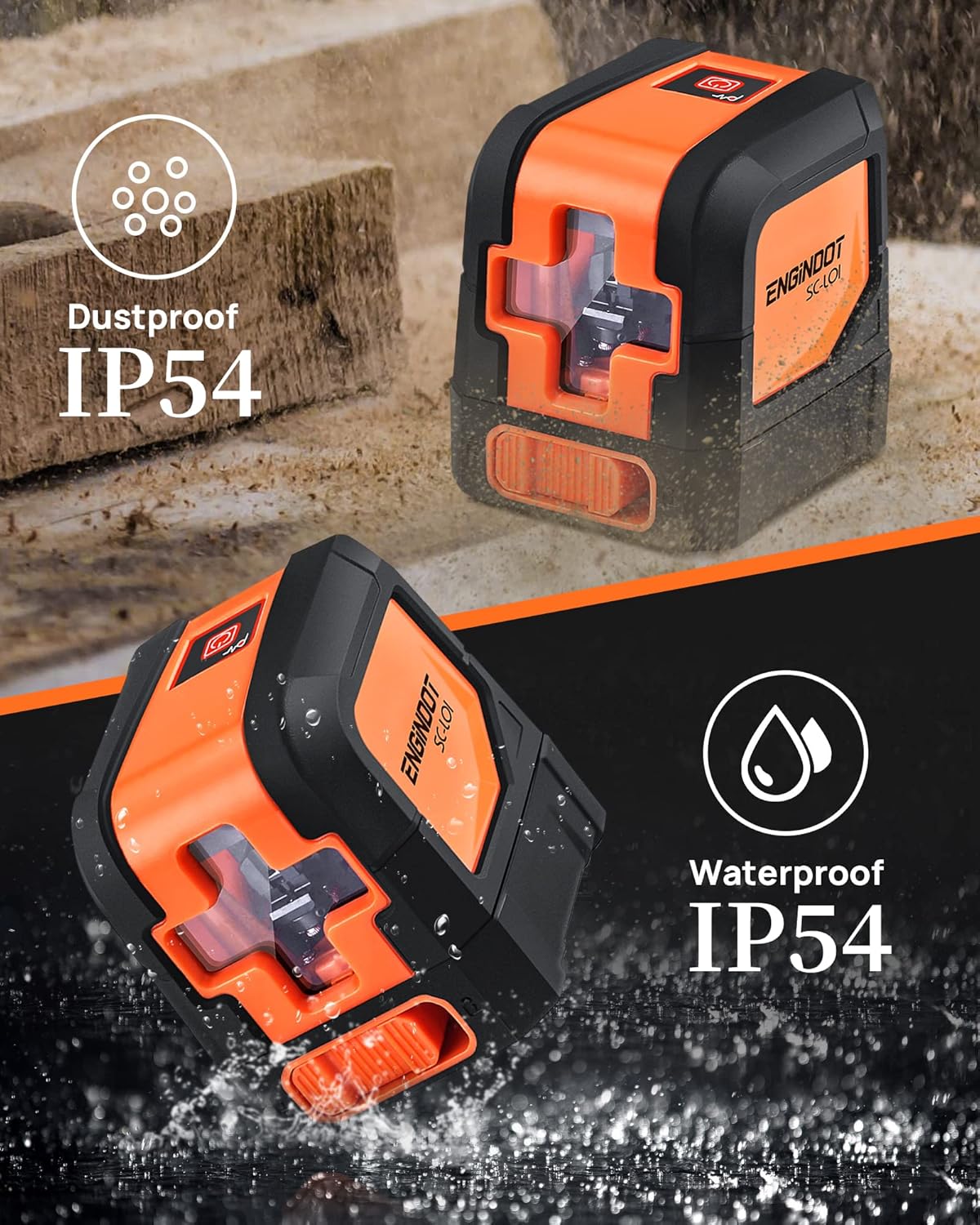
Image: The laser level highlighting its IP54 dustproof and waterproof design, indicating its suitability for various work environments.
Troubleshooting
| Probleem | Mooglike oarsaak | Oplossing |
|---|---|---|
| De laser giet net oan. | Batterijen binne dea of ferkeard ynfoege. | Check battery polarity and replace batteries if necessary. |
| Laser lines are flashing in self-leveling mode. | Device is outside its self-leveling range (over 4 degrees tilt). | Plak it apparaat op in mear flak oerflak. |
| Laserlinen binne dof of net sichtber. | Ambient light is too bright; laser windows are dirty. | Use in lower light conditions or clean laser windows. |
| Unkrekte mjittingen. | Device not properly calibrated or damaged. | Ensure the device is on a stable surface. If issues persist, contact customer support. |
Spesifikaasjes
| Eigenskip | Detail |
|---|---|
| Merk | ENGINDOT |
| Model | SC-L01 |
| Materiaal | Acrylonitrile Butadiene Styrene, Rubber |
| Kleur | Oranje, Swart |
| Produktôfmjittings (L x B) | 2.95 sm L x 2.6 sm B |
| Item Gewicht | 0.46 kilogram |
| Operaasje Mode | Self-leveling mode, Manual mode |
| Self-Nivellering Range | Binnen 4° |
| Krektens | ± 1/8 inch at 33 Ft |
| Sichtberik | Oant 50ft |
| Water/Debris Resistance | IP54 |
| Montage tried | 1/4-20 |
| Batterij Type | AAA (2 included) |
Garânsje en stipe
ENGiNDOT is committed to providing quality products and customer satisfaction. For any questions, technical support, or warranty claims, please contact us. We offer 24-hour quick response and product technical support for every customer.
Please refer to your purchase documentation or the official ENGiNDOT webside foar de meast aktuele garânsjeynformaasje en kontaktgegevens.