
1. Introduction
This manual provides essential instructions for the installation, operation, and maintenance of your aosu WirelessCam Lite 4-Cam Kit security camera system. Please read this guide thoroughly before using the product to ensure proper functionality and safety.
The aosu WirelessCam Lite system offers comprehensive indoor and outdoor surveillance with 2K resolution, 6X digital zoom, AI human detection, and local storage via the aosuBase. Its wire-free design allows for flexible placement and easy setup.
2. Contenu de la boîte
Vérifiez que tous les composants sont présents dans votre colis :
- aosu WirelessCam Lite Cameras (4 units)
- aosuBase Station
- Vis et ancrages de montage
- Câble de chargement
- Câble Ethernet
- Power Adapter for aosuBase
- Manuel d'instructions (ce document)
3. Produit terminéview
3.1 aosu WirelessCam Lite Camera
The aosu WirelessCam Lite is a compact, battery-powered camera designed for versatile indoor and outdoor use. It features 2K QHD resolution, a wide-angle lens, PIR motion sensor, AI human detection, and color night vision capabilities.
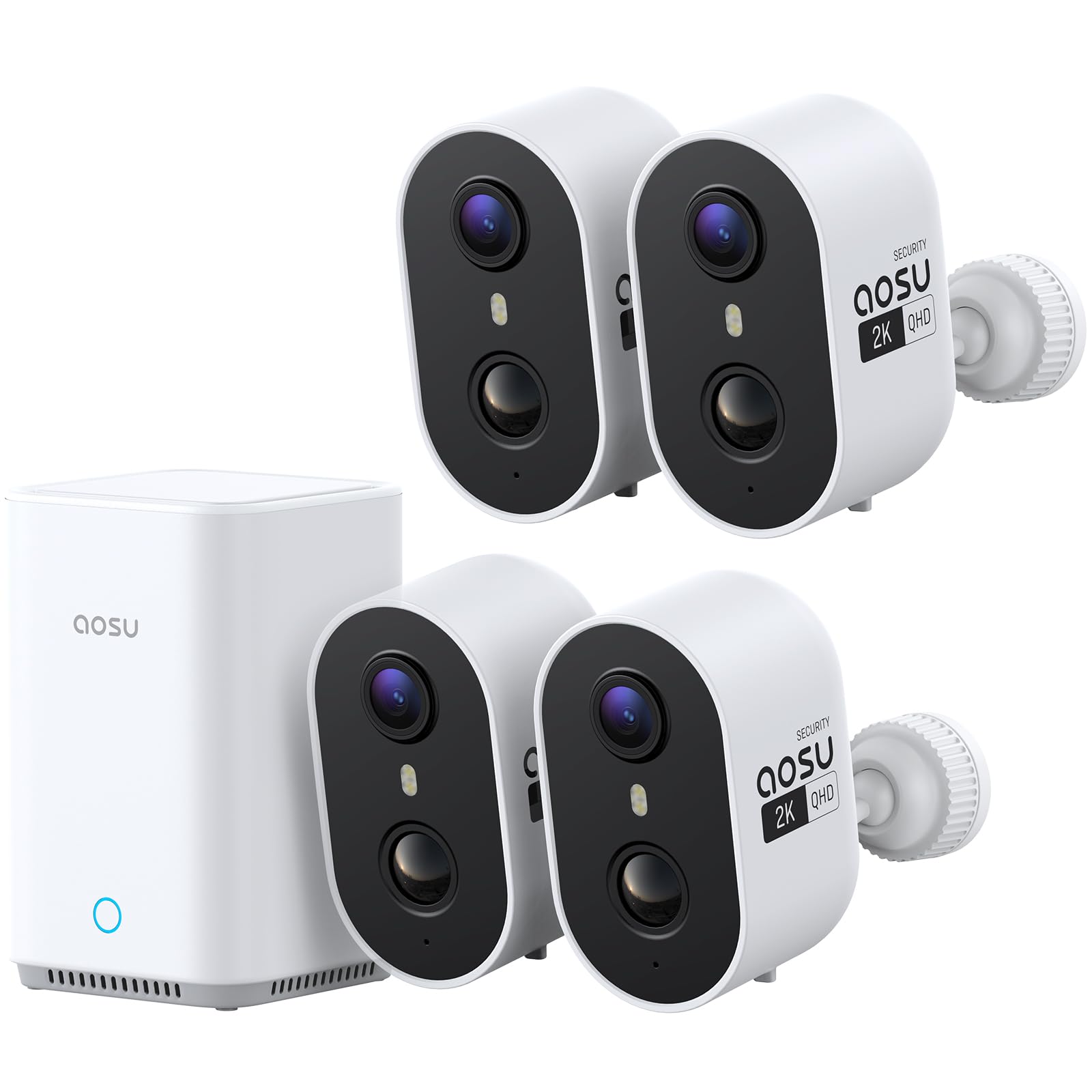
Image: The aosu WirelessCam Lite camera, a compact white unit with two lenses on the front.
3.2 aosuBase Station
The aosuBase serves as the central hub for your security system. It provides local storage for recordings (expandable up to 1TB via microSD card, sold separately), enhances camera connectivity, and manages system settings. It also helps optimize camera battery life.

Image: An aosu WirelessCam Lite camera next to the aosuBase station, illustrating the complete system.
3.3 Principales caractéristiques
- Résolution 2K QHD : Capturez des vidéos claires et détailléestage.
- Zoom numérique 6X : Zoom in on important details within the video feed.
- 100 % sans fil : Battery-powered cameras for flexible placement without power cables.
- Utilisation intérieure/extérieure : L'indice de protection IP65 garantit sa durabilité face aux intempéries dans diverses conditions.
- PIR + AI Human Detection: Reduces false alerts by focusing on human movement.
- Vision nocturne couleur: Provides vivid, full-color video even in low-light conditions.
- aosuBase Local Storage: Built-in 32GB storage, expandable up to 1TB via microSD card (not included), with no subscription fees.
- Audio bidirectionnel: Communiquez directement par le biais de la caméra.
- Multi-Cam Live-View: Monitor up to 4 cameras simultaneously via the aosu app.
- Camera-to-Camera Tracking: Groups events from the same person across multiple cameras into a single timeline.
4. Guide de configuration
4.1 Chargement des caméras
Before initial use, fully charge all aosu WirelessCam Lite cameras using the provided charging cable and a standard USB power adapter (not included). A full charge can provide up to 120 days of battery life, depending on usage and settings.
4.2 aosu App Installation
- Download the 'aosu' app from the Apple App Store or Google Play Store.
- Créez un compte ou connectez-vous si vous en avez déjà un.
4.3 aosuBase Setup
- Connect the aosuBase to a power outlet using the provided power adapter.
- Connect the aosuBase to your home router using the provided Ethernet cable.
- Open the aosu app, tap the '+' icon, and follow the on-screen instructions to add the aosuBase.
4.4 Appairage et installation de la caméra
- In the aosu app, after setting up the aosuBase, select to add a new camera.
- Follow the app's instructions to pair each camera with the aosuBase.
- Choisissez un emplacement de montage : Select a location that provides optimal coverage and a clear view of the area you wish to monitor. Consider areas like front doors, garages, or backyards. The cameras are suitable for both indoor and outdoor environments.
- Montez la caméra : Use the provided mounting screws and anchors to securely attach the camera to a wall or ceiling. The magnetic base allows for easy adjustment of the camera angle.

Image: A smartphone screen displaying a successful one-step connection, indicating the ease of setup.

Image: Two images showing the aosu camera, one placed on an indoor shelf and another mounted on an outdoor wall, demonstrating flexible placement.
5. Mode d'emploi
5.1 En direct View
Open the aosu app to access the live feed from your cameras. You can view up to four cameras simultaneously for comprehensive monitoring.

Image: A smartphone held in hands, showing a split screen with live feeds from four different aosu cameras, providing a multi-camera view.
5.2 Enregistrement et lecture
The system automatically records events triggered by motion detection. Recordings are stored locally on the aosuBase. You can review enregistré footage through the app, which features a timeline for easy navigation and a camera-to-camera tracking function to follow individuals across different camera views.

Image : Vue aérienne view of a house and yard with arrows indicating a person being tracked across multiple camera zones, demonstrating the camera-to-camera tracking feature.
5.3 Alertes et notifications
The PIR sensor and AI human detection work together to provide accurate alerts, minimizing false alarms. You will receive notifications on your smartphone when significant activity is detected. The system can also trigger a siren and spotlight to deter intruders.

Image: A delivery person walking towards a house, with a white bracket highlighting them, indicating the camera's AI human detection feature.

Image: A security camera mounted above a garage, emitting light and a warning message on a phone, showing its ability to deter intruders with an alarm and spotlight.
5.4 Audio bidirectionnel
Utilize the two-way audio feature through the aosu app to speak with visitors or deter unwanted guests directly from your smartphone.

Image: A person inside a house talking through a voice changer to a child playing in the yard, demonstrating the two-way audio feature.
5.5 Vision nocturne
The cameras are equipped with full color night vision, providing clear and detailed images even in very low light conditions. This allows for better identification of objects and individuals compared to traditional infrared night vision.

Image: A split image comparing advanced 2K full color night vision on the left with traditional infrared night vision on the right, showing the superior detail and color in the advanced mode.
5.6 Intégration à la maison intelligente
The aosu WirelessCam Lite system is compatible with smart home platforms like Alexa, allowing for voice control and integration into your existing smart home ecosystem.

Image: A woman in a kitchen interacting with a smart display, which shows a camera feed, illustrating smart home integration with Alexa.
6. Entretien
6.1 Nettoyage
Regularly clean the camera lens with a soft, dry cloth to ensure optimal image clarity. Avoid using harsh chemicals or abrasive materials.
6.2 Gestion de la batterie
Monitor the battery levels of your cameras via the aosu app. Recharge cameras promptly when battery levels are low to ensure continuous protection. The aosuBase helps extend camera battery life.

Image: A graphic showing an aosu camera and the aosuBase, with a large '30% Longer Battery Life' text, indicating the energy-saving benefits of connecting to the aosuBase.
6.3 mises à jour du micrologiciel
Keep your camera and aosuBase firmware updated through the aosu app to benefit from the latest features and security enhancements.
7. Dépannage
| Problème | Cause possible | Solution |
|---|---|---|
| Camera not connecting to aosuBase | Out of range, low battery, network issue | Move camera closer to aosuBase, recharge battery, check aosuBase network connection. |
| fausses alertes fréquentes | Sensitivity too high, environmental factors | Adjust motion detection sensitivity in the app, ensure camera is not pointed at moving foliage or busy streets. |
| Mauvaise qualité vidéo | Dirty lens, weak Wi-Fi signal | Clean the camera lens, ensure strong Wi-Fi signal between camera and aosuBase. |
| Aucun enregistrement | SD card full/missing, motion detection off | Insert/replace microSD card in aosuBase, enable motion detection in app settings. |
8. Spécifications
| Fonctionnalité | Détail |
|---|---|
| Marque | aosu |
| Nom du modèle | aosu WirelessCam Lite |
| Technologie de connectivité | Wireless (Bluetooth, Ethernet, Wi-Fi) |
| Utilisation intérieure/extérieure | Intérieur, extérieur |
| Résolution de capture vidéo | 2K (Résolution effective de 3 MP pour les photos) |
| Zoom optique | 6x (Zoom numérique) |
| Caractéristiques spéciales | Built-in 32GB Local Recording, Camera-to-Camera Track & Sync, Multi-Cam Live-View, Night Vision, True 2K QHD Resolution |
| Vision nocturne | Color Night Vision (26 Feet Range) |
| Indice d'étanchéité | IP65 |
| Source d'énergie | Alimenté par batterie (5 Volts) |
| Type de contrôleur | aosu App |
| Appareils compatibles | Alexa |
| Taille de la mémoire flash installée | 32 GB (aosuBase) |
| Fréquence d'images | 15 images par seconde |
9. Garantie et assistance
Your aosu WirelessCam Lite 4-Cam Kit is covered by a manufacturer's warranty. For detailed warranty information, please refer to the warranty card included in your product packaging or visit the official aosu website.
For technical support, troubleshooting assistance, or any product-related inquiries, please contact aosu customer service through the contact information provided on the official aosu website or within the aosu app.
Vidéo officielle du produit :
Vidéo : Une vidéo de présentation officielle du produitasing the features and benefits of the aosu WirelessCam Lite security camera system, including its 2K resolution, local storage, and easy installation.