
1. Introduction
This manual provides detailed instructions for the installation, configuration, and operation of your ZOSI 4K PoE Security Camera System. Please read this manual thoroughly before using the product to ensure proper functionality and safety.
Caractéristiques principales :
- Résolution 4K Ultra HD : Experience superior clarity with 8MP cameras.
- Alimentation par Ethernet (PoE) : Simplified installation with a single cable for power and data.
- Compression vidéo H.265+ : Utilisation efficace du stockage et de la bande passante.
- Détection intelligente de l'IA : Accurate human, face, and vehicle detection to reduce false alarms.
- Vision nocturne couleur: Visibilité améliorée en conditions de faible luminosité grâce à un projecteur intégré.
- Enregistrement 24h/7 et XNUMXj/XNUMX : Continuous recording with a pre-installed 2TB HDD, expandable up to 8TB.
- Accès à distance: Monitor your property from anywhere using the ZOSI Smart App or ZOSI Client.
- Caméras résistantes aux intempéries : IP66-rated cameras suitable for outdoor and indoor use.
2. Contenu du colis
Veuillez vérifier que tous les éléments listés ci-dessous sont inclus dans votre colis. Si un élément est manquant ou endommagé, veuillez contacter le service client de ZOSI.

Image: All components of the ZOSI 4K PoE Security Camera System, including NVR, cameras, cables, power supply, mouse, mounting hardware, and quick start guide.
- 1 x 8-Channel 4K PoE NVR (with pre-installed 2TB HDD)
- 4 x 8MP Wired IP PoE Cameras
- 1 alimentation NVR
- 1 x Souris USB
- 1 x câble HDMI
- 4 x Ethernet Cables (various lengths)
- 4 sachets de vis de fixation
- 1 x clé Allen
- 4 x Gabarits de montage
- 1 x autocollant d'avertissement
- 1 x Guide de démarrage rapide
3. Configuration du système
3.1 Connexion NVR et caméra
The ZOSI PoE system simplifies installation by using a single Ethernet cable for both power and video transmission. Follow these steps to connect your NVR and cameras:
- Connectez l'alimentation : Plug the NVR power supply into the NVR's DC IN port and then into a power outlet.
- Se connecter au routeur : Connect the NVR's NETWORK port to your internet router using an Ethernet cable.
- Connecter le moniteur : Connectez un moniteur au port HDMI ou VGA du NVR.
- Connecter une souris USB : Branchez la souris USB sur l'un des ports USB du NVR pour la navigation.
- Connecter les caméras : Connect each PoE camera to an available PoE port (POE 1-8) on the NVR using the provided Ethernet cables. Ensure the waterproof connector is properly sealed for outdoor installations.
- Mise sous tension : Turn on the NVR using the power switch. The system will boot up automatically.
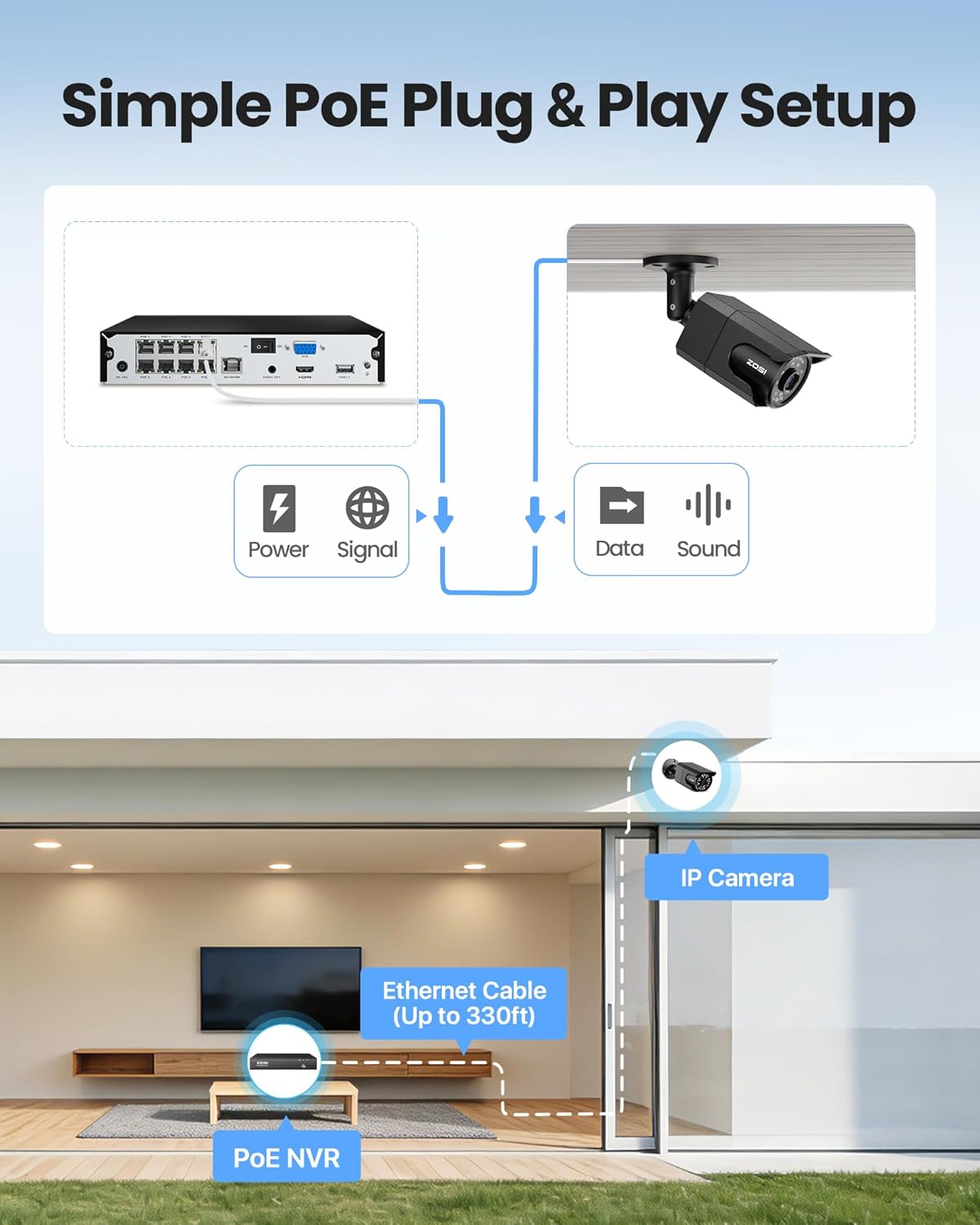
Image: Simple PoE Plug & Play Setup diagram.
3.2 Installation de la caméra
Choose suitable locations for your cameras, ensuring good coverage and a stable network connection. The cameras are IP66 weatherproof, making them suitable for both indoor and outdoor environments.
- Sélectionnez l'emplacement: Identify a mounting location that provides the desired viewing angle and is within reach of an Ethernet cable connection to the NVR.
- Attach Mounting Sticker: Use the provided mounting template sticker to mark the drill holes on the wall or ceiling.
- Trous de forage : Drill holes as marked and insert the rubber plugs.
- Support de caméra : Fix the camera to the mounting surface using the screws. Adjust the camera angle as needed.

Image: IP66 Weatherproof camera mounted outdoors.
3.3 Mobile App Setup (ZOSI Smart App)
À view your cameras remotely, download and configure the ZOSI Smart App on your mobile device.
- Téléchargez l'application: Scan the QR code on the NVR or in the Quick Start Guide to download the ZOSI Smart App, or search for "ZOSI Smart" in your device's app store.
- Inscrivez-vous et connectez-vous : Créez un compte et connectez-vous à l'application.
- Add NVR Device: Click the "+" icon in the app to add a new device. Scan the QR code located on the NVR.
- Confirmer la connexion : Ensure the NVR is connected to the internet and follow the on-screen prompts to complete the device addition.
- Set Device Name: Assign a name to your NVR for easy identification.
Video: This video demonstrates the step-by-step process of setting up the ZOSI PoE security camera system, including connecting the NVR and adding the device to the ZOSI Smart App for remote viewing.
4. Fonctionnement
4.1 En direct View et enregistrement
Once your system is set up, you can view vivre footage and manage recordings.
- Locale Viewment: Connect the NVR to a monitor via HDMI/VGA to view live feeds directly.
- Télécommande Viewment: Use the ZOSI Smart App on your mobile device or the ZOSI Client software on your PC/tablet to access live views de n'importe où.
- Enregistrement continu 24h/24 et 7j/7 : The NVR records continuously to the pre-installed 2TB hard drive. You can customize recording schedules and modes (e.g., scheduled, motion-activated).

Image: Multiple camera views showing 24/7 recording.
4.2 Détection par IA intelligente
The system features advanced AI algorithms for accurate detection of humans, faces, and vehicles.
- Réduction des fausses alarmes : AI detection minimizes alerts caused by animals, rain, or other environmental factors.
- Light Alerts: When activity is detected, the camera's built-in warning light can activate to deter intruders.
- Notifications instantanées : Receive real-time app push notifications and email alerts with snapshots.

Image: Smart AI Human, Face, and Vehicle Detection.
Vision nocturne couleur 4.3
The 8MP IP cameras provide starlight color night vision in low-light conditions and up to 100ft infrared night vision.

Image: 100ft Color Night Vision comparison.
4.4 Smart Playback and Audio Recording
- Lecture intelligente : Easily search and playback recordings by date, hour, or minute to quickly find important events.
- Audio unidirectionnel : Cameras include a built-in microphone for one-way audio recording, allowing you to hear what is happening.

Image: Audio Recording in action.
5. Entretien
Regular maintenance ensures optimal performance and longevity of your ZOSI security system.
- Caméras propres : Nettoyez régulièrement les objectifs de l'appareil photo avec un chiffon doux et sec.amp chiffon pour enlever la poussière et les traces qui pourraient affecter la qualité de l'image.
- Vérifier les connexions : Assurez-vous que toutes les connexions de câbles (alimentation, Ethernet) sont bien fixées et exemptes de dommages.
- Mises à jour du micrologiciel : Check the ZOSI website or app regularly for firmware updates to improve system stability and add new features. Follow the instructions provided with the update carefully.
- État du disque dur : The NVR's 2TB HDD is designed for continuous use. Monitor its health through the NVR's system settings. Back up important footage régulièrement.
- Protection de l'environnement : While cameras are weatherproof, avoid directing high-pressure water jets directly at them. Ensure proper drainage around outdoor installations.
6. Dépannage
If you encounter issues with your ZOSI security system, refer to the following common solutions:
- Aucun affichage vidéo :
- Check NVR power and monitor connections.
- Ensure HDMI/VGA cables are securely connected.
- Verify cameras are powered and connected to the NVR's PoE ports.
- Aucun accès à distance :
- Confirm the NVR is connected to the internet (check network cable and router status).
- Ensure the ZOSI Smart App is updated to the latest version.
- Vérifiez l'identifiant de votre appareil et votre mot de passe dans l'application.
- Mauvaise qualité d'image :
- Nettoyez l'objectif de l'appareil photo.
- Vérifiez la présence d'obstructions dans le champ de vision de la caméra. view.
- Assurez un éclairage suffisant pour une vision nocturne optimale.
- Alertes de faux mouvements :
- Adjust AI detection sensitivity settings in the NVR or app.
- Configurez les zones de détection pour exclure les zones présentant des mouvements fréquents et non pertinents (par exemple, des arbres qui bougent).
- Disque dur plein :
- The NVR supports overwrite mode, automatically deleting oldest footage.
- Consider upgrading to a larger HDD (up to 8TB) or adjusting recording settings to conserve space.
Pour obtenir de l'aide supplémentaire, veuillez contacter le service client de ZOSI.
7. Spécifications
| Fonctionnalité | Spécification |
|---|---|
| Marque | ZOSI |
| Numéro de modèle | 8HQ-1058B4-20-US |
| Technologie de connectivité | Câblé (PoE) |
| Résolution de capture vidéo | 4K (8MP) |
| Nombre de canaux | 8 (16CH Expandable with optional PoE switch) |
| Capacité de stockage de la mémoire | Disque dur de 2 To (préinstallé) |
| Caractéristiques spéciales | Human Detection, Face Detection, Vehicle Detection, Color Night Vision, One-Way Audio, Weatherproof (IP66) |
| Source d'énergie | Électrique avec fil |
| Couleur | Noir |
| Item Dimensions (NVR) | 17 x 11 x 7 pouces (environ) |
8. Garantie et assistance
ZOSI is committed to providing high-quality products and excellent customer service.
8.1 Informations sur la garantie
- Couverture de 2 ans : Your ZOSI 4K PoE Security Camera System is covered by a 2-year warranty from the date of purchase.
- Politique de retour sans tracas de 30 jours : Bénéficiez d'une politique de retour de 30 jours pour votre tranquillité d'esprit.
For detailed warranty terms and conditions, please refer to the official ZOSI website ou contacter le support client.
8.2 Assistance technique
ZOSI offers comprehensive after-sales support to assist you with any questions or issues.
- Assistance technique à vie : Bénéficiez d'une assistance technique à vie pour votre produit.
- Coordonnées: For technical assistance, visit the official ZOSI website à ZOSI Store or refer to the contact details provided in your Quick Start Guide.
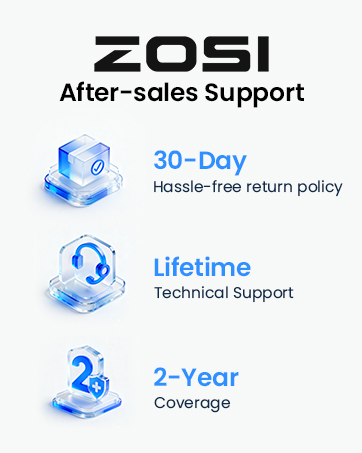
Image: ZOSI Customer Support.