
1. Introduction
Thank you for choosing the Vannect X390S 6-in-1 Folding Treadmill. This manual provides essential information for the safe and efficient operation, maintenance, and troubleshooting of your new fitness equipment. Please read this manual thoroughly before initial use and retain it for future reference.
2. Consignes de sécurité importantes
Pour réduire les risques de blessures graves, suivez toujours les précautions de base lors de l'utilisation de ce tapis roulant. Lisez attentivement toutes les instructions avant utilisation.
- Ensure the safety lock is properly engaged before starting any exercise.
- La capacité de poids maximale de l'utilisateur pour ce tapis roulant est de 150 kg (330 lb)Ne dépassez pas cette limite.
- Gardez les enfants et les animaux domestiques éloignés du tapis roulant pendant son fonctionnement.
- Placez le tapis roulant sur une surface plane et stable, en laissant un espace suffisant autour de celui-ci.
- Portez des chaussures et des vêtements de sport appropriés.
- Si vous ressentez des douleurs, des vertiges ou un essoufflement, arrêtez immédiatement l'exercice.
- Tenez-vous toujours aux barres d'appui lorsque vous démarrez ou arrêtez le tapis roulant.
- Débranchez le tapis roulant de la prise électrique lorsqu'il n'est pas utilisé ou avant de le nettoyer ou de l'entretenir.
3. Contenu du colis
Vérifiez que tous les composants sont présents dans le package :
- Vannect X390S Folding Treadmill
- Télécommande magnétique
- Clé de sécurité
- Cordon d'alimentation
- Manuel de l'utilisateur (ce document)
- Lubrifiant (pour l'entretien)
4. Installation
The Vannect X390S treadmill is designed for minimal setup and comes largely pre-assembled, ready for immediate use.
- Déballage: Retirez soigneusement le tapis roulant de son emballage.
- Placement: Position the treadmill on a flat, stable surface. Ensure there is sufficient space around the unit for safe operation.
- Déploiement (le cas échéant) : If the treadmill is in its folded state, gently unfold it according to the diagrams below until it locks into the upright position.
- Connexion électrique : Branchez le cordon d’alimentation sur une prise électrique reliée à la terre.
- Clé de sécurité : Attach the safety key clip to your clothing and insert the magnetic end into the designated slot on the console. The treadmill will not operate without the safety key in place.

Figure 4.1: The treadmill's ultra-thin design (13.5 cm) allows for easy storage under furniture or against a wall. It features transport wheels for effortless movement.
5. Mode d'emploi
The Vannect X390S offers multiple control methods and exercise modes to suit your fitness needs.
Méthodes de contrôle 5.1
You can control the treadmill using the console display, the magnetic remote control, or the dedicated mobile application.

Figure 5.1: The treadmill console features an LED display showing speed, time, distance, and calories. Control is available via the console, remote, or app.
- Affichage de la console : The integrated LED display clearly shows time, calories burned, step count, speed (1-12 KM/H), and distance. Touch controls on the console allow for direct adjustment.
- Télécommande magnétique : Use the remote to start/stop the treadmill and adjust speed. Its magnetic design allows it to be securely attached to the treadmill console, preventing loss.
- Application mobile : Connect via Bluetooth to the Vannect app for advanced control, real-time data synchronization, and access to various exercise programs.
5.2 Réglage de l'inclinaison
The treadmill features a manual incline adjustment of up to 9% to simulate uphill walking or running, enhancing calorie burn and muscle engagement.

Figure 5.2: Manual incline adjustment from 0% to 9% allows for varied workout intensity, simulating outdoor terrain.
5.3 Modes d'exercice
The 6-in-1 design supports various activities:
- Work Mode (1-3 km/h): Ideal for light walking while working or reading.
- Mode marche (4-6 km/h) : Suitable for brisk walking.
- Jogging Mode (7-9 km/h): For a moderate jogging pace.
- Mode course (10-12 km/h) : For higher intensity running workouts.
- Climbing Mode (9% Incline): Engages more muscles and increases calorie expenditure.

Figure 5.3: The treadmill supports various exercise modes from walking to running and incline training.
6. Connectivité des applications
Enhance your workout experience by connecting your Vannect X390S treadmill to the mobile application via Bluetooth.
- Téléchargez l'application : Rechercher the official Vannect fitness app on your mobile device's app store (e.g., Google Play Store or Apple App Store).
- Activer Bluetooth : Assurez-vous que Bluetooth est activé sur votre appareil mobile.
- Jumelage : Open the Vannect app and follow the on-screen instructions to pair with your treadmill.
- Caractéristiques: Once connected, the app will synchronize real-time movement data such as speed, calories, and more. You can track your progress, participate in challenges, and access updated exercise programs. The treadmill is compatible with popular fitness apps like Zwift, Kinomap, and Fitshow.

Figure 6.1: The mobile app provides scientific and intelligent training programs, syncing data in real-time.
7. Entretien
Un entretien régulier garantit la longévité et les performances optimales de votre tapis roulant.
- Nettoyage: Essuyez le tapis roulant avec un chiffon humide.amp Essuyez-vous avec un chiffon après chaque utilisation pour enlever la transpiration et la poussière. Évitez d'utiliser des nettoyants abrasifs.
- Lubrification: The running belt requires periodic lubrication to reduce friction and wear. Apply the provided special treadmill lubricant under the belt as instructed in the lubricant's packaging, typically every few months depending on usage.
- Tension et alignement de la courroie : Check the running belt tension and alignment regularly. If the belt slips or moves off-center, refer to the troubleshooting section or contact customer support for adjustment instructions.
- Moteur: The 2.75 HP motor is designed for quiet operation (<25 dB) and low maintenance, with a lifespan exceeding 5000 hours.

Figure 7.1: The 2.75 HP motor offers a long lifespan and quiet operation, requiring minimal maintenance.
8. Dépannage
Si vous rencontrez des problèmes avec votre tapis roulant, consultez la section suivante consacrée aux problèmes courants et à leurs solutions :
| Problème | Cause possible | Solution |
|---|---|---|
| Le tapis roulant ne démarre pas | Cordon d'alimentation débranché, clé de sécurité non insérée, disjoncteur déclenché. | Check power connection, ensure safety key is fully inserted, reset circuit breaker if necessary. |
| La courroie de course glisse ou hésite | Belt tension too loose, belt requires lubrication. | Adjust belt tension (refer to specific instructions or contact support), apply lubricant as per maintenance section. |
| Bruit inhabituel pendant le fonctionnement | Composants desserrés, problème de moteur, frottement de la courroie. | Check for loose screws and tighten. If noise persists, contact customer support. |
| Problèmes de connexion à l'application | Bluetooth off, app not updated, pairing failed. | Ensure Bluetooth is on, update the app, try re-pairing the device. |
If the problem persists after attempting these solutions, please contact Vannect customer support.
9. Spécifications
| Marque | Vanne |
| Numéro de modèle | X390S |
| Puissance du moteur | 2.75 CV |
| Plage de vitesse | 1 à 12 km/h |
| Inclinaison | Manual 0% - 9% |
| Poids maximum de l'utilisateur | 150 kg (330 lb) |
| Largeur de la courroie de course | 40 cm (environ) |
| Absorption des chocs | 5-layer anti-slip surface, 8 silicone shock absorbers |
| Niveau de bruit | <25 dB |
| Connectivité | Bluetooth, application mobile |
| Afficher | Double LED |
| Assemblage requis | No (Ready to use) |
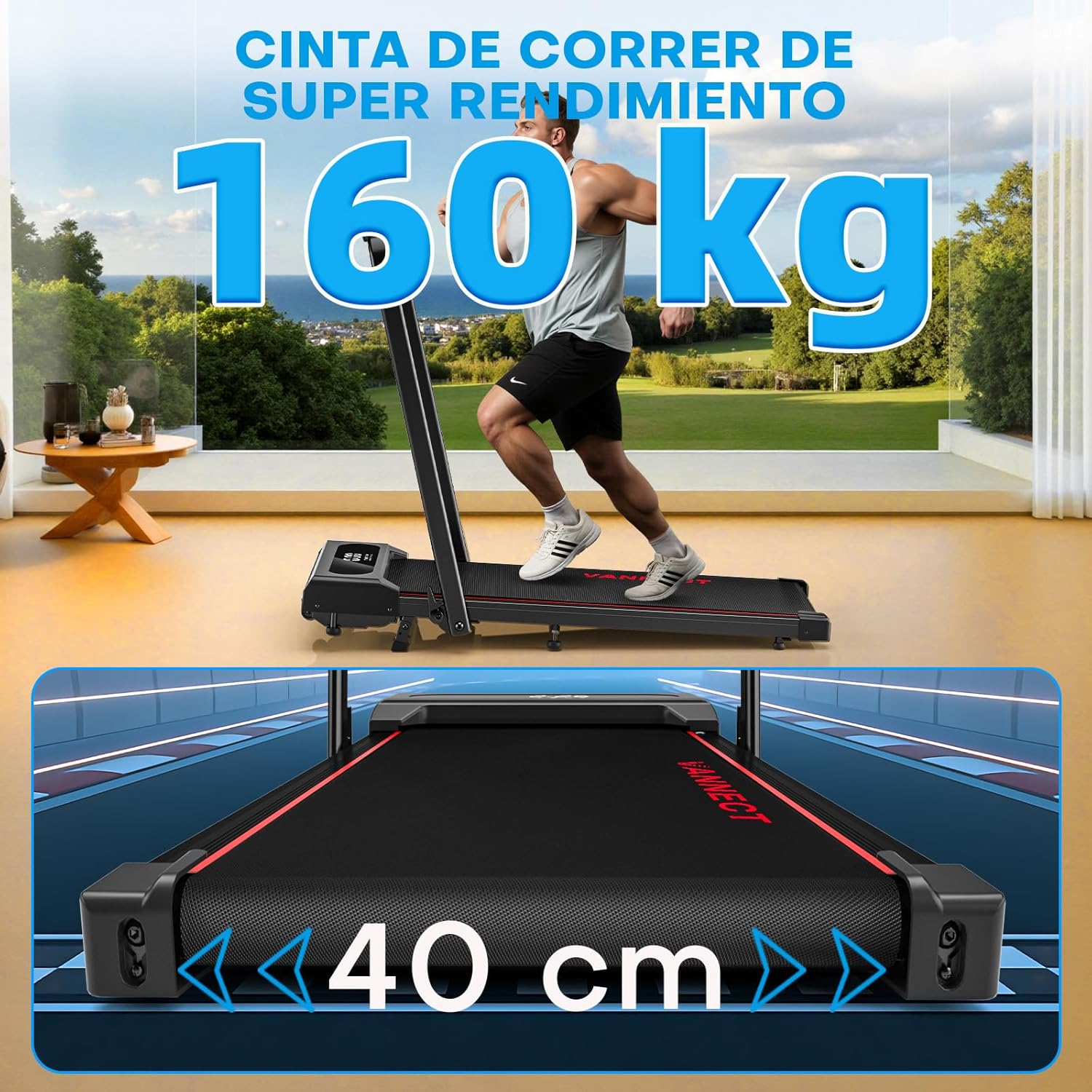
Figure 9.1: The treadmill supports users up to 150 kg (160 kg in image, using 150kg from feature bullets for consistency) and features a 40 cm wide running belt for comfort.

Figure 9.2: Advanced cushioning with 5 anti-slip layers and 8 silicone shock absorbers effectively protects joints and reduces muscle pressure.
10. Garantie et assistance
Vannect is committed to providing high-quality products and excellent customer service.
- Garantie: Vannect offers a Service de remplacement gratuit pendant 5 ans for eligible parts.
- Support technique : Apprécier Assistance 24h/XNUMX for any issues you may encounter.
For warranty claims, technical assistance, or any product-related inquiries, please contact Vannect customer service through the official website ou votre plateforme d'achat.