1. Introduction
This manual provides detailed instructions for the safe and efficient operation of your iSinbox AC311 4K Projector. Please read this manual thoroughly before use and retain it for future reference.
The iSinbox AC311 is a portable smart projector designed for versatile entertainment. It features a 360° rotatable stand, 1.1:1 short-throw ratio, 1000 ANSI lumens brightness, 4K HDR10+ support, integrated Smart TV OS with official apps like Netflix, YouTube, and Prime Video, Dolby Audio, Bluetooth 5.4, and WiFi 6 connectivity. It also includes intelligent automatic adjustments for focus and keystone correction.
2. Contenu du colis
Veuillez vérifier que tous les articles listés ci-dessous sont inclus dans votre colis. Si un article est manquant ou endommagé, veuillez contacter le service client.
- iSinbox AC311 Projector Unit
- Télécommande (piles AAA non incluses)
- Cordon d'alimentation
- Câble HDMI
- Chiffon de nettoyage
- nettoyage écouvillons
- Manuel d'utilisation

3. Installation
3.1 Connexion d'alimentation
- Connect the power cord to the power input port on the back of the projector.
- Branchez l'autre extrémité du cordon d'alimentation dans une prise murale.
3.2 Mise sous tension initiale et sélection de la langue
- Press the power button located on the top of the projector to turn it on.
- Suivez les instructions à l'écran pour sélectionner votre langue préférée.
- Connect to your Wi-Fi network as instructed.
4. Mode d'emploi
4.1 Utilisation de la télécommande
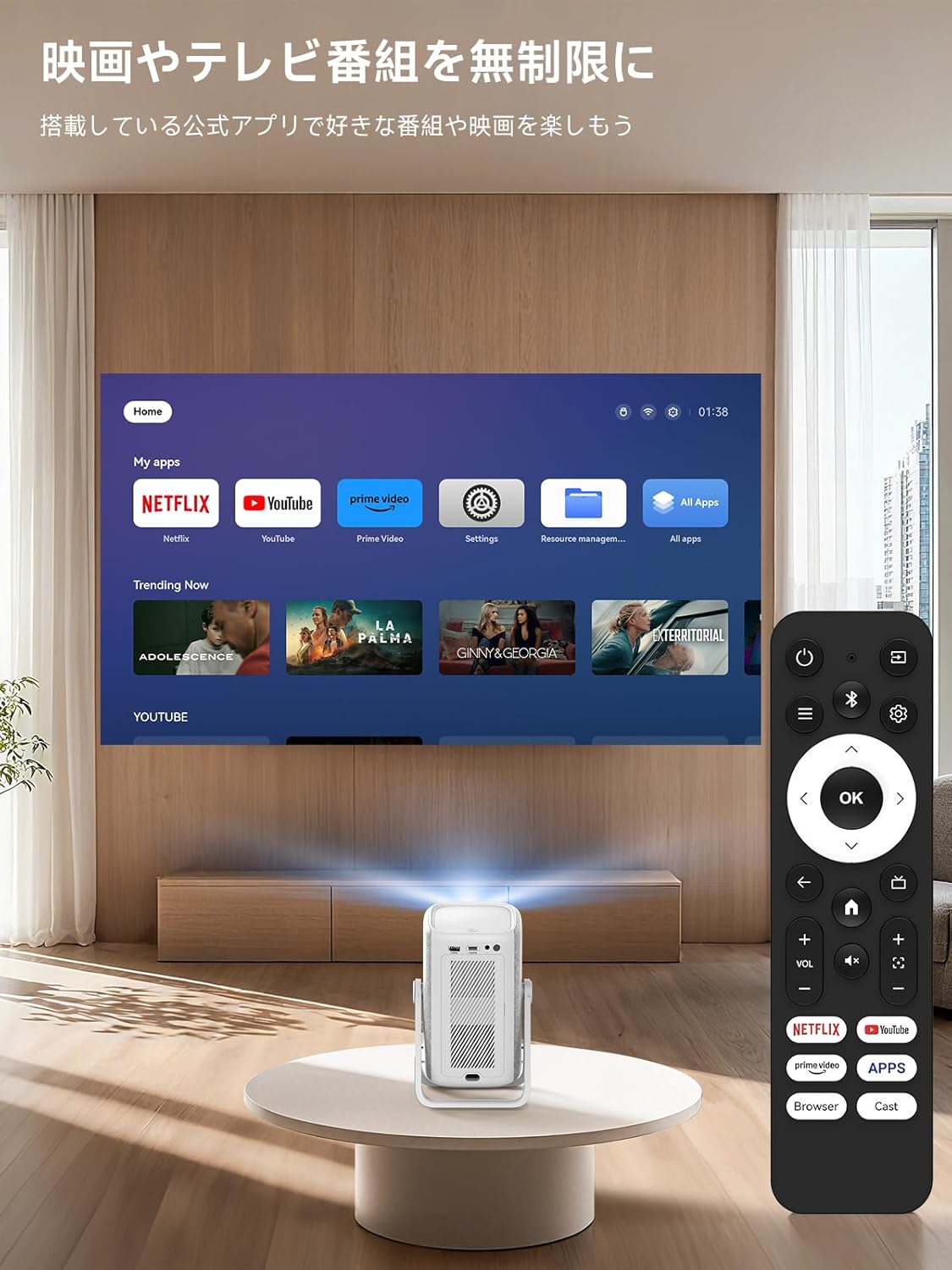
The included remote control allows for easy navigation and control of the projector's functions. Insert two AAA batteries (not included) into the remote before use.

4.2 Smart TV OS and Applications
The iSinbox AC311 features an integrated Smart TV operating system, providing direct access to popular streaming services.
- Applications préinstallées : Netflix, YouTube, Prime Video, Disney+, and more are pre-installed for immediate use.
- App Store : Access the App Store to download additional applications.
- Navigateur: Use the built-in browser to navigate the internet and access web-based content.
4.3 Image and Sound Adjustment
Adjust image and sound settings for an optimal viewexpérience de travail.
- Accédez au menu « Paramètres ».
- Select "Display and Sound" to adjust image mode (brightness, contrast, color, sharpness, noise reduction, color temperature) and sound effects (standard, movie, music, news, sports).
4.4 Réglages automatiques
The projector features AI auto-focus and 6D keystone correction, automatically adjusting the image for clarity and proper alignment within approximately 3 seconds. It also includes automatic obstacle avoidance.
4.5 Connectivité
- Wi-Fi 6 : Supports high-speed wireless connections for seamless streaming and screen mirroring.
- Bluetooth 5.4: Connect external Bluetooth speakers or use the projector as a standalone Bluetooth speaker.
- HDMI/USB: Connect external devices such as game consoles, Blu-ray players, or USB drives.
5. Caractéristiques et capacités
- 360° Rotation & Portable Design: The projector features a 360° rotatable stand and an ergonomic handle, allowing for easy adjustment from wall projection to ceiling projection and convenient portability.
- 1.1:1 Short-Throw Ratio: Project a large 100-inch screen from a distance of approximately 2.4 meters (95 inches), ideal for small spaces.
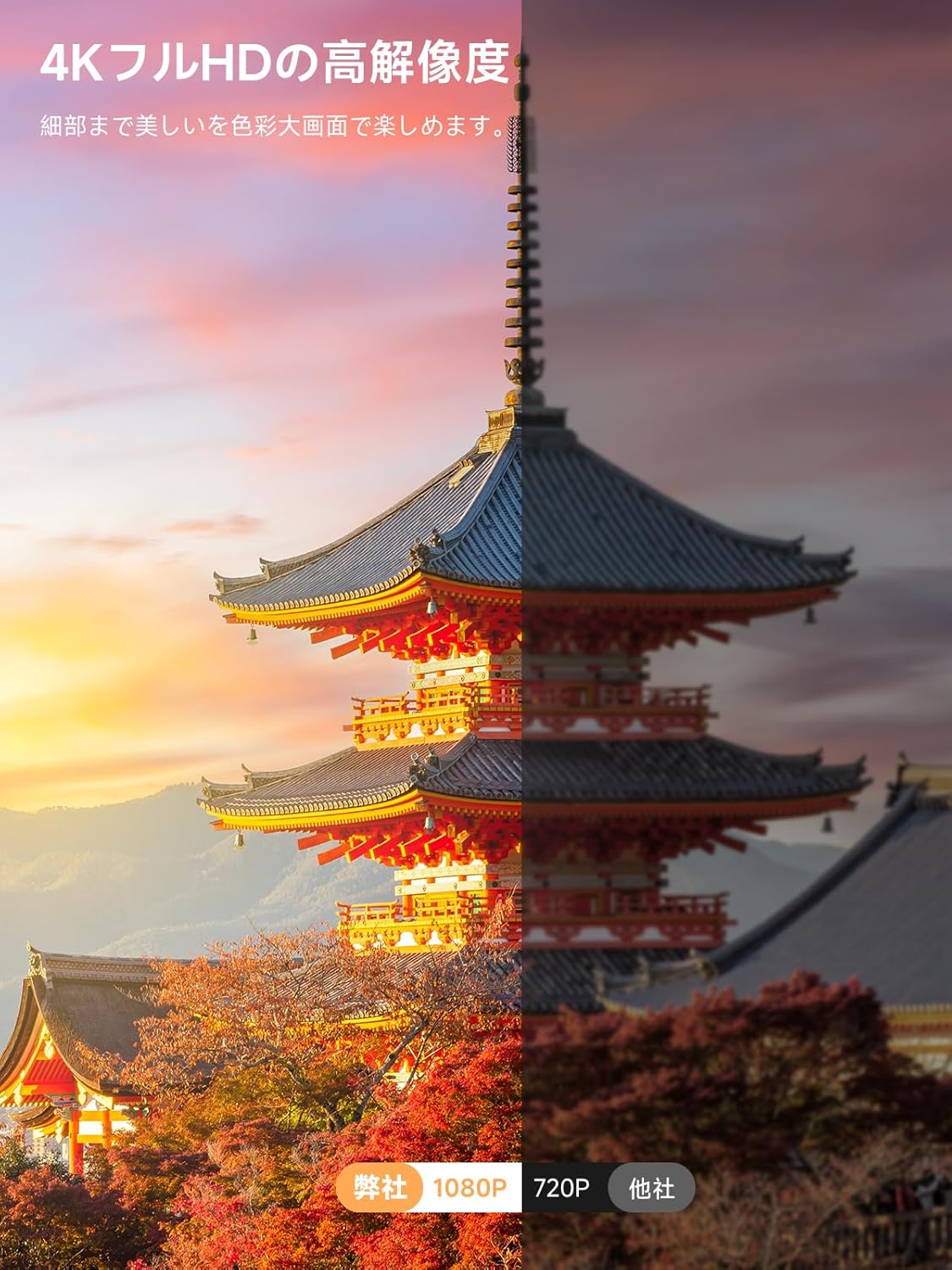
- 1000 ANSI Lumens & 4K HDR10+ Support: Delivers bright, clear 1080p resolution with support for 4K HDR10+ content, ensuring vibrant colors and sharp details.
- Dolby Audio & DTS Decoding: Provides an immersive audio experience with HiFi stereo speakers and DTS decoding technology.
- AI Image Enhancement & Eye Protection: Utilizes AI image enhancement technology for 98% NTSC color reproduction and blue light reduction for comfortable long-term viewing.
- Zoom numérique : Ajustez la taille de l'écran de 50 % à 100 % sans déplacer le projecteur.


6. Entretien
6.1 Nettoyage du filtre à air
Regularly clean the air filter to ensure optimal performance and longevity of your projector.
- Locate the filter cover on the side of the projector.
- Ouvrez délicatement le couvercle.
- Retirer le filtre à air.
- Clean the filter using the provided cleaning swabs or a soft brush.
- Reinsert the clean filter and close the cover securely.
7. Dépannage
If you encounter any issues with your iSinbox AC311 Projector, please refer to the following common troubleshooting tips:
- Pas d'alimentation : Vérifiez que le cordon d'alimentation est bien branché au projecteur et à la prise de courant. Essayez une autre prise.
- Pas d'image: Check that the projector is powered on. Verify the input source if using HDMI/USB. Ensure the lens cap is removed.
- Image floue : The projector features auto-focus. If the image remains blurry, try moving the projector slightly or manually adjusting focus in the settings.
- Image non rectangulaire : The projector has automatic keystone correction. If the image is still distorted, try repositioning the projector or manually adjusting keystone in the settings.
- Pas de son : Check the volume settings on both the projector and any connected external audio devices. Ensure the correct audio output is selected in the settings.
- La télécommande ne fonctionne pas : Replace the AAA batteries in the remote control. Ensure there are no obstructions between the remote and the projector.
Pour obtenir de l'aide supplémentaire, veuillez contacter le service client d'iSinbox.
8. Spécifications
| Fonctionnalité | Spécification |
|---|---|
| Marque | iSinbox |
| Numéro de modèle | AC311 |
| Dimensions du produit | 11.5 x 13 x 19 cm |
| Poids de l'article | 1.35 kilogrammes |
| Résolution native | 1920 x 1080 pixels (1080p) |
| Résolution d'affichage maximale | 1920 x 1080 pixels |
| Luminosité | 1000 ANSI Lumens |
| Technologie de connectivité | Bluetooth, HDMI, USB, Wi-Fi |
| Communication sans fil | Bluetooth 5.4, Wi-Fi 6 |
| Facteur de forme | Portable |
| Caractéristiques spéciales | Wi-Fi compatible, Built-in speaker, Foldable arm, Auto screen alignment, Lightweight |
| Quoitage | 6.5 W |
9. Garantie et assistance
iSinbox is committed to providing excellent customer service and product quality.
- 1-Year Free Exchange: Enjoy a one-year free exchange policy for eligible issues.
- Garantie de 3 ans : The product comes with a conditional three-year warranty.
- Assistance technique à vie : iSinbox offers lifetime technical support for your projector.
For any questions or concerns, please do not hesitate to contact our customer support team.