
1. Introduction
The Diydeg Foldable Bluetooth Keyboard is a versatile and portable input device designed for enhanced productivity across multiple platforms. Its compact, triple-fold design, integrated touchpad, and numeric keypad make it an ideal companion for tablets, laptops, and smartphones. This manual provides detailed instructions for setting up, operating, and maintaining your keyboard to ensure optimal performance.
2. Principales caractéristiques
- Changement d'appareil transparent : Connects to up to three devices simultaneously (desktop, laptop, tablet, phone) with easy switching via FN+A, S, D keys.
- Productivité améliorée : Features a full QWERTY layout with an integrated touchpad supporting gestures like click, zoom, and double tap, and a dedicated numeric keypad.
- Saisie confortable : Utilizes quiet and responsive scissor switches for a smooth and comfortable typing experience.
- Large compatibilité : Compatible with Windows, OS X, Android, and iOS operating systems.
- Compact et portable : Triple-fold design with a protective PU cover for easy transport and protection against wear and scratches.
- Longue durée de vie de la batterie : Equipped with a built-in 200mAh rechargeable LiPo battery, offering extended usage and efficient charging via USB-C.
3. Contenu du colis
Veuillez vérifier que tous les articles sont présents dans votre colis :
- 1 x Diydeg Foldable Keyboard
- Câble de charge 1 x USB-C
- 1 x Manuel d'utilisation (ce document)
Image: The Diydeg Foldable Keyboard shown in its folded state alongside its USB-C charging cable, illustrating the compact design and included accessories.
4. Spécifications
| Fonctionnalité | Détail |
|---|---|
| Type d'article | Clavier pliable |
| Matériel | ABS, PU |
| Version Bluetooth | 5.0 |
| Distance effective | Environ. 10m / 32.8ft |
| Batterie intégrée | Batterie LiPo 200 mAh |
| Technologie de connectivité | Bluetooth |
| Nombre de clés | 83 |
| Dimensions (plié) | 7.48 x 4.33 x 0.79 pouces (environ) |
| Poids de l'article | 10.8 onces (environ) |
5. Guide de configuration
5.1 Chargement du clavier
Before first use, or when the battery is low, charge your keyboard using the provided USB-C cable.
- Connect the small end of the USB-C charging cable to the charging port on the keyboard.
- Connectez l'extrémité USB-A standard du câble à un adaptateur secteur USB (non inclus) ou au port USB d'un ordinateur.
- The charging indicator light will illuminate. Once fully charged, the light will change or turn off (refer to specific indicator behavior in the quick start guide if available).
A full charge typically takes approximately 1.5 hours. The keyboard supports charging while in use.
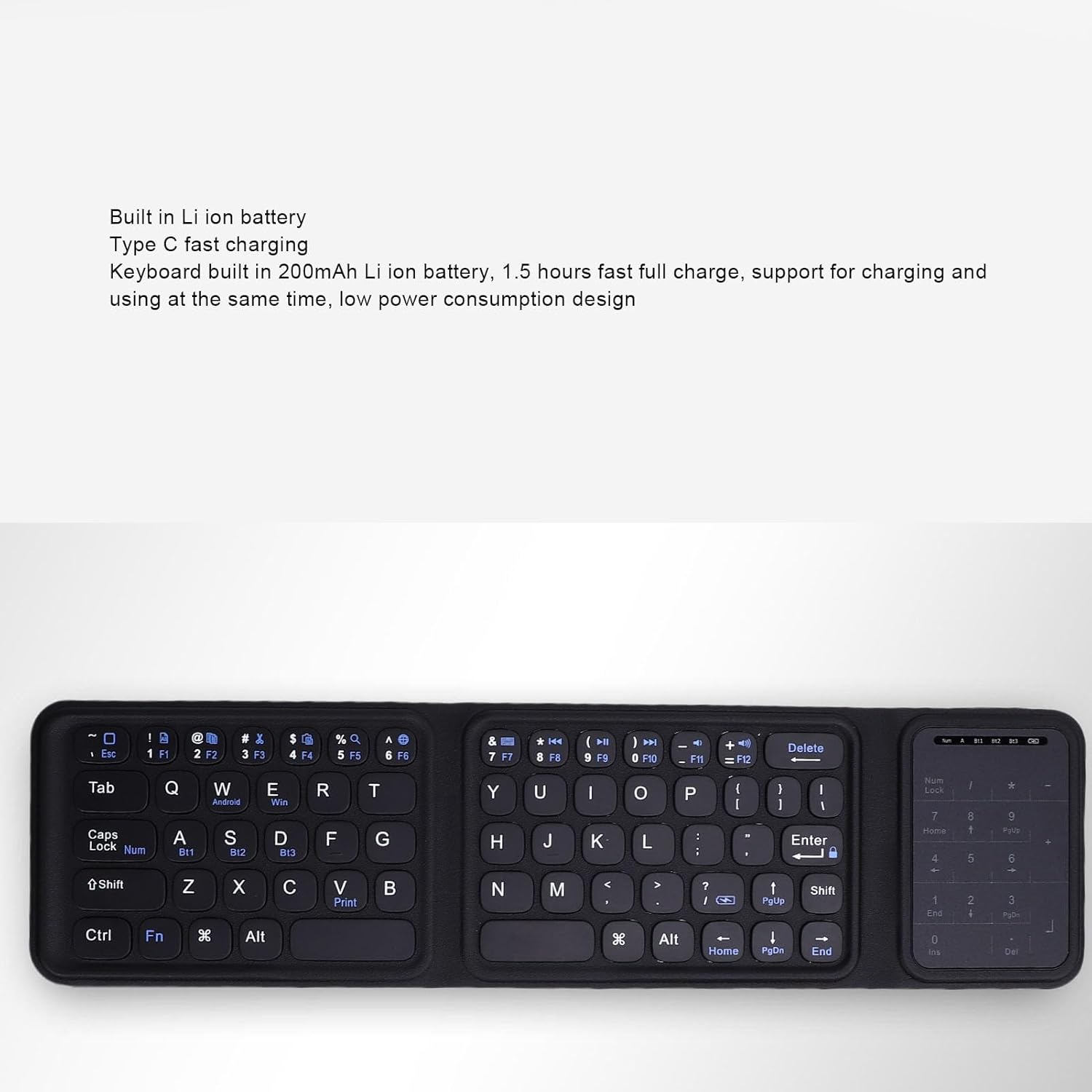
Image: A close-up of the keyboard with text highlighting its built-in Li-ion battery and Type-C fast charging capability, indicating its power features.
5.2 Couplage Bluetooth
The keyboard can pair with up to three devices simultaneously.
- Unfold the keyboard to power it on. The Bluetooth indicator light should start blinking, indicating it's in pairing mode. If not, press and hold the Bluetooth pairing button (often combined with a function key, refer to keyboard markings) until the light blinks.
- Sur votre appareil (smartphone, tablette, ordinateur portable), activez le Bluetooth et recherchez de nouveaux appareils.
- Select "Diydeg Keyboard" or a similar name from the list of available devices.
- Si vous y êtes invité, saisissez le code d'appairage affiché sur votre appareil à l'aide du clavier et appuyez sur Entrée.
- Once paired, the Bluetooth indicator light will stop blinking and remain solid or turn off.
- To pair with a second or third device, repeat steps 1-5, but select a different Bluetooth channel (e.g., FN+A for device 1, FN+S for device 2, FN+D for device 3) before initiating pairing mode.
6. Mode d'emploi
6.1 Basculement entre les appareils
After pairing with multiple devices, you can easily switch between them:
- Presse FN + A pour passer au premier appareil apparié.
- Presse FN + S pour passer au deuxième appareil apparié.
- Presse FN + D pour passer au troisième appareil apparié.
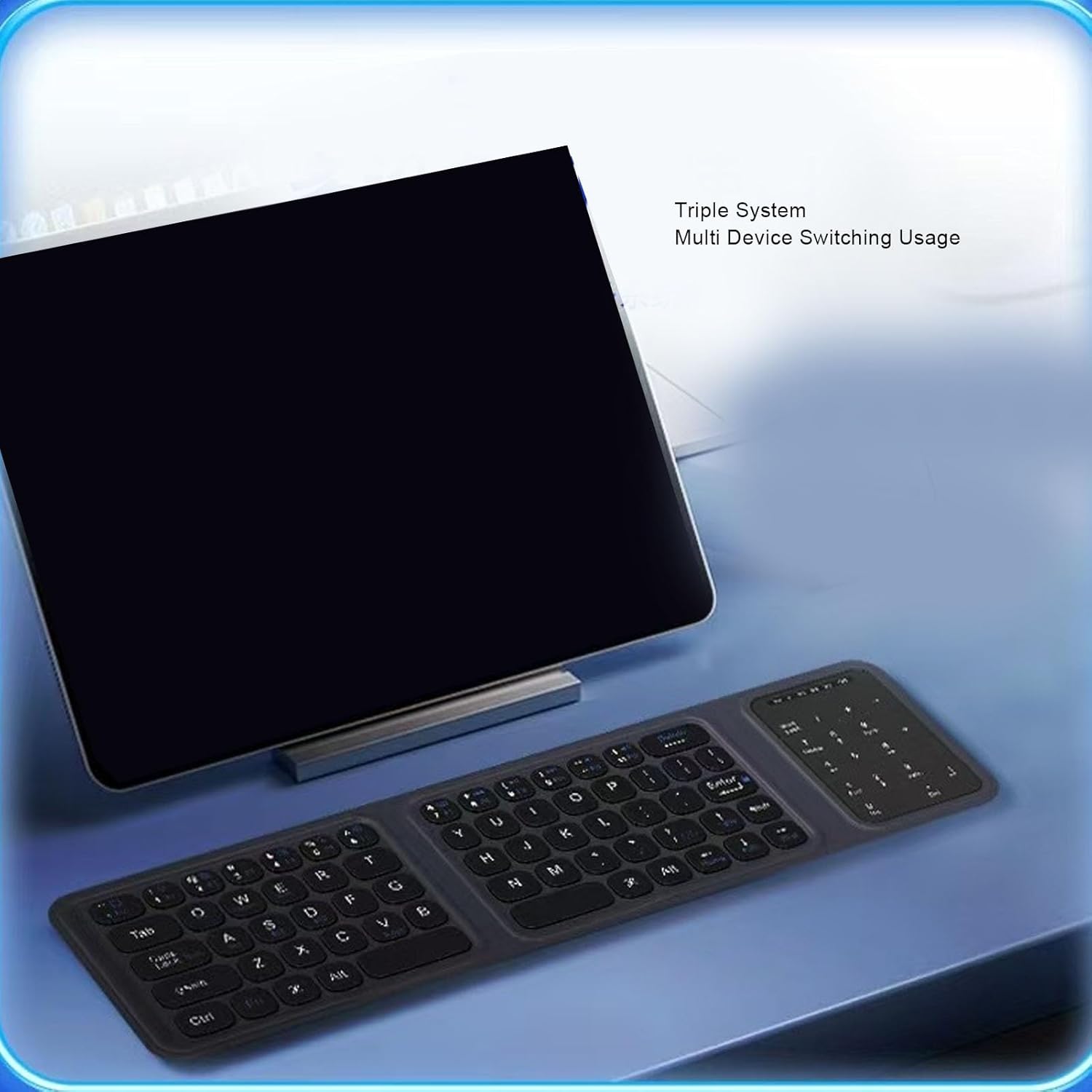
Image: The foldable keyboard connected to a tablet, demonstrating its capability for triple system and multi-device switching usage.
6.2 Using the Touchpad and Numeric Keypad
The keyboard features an integrated touchpad and a numeric keypad for enhanced functionality.
- Gestes du pavé tactile : The touchpad supports standard gestures such as single-finger tap for click, two-finger pinch for zoom, and double-tap for specific actions, depending on the operating system.
- Modes de commutation: Pour basculer entre le mode pavé tactile et le mode pavé numérique, appuyez sur FN + Verrouillage des majuscules. This allows you to choose the input method that best suits your task.

Image: A user's hands interacting with the touchpad and numeric keypad section of the Diydeg Foldable Keyboard, illustrating the 'Touch and Numeric Control 2 in 1' feature.
6.3 General Typing and Function Keys
The keyboard provides a standard QWERTY layout with additional function keys (F1-F12) accessible via the FN key for media control, volume adjustment, and other system functions. Refer to the keycap legends for specific functions.
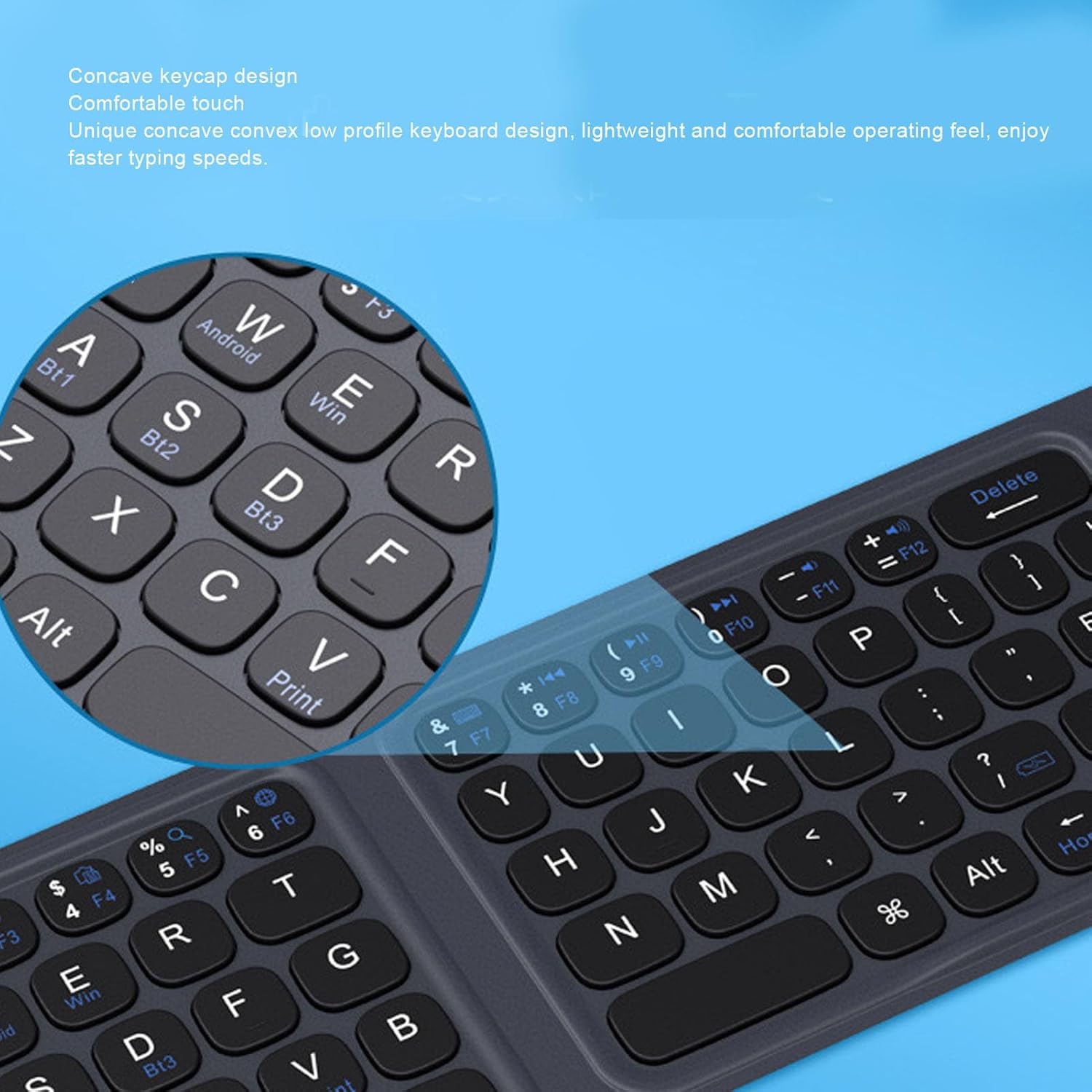
Image : Une image détaillée view of the concave keycap design on the Diydeg Foldable Keyboard, highlighting its comfortable touch and low-profile design for improved typing speed.
7. Entretien
To ensure the longevity and optimal performance of your Diydeg Foldable Bluetooth Keyboard, follow these maintenance guidelines:
- Nettoyage: Utilisez un chiffon doux, sec et non pelucheux pour essuyer la surface du clavier. Pour les saletés tenaces, frottez légèrement avec un chiffon doux.ampNettoyez le chiffon avec de l'eau ou un nettoyant doux non abrasif. Évitez l'humidité excessive.
- Stockage: When not in use, fold the keyboard to protect the keys and touchpad. Store it in a cool, dry place away from direct sunlight and extreme temperatures. The protective PU cover helps prevent scratches and wear.
- Évitez les liquides : Do not expose the keyboard to liquids. In case of accidental spills, immediately power off the keyboard (by folding it) and allow it to dry completely before reuse.
- À manipuler avec précaution : Évitez de faire tomber le clavier ou de le soumettre à des chocs violents, qui pourraient endommager ses composants internes.

Image : Un gros plan view of the Diydeg Foldable Keyboard's premium PU leather cover, emphasizing its non-slip, scratch-proof, fingerprint-proof, and waterproof properties for enhanced protection.
8. Dépannage
If you encounter issues with your Diydeg Foldable Bluetooth Keyboard, try the following solutions:
- Clavier non connecté/non apparié :
- Assurez-vous que le clavier est chargé.
- Assurez-vous que Bluetooth est activé sur votre appareil.
- Ensure the keyboard is in pairing mode (blinking Bluetooth indicator).
- Supprimez le clavier des paramètres Bluetooth de votre appareil et essayez de le jumeler à nouveau.
- Ensure you are within the effective range (approx. 10m / 32.8ft).
- Essayez de redémarrer à la fois le clavier (pliez et dépliez) et votre appareil.
- Les touches ne répondent pas :
- Vérifiez le niveau de la batterie et rechargez-la si nécessaire.
- Assurez-vous que le clavier est correctement connecté à votre appareil.
- Nettoyez les alentours des touches pour éliminer tout débris.
- Le pavé tactile ne fonctionne pas :
- Ensure you are in touchpad mode (press FN+Caps Lock to toggle).
- Nettoyez la surface du pavé tactile.
- Retard ou délai d'entrée :
- Rapprochez-vous de votre appareil pour réduire les interférences.
- Assurez-vous qu'aucun autre signal sans fil puissant ne provoque d'interférences.
- Fermez les applications inutiles sur votre appareil.
9. Garantie et assistance
Specific warranty details for the Diydeg Foldable Bluetooth Keyboard are not provided within this manual. For warranty claims, technical support, or further assistance, please refer to the product packaging, the retailer's return policy, or contact Diydeg customer service directly through their official website ou plateforme où le produit a été acheté.