
1. Consignes de sécurité
Please read this manual carefully before using the product to ensure proper operation and to avoid damage. Keep this manual for future reference.
- N’utilisez pas l’appareil en conduisant. Modifiez les paramètres uniquement lorsque le véhicule est stationné en toute sécurité.
- Ensure the dash cam does not obstruct your view de la route ou interférer avec les commandes du véhicule.
- Use only original accessories provided with the product.
- Évitez d'exposer l'appareil à des températures extrêmes ou à la lumière directe du soleil pendant des périodes prolongées.
- Gardez l'appareil à l'abri de l'eau et de l'humidité.
2. Contenu du colis
Vérifiez que tous les éléments sont présents dans le colis :
- Mirror Dash Camera Unit
- Caméra arrière
- Chargeur de voiture
- Câble de chargement (USB-C)
- Module GPS
- Carte Micro SD 64 Go
- Outil d'installation (outil de levier)
- Manuel d'utilisation
- Mounting Straps (for mirror)
- Adhesive Pads and Screws (for rear camera)

Image: All components included in the QOZ V969 Mirror Dual Dash Camera package.
3. Configuration et installation
3.1 Installing the Mirror Dash Camera
- Attach the mirror dash camera to your existing rearview Fixez le miroir à l'aide des sangles en caoutchouc fournies. Assurez-vous qu'il est bien fixé et qu'il ne gêne pas votre vision. view.
- Adjust the integrated front camera lens to capture the desired view de la route devant nous.

Image: The mirror dash camera is designed to clip securely over your vehicle's existing rearview miroir.
3.2 Installation de la caméra arrière
- Mount the rear camera at the back of your vehicle, typically above the license plate or inside the rear window. Use the provided adhesive pads and screws for secure attachment.
- Route the rear camera cable to the front of the vehicle, tucking it along the headliner and A-pillar trim using the installation tool to conceal the wiring.
- Connect the rear camera cable to the designated port on the mirror dash camera.
- Connect the red wire from the rear camera cable to your vehicle's reverse light power wire. This enables the display to automatically switch to the rear camera view en marche arrière.

Image: Wiring diagram for connecting the rear camera to the main unit and the vehicle's reverse light for automatic activation.
3.3 Connecting Power and GPS
- Insert the 64GB Micro SD card into the designated slot on the mirror dash camera.
- Connect the GPS module to its port on the mirror dash camera. Position the GPS module on the dashboard or near the windshield for optimal signal reception.
- Plug the car charger into your vehicle's 12V power outlet (cigarette lighter).
- Connect the USB-C charging cable from the car charger to the mirror dash camera.

Image: The dash camera package includes a 64GB SD card and a GPS module for route and speed tracking.
4. Mode d'emploi
4.1 Mise sous/hors tension
La caméra embarquée s'allumera et commencera à enregistrer automatiquement dès que le contact de votre véhicule sera mis. Elle s'éteindra automatiquement lorsque le contact sera coupé.
4.2 10" IPS Touch Screen Interface
The 10-inch IPS touch screen provides a wide viewing angle and vivid color accuracy. Swipe left/right to switch between front camera view, caméra arrière view, or a split-screen display showing both simultaneously. Swipe up/down on the screen to adjust the camera's vertical viewangle de vue.
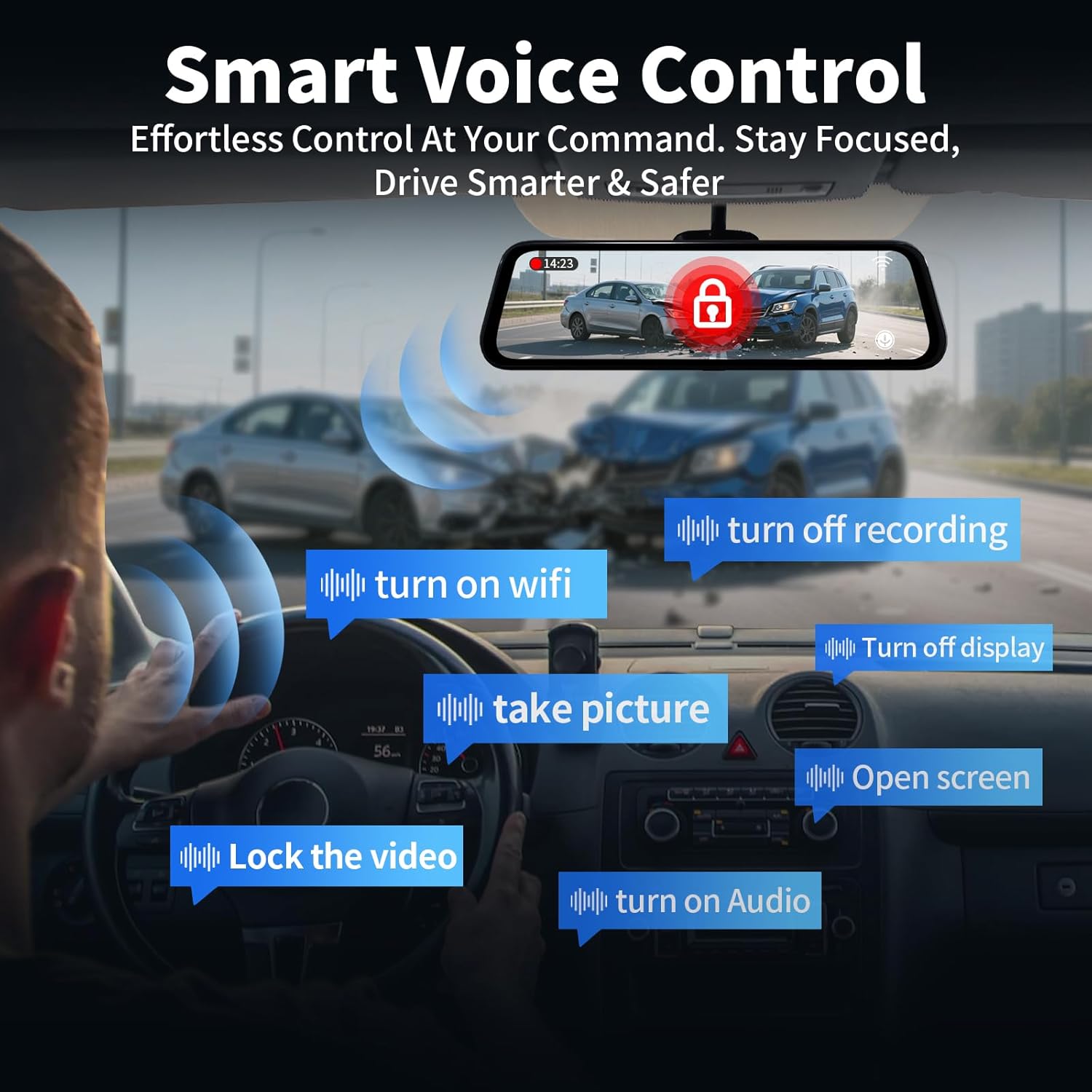
Image: The 10-inch IPS touch screen offers a clear and responsive interface for managing camera views et paramètres.
4.3 Commande vocale
The dash cam supports voice commands for hands-free operation. Use the following commands:
- "Turn off screen" / "Turn on screen"
- "Show front camera" / "Show rear camera" / "Show both cameras"
- "Verrouiller la vidéo"
- "Prendre une photo"
- « Activer le son » / « Désactiver le son »
- « Activer le Wi-Fi » / « Désactiver le Wi-Fi »
- « Désactiver l’enregistrement »
- "Open screen"

Image: Voice control allows for hands-free operation of key dash cam functions, enhancing driving safety.
Video: Demonstration of voice control features for the QOZ 4K+2.5K Mirror Dash Cam.
4.4 Built-in Wi-Fi & APP Control
Connect the dash cam to your smartphone via Wi-Fi using the dedicated app (available on iOS and Android). Through the app, you can view vivre footage, playback recorded videos, manage settings, and download files directly to your device. This allows for easy sharing of travel experiences.
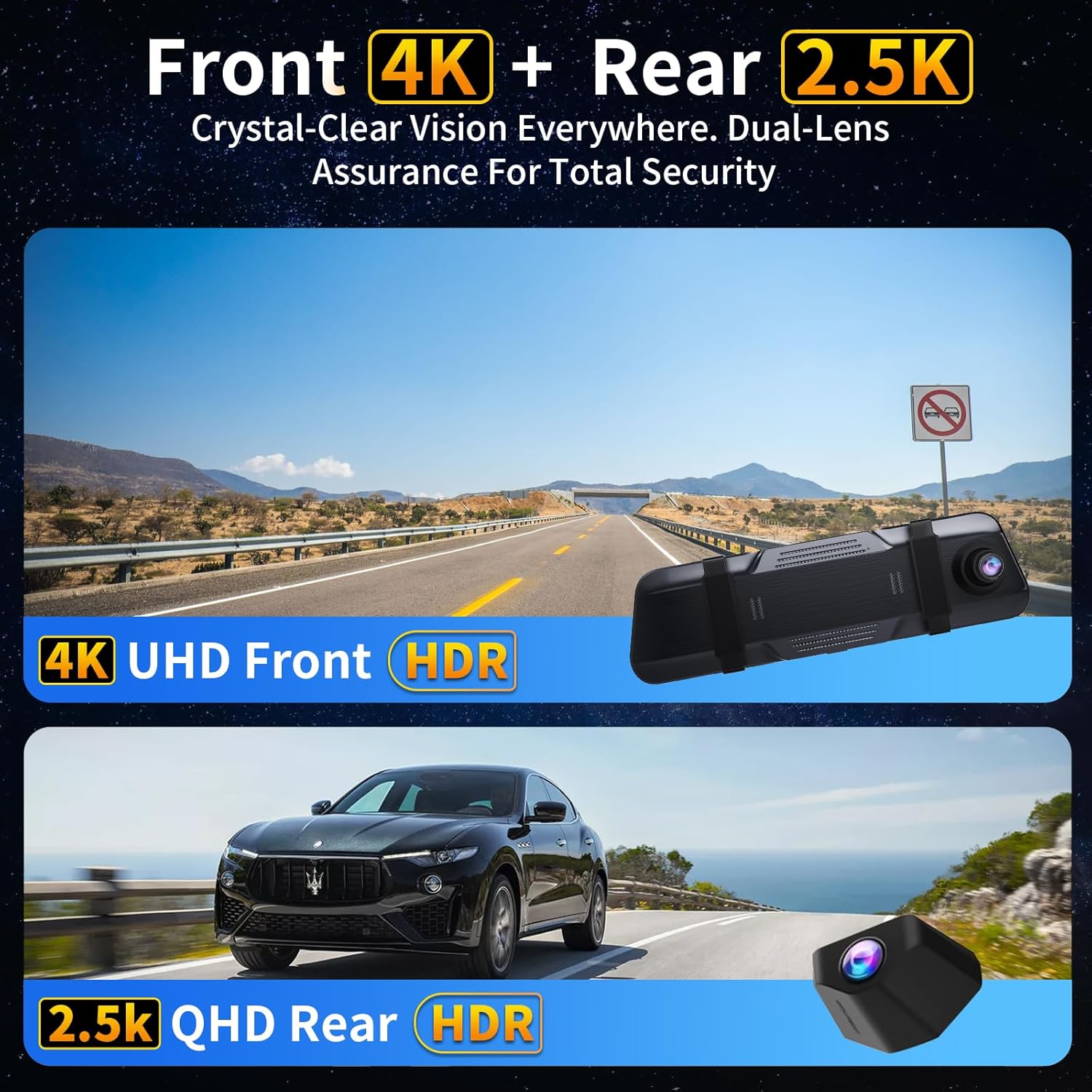
Image: The dash camera connects to a smartphone app via 5.8GHz Wi-Fi for viewing, playback, and management.
4.5 Enregistrement en boucle
The dash cam continuously records video in segments (e.g., 1, 2, or 5 minutes). When the SD card is full, the oldest unlocked files are automatically overwritten to ensure uninterrupted recording. Locked fileLes s sont protégés contre l’écrasement.
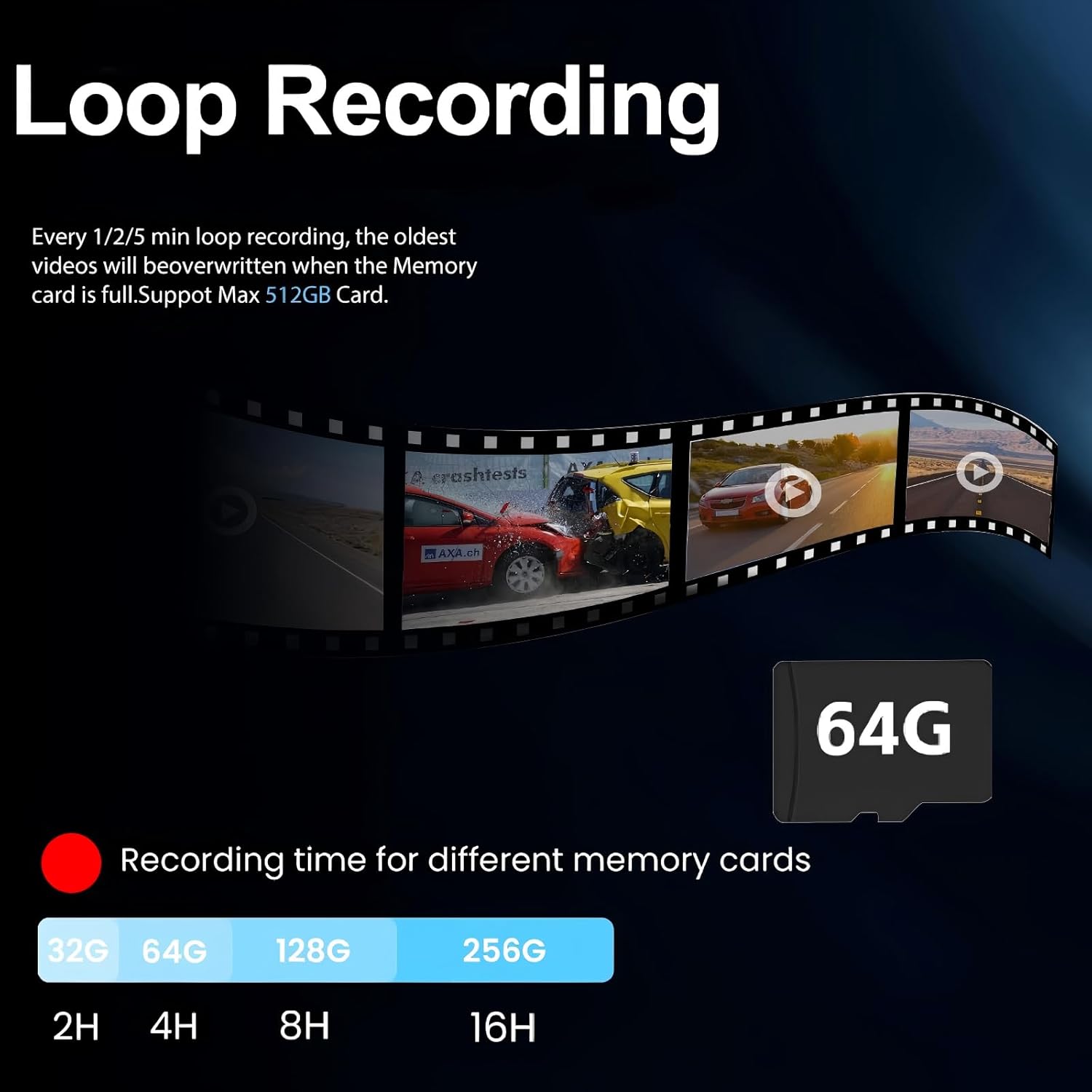
Image: Loop recording ensures continuous video capture by overwriting the oldest files lorsque la carte mémoire est pleine.
4.6 Capteur G (enregistrement d'urgence)
Le capteur G intégré détecte les chocs ou collisions soudaines. Lorsqu'il est déclenché, il verrouille automatiquement le segment vidéo en cours, l'empêchant d'être écrasé par l'enregistrement en boucle. fileElles constituent des preuves cruciales en cas d'accident.

Image : Le capteur G verrouille automatiquement la caméra vidéotage upon detecting a collision, securing important evidence.
4.7 Surveillance de stationnement 24h/24
Avec le kit de câblage fixe en option (ASIN: B0DCYYLL6T, sold separately), the dash cam can monitor your vehicle 24 hours a day. It detects collisions, vandalism, or suspicious activity while parked and automatically saves critical video clips to the memory card.

Image: The 24-hour parking monitor provides continuous surveillance, requiring an optional hardwire kit.
4.8 WDR & Super Night Vision
The Wide Dynamic Range (WDR) technology balances exposure in varying light conditions, preventing overexposure in bright areas and underexposure in dark areas. Super Night Vision enhances clarity in low-light environments, ensuring sharp details like license plates are captured 24/7.
Image: WDR and Super Night Vision technologies ensure clear and detailed recordings in various lighting conditions, day or night.
4.9 Adjustable Rear Cam Display
The rear camera display can be adjusted to adapt to different installation methods and vehicle types. Options include vertical flip and mirror flip to ensure the correct orientation of the rear view.

Image: The adjustable rear camera display allows for various viewing orientations, including vertical and mirror flips.
5. Entretien
- Formatage de la carte SD : Regularly format the Micro SD card (at least once a month) to ensure optimal performance and prevent data corruption. This can usually be done through the dash cam's settings menu.
- Nettoyage: Utilisez un chiffon doux et sec pour nettoyer l'écran et les objectifs de l'appareil photo. Évitez d'utiliser des nettoyants abrasifs ou des solvants.
- Mises à jour du micrologiciel : Vérifiez le fabricant webConsultez régulièrement ce site pour obtenir les mises à jour du micrologiciel et vous assurer que votre appareil bénéficie des dernières fonctionnalités et corrections de bugs.
6. Dépannage
- "SD Card Full" Error: If you encounter this message, ensure loop recording is enabled. If it persists, format the SD card. If the issue continues, the SD card may be faulty and require replacement.
- Caméra embarquée ne s'allume pas : Vérifiez la connexion du chargeur de voiture et assurez-vous que la prise 12V du véhicule fonctionne.
- Mauvaise qualité vidéo : Ensure camera lenses are clean. Check the recording resolution settings (set to 4K front and 2.5K rear for optimal quality).
- GPS non fonctionnel : Ensure the GPS module is properly connected and placed in an area with clear sky view.
7. Spécifications
| Nom du modèle | Caméra de tableau de bord à commande vocale V969 |
| Dimensions du produit | 10 x 1 x 4 pouces |
| Poids de l'article | 1.98 livres |
| Résolution de capture vidéo | 4K Front + 2.5K Rear |
| Domaine de View | 170 Degrees (Front) + 150 Degrees (Rear) |
| Technologie de connectivité | Wi-Fi (5.8 GHz) |
| Caractéristiques spéciales | App Control, Built-In Display, Built-In GPS, Night Vision, Parking Monitor, Voice Control, Loop Recording, G-Sensor, WDR |
| Composants inclus | Car Charger, Charging Cable, Installation Tool, User Manual, 64GB Card, GPS Module |
8. Garantie et assistance
For warranty information, technical support, or any inquiries regarding your QOZ V969 Mirror Dual Dash Camera, please contact the manufacturer directly. Refer to the contact information provided in the product packaging or on the official QOZ website.