
1. Introduction
Thank you for choosing the Caupureye HDV900pro 4K 48MP Camcorder. This device is designed to capture high-quality video and images, offering a range of features for both beginners and enthusiasts. With 4K video resolution, 48.0MP image resolution, and 21x digital zoom, it's ideal for vlogging, travel, and capturing everyday moments. The 270° rotatable screen provides flexible shooting angles, and included accessories like an external microphone and 64GB SD card enhance your recording experience.
Vidéo : Plusview of the Caupureye 4K 48MP Camcorder, showcasinet sa conception et ses principales caractéristiques.
2. Contenu de la boîte
Your Caupureye HDV900pro package includes the following items:
- 1 x Camcorder Video Camera
- 2 batteries Li-ion
- Carte SD 1 x 64GB
- 1 x microphone externe
- 1 x câble HDMI
- 1 x câble USB
- 1 x télécommande
- 1 x Sac pour appareil photo
- 1 x Manuel d'utilisation
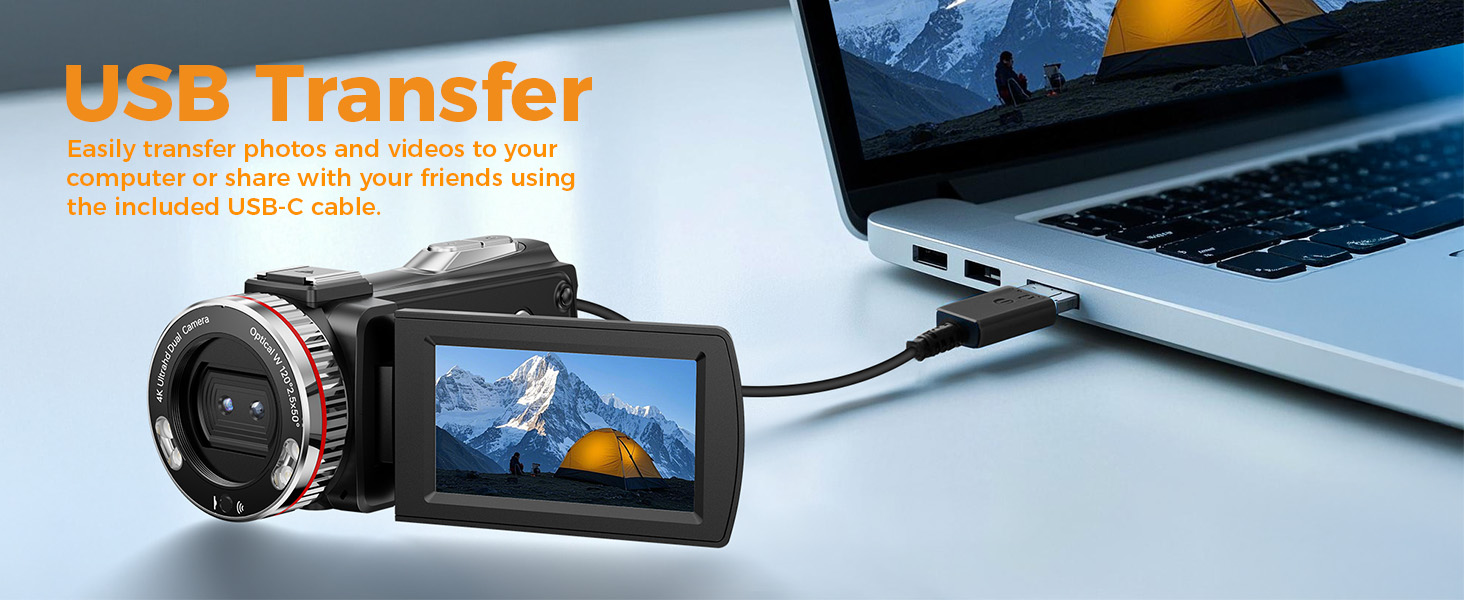
Image: A visual representation of all items included in the Caupureye HDV900pro Camcorder package.
3. Produit terminéview
The Caupureye HDV900pro camcorder features a compact design with a 3.0-inch 270° rotatable screen for versatile shooting. It supports 4K video and 48MP photos, with 21x digital zoom. The camera includes a built-in fill light for low-light conditions and dual lenses (wide-angle and narrow) for various scenarios.

Image: The camcorder capturing a scene, highlighting its 4K 48MP capabilities and rotatable screen.
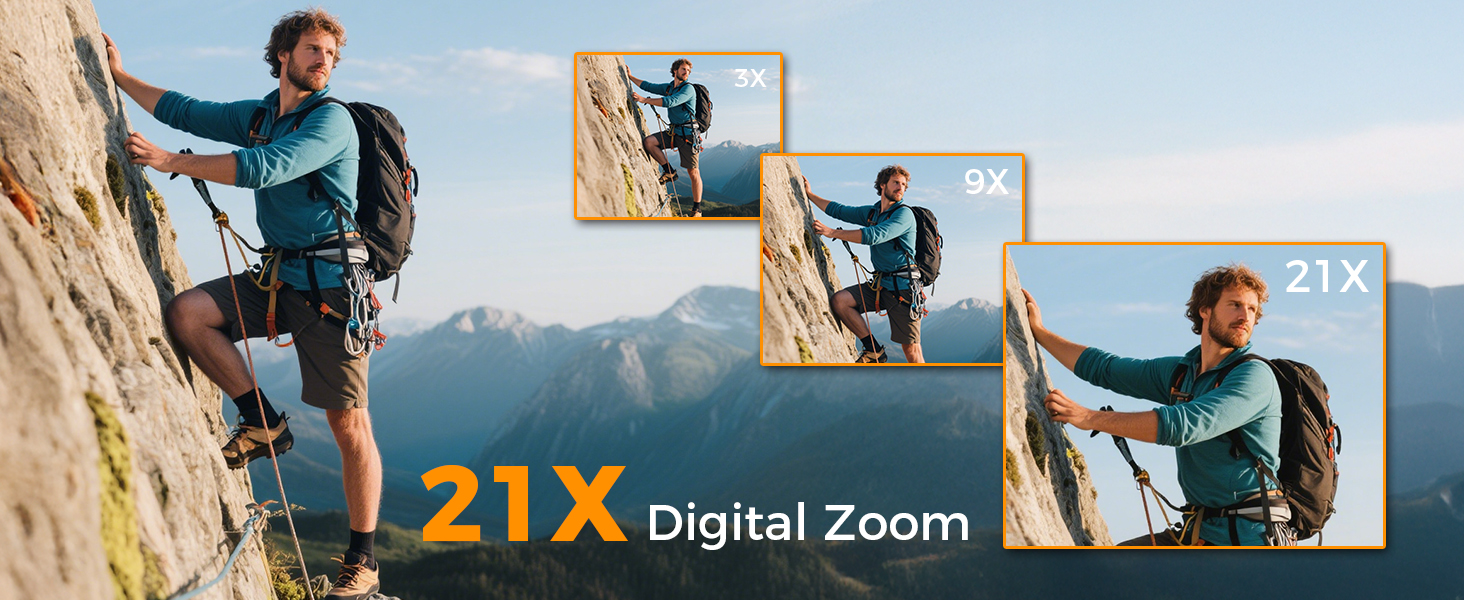
Image: Visual comparison of 3x, 9x, and 21x digital zoom, and the difference between normal and 120° wide-angle views.

Image: The LED Fill Light in action, demonstrating its ability to enhance image quality in low-light conditions.
4. Installation
4.1 Installation et charge de la batterie
Insert one of the provided Li-ion batteries into the battery compartment. The camcorder supports recording while charging, ensuring you don't miss any moments. Use the included USB cable to charge the batteries.
4.2 Insertion de la carte SD
Insert the 64GB SD card (or your own U3 class 10 memory card up to 512GB) into the designated slot. Ensure it clicks into place.
4.3 Fixation pour microphone externe
Attach the external microphone to the camcorder's hot shoe mount and plug it into the microphone input for enhanced audio recording.
5. Fonctionnement de base
5.1 Mise sous/hors tension
Open the 270° rotatable screen to power on the camcorder. Close the screen to power it off.
5.2 Recording Video and Taking Photos
To record video or take photos, follow these steps:
- Appuyez sur le MODE button to select your desired mode (video or photo).
- Appuyez sur le OBTURATEUR button to start/stop recording or take a photo.
- Utilisez le W/T bouton pour zoomer/dézoomer.
- Appuyez sur le LUMIÈRE DE REMPLISSAGE button to activate the LED light in dark areas.

Image: Step-by-step guide on using the camcorder's buttons for recording and photography.
6. Fonctionnalités avancées
6.1 WebSortie caméra et HDMI
Connect the camcorder to your computer via USB and select "PC Camera" mode to use it as a webcam for live streaming. For an immersive viewing experience, connect the camcorder to a TV using the HDMI cable.

Image: The camcorder functioning as a webcaméra et connectée à un téléviseur via HDMI.
6.2 Modes d'enregistrement spéciaux
The camcorder offers various modes to enhance your creativity:
- Fonction Pause : Pause and resume recording without creating multiple files.
- Enregistrement au ralenti : Capture detailed slow-motion video.
- Enregistrement en accéléré : Condenser les événements longs en vidéos courtes et captivantes.
- Selfie: Use the rotatable screen to frame yourself perfectly.
- Prise de vue en continu: Capturez une séquence rapide de photos.
- Night Vision (LED Fill Light): Improve visibility in dark environments.

Image : Examples of different recording modes, including pause, slow-motion, and time-lapse.
7. Connexion à un ordinateur
Use the provided USB cable to connect your camcorder to a computer. This allows for easy transfer of photos and videos for editing or sharing.

Image: The camcorder connected to a laptop, illustrating the USB transfer function.
8. Lecture
Pour review Vos vidéos et photos enregistrées :
- Appuyez sur le PLAY/RIGHT pour entrer en mode lecture.
- Utilisez le HAUT/BAS button to select the clip you wish to view.
- Appuyez sur le OK button to play or stop the video.
- Appuyez sur le MENU/LEFT button to delete a clip or return to the gallery.

Image: Step-by-step guide on how to access and control media playback on the camcorder.
9. Dépannage
- La caméra ne s'allume pas : Assurez-vous que les piles sont correctement insérées et complètement chargées.
- Qualité vidéo/image médiocre : Check lighting conditions, adjust exposure settings, or ensure the lens is clean.
- Le microphone n'enregistre pas le son : Ensure the external microphone is securely plugged in and powered on (if applicable).
- Erreur de carte SD : Vérifiez que la carte SD est correctement insérée et qu'elle n'est pas pleine. Essayez de formater la carte (cela effacera toutes les données).
- La télécommande ne fonctionne pas : Ensure the battery in the remote is functional and there are no obstructions between the remote and the camcorder.
Pour obtenir de l'aide supplémentaire, veuillez contacter le service client.
10. Spécifications
| Fonctionnalité | Détail |
|---|---|
| Marque | Caupureye |
| Numéro de modèle | HDV900pro |
| Résolution de capture vidéo | 4K |
| Technologie de capteur photo | CMOS |
| Ouverture maximale | 2 f |
| Taille de l'écran | 3 pouces |
| Technologie de connectivité | USB |
| Poids de l'article | 1.41 livres |
11. Garantie et assistance
For warranty information or technical support, please refer to the contact details provided in your product packaging or visit the official Caupureye webNotre service client est à votre disposition pour répondre à toutes vos questions et préoccupations.