
Eureka J15 Evo Ultra
Manuel d'utilisation du robot aspirateur et laveur de sols Eureka J15 Evo Ultra
Brand: Eureka | Model: J15 Evo Ultra
Introduction
This manual provides essential instructions for the setup, operation, and maintenance of your Eureka J15 Evo Ultra Robot Vacuum and Mop Combo. Please read this manual thoroughly before using the product to ensure proper function and longevity.
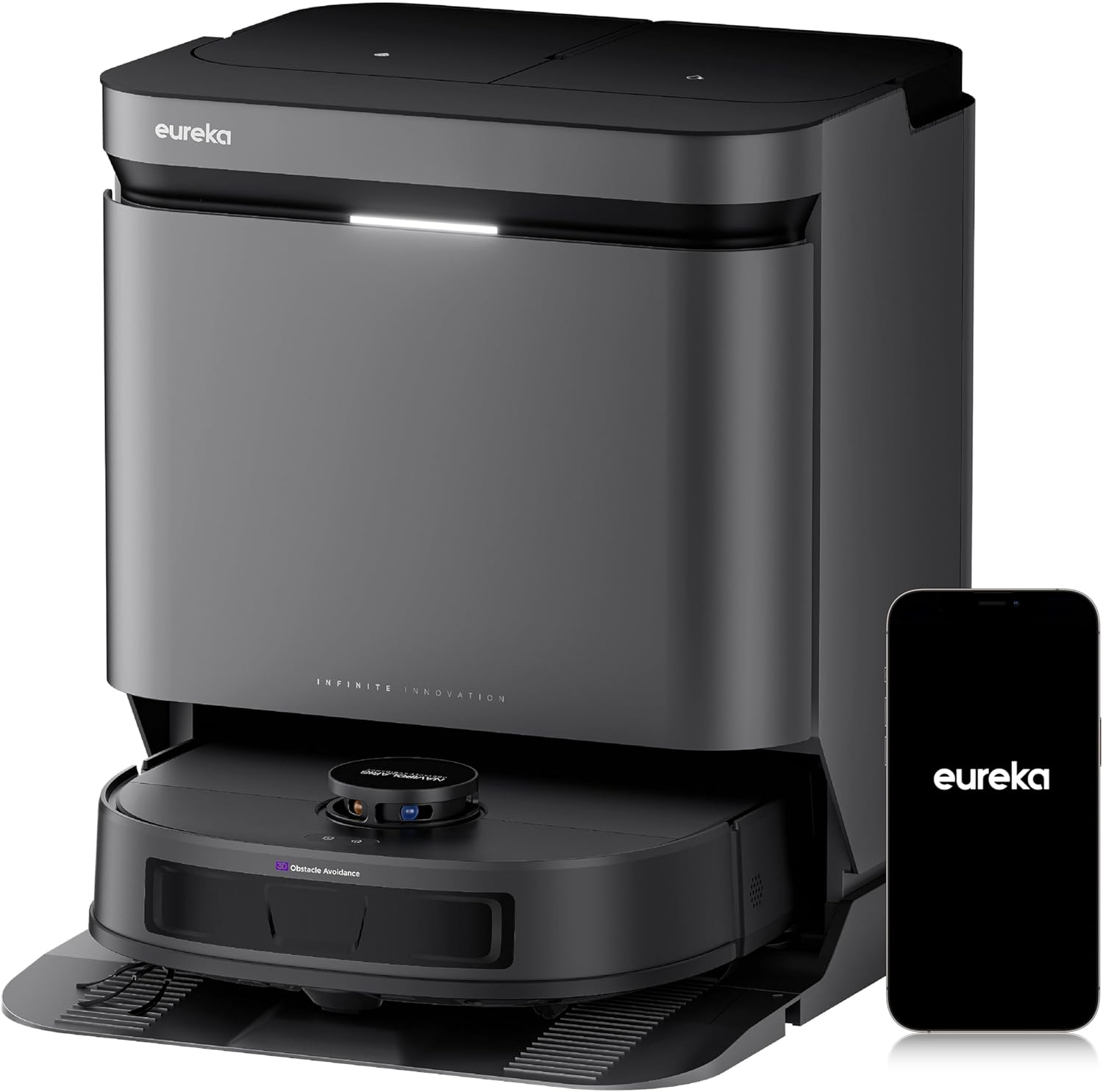
Image: The Eureka J15 Evo Ultra robot vacuum and its accompanying self-emptying base station, alongside a smartphone showing the Eureka application interface.
1. Installation
1.1 Déballage et vérification des composants
Retirez soigneusement tous les composants de l'emballage. Vérifiez que tous les éléments énumérés ci-dessous sont présents :
- Eureka J15 Evo Ultra Robot Vacuum
- Station de base à vidage automatique
- Cordon d'alimentation
- DragonClaw Side Brush
- Tampons de nettoyage (2)
- Main Brush Roller
- Sac à poussière (préinstallé dans la station de base)
- Outil de nettoyage
- Manuel de l'utilisateur (ce document)
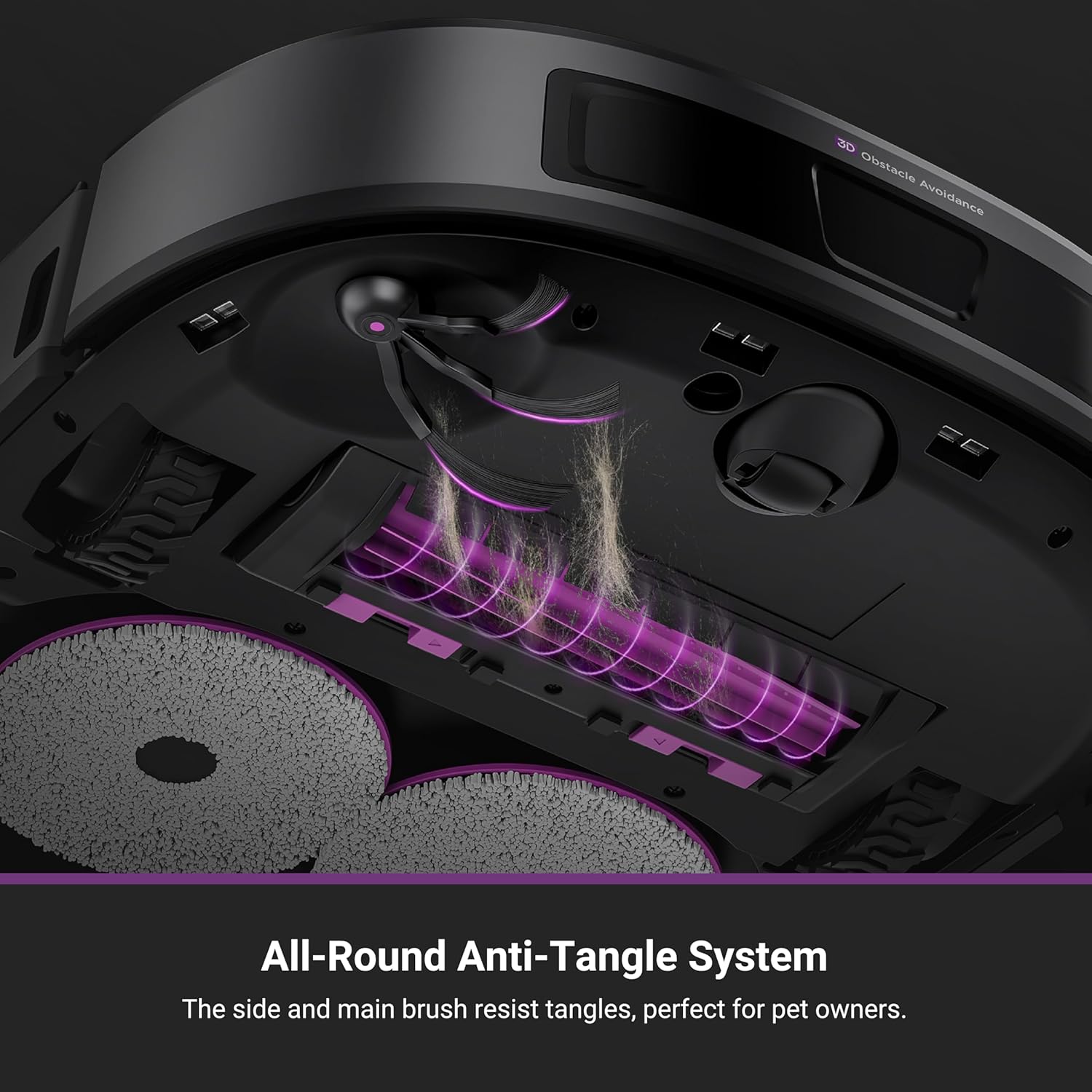
Image : Une explosion view showing the Eureka J15 Evo Ultra robot vacuum, its base station, two mop pads, a main brush roller, a dust bag, and a side brush.
1.2 Emplacement de la station de base
Place the self-emptying base station on a hard, level surface against a wall. Ensure there is at least 0.5 meters (1.6 feet) of clear space on both sides and 1.5 meters (4.9 feet) in front of the base station for optimal navigation and docking. Plug the power cord into the base station and a wall outlet.
1.3 Charge initiale
Place the robot vacuum onto the charging contacts of the base station. Ensure the robot is properly aligned. The robot will begin charging automatically. For first-time use, fully charge the robot before operation (approximately 4 hours).
1.4 Installation et connexion de l'application
- Download the "Eureka" app from your smartphone's app store (iOS or Android).
- Ouvrez l'application et créez un compte.
- Follow the in-app instructions to add your Eureka J15 Evo Ultra robot vacuum. This typically involves connecting to the robot's Wi-Fi hotspot and then connecting the robot to your home Wi-Fi network.
- Une fois connecté, vous pourrez accéder à toutes les fonctionnalités et commandes intelligentes.
2. Mode d'emploi
2.1 Démarrage et arrêt du nettoyage
- Commence a nettoyer: Press the power button on the robot or use the "Start Cleaning" option in the Eureka app.
- Nettoyage en pause : Press the power button once during operation or use the "Pause" option in the app.
- Retour à la base : Press and hold the power button for 3 seconds or use the "Return to Base" option in the app.
2.2 modes de nettoyage
The Eureka J15 Evo Ultra offers various cleaning modes, configurable via the Eureka app:
- Aspirateur uniquement : Pour les débris secs sur tous types de sols.
- Balai uniquement : For light mopping on hard floors.
- Aspirateur et serpillère combinés : Passer l'aspirateur et laver les sols simultanément.
- Carpet-First Mode: The robot will vacuum carpets first with dry mops, then proceed to mop hard floors. This feature needs to be enabled in the Eureka App.

Image: Illustrations demonstrating the robot's complete carpet coverage using a grid pattern and its automatic carpet boost feature for deeper cleaning.
2.3 Navigation intelligente et évitement des obstacles
The robot uses LiDAR navigation to create a real-time map of your home and plan efficient cleaning routes. DuoDetect AI™ 3D Obstacle Avoidance sensors help the robot detect and avoid obstacles, even in low-light conditions.

Image: The robot vacuum navigating a living room, demonstrating its smart navigation and obstacle avoidance around household items and pets.
2.4 Mop Lifting and ScrubExtend Technology
- Levage de la serpillière : The robot automatically lifts its mop pads by 10mm when detecting carpets, preventing them from getting wet. This feature can be enabled in the Eureka App.
- ScrubExtend: For thorough edge cleaning, the mop pads extend outward to reach skirting boards, wall corners, and table legs, ensuring 99.99% edge coverage.

Image: Demonstrations of the robot's mop lifting function to avoid wetting carpets and its carpet-first cleaning mode.

Image: The robot vacuum performing edge-to-edge mopping, with its mop pads extended to clean along a wall and furniture.
2.5 Fonctionnalités de contrôle de l'application
The Eureka app provides comprehensive control over your robot vacuum:
- Planifier le nettoyage : Définissez des durées spécifiques pour les cycles de nettoyage.
- Gestion des cartes : Create and manage maps for multiple floors, set no-go zones, and virtual walls.
- Gestion de salle : Define and name rooms for targeted cleaning.
- Paramètres de nettoyage : Adjust suction power, water flow, and cleaning modes.
- Verrouillage enfant : Empêcher tout fonctionnement accidentel.
- Mode Ne pas déranger : Prevent cleaning during specified hours.
- Accessory Lifespan Check: Monitor the wear of consumables.

Image: A smartphone screen showing the Eureka app, illustrating the range of control features available for the J15 Evo Ultra.
2.6 Intégration de la commande vocale
The Eureka J15 Evo Ultra is compatible with Amazon Alexa, Google Assistant, and Siri. Link your robot vacuum through the respective smart home app to enable voice commands for starting, stopping, or sending the robot back to its base.

Image: A user interacting with a smart speaker to control the robot vacuum, highlighting its voice control capabilities.
3. Entretien
Un entretien régulier garantit des performances optimales et prolonge la durée de vie de votre aspirateur robot.
3.1 Self-Emptying Base Station
The base station automatically empties the robot's dustbin into a 3-liter dust bag, providing up to 75 days of maintenance-free cleaning. The bagless design eliminates the need for disposable dust bags.

Image: The self-emptying base station, illustrating its large capacity dust collection system for reduced maintenance.
3.2 Nettoyage et séchage de la serpillière
The base station features automatic mop washing and 55°C hot air drying to prevent odors and mold growth on the mop pads. Ensure the clean and dirty water tanks in the base station are maintained regularly.

Image: A visual representation of the high-temperature mop drying process within the base station, using 55°C warm air.
3.3 Entretien des brosses
- DragonClaw Side Brush: The V-shaped design helps detangle hair. Periodically remove and clean the side brush to ensure optimal performance.
- Anti-Tangle Brush Roller: The redesigned V-shaped brush roller minimizes hair tangles. Use the included hair-trimming tool to remove any wrapped hair.

Image: A close-up of the robot's underside, showcasing the DragonClaw Side Brush and its ability to prevent hair tangles during rotation.

Image: The anti-tangle brush roller and the hair-trimming tool, designed for easy maintenance and effective pet hair removal.
3.4 Removable Base Tray
The base station's tray is detachable for easy cleaning. Regularly remove and rinse the tray to prevent dirt buildup.

Image: A user demonstrating the removal of the base station's tray for convenient cleaning.
4. Dépannage
| Problème | Cause possible | Solution |
|---|---|---|
| Le robot ne démarre pas et ne répond pas. | Batterie faible ; interrupteur d'alimentation éteint ; robot bloqué. | Chargez le robot ; assurez-vous que l'interrupteur d'alimentation est allumé ; dégagez tout obstacle. |
| Mauvaise performance de nettoyage. | Full dustbin; clogged brushes; dirty filters; low suction setting. | Check and empty dustbin; clean main and side brushes; clean/replace filters; increase suction in app. |
| Le robot ne peut pas s'amarrer. | Base station obstructed; robot too far from base; dirty charging contacts. | Ensure clear space around base; manually place robot near base; clean charging contacts on robot and base. |
| Mop pads are not cleaning effectively or leaving streaks. | Dirty mop pads; insufficient water in clean water tank; clogged water nozzles. | Ensure mop pads are clean; refill clean water tank; clean water nozzles. |
| Problèmes de connexion à l'application. | Mot de passe Wi-Fi incorrect ; robot hors de portée du Wi-Fi ; problèmes de routeur. | Vérifiez le mot de passe Wi-Fi ; rapprochez le robot du routeur ; redémarrez le routeur et le robot. |
5. Spécifications
| Fonctionnalité | Détail |
|---|---|
| Marque | Eurêka |
| Nom du modèle | J15 Evo Ultra |
| Puissance d'aspiration | 22,000 Pa (Max) |
| Hauteur de levage de la serpillière | 10 mm |
| Température de séchage de la serpillière | 55°C Hot Air |
| Capacité du sac à poussière | 3 litres (jusqu'à 75 jours) |
| Type de navigation | LiDAR with DuoDetect AI™ 3D Obstacle Avoidance |
| Autonomie de la batterie | Jusqu'à 180 minutes |
| Dimensions du produit (robot) | 13.8"L x 13.8"l x 3.8"H |
| Méthode de contrôle | App Control, Push Button, Voice Control (Alexa, Google Home, Siri) |
| Type de filtre | Cartouche |
| Poids de l'article | 44.3 livres (poids total du colis) |
6. Garantie et assistance
For warranty information, please refer to the documentation included with your product packaging or visit the official Eureka website. For technical support or any questions regarding your Eureka J15 Evo Ultra, please contact our customer service team:
Service clientèle : 1-800-282-2886
Please have your model number (J15 Evo Ultra) and purchase information ready when contacting support.
Documents connexes - J15 Evo Ultra
 |
Manuel d'utilisation de l'aspirateur robot Eureka NERJ15ULTRABK/NERJ15ULTRAWH Ce manuel d'utilisation fournit des informations détaillées sur l'installation, le fonctionnement, l'entretien et le dépannage des aspirateurs robots Eureka NERJ15ULTRABK et NERJ15ULTRAWH. Il contient des consignes de sécurité, des données techniques, la liste des accessoires inclus, les préparatifs avant utilisation, la mise en route, les procédures d'entretien et un guide de dépannage. |
 |
Eureka J15 Pro Ultra Robotic Vacuum Cleaner Instruction Manual This instruction manual provides detailed guidance for operating, maintaining, and troubleshooting the Eureka J15 Pro Ultra Robotic Vacuum Cleaner (models NERJ15ULTRABK, NERJ15ULTRAWH). Learn about setup, app integration, cleaning modes, and warranty information. |
 |
Guide d'utilisation de l'aspirateur robot Eureka NER E10s Guide complet du propriétaire pour l'aspirateur robot Eureka NER E10s, comprenant des consignes de sécurité importantes, l'installation, le fonctionnement, l'entretien, le dépannage et les informations sur la garantie. |
 |
Manuel d'utilisation de l'aspirateur robot Eureka E20 Plus Manuel d'instructions complet pour l'aspirateur robot Eureka E20 Plus, détaillant les précautions de sécurité, les spécifications techniques, l'installation, le fonctionnement, l'entretien et le dépannage pour des performances optimales. |
 |
Guide d'utilisation et instructions de l'aspirateur eau et poussière Eureka série NEW200 Guide complet du propriétaire pour l'aspirateur eau et poussière Eureka série NEW200. Apprenez à assembler, utiliser, nettoyer, entretenir et dépanner votre aspirateur Eureka. |
 |
Manuel d'utilisation de l'aspirateur robot Eureka J15 Pro Ultra Manuel d'instructions complet pour l'aspirateur robot Eureka J15 Pro Ultra, couvrant l'installation, le fonctionnement, l'entretien et le dépannage. |
Ask a question about this manual
Ask about setup, troubleshooting, compatibility, parts, safety, or missing instructions. Manuals+ will review the question and use this page’s manual context to help answer it.