
Introduction
Merci pour votre achatasing the Freaks And Geeks Assassin's Creed Wired USB Controller. This manual provides detailed instructions for setting up, operating, and maintaining your controller to ensure optimal performance and an enhanced gaming experience on your PC. Please read this manual thoroughly before use.
Contenu du colis
- Freaks And Geeks Assassin's Creed Wired USB Controller
- Manuel d'utilisation
Produit terminéview
The Freaks And Geeks Assassin's Creed Wired USB Controller is designed for PC gaming, offering precise control and immersive feedback. It features an ergonomic design, dual vibration motors, and a 3-meter cable for comfortable gameplay.
Disposition du contrôleur
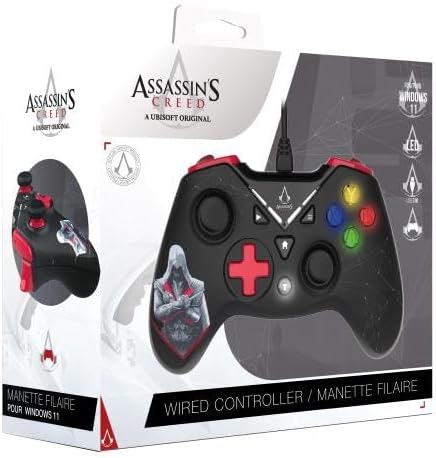
Devant view of the Freaks And Geeks Assassin's Creed Wired USB Controller, showing the D-pad, analog sticks, action buttons (A, B, X, Y), and central function buttons.
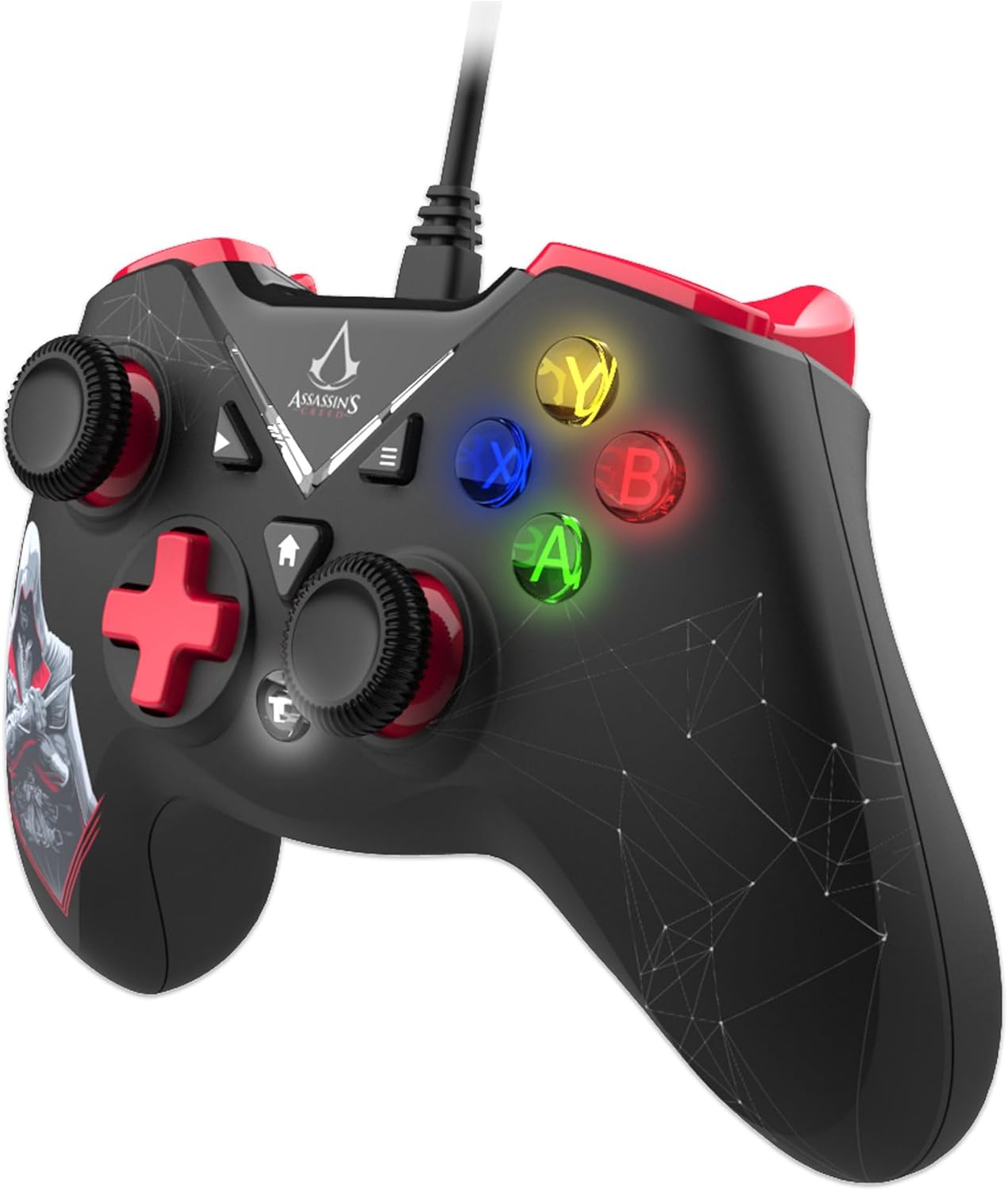
Côté view of the controller, highlighting the ergonomic triggers and shoulder buttons.

Dos view of the controller, showing the grip texture and cable connection point.
Caractéristiques principales
- Double Vibration Motor: Offre un retour haptique immersif pour les actions en jeu.
- Ergonomic Triggers: Designed for comfortable and responsive input during extended gameplay.
- 12 Keys with Turbo Function: Customizable buttons with a turbo feature for rapid input.
- Extra Long Cable: A 3-meter cable offers flexibility and freedom of movement.
- 2 High Precision Analog Sticks: Provides 360-degree control for accurate movement and aiming.
Installation
Configuration requise
- PC avec port USB disponible
- Operating System: Windows 11 (compatible with other Windows versions)
Connexion du contrôleur
- Repérez un port USB disponible sur votre PC.
- Plug the USB connector of the controller into the USB port.
- Votre système d'exploitation détectera et installera automatiquement les pilotes nécessaires. Ce processus peut prendre quelques instants.
- Once the drivers are installed, the controller is ready for use. You may need to configure the controller settings within your game or PC's control panel.
Mode d'emploi
Commandes de base
- Joysticks analogiques : Use the two high-precision analog sticks for 360-degree movement and camera control in games.
- Croix directionnelle: The directional pad provides digital input for menu navigation and specific game actions.
- Boutons d'action (A, B, X, Y) : Perform in-game actions such as jumping, attacking, or interacting.
- Boutons d'épaule (L1, R1) et gâchettes (L2, R2) : Used for various in-game functions like aiming, firing, or special abilities.
Fonction Turbo
The controller features a turbo function for rapid, repeated input of specific buttons. To activate turbo for a button:
- Appuyez et maintenez enfoncé le Turbo bouton.
- Tout en tenant Turbo, press the desired action button (e.g., A, B, X, Y, L1, R1, L2, R2).
- Relâchez les deux boutons. Le bouton d'action sélectionné répétera désormais son action en continu tant qu'il sera maintenu enfoncé.
To deactivate turbo for a button, repeat the same steps.
Retour de vibrations
The double vibration motors provide tactile feedback during gameplay, enhancing immersion. This feature is automatically enabled when supported by the game. If vibration is not working, check your game's settings to ensure vibration feedback is turned on.
Entretien
- Nettoyage: Utilisez un chiffon doux et sec pour nettoyer la manette. N'utilisez pas de produits chimiques agressifs ni de matériaux abrasifs.
- Stockage: Rangez la manette dans un endroit frais et sec, à l'abri de la lumière directe du soleil et des températures extrêmes.
- Entretien des câbles : Évitez de plier ou de tordre excessivement le câble pour éviter tout dommage.
Dépannage
| Problème | Solution |
|---|---|
| Le contrôleur n'est pas reconnu par le PC | Ensure the USB cable is securely plugged into a working USB port. Try a different USB port. Restart your PC. |
| Buttons or analog sticks not responding | Check in-game settings for controller configuration. Ensure drivers are correctly installed (usually automatic). Test the controller on another PC if possible. |
| La vibration ne fonctionne pas | Vérifiez que le jeu prend en charge le retour de vibration et que cette fonctionnalité est activée dans les paramètres du jeu. |
| Turbo function not activating | Ensure you are pressing and holding the Turbo button simultaneously with the desired action button. Release both buttons to set. |
Caractéristiques
| Fonctionnalité | Détail |
|---|---|
| Numéro de modèle | 803510b |
| Connectivité | USB filaire |
| Longueur du câble | 3 mètres |
| Vibration | Moteur à double vibration |
| Boutons | 12 keys with Turbo function |
| Bâtons analogiques | 2 high precision, 360-degree control |
| Compatibilité | PC (Windows 11 and compatible versions) |
| Dimensions du colis | 19 x 17 x 8 cm |
| Poids | 355 g |
| Fabricant | Envahisseurs commerciaux |
| Pays d'origine | Allemagne |
Garantie et assistance
This product is covered by a manufacturer's warranty. For specific warranty details, please refer to the documentation included with your purchase or contact the retailer. For technical support or further assistance, please visit the official Freaks And Geeks website ou contactez leur service client.