1. Introduction
Thank you for choosing the Pro Breeze 40L Smart Dehumidifier. This manual provides important information regarding the safe operation, installation, use, and maintenance of your appliance. Please read this manual thoroughly before use and retain it for future reference.
This dehumidifier is designed to efficiently remove excess moisture from the air, helping to prevent mold, mildew, and condensation in spaces up to 50 m².
2. Consignes de sécurité importantes
Respectez toujours les consignes de sécurité de base lors de l'utilisation d'appareils électriques afin de réduire les risques d'incendie, d'électrocution et de blessures.
- Lisez attentivement toutes les instructions avant d'utiliser l'appareil.
- Assurer le voltagLa tension indiquée sur l'étiquette de puissance correspond à votre tension secteur.tage.
- Ne plongez pas l'appareil, le cordon d'alimentation ou la prise dans l'eau ou tout autre liquide.
- Do not operate the appliance with a damaged cord or plug, or after it malfunctions or has been dropped or damaged in any manner.
- Gardez l’appareil hors de portée des enfants et des animaux domestiques.
- Always unplug the appliance when not in use, before cleaning, or before moving.
- Assurez-vous que l'appareil est placé sur une surface stable et plane.
- Ne pas obstruer les entrées et sorties d'air. Maintenir un dégagement d'au moins 20 cm autour de l'appareil.
- Cet appareil est destiné à un usage intérieur uniquement.
- Do not use in bathrooms or other excessively humid environments where water may splash onto the unit.
3. Produit terminéview
3.1 Composants
The Pro Breeze 40L Smart Dehumidifier features a compact design with integrated controls and a water tank. It includes a continuous drainage option and mobility wheels for easy placement.
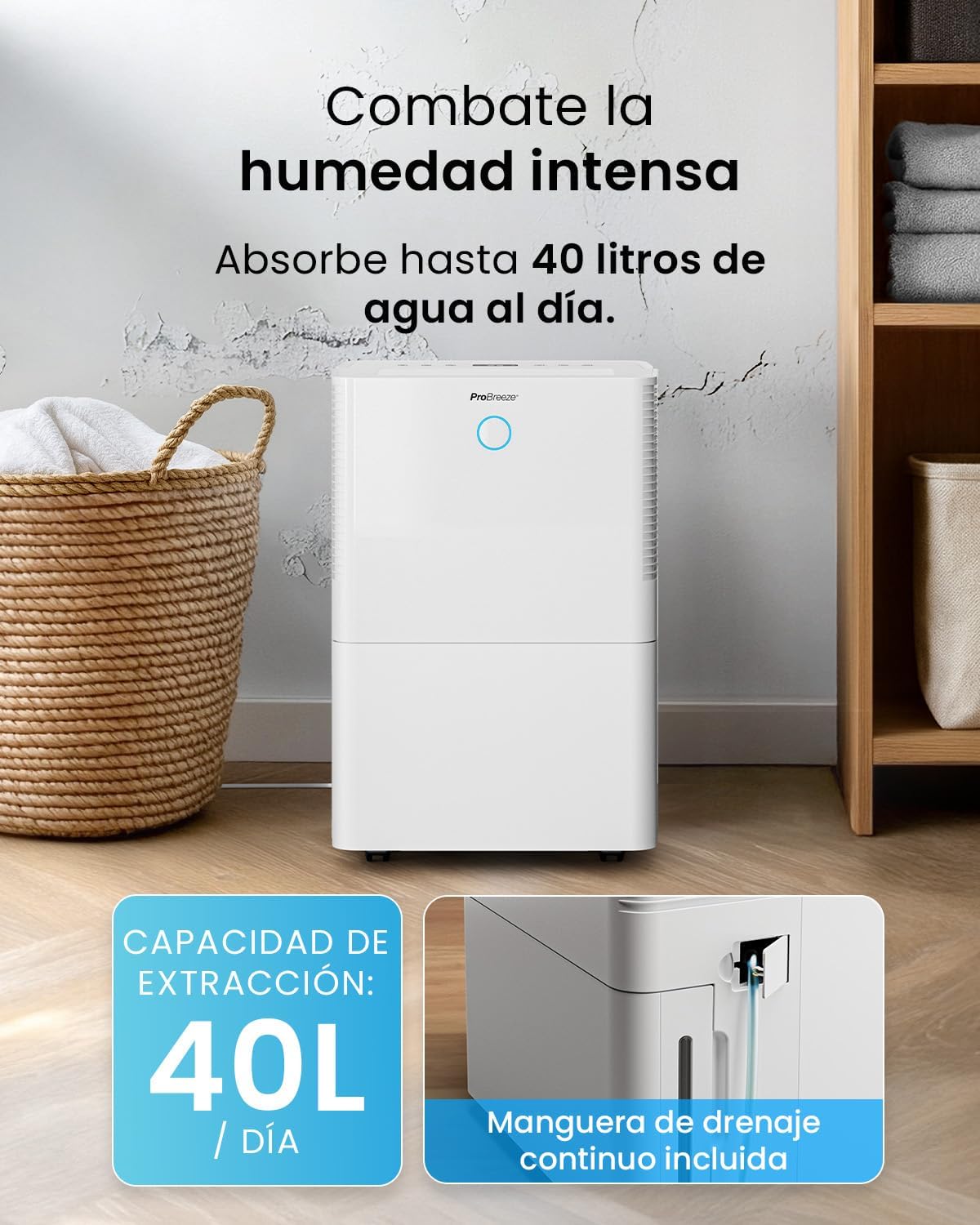
Image : Avant view of the Pro Breeze 40L Smart Dehumidifier, highlighting its dimensions (52cm height, 28cm depth, 35.5cm width) and key features like smart app control, laundry mode, 5.5L tank, and low energy consumption.
3.2 Panneau de commande et écran
The dehumidifier is equipped with an intuitive touch control panel and an LED display for easy operation and monitoring of humidity levels.

Image: A hand interacting with the touch control panel of the dehumidifier, showing the digital display and various function buttons.
4. Installation
4.1 Déballage
- Retirez délicatement le déshumidificateur de son emballage.
- Retirez tous les matériaux d'emballage, y compris les films ou rubans adhésifs de protection.
- Vérifiez que l'appareil ne présente aucun signe de dommage. En cas de dommage, ne l'utilisez pas et contactez le service client.
4.2 Placement
Place the dehumidifier on a firm, level surface in the desired room. Ensure there is at least 20 cm of clear space around all sides of the unit to allow for proper airflow.

Image: A person easily moving the dehumidifier across a wooden floor in a living room, demonstrating its portability with four swivel wheels.
4.3 Connexion d'alimentation
Branchez le cordon d'alimentation à une prise électrique mise à la terre. Assurez-vous que la prise respecte les exigences d'alimentation spécifiées dans la section « Spécifications ».
4.4 Drainage continu (en option)
For continuous operation without needing to empty the water tank, attach the included drainage hose. Connect one end to the drainage port on the back of the unit and the other end to a suitable drain or container that is lower than the drainage port.

Image : Gros plan view of the dehumidifier's side, showing the continuous drainage hose connected and leading to a floor drain.
5. Mode d'emploi
5.1 Mise sous/hors tension
Appuyez sur le Pouvoir bouton sur le panneau de commande pour allumer ou éteindre l'appareil.
5.2 Réglage de l'humidité souhaitée
The dehumidifier features an automatic sensor that continuously measures room humidity. Use the Humidité des boutons permettant de régler le niveau d'humidité souhaité entre 30 % et 80 %.

Image: A family relaxing in a living room with the dehumidifier operating. An overlay illustrates the humidity indicator lights: Blue for >50% (Low), Green for 50-70% (Medium), and Red for <70% (High).
Modes de fonctionnement 5.3
- Mode automatique : The unit will automatically adjust its operation to maintain the set humidity level.
- Mode continu : The dehumidifier will operate continuously regardless of the humidity level, ideal for very damp conditions.
- Mode blanchisserie : This mode is designed to accelerate the drying of clothes indoors by running at maximum fan speed and continuous dehumidification.
- Mode veille: Reduces fan speed and dims the display for quiet operation during the night.

Image: A woman smiling while placing clothes on a drying rack next to the dehumidifier, illustrating the accelerated laundry drying feature.

Image: A family watching television in a dimly lit living room, with the dehumidifier operating quietly in the foreground, indicating its silent operation and night mode features.
5.4 Fonction minuterie
Utilisez le Minuteur button to set a 24-hour timer for automatic power on or off. This allows you to schedule operation according to your needs.

Image: A close-up of a smartphone screen displaying the Pro Breeze app's 24-hour timer function, allowing users to schedule the dehumidifier's operation.
6. Connectivité Wi-Fi et contrôle par application
The Pro Breeze 40L Smart Dehumidifier can be controlled remotely via the free Pro Breeze app, compatible with both Alexa and Google Home.
6.1 Installation et appairage de l'application
- Download the Pro Breeze app from your smartphone's app store.
- Follow the in-app instructions to create an account and pair your dehumidifier.
- Ensure your dehumidifier is powered on and your smartphone is connected to a 2.4GHz Wi-Fi network during the pairing process.
6.2 Fonctionnalités de la télécommande
Grâce à l'application, vous pouvez :
- Allumer/éteindre le déshumidificateur.
- Réglez les paramètres d'humidité.
- Select operating modes (Auto, Continuous, Laundry, Sleep).
- Set and manage the 24-hour timer.
- Monitor current room humidity.

Image: A woman using a smartphone to control the dehumidifier, with icons for Amazon Alexa and Google Home indicating voice control compatibility.
7. Entretien
Un entretien régulier garantit des performances optimales et une longue durée de vie à votre déshumidificateur.
7.1 Nettoyage du filtre à air
Le filtre à air doit être nettoyé toutes les deux semaines, voire plus fréquemment en fonction de l'utilisation et de la qualité de l'air.
- Éteignez et débranchez le déshumidificateur.
- Retirez le filtre à air situé à l'arrière de l'appareil.
- Lavez le filtre à l'eau chaude savonneuse. Rincez-le abondamment et laissez-le sécher complètement à l'air libre avant de le remettre en place.
- Do not operate the dehumidifier without the filter installed.
7.2 Vidange et nettoyage du réservoir d'eau
When the water tank is full, the unit will automatically shut off and an indicator light will illuminate. Empty the tank and clean it regularly to prevent mold and bacteria growth.
- Retirez délicatement le réservoir d'eau par l'avant de l'appareil.
- Videz l’eau recueillie.
- Clean the tank with mild detergent and water. Rinse thoroughly.
- Reinsert the dry tank firmly into the dehumidifier.

Image: The dehumidifier in operation, with an overlay indicating its 40L/day extraction capacity and the continuous drainage hose option.
7.3 Nettoyage extérieur
Essuyez l'extérieur du déshumidificateur avec un chiffon doux, damp chiffon. N'utilisez pas de nettoyants abrasifs ou de solvants.
8. Dépannage
If you encounter issues with your dehumidifier, refer to the following table before contacting customer support.
| Problème | Cause possible | Solution |
|---|---|---|
| Le déshumidificateur ne s'allume pas. | No power; Power cord not plugged in; Water tank full or not correctly inserted. | Vérifiez l'alimentation électrique ; branchez le cordon d'alimentation ; videz et réinsérez correctement le réservoir d'eau. |
| Aucune eau n'a été recueillie. | Room humidity too low; Temperature too low; Air filter blocked; Continuous drainage hose connected. | Increase desired humidity setting; Ensure room temperature is above 5°C; Clean air filter; Disconnect continuous drainage hose if collecting water in tank. |
| L'unité est bruyante. | L'appareil n'est pas installé sur une surface plane ; filtre à air obstrué ; ventilateur obstrué. | Place on a flat, stable surface; Clean air filter; Check for obstructions in fan area. |
| Problèmes de connexion Wi-Fi. | Mot de passe Wi-Fi incorrect ; non connecté au réseau 2.4 GHz ; routeur trop éloigné. | Verify password; Connect to 2.4GHz Wi-Fi; Move unit closer to router or use a Wi-Fi extender. |
9. Spécifications
- Marque: Brise Pro
- Nom du modèle : PB-D-32W-W
- Moisture Extraction: Jusqu'à 40 litres par jour
- Capacité du réservoir d'eau : 5.3 litres
- Taille de pièce recommandée : Jusqu'à 50 m² (538 pi²)
- Dimensions (L x l x H) : 27.5 x 35.5 x 52.2 cm
- Poids: 16.36 kg
- Nombre de vitesses : 3
- Caractéristiques spéciales : Smart App Control, Automatic Humidity Sensor, Automatic Shut-off, 24-hour Timer, Laundry Mode, Sleep Mode, Continuous Drainage
- Niveau de bruit : <49 dB
10. Garantie et assistance
For warranty information and customer support, please refer to the documentation included with your purchase or visit the official Pro Breeze website. Ensure you have your model number (PB-D-32W-W) and proof of purchase available when contacting support.
Fabricant: Un groupe de distribution