
1. Introduction
This manual provides essential information for the proper setup, operation, and maintenance of your Piegricdiat SF3000 Portable Handheld HD Gaming Set. Please read this manual thoroughly before using the device to ensure optimal performance and user safety. The SF3000 is a versatile handheld device designed for gaming, multimedia playback, and emergency charging.
2. Produit terminéview
The SF3000 features a compact design with a 4.5-inch IPS HD display, dual-core processor, and a 3000 mAh battery. It supports multiple emulators for a wide range of retro games and offers additional functionalities such as an e-book reader, video player, and emergency power bank.
2.1 Composants de l'appareil

Figure 1 : Face avant view of the SF3000 Handheld Gaming Set.
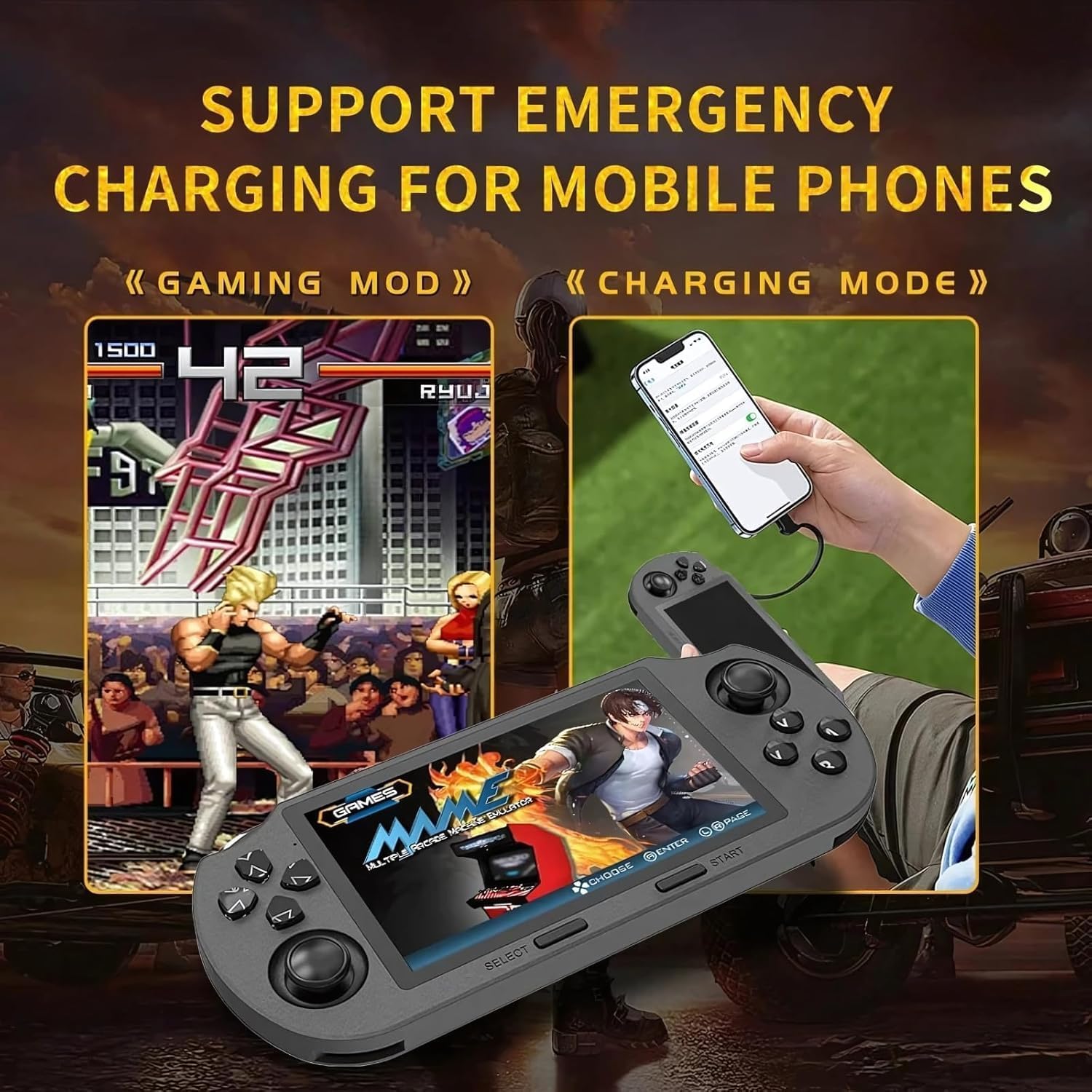
Figure 2: Labeled controls and ports on the SF3000.
- Croix directionnelle: Directional input for navigation and gameplay.
- Joysticks analogiques : Two analog sticks for precise movement in games.
- Boutons de fonction (A, B, X, Y) : Boutons d'action principaux pour le jeu.
- Bouton Sélectionner : Used for menu selections and in-game functions.
- Bouton Démarrer : Used to start games and pause.
- Bumper Buttons (L, R): Located on the top edge for additional controls.
- Bouton d'alimentation : Pour allumer/éteindre l'appareil.
- Emplacement pour carte TF: For inserting the 64GB TF card containing games.
- Port de type C: Pour le chargement et le transfert de données.
- Prise casque: Port de 3.5 mm pour la sortie audio.
- Volume +/- : Buttons to adjust audio volume.

Figure 3 : Retour view of the SF3000, showing the integrated stand.
- Support intégré : Located on the back for hands-free viewing.
- Boutons L2/R2 : Additional shoulder buttons on the back for extended control.
3. Installation
3.1 Charge initiale
Before first use, fully charge the SF3000. Connect the included USB Type-C cable to the device's Type-C port and the other end to a compatible USB power adapter (not included) or a computer's USB port. The charging indicator will show the charging status. A full charge typically takes 3-4 hours.
3.2 Mise sous/hors tension
- Pour allumer : Slide the 'ON' switch located on the top edge of the device. The screen will illuminate, displaying the welcome screen.
- Pour éteindre : Slide the 'OFF' switch. The device will shut down.
4. Mode d'emploi
4.1 Navigation dans les menus
Use the D-Pad or the left analog stick to navigate through the main menu and game lists. Press the 'A' button (or 'Enter' as indicated on-screen) to select an option or launch a game. Use the 'B' button (or 'Return') to go back to the previous menu.
4.2 Jouer à des jeux
The SF3000 supports various emulators including MAME, PS1, FC, SFC, and GBC. To play a game:
- From the main menu, select the desired emulator (e.g., 'PlayStation', 'Family Computer').
- Browse the list of available games using the D-Pad or analog stick.
- Select a game by pressing the 'A' button. The game will begin to load.
- Once loaded, use the D-Pad, analog sticks, and function buttons (A, B, X, Y, L, R, L2, R2) for gameplay. Refer to the specific game's controls for detailed instructions.
- To exit a game or access in-game menus (if available), press the 'Start' button.
4.3 Réglage du volume
Adjust the game volume using the Volume +/- buttons located on the top edge of the device.
5. Fonctionnalités multimédias
Beyond gaming, the SF3000 offers additional multimedia functionalities:

Figure 4: Icons representing multimedia features including video playback, digital photo album, and e-book reading.
- Lecteur de livres électroniques : Access and read e-books directly on the device.
- Lecteur vidéo: Lire les vidéos compatibles files.
- Digital Photo Album: View images stockées.
- Chargeur de téléphone d'urgence : The device can function as an emergency power bank for mobile phones. Connect your mobile phone to the SF3000 using a compatible USB cable via the Type-C port.

Figure 5: The SF3000 being used to emergency charge a mobile phone.
6. Entretien
- Nettoyage: Utilisez un chiffon doux et sec pour nettoyer l'appareil. Évitez d'utiliser des nettoyants liquides ou des produits abrasifs.
- Stockage: Conservez l'appareil dans un endroit frais et sec, à l'abri de la lumière directe du soleil et des températures extrêmes.
- Entretien de la batterie: Pour prolonger la durée de vie de la batterie, évitez de décharger complètement l'appareil fréquemment. Rechargez-le régulièrement, même si vous ne l'utilisez pas pendant une période prolongée.
7. Dépannage
- L'appareil ne s'allume pas : Ensure the device is fully charged. Check the power switch position.
- Les jeux ne se chargent pas : Verify that the TF card is properly inserted. Some games may require specific emulator settings (not user-adjustable in this manual).
- Problèmes d'écran : If the screen is unresponsive or displays abnormalities, try restarting the device.
- Problèmes de charge : Ensure the Type-C cable and power adapter are functioning correctly.
8. Spécifications
| Fonctionnalité | Spécification |
|---|---|
| Taille de l'écran | 4.5 pouces |
| Type d'affichage | Écran LCD IPS HD |
| Processeur | Double cœur 1.2 GHz |
| Capacité de stockage de la mémoire | 64 Go (carte TF) |
| Capacité de la batterie | 3000 mAh |
| Temps de travail | 5 à 7 heures |
| Source d'énergie | Alimenté par batterie |
| Interface | Type C |
| Matériel | Plastique |
| Dimensions du produit | 7.4 x 3.6 x 3.6 pouces |
| Émulateurs pris en charge | MAME, PS1, FC, SFC, GBC (and more) |
9. Consignes de sécurité
Les enfants doivent utiliser cet appareil sous la surveillance d'un adulte.
10. Vidéos officielles du produit
SF3000 Portable Handheld HD Gaming Set Overview
Cette vidéo offre un aperçu généralview of the SF3000 Portable Handheld HD Gaming Set, demonstrating its features and functionality. It highlights the device's design, screen quality, and game selection interface.