
1. Introduction
The ZAQE M4 MP3 Player is a portable multimedia device designed for music playback, video viewing, voice recording, and more. It features a 2.4-inch full touch screen, Bluetooth 5.3 connectivity, a built-in HD speaker, and 64GB of internal storage, expandable up to 128GB with a TF card. This manual provides instructions for setting up and operating your device.
2. Contenu du colis
Veuillez vérifier que tous les articles sont présents dans le colis :
- ZAQE MP3 Player (M4)
- Câble USB de type C
- Casque filaire
- Manuel d'utilisation
- Housse de protection

Image: The package contents including the MP3 player, wired headphones, USB cable, and user manual.
3. Appareil terminéview
Familiarize yourself with the physical components of your ZAQE M4 MP3 Player.
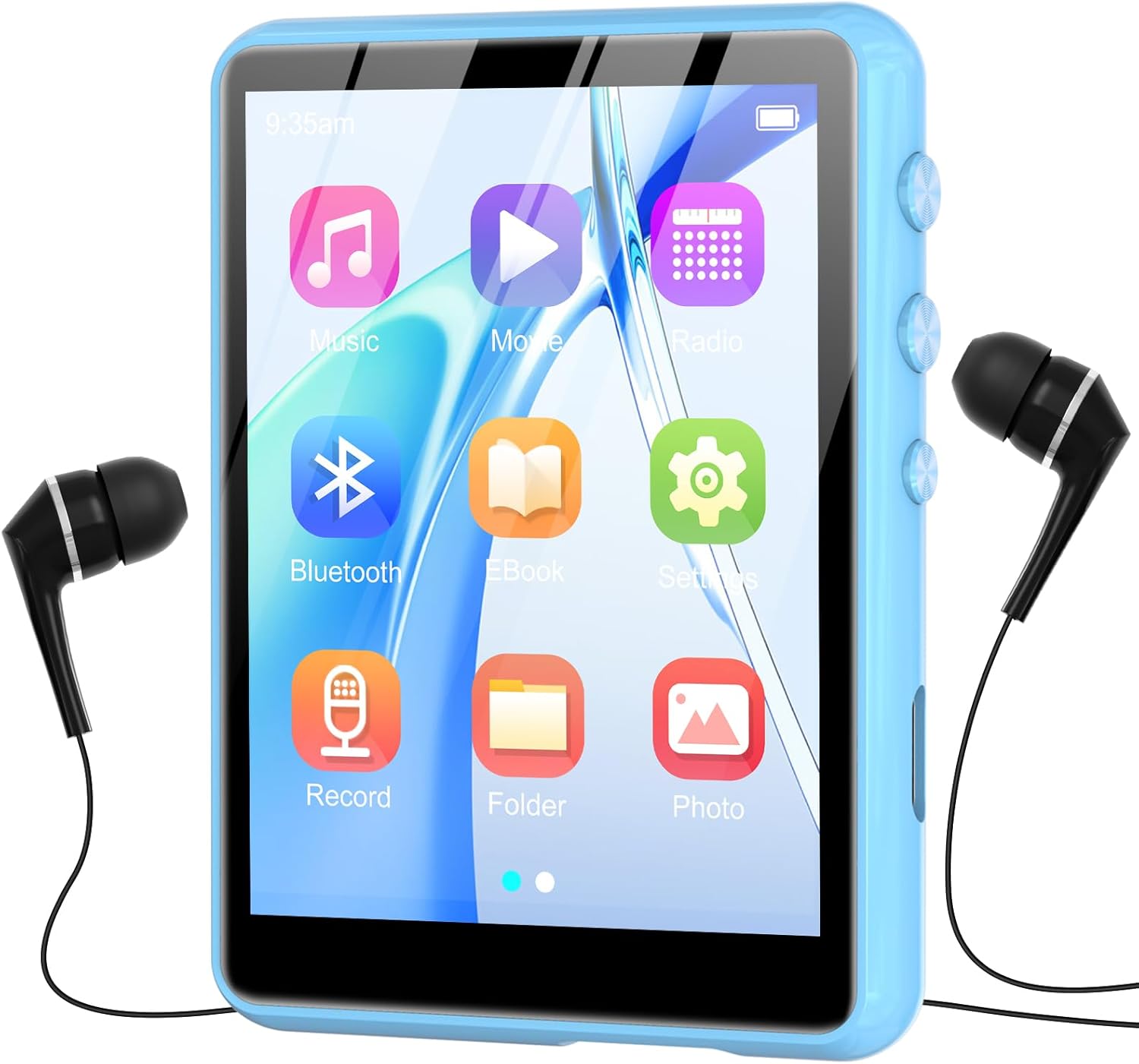
Image : Avant view of the ZAQE M4 MP3 Player, displaying its 2.4-inch full touch screen with various application icons.

Image : Côté view of the ZAQE M4 MP3 Player, highlighting the physical control buttons and ports for headphones and charging.

Image: Diagram illustrating the dimensions of the ZAQE M4 MP3 Player: 2.81 inches in height, 2.02 inches in width, and 0.38 inches in thickness.
4. Installation
4.1 Charge initiale
Before first use, fully charge the device. Connect the provided Type-C USB cable to the player's charging port and the other end to a USB power adapter (not included) or a computer's USB port. The battery indicator on the screen will show charging status.

Image: Visual representation of the MP3 player's internal 300mAh battery, indicating its power capacity.
4.2 Mise sous/hors tension
- Pour allumer : Maintenez enfoncé le bouton d'alimentation situé sur le côté de l'appareil jusqu'à ce que l'écran s'allume.
- Pour éteindre : Maintenez le bouton d'alimentation enfoncé jusqu'à ce que l'option d'arrêt apparaisse à l'écran, puis confirmez. Une brève pression permet d'éteindre ou de rallumer l'écran.
5. Fonctionnement de base
Navigation sur écran tactile 5.1
The ZAQE M4 features a full touch screen for intuitive navigation. Swipe left or right to browse through menus and tap icons to select functions or open applications.
5.2 Contrôle du volume
Use the physical volume buttons on the side of the device to adjust the audio output level.
6. Lecture de musique
The player supports various audio formats, including MP3, WAV, WMA, AAC-LC, AAC, and FLAC. Enjoy high-fidelity sound quality through the built-in speaker or connected headphones.
6.1 Chargement de la musique Files
Connect the MP3 player to your computer using the Type-C USB cable. The device will appear as a removable disk. Drag and drop your music files into the designated music folder on the player. The internal memory is 64GB, and it supports expansion up to 128GB via a TF card (not included).

Image: The ZAQE M4 MP3 Player highlighting its 64GB internal storage and the slot for a 128GB TF card for expanded memory.
6.2 Écouter de la musique
- Dans le menu principal, appuyez sur l'icône « Musique ».
- Parcourez votre bibliothèque musicale par artiste, album, genre ou toutes les chansons.
- Touchez un morceau pour lancer la lecture.
- Use the on-screen controls for play/pause, skip tracks, and repeat modes.

Image: The ZAQE M4 MP3 Player with text indicating HiFi Sound Quality and support for various audio formats (MP3, WAV, APE, WMA, FLAC, AAC-LC).
6.3 haut-parleur intégré
The device includes a built-in speaker, allowing you to listen to music without headphones. This feature is convenient for sharing audio in quiet environments.

Image: A family enjoying music from the ZAQE M4 MP3 Player, illustrating its built-in speaker functionality for shared listening.
7. Connectivité Bluetooth
The ZAQE M4 features Bluetooth 5.3 for wireless audio streaming to compatible headphones or speakers. Bluetooth 5.3 offers faster data transfer, a more stable connection, and reduced power consumption compared to previous versions.
7.1 Appairage avec des appareils Bluetooth
- Assurez-vous que vos écouteurs ou votre enceinte Bluetooth sont en mode de couplage.
- Sur le lecteur MP3, accédez au menu « Bluetooth ».
- Activez le Bluetooth et recherchez les appareils disponibles.
- Sélectionnez votre appareil dans la liste pour l'appairer.
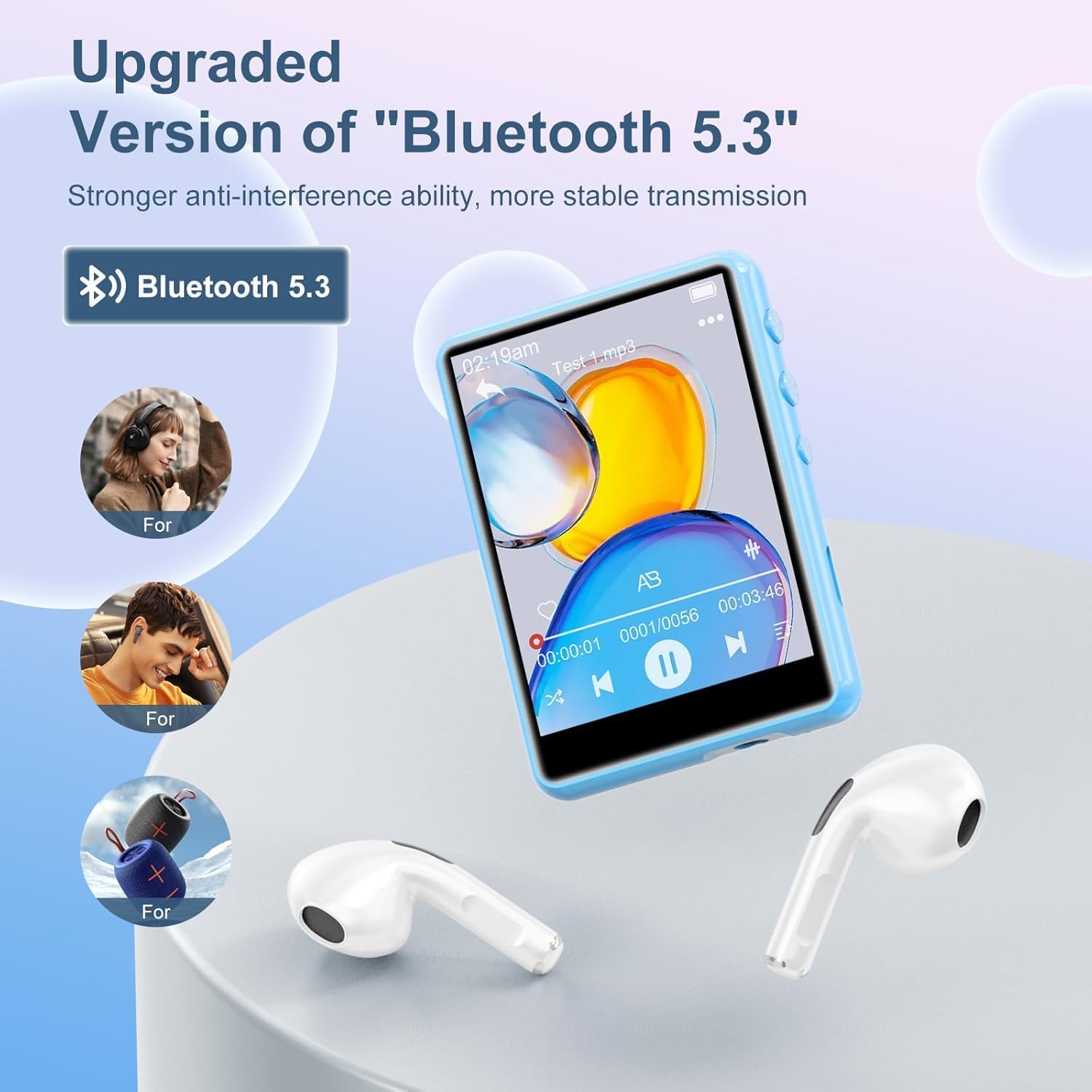
Image: The ZAQE M4 MP3 Player showcasing its upgraded Bluetooth 5.3 feature, connecting wirelessly to headphones and speakers.
8. Radio FM
The built-in FM radio allows you to listen to local radio stations. Connect wired headphones to the player as they act as the antenna for optimal reception.
8.1 Utilisation de la radio FM
- Branchez les écouteurs filaires.
- Dans le menu principal, appuyez sur l'icône « Radio FM ».
- Utilisez les commandes à l'écran pour rechercher des stations ou syntonisez manuellement une fréquence.

Image: The ZAQE M4 MP3 Player screen showing the FM Radio interface, tuned to 99.80 MHz, with headphones connected.
9. Enregistreur vocal
The device includes a voice recorder function for capturing audio notes or lectures.
9.1 Enregistrement audio
- Dans le menu principal, appuyez sur l'icône « Enregistrer ».
- Appuyez sur le bouton d'enregistrement pour démarrer l'enregistrement.
- Tap the stop button to end the recording. Recordings are saved automatically.

Image: The ZAQE M4 MP3 Player screen showing the voice recorder interface, indicating an active recording with audio waveforms.
10. Lecture vidéo
The MP3 player supports video playback on its 2.4-inch screen. Note that some video formats (e.g., MP4, MKV) may require conversion to a compatible format for playback on this device.
10.1 Lecture de vidéos
- From the main menu, tap the "Video" or "Movie" icon.
- Sélectionnez la vidéo file vous souhaitez jouer.
- Utilisez les commandes à l'écran pour la lecture.

Image: The ZAQE M4 MP3 Player displaying a vibrant video on its 2.4-inch curved color touchscreen, illustrating its video playback capability.
11. Lecteur de livres numériques
The device supports reading e-books, allowing you to carry your favorite texts with you.
11.1 Reading E-Books
- Dans le menu principal, appuyez sur l'icône « Livre électronique ».
- Sélectionnez le livre électronique file vous souhaitez lire.
- Use the touch screen to turn pages.
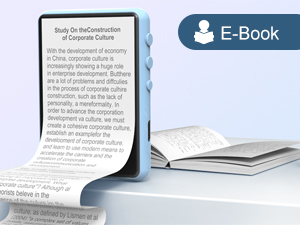
Image: The ZAQE M4 MP3 Player showing text on its screen, demonstrating its e-book reading functionality.
12. File Gestion
Vous pouvez gérer files directly on the device or by connecting it to a computer.
12.1 Transfert Filevia USB
Connect the player to a computer using the provided Type-C USB cable. The device will be recognized as a mass storage device, allowing you to drag and drop files to and from its internal storage or an inserted TF card.
13. Chargement et batterie
The ZAQE M4 MP3 Player is equipped with a 300mAh battery, providing good battery life for extended use.
13.1 Chargement de l'appareil
Connect the device to a power source using the Type-C USB cable. A full charge typically takes a few hours. Avoid using non-standard chargers to prevent damage.
13.2 Entretien de la batterie
- Évitez de décharger complètement la batterie fréquemment.
- N'exposez pas l'appareil à des températures extrêmes.
- Si l'appareil ne doit pas être utilisé pendant une période prolongée, chargez-le à environ 50 % avant de le ranger.
14. Spécifications
Key technical specifications of the ZAQE M4 MP3 Player:
| Fonctionnalité | Détail |
|---|---|
| Numéro de modèle | M4 |
| Taille de l'écran | 2.4 pouces |
| Technologie d'affichage | Écran LCD |
| Capacité de stockage de la mémoire | 64 GB (expandable up to 128 GB via TF card) |
| Version Bluetooth | 5.3 |
| Normes audio prises en charge | MP3, WAV, WMA, AAC-LC, AAC, FLAC |
| Batterie | 1 9V battery (included), 300mAh |
| Poids de l'article | 7 onces |
| Dimensions du colis | 5.79 x 5.75 x 0.75 pouces |
15. Dépannage
If you encounter issues with your ZAQE M4 MP3 Player, refer to the following common solutions:
- L'appareil ne s'allume pas : Vérifiez que la batterie est chargée. Branchez le lecteur à une source d'alimentation et réessayez.
- Cannot connect to computer/TF card not recognized:
- Assurez-vous que le câble USB est correctement connecté à la fois au lecteur et à l'ordinateur.
- Essayez un autre port USB ou un autre câble.
- If using a TF card, ensure it is properly inserted and not damaged. Some cards may require reformatting (this will erase all data).
- Pas de son :
- Vérifiez le niveau du volume.
- Ensure headphones are properly plugged in or Bluetooth device is correctly paired and connected.
- Vérifiez l'audio file format est pris en charge.
- Problèmes de lecture vidéo : Assurez la vidéo file format is compatible with the device. Some formats may require conversion.
- Échec de l'appairage Bluetooth :
- Assurez-vous que l'appareil Bluetooth est en mode de couplage et à portée.
- Désactivez puis réactivez le Bluetooth sur les deux appareils.
- Clear previous Bluetooth pairings on the MP3 player if necessary.
- Écran non réactif : Essayez de redémarrer l'appareil en maintenant le bouton d'alimentation enfoncé. S'il ne répond pas, laissez la batterie se décharger complètement, puis rechargez-la.
16. Garantie et assistance
For warranty information or technical support, please refer to the contact details provided with your purchase documentation or visit the official ZAQE webConsultez le site. Conservez votre preuve d'achat pour toute réclamation au titre de la garantie.

Image: A graphic depicting a handshake within a heart, symbolizing customer support and reliable service.