
Introduction
This manual provides comprehensive instructions for the setup, operation, and maintenance of your HONOR Choice Watch 2i smartwatch. Please read this manual thoroughly to ensure proper use and to maximize the device's features.
Contenu du colis
- HONOR Choice Watch 2i Smartwatch
- Câble de chargement
- Manuel de l'utilisateur (ce document)
Installation
1. Chargement de l'appareil
Before initial use, fully charge your HONOR Choice Watch 2i. Connect the charging cable to the watch's charging port and a compatible USB power adapter. The watch will display a charging indicator. A full charge typically takes approximately 2 hours.
2. Marche/Arrêt
- Mise sous tension : Press and hold the side button until the HONOR logo appears.
- Éteindre: From the watch face, swipe down to access quick settings, then tap the power icon, or go to Settings > System > Power Off.
3. Appairage avec votre smartphone
- Téléchargez et installez le Application HONOR Santé depuis la boutique d'applications de votre smartphone (Google Play Store pour Android, Apple App Store pour iOS).
- Open the HONOR Health App and follow the on-screen instructions to create an account or log in.
- Assurez-vous que Bluetooth est activé sur votre smartphone.
- In the HONOR Health App, navigate to "Devices" and tap "Add Device" or the "+" icon.
- Sélectionnez « HONOR Choice Watch 2i » dans la liste des appareils disponibles.
- Confirmez la demande de jumelage sur votre montre et votre smartphone.
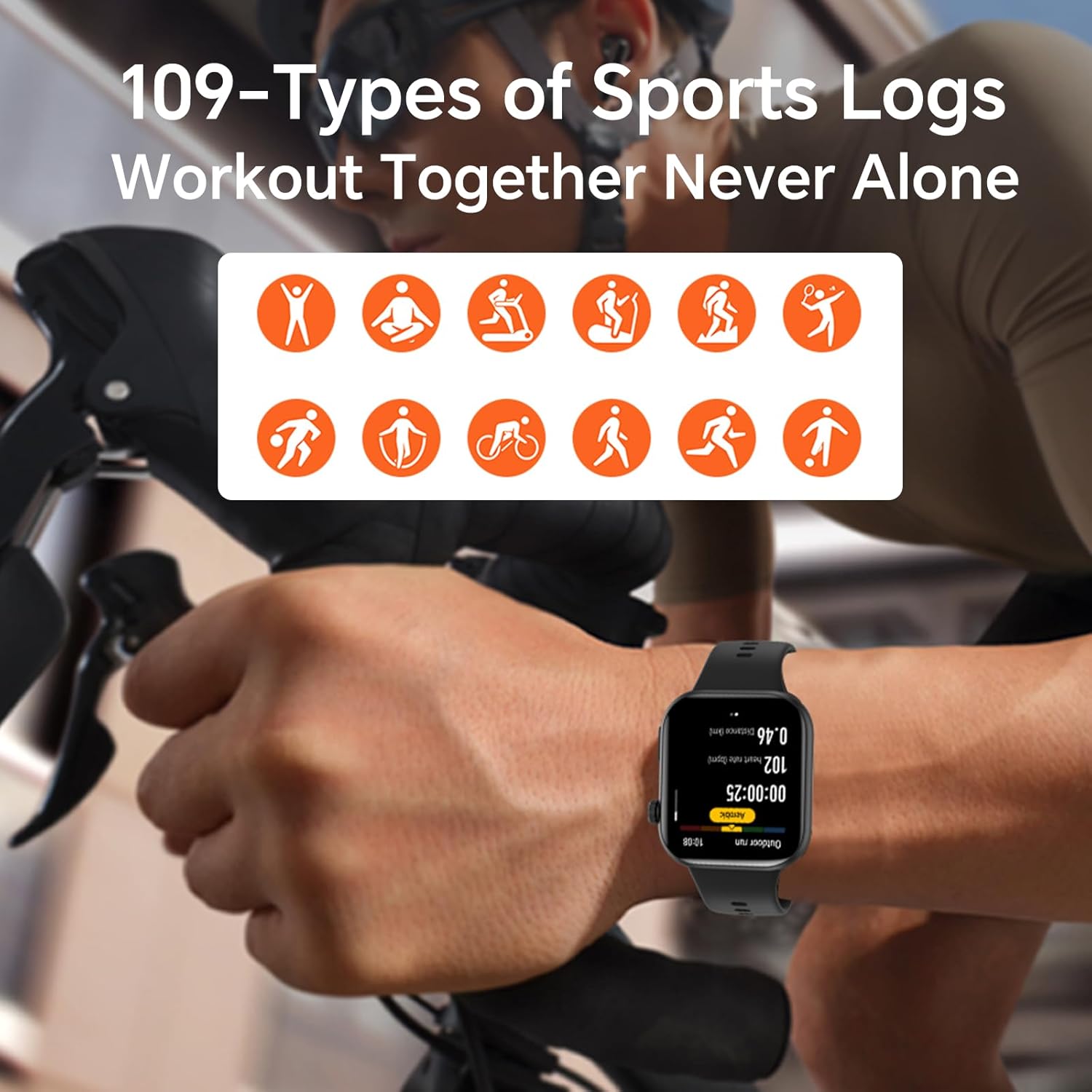
Image: The HONOR Health App interface displaying health data and device management options, essential for pairing and data synchronization.
4. Ajustement du bracelet de montre
The HONOR Choice Watch 2i features a quick-release strap mechanism for easy replacement. To remove, slide the spring bar lever inwards and gently pull the strap away from the watch body. To attach, align the spring bar with the lug holes and release the lever.
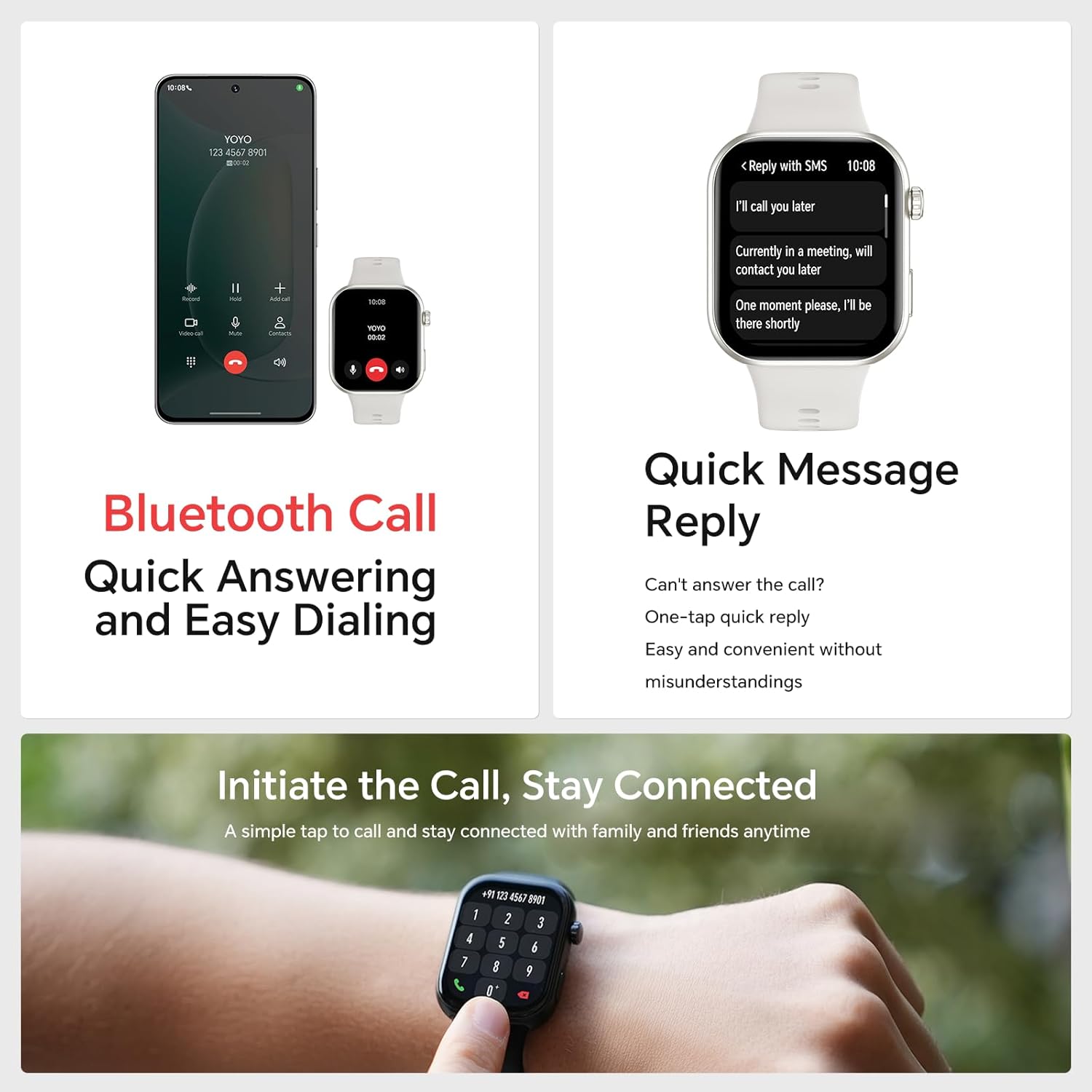
Image : Une image détaillée view of the watch's quick-release strap, illustrating how to detach and attach the band.
Utilisation de la montre
1. Watch Navigation
- Écran tactile : Balayez l'écran vers le haut, le bas, la gauche ou la droite pour naviguer dans les menus, les notifications et les widgets. Appuyez pour sélectionner des éléments.
- Bouton latéral: Press to return to the watch face or access the app list. Press and hold for power options or to activate voice assistant (if configured).

Image: The main watch face of the HONOR Choice Watch 2i, showing typical information displayed during daily use.
2. Appels et notifications Bluetooth
Once paired with your smartphone, the HONOR Choice Watch 2i allows you to make and receive calls directly from your wrist. You can also receive notifications for SMS, emails, and other applications.
- Répondre aux appels : Tap the green phone icon on the watch screen when an incoming call is displayed.
- Passer des appels: Access the dialer from the app list on your watch to initiate calls.
- Réponse rapide : For incoming messages, use the quick reply feature to send predefined responses.
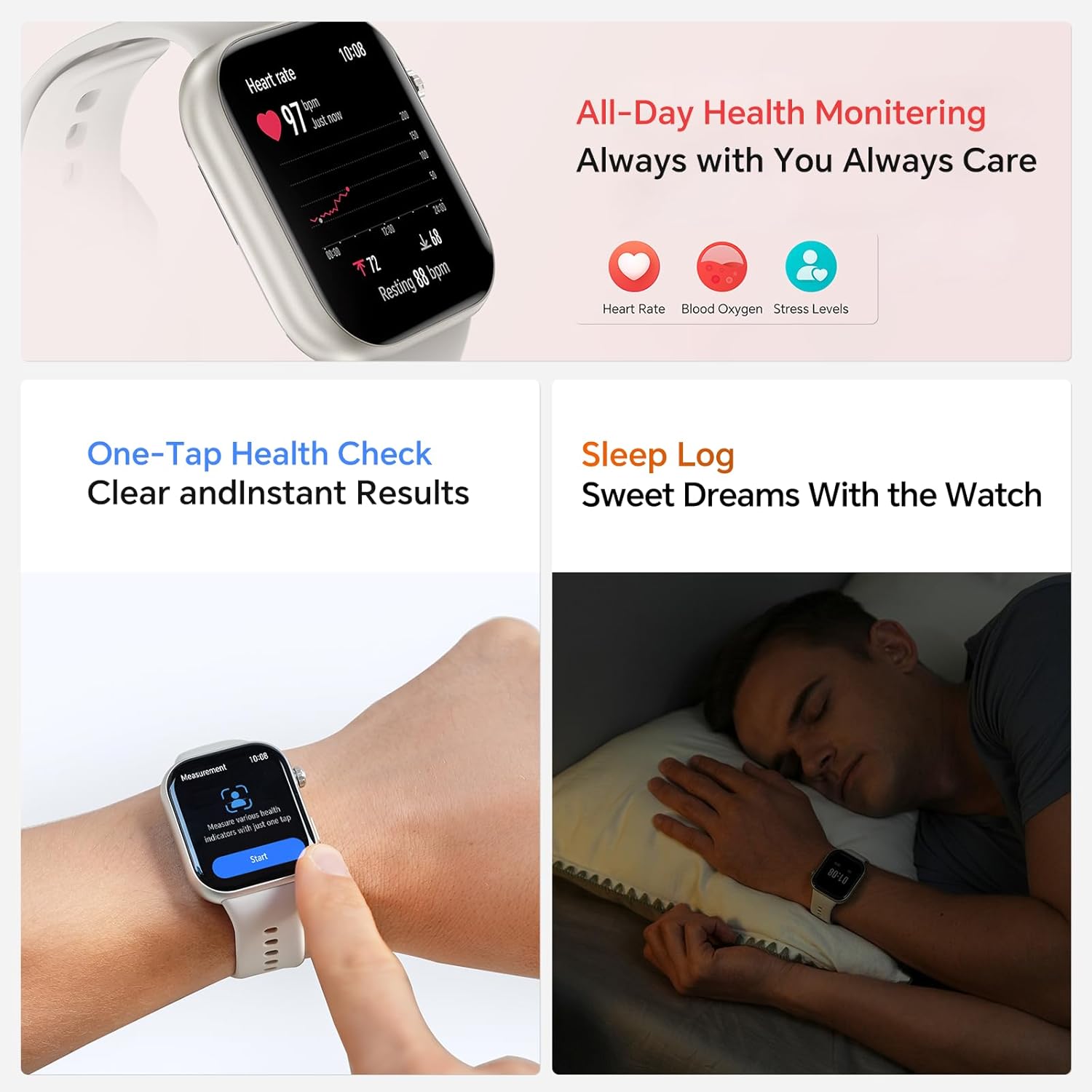
Image: The smartwatch showing both an incoming call interface and options for quick message replies, demonstrating its communication features.
3. Cadrans de montre personnalisables
Personalize your watch by changing the watch face. You can select from various pre-installed faces or download more through the HONOR Health App. To change directly on the watch, press and hold the watch face, then swipe left or right to browse and tap to select.

Image: A collection of HONOR Choice Watch 2i units showcasing various customizable watch faces, highlighting personalization options.
Fonctionnalités de surveillance de la santé
The HONOR Choice Watch 2i is equipped with advanced sensors to track various health metrics continuously.
- Surveillance de la fréquence cardiaque Provides 24/7 continuous heart rate tracking and alerts for abnormal readings.
- Surveillance de l'oxygène dans le sang (SpO2) : Mesure le taux d'oxygène dans le sang.
- Surveillance du niveau de stress : Surveille les niveaux de stress tout au long de la journée.
- Suivi du sommeil : Analyzes sleep quality by detecting light, deep, and REM sleep staget.
- Suivi du cycle menstruel : Helps women monitor and manage their menstrual cycles.
- Bilan de santé en un clic : Quickly measure multiple health metrics simultaneously.
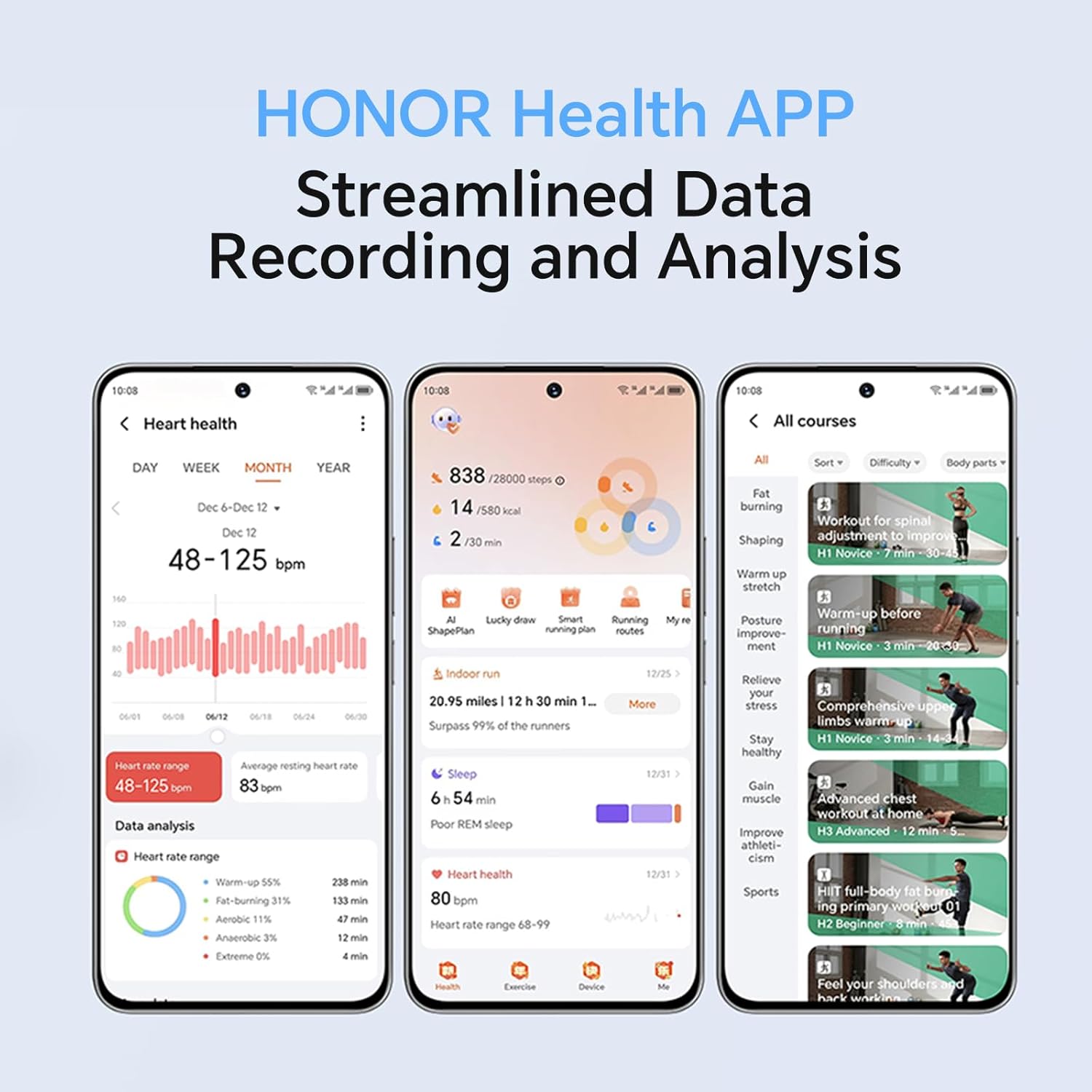
Image: The smartwatch screen showing real-time heart rate data and a user interacting with the "Start" button for a health measurement.
Fitness Tracking and Exercise Modes
The watch supports 109 exercise modes, automatically detecting common activities and providing detailed performance metrics. All data is synchronized with the HONOR Health App for comprehensive analysis.
Image: A user wearing the HONOR Choice Watch 2i while cycling, with the watch screen showing active workout data like duration and distance.
Informations sur la batterie
The HONOR Choice Watch 2i is equipped with a 330mAh battery. Under normal usage conditions, it provides up to 14 days of battery life. With heavy use, the battery can last up to 10 days.
Résistance à l'eau
The watch has a 10-meter water resistance rating (IP68), making it suitable for everyday use, including splashes, rain, and sweat during exercise. It is not recommended for diving or high-pressure water activities.
Entretien et soins
- Nettoyage: Nettoyez régulièrement la montre et le bracelet avec un chiffon doux et sec.amp chiffon. Évitez d'utiliser des produits chimiques agressifs ou des matériaux abrasifs.
- Séchage: Assurez-vous que la montre soit sèche avant de la recharger afin d'éviter tout dommage.
- Stockage: Rangez la montre dans un endroit frais et sec lorsqu'elle n'est pas utilisée.
- Évitez les températures extrêmes : N'exposez pas la montre à une chaleur ou un froid extrême.
Dépannage
- La montre ne s'allume pas : Assurez-vous que la montre est complètement chargée. Branchez-la au chargeur pendant au moins 10 minutes.
- Impossible de connecter le téléphone :
- Assurez-vous que le Bluetooth est activé sur votre téléphone et votre montre.
- Make sure the HONOR Health App is updated to the latest version.
- Redémarrez votre téléphone et votre montre.
- Essayez de dissocier puis de réassocier l'appareil via l'application.
- Données sanitaires inexactes :
- Veillez à ce que la montre soit bien ajustée à votre poignet, environ une largeur de doigt au-dessus de l'os du poignet.
- Maintenez la zone du capteur propre et dégagée de tout obstacle.
- Autonomie courte de la batterie :
- Réduire la luminosité de l'écran.
- Disable continuous heart rate monitoring or set it to a lower frequency if not needed 24/7.
- Limitez le nombre d'applications envoyant des notifications à la montre.
- Close unused background applications on the watch.
Spécifications du produit
| Marque | HONNEUR |
| Numéro de modèle | 1f15f2d1-dda6-4d72-84f6-3dcbc74fa2bb |
| Taille de l'écran | 1.85 pouces |
| Système opérateur | Porter le système d'exploitation |
| Technologie de connectivité | Bluetooth |
| Capacité de la batterie | 330 millièmeamp Heures |
| Résistance à l'eau | 10 meters (IP68 rating) |
| Caractéristiques spéciales | Fitness Modes, Battery Life, Oximeter (SpO2), Heart Rate Monitor, Stress Monitor, Sleep Tracking, Menstrual Cycle Tracking, Bluetooth Call |
| Forme de l'article | Rectangulaire |
| Dimensions du colis | 17.7 x 11.9 x 5.2 cm |
| Poids de l'article | 110 g |
Garantie et assistance
Pour obtenir des informations sur la garantie et l'assistance technique, veuillez consulter le site officiel de HONOR. webConsultez le site ou contactez leur service client. Conservez votre reçu d'achat comme preuve d'achat.