
CQWEIC A39
User Manual for CQWEIC AI Translation Headphones
Modèle : A39
Brand: CQWEIC
Introduction
The CQWEIC A39 AI Translation Headphones are advanced open-ear earbuds designed for seamless communication across multiple languages. Featuring real-time two-way translation in up to 142 languages, a smart HD touch charging box, HiFi stereo sound with active noise reduction, and an ergonomic design for comfortable long-term wear. This manual provides comprehensive instructions for setup, operation, and maintenance of your new translation headphones.
Qu'y a-t-il dans la boîte
- CQWEIC A39 AI Translation Headphones (Left and Right Earbuds)
- Smart HD Touch Charging Case
- Câble de chargement
- AI COOL User Guide
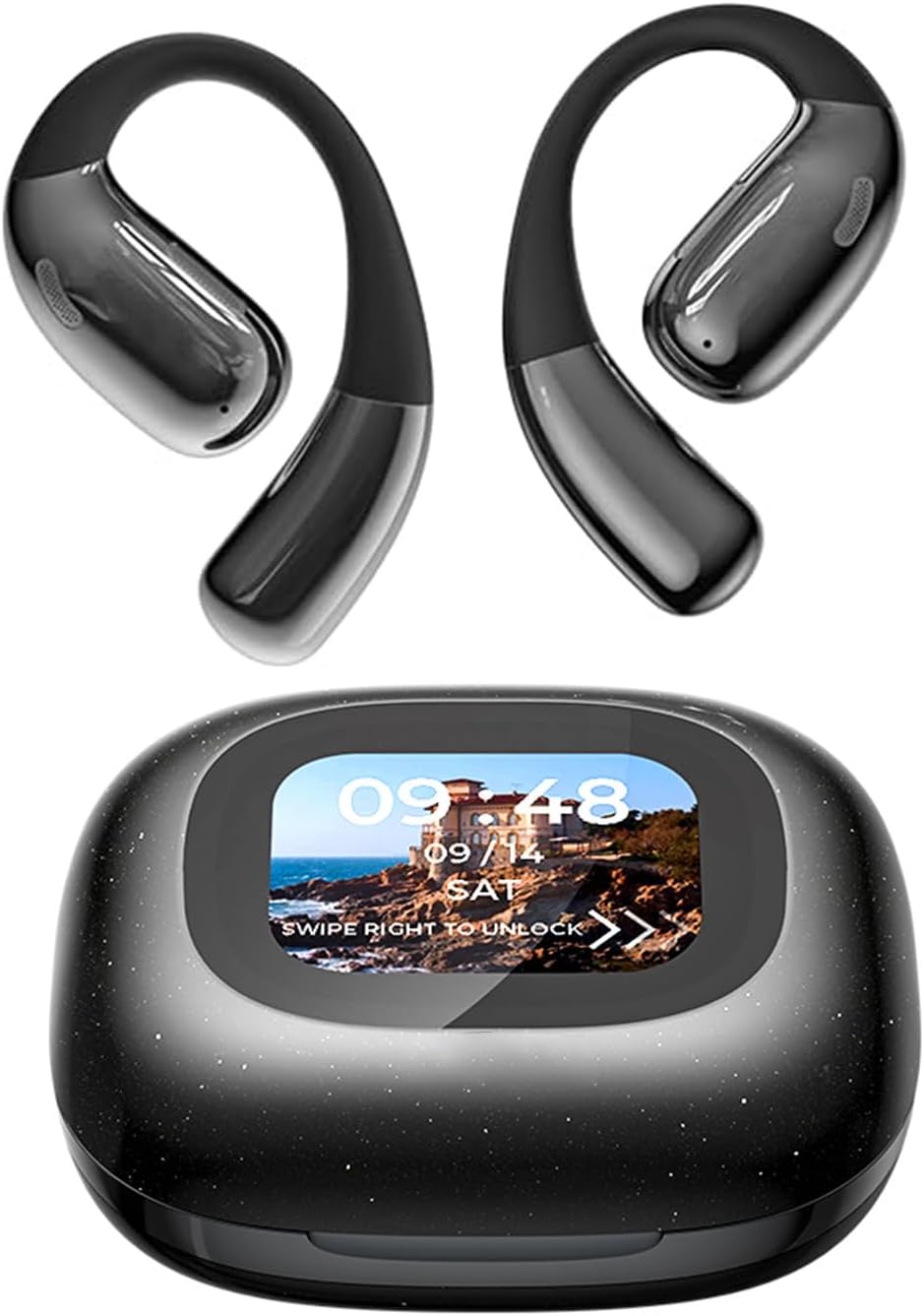
Image: The CQWEIC A39 AI Translation Headphones, including the open-ear earbuds and the smart HD touch charging case.
Guide d'installation
1. Charge initiale
Before first use, fully charge the headphones and the charging case. Connect the provided charging cable to the charging case and a USB power source. The LED display on the case will indicate charging status and battery level.
2. Mise sous tension
To power on the charging case, press and hold the button for 10 seconds. The display will activate, showing the model number A39 and then the main interface.
Video: Demonstrates unboxing, powering on the charging case, and initial setup steps for the CQWEIC A39 headphones.
3. Couplage Bluetooth
- Ouvrez le boîtier de charge. Les écouteurs passeront automatiquement en mode appairage.
- Sur votre smartphone ou appareil, accédez aux paramètres Bluetooth.
- Sélectionnez « A39 » dans la liste des appareils disponibles pour la connexion.
4. AI COOL App Download & Binding
For full translation functionality, download the "AI COOL" app on your iOS or Android device. The user guide included in the box contains a QR code for easy download. After installation, open the app and follow the on-screen instructions to bind your A39 headphones.

Image: Step-by-step guide for connecting the headphones via Bluetooth and binding them with the AI COOL app.
You can download the AI COOL app from https://www.xuanjiai.cn/app/download.
5. Port des écouteurs
The A39 headphones feature an open-ear hook design for comfortable and secure fit. Gently place the earhook over your ear, ensuring the speaker rests comfortably near your ear canal without entering it. Adjust for a snug fit.

Image: Visual instructions on how to correctly wear the open-ear headphones for optimal comfort and sound.
Mode d'emploi
1. Multi-Language Translation
The core feature of the A39 headphones is real-time two-way translation. Once connected to the AI COOL app, select your source and target languages. To translate, simply click the button on the earbud and speak. The app will process your speech and provide a voice reply in the target language, which you will hear through the earbuds. This supports up to 142 languages.

Image: Demonstrates the extensive language translation capabilities of the headphones.
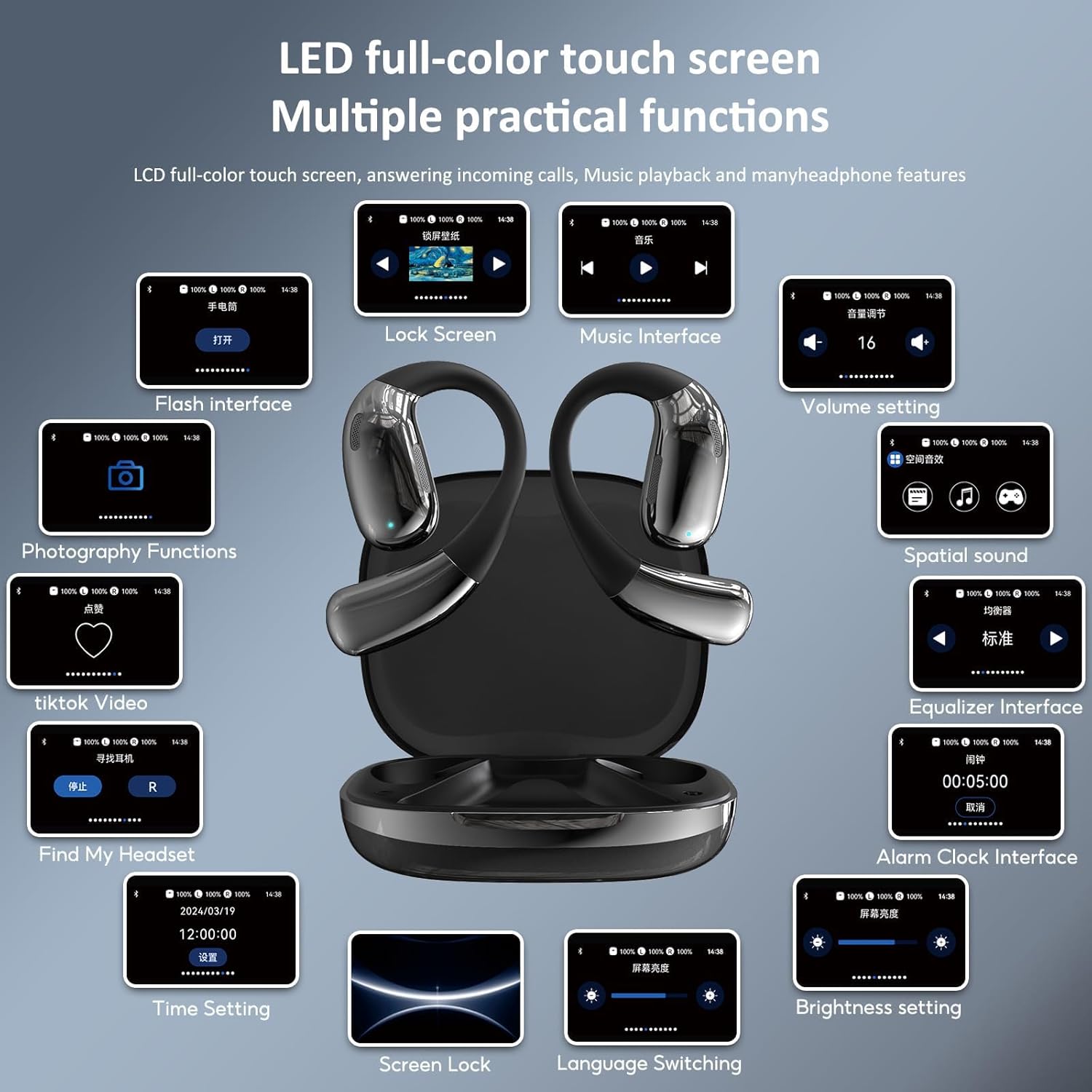
Image: Visual representation of the real-time multilingual translation feature, highlighting global communication.
2. Smart HD Touch Charging Box Functions
The charging case features a 2.62-inch smart touch screen, providing intuitive control over various headphone functions and settings. Swipe to unlock the screen and navigate through options such as music playback, volume control, spatial sound settings, equalizer adjustments, alarm clock, screen lock, language switching, and brightness settings. It also displays battery life for both earbuds and the case.

Image : Terminéview of the LED full-color touch screen on the charging case, showing multiple practical functions.

Image : détaillée view of the LCD full-color smart screen and its various touch-controlled functions.
3. Commandes tactiles des écouteurs
The earbuds themselves feature touch-sensitive controls for common audio and call functions:
- Monter le son: Double-click Right earbud.
- Baisser le volume: Double-click Left earbud.
- Pause et lecture : Cliquez sur n'importe quel écouteur.
- Répondre à l'appel : One tap L/R.
- Chanson précédente : Three hits on the L side.
- Chanson suivante : Three hits on the R side.
- Raccrocher: One tap L/R.

Image: Illustrates the simple touch controls available directly on the earbuds.
Entretien
To ensure the longevity and optimal performance of your CQWEIC A39 headphones, follow these maintenance guidelines:
- Nettoyage: Essuyez régulièrement les écouteurs et le boîtier de charge avec un chiffon doux, sec et non pelucheux. Évitez d'utiliser des matériaux abrasifs, de l'alcool ou des produits nettoyants chimiques.
- Stockage: Lorsqu'ils ne sont pas utilisés, rangez les écouteurs dans leur étui de chargement afin de les protéger de la poussière et des chocs. Conservez-les dans un endroit frais et sec, à l'abri de la lumière directe du soleil et des températures extrêmes.
- Entretien de la batterie: Pour préserver la durée de vie de la batterie, évitez de la décharger complètement et fréquemment. Rechargez l'appareil régulièrement, même si vous ne l'utilisez pas en permanence.
- Résistance à l'eau : These headphones are not water resistant. Avoid exposure to water, sweat, or high humidity to prevent damage.
Dépannage
If you encounter issues with your CQWEIC A39 headphones, refer to the following common problems and solutions:
| Problème | Solution possible |
|---|---|
| Les écouteurs ne s'allument pas. | Ensure the charging case has sufficient battery. Press and hold the power button on the case for 10 seconds to turn it on. |
| Impossible de coupler via Bluetooth. | Make sure Bluetooth is enabled on your device. Place the earbuds back in the case, close, then reopen to re-enter pairing mode. Forget "A39" from your device's Bluetooth list and try pairing again. |
| La traduction ne fonctionne pas. | Verify that the earbuds are connected to your phone and the AI COOL app. Ensure you have a stable internet connection for online translation. Check language settings within the app. |
| Mauvaise qualité sonore / Bruit. | Ensure earbuds are clean and properly seated on your ears. Check for obstructions. Move closer to your connected device to avoid interference. |
| L'écran du boîtier de charge ne répond pas. | Ensure the case is charged. Try pressing and holding the power button for a hard reset. |
Caractéristiques
| Fonctionnalité | Détail |
|---|---|
| Nom du modèle | A39 |
| Marque | CQWEIC |
| Technologie de connectivité | Sans fil (Bluetooth 5.0) |
| Placement des oreilles | Oreille ouverte |
| Contrôle du bruit | Annulation active du bruit |
| Autonomie de la batterie (écouteurs) | Jusqu'à 7 XNUMX heures |
| Autonomie totale de la batterie (avec étui) | Jusqu'à 24 XNUMX heures |
| Temps de charge | 2 heure (pour le boîtier de charge) |
| Méthode de contrôle | Touche |
| Langues prises en charge | 142 (via AI COOL app) |
| Niveau de résistance à l'eau | Non résistant à l'eau |
| Première date disponible | 4 décembre 2024 |
Garantie et assistance
For warranty information and technical support, please refer to the contact details provided in the AI COOL User Guide included with your product. You may also visit the official CQWEIC website or contact their customer service for assistance with product inquiries, troubleshooting, or warranty claims.
As stated in the product features, the headset translation function is provided without charge. If you have any questions or require further assistance, please contact the manufacturer as soon as possible.
Ask a question about this manual
Ask about setup, troubleshooting, compatibility, parts, safety, or missing instructions. Manuals+ will review the question and use this page’s manual context to help answer it.