
1. Introduction
The ORIA Wireless Thermometer Hygrometer provides accurate, real-time monitoring of temperature and humidity. Featuring Bluetooth 5.0 connectivity, it allows you to track environmental conditions in your home, office, or other spaces via a dedicated mobile application. This device is designed for indoor use and offers data logging, smart alerts, and easy data export capabilities.
2. Contenu de la boîte
Veuillez vérifier le contenu du colis pour vous assurer que tous les éléments sont présents :
- 2 x ORIA Wireless Thermometer Hygrometer units
- 1 x Manuel d'utilisation

Image: Contents of the ORIA Wireless Thermometer Hygrometer package, showing two sensor units, the user manual, and a small tool.
3. Produit terminéview
The ORIA Wireless Thermometer Hygrometer is a compact device designed for precise environmental monitoring. It features a built-in MEMS sensor for high accuracy and connects wirelessly to your smartphone via Bluetooth 5.0.
Caractéristiques principales :
- Capteur de haute précision : Built-in MEMS sensor provides precise temperature and humidity readings. Temperature deviation: +/-0.5℃ (+/-1℉); Humidity deviation: +/-3%RH.
- Connectivité Bluetooth 5.0 : Ensures stable connection up to 20m (65.6ft) without obstacles.
- Wireless APP Control & Smart Alert: Monitor data and set custom alert ranges via the mobile application.
- Stockage et exportation de données : Stores up to 100 days of data internally, updated every 10 minutes, and supports CSV export.
- Conception compacte : Small size (1.3 x 1.3 x 0.47 inches) with a hanging hole for versatile placement.
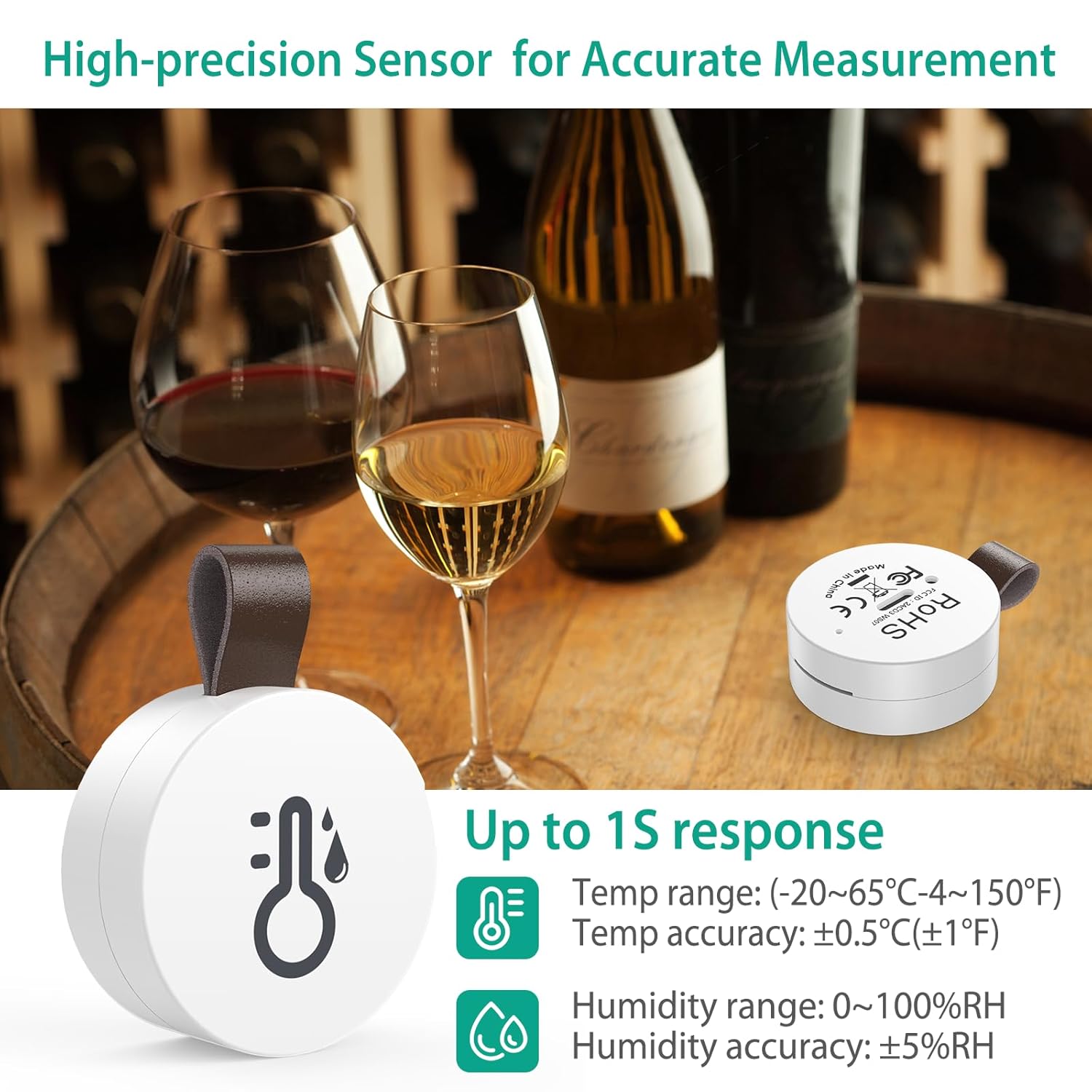
Image: The ORIA sensor in a wine cellar setting, illustrating its high-precision capabilities with temperature range (-20~65℃ / -4~150℉) and humidity range (0~100%RH) details.
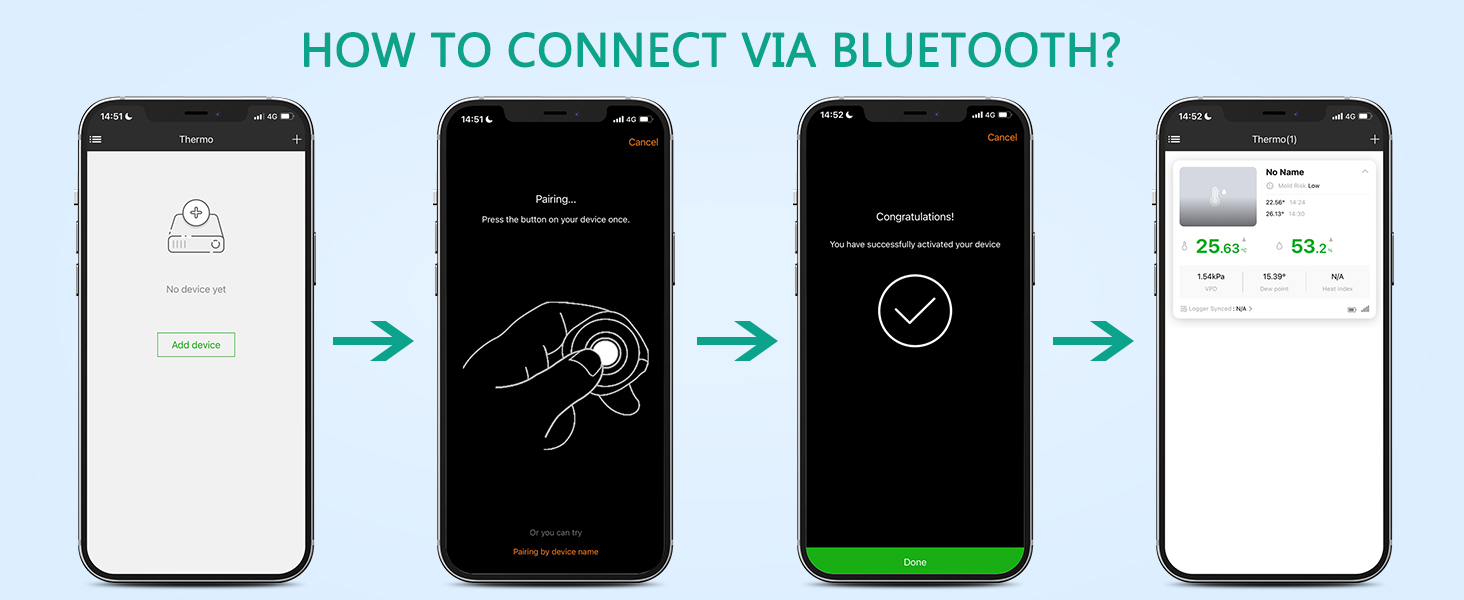
Image: An exploded diagram of the sensor, revealing its internal components including the MEMS sensor and the CR2032 battery.
4. Installation
Suivez ces étapes pour configurer votre thermomètre-hygromètre sans fil ORIA :
4.1. Download the SensorBlue App
Scan the QR code provided in the manual or on the product packaging, or search for "SensorBlue" in your device's app store. The app is compatible with Android 4.3 or above and iPhone 4s or above.

Image: A visual guide showing the four easy steps to set up the device: 1. Scan QR code to download the SensorBlue app (link to SensorBlue App on Apple App Store), 2. Pull out the battery insulation sheet, 3. Open the phone's Bluetooth and SensorBlue app, 4. Press the button to connect the product.
4.2. Activer l'appareil
- Repérez le compartiment à piles à l'arrière du capteur.
- Gently pull out the plastic insulation sheet to activate the battery.
4.3. Connectez-vous via Bluetooth
- Assurez-vous que Bluetooth est activé sur votre smartphone.
- Open the SensorBlue application.
- In the app, tap "Add device" or the '+' icon.
- Press the button on your ORIA sensor once to initiate pairing. The app should detect the device.
- Une fois la connexion détectée, suivez les instructions à l'écran pour l'établir.
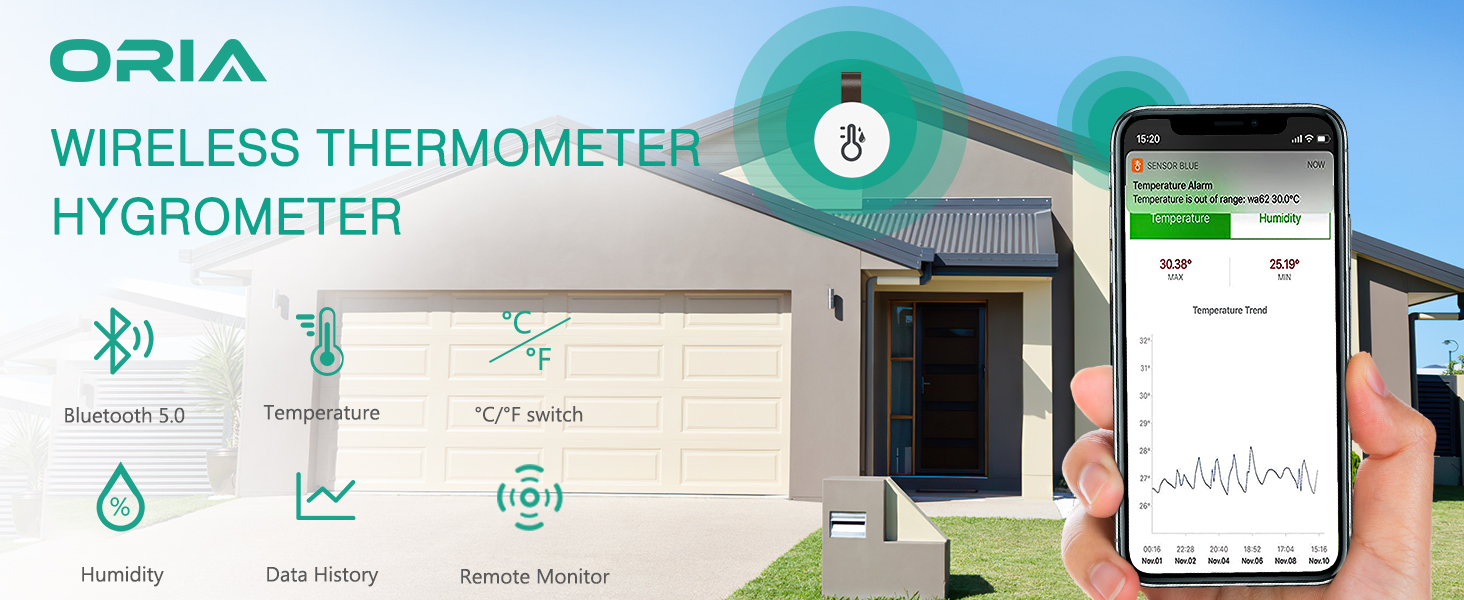
Image: A four-panel image demonstrating the Bluetooth connection process: 1. App showing 'No device yet', 2. Pairing screen prompting to press the device button, 3. 'Congratulations! You have successfully activated your device' message, 4. App displaying connected device with temperature and humidity readings.
4.4. Name Your Sensor
After successful pairing, you can name your sensor within the app (e.g., "Living Room," "Bedroom," "Greenhouse") for easy identification, especially if you have multiple units.
Video: An official product video demonstrating the easy setup and naming process of the ORIA Mini Bluetooth Thermometer Sensor, including setting temperature and humidity alerts.
5. Mode d'emploi
Once your ORIA sensor is set up, you can begin monitoring and managing your environment.
5.1. Surveillance en temps réel
Open the SensorBlue app on your smartphone. The app will automatically connect to your sensor(s) within Bluetooth range and display real-time temperature and humidity readings. Data is updated automatically once per second.

Image: The SensorBlue app showing current temperature and humidity, along with a historical trend graph, connected via Bluetooth 5.0.
5.2. Setting Smart Alerts
You can set custom temperature and humidity ranges within the SensorBlue app. If the readings go beyond your preset range, the app will display a red indicator, and for some models, the device itself may emit a buzzer alert.
- In the app, select the desired sensor.
- Navigate to the settings or alert section for that sensor.
- Set your desired highest and lowest temperature and humidity thresholds.
- Confirmez vos paramètres.
5.3. Stockage et exportation des données
The sensor stores data internally every 10 minutes, accumulating up to 100 days of historical data. To ensure continuous data logging, make sure your phone connects to the device at least once per day to sync the data.
Tu peux view historical data trends directly in the app. The app also allows you to export this data in CSV format, which can then be sent to your email or other applications for further analysis.

Image: The SensorBlue app showing temperature and humidity trend graphs, with icons indicating data storage and export functionality. The image also shows an alert for temperature being out of range.
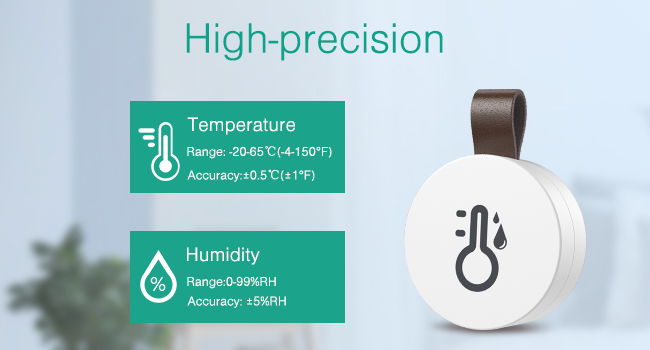
Image: The SensorBlue app interface demonstrating the ability to record temperature and humidity data every 10 minutes and export it in CSV format.
6. Entretien
6.1. Remplacement de la batterie
The ORIA Wireless Thermometer Hygrometer uses a CR2477 button cell battery, which typically lasts for approximately 1 year. When the battery is low, the app may indicate a low battery status.
- Ouvrez délicatement le couvercle arrière du capteur.
- Retirez l'ancienne pile CR2477.
- Insérez une nouvelle pile CR2477 avec le côté positif (+) vers le haut.
- Fermez bien le capot arrière.
Video: An official product video demonstrating the removable battery replacement process for the ORIA Mini Bluetooth Thermometer Sensor, highlighting the CR2477 battery type and 1-year battery life.
6.2. Instructions de nettoyage
To clean the device, simply wipe it with a clean, dry cloth. Do not use liquid cleaners or immerse the device in water.
6.3. Environnement d'utilisation
This device is designed for indoor use. It is not a refrigerator thermometer; please do not place it inside a refrigerator or freezer, as extreme cold can affect its performance and battery life. The optimal operating temperature range is -20℃ to 60℃ (-4℉ to 140℉).
7. Dépannage
If you encounter issues with your ORIA Wireless Thermometer Hygrometer, please refer to the following common solutions:
- L'appareil ne se connecte pas à l'application :
- Assurez-vous que Bluetooth est activé sur votre smartphone.
- Make sure the sensor is within the 20m (65.6ft) Bluetooth range without significant obstructions.
- Check if the battery insulation sheet has been removed and the battery is properly inserted.
- Press the button on the sensor once to initiate pairing.
- Restart the SensorBlue app and try again.
- Lectures inexactes :
- Ensure the device is placed in a stable environment, away from direct sunlight, heat sources, or strong drafts.
- Allow the device some time (e.g., 15-30 minutes) to stabilize after placement or battery replacement.
- Compare readings with another calibrated thermometer/hygrometer. If a consistent offset is observed, some apps may offer a calibration feature.
- Data not updating or missing:
- Ensure your phone connects to the sensor via Bluetooth at least once every 24 hours to sync stored data.
- Check the battery level in the app; a low battery can affect data transmission and storage.
- Autonomie courte de la batterie :
- Assurez-vous d'utiliser une pile CR2477 neuve et de haute qualité.
- Extreme temperatures (especially cold) can reduce battery life.
8. Spécifications
| Fonctionnalité | Détail |
|---|---|
| Marque | ORIA |
| Nom du modèle | WA44-OUS |
| ASIN | B08CVCMVFT |
| Technologie de connectivité | Bluetooth 5.0 |
| Plage de température | -20 ℃ à 60 ℃ (-4 ℉ à 140 ℉) |
| Précision de la température | +/-0.5℃ (+/-1℉) |
| Taux d'humidité | 0-99% HR |
| Précision de l'humidité | +/-3% HR |
| Temps de réponse | 500 millisecondes |
| Stockage des données | Jusqu'à 100 jours (enregistrement toutes les 10 minutes) |
| Distance sans fil | Jusqu'à 20 m (65.6 pieds) sans obstacles |
| Source d'énergie | Alimenté par batterie |
| Type de batterie | CR2477 |
| Autonomie de la batterie | Environ. 1 année |
| Dimensions | 1.3 x 1.3 x 0.47 pouces |
| Matériau extérieur | Acrylonitrile butadiène styrène |
| Utilisation intérieure/extérieure | Intérieur |
| Type d'affichage | Numérique (via application) |
9. Garantie et assistance
ORIA is committed to providing high-quality products and excellent customer service. Your ORIA Wireless Thermometer Hygrometer comes with the following:
- Garantie de 1 ans : Couvre les défauts de fabrication et les dysfonctionnements en conditions normales d'utilisation.
- Remplacements gratuits sous 90 jours : For any issues within the first 90 days of purchase.
- Retours gratuits sous 30 jours : Si vous n'êtes pas satisfait de votre achat.
- Assistance clientèle 24h/7 et XNUMXj/XNUMX : Assistance available around the clock for your queries.
- Assistance technique à vie : Assistance technique continue pendant toute la durée de vie de votre produit.
For warranty claims, technical assistance, or any other support needs, please contact ORIA customer service through the contact information provided on your purchase platform or the official ORIA website.

Image: A visual summary of ORIA's customer support and warranty policies.