
1. Introduction
Thank you for choosing the LEKATO GA-02 5W Rechargeable Guitar AmpAmplificateur. Cet amplificateur compact et portable amplifier is designed for electric guitar and bass practice, offering both clean and overdrive effects, Bluetooth connectivity, and multiple input/output options. Please read this manual carefully to ensure proper operation and to maximize your experience with the product.
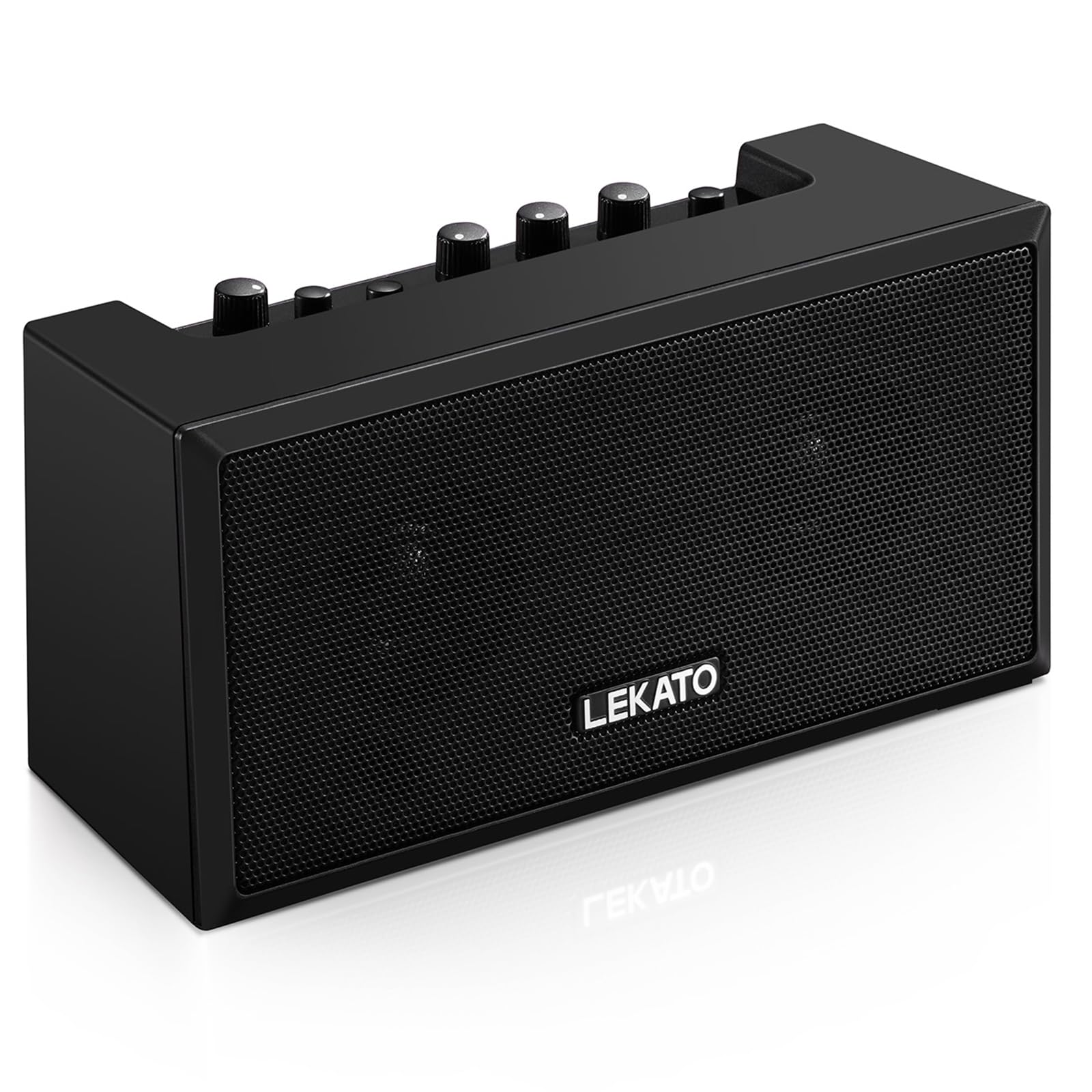
Figure 1 : Face avant view of the LEKATO GA-02 Guitar Amplifier.
2. Principales caractéristiques
- Dual Tone Channels: Easily switch between Clean and Overdrive effects with a single button.
- Compact et portable : 5W dual speakers in a mini size, ideal for practice anywhere.
- Connectivité Bluetooth 5.0 : Connect wirelessly to your smartphone or other devices for accompaniment.
- Interfaces riches : Includes 1/8" Aux input, 1/8" stereo headphone output, and 6.35mm instrument input.
- Batterie rechargeable : Built-in 3.7V/2000mA battery provides up to 6 hours of playtime on a single charge, rechargeable via Type-C USB.
3. Installation et connexions
3.1 Chargement du Amplifier
Avant la première utilisation, chargez complètement le amplifier. Connect the included Type-C USB cable to the DC 5V charging port on the rear panel of the amplifier and to a standard USB power source (e.g., wall adapter, computer USB port).

Figure 2: Type-C USB charging port on the rear panel.
Une charge complète offre environ 6 heures d'autonomie.
3.2 Controls and Interfaces Overview

Figure 3: Front panel controls (top) and rear panel interfaces (bottom) of the amplifier.
Commandes du panneau avant :
- BT/AUX VOL : Adjusts the volume for Bluetooth and Aux input.
- Bouton BT : Active/désactive le mode de couplage Bluetooth.
- OVERDRIVE Button: Toggles between Clean and Overdrive channels.
- Bouton GAIN : Adjusts the input sensitivity and distortion level (primarily for Overdrive channel).
- Bouton TONE : Ajuste les caractéristiques tonales (équilibre aigus/graves).
- Bouton VOLUME : Ajuste le volume de sortie global du signal de la guitare.
- Bouton d'alimentation: Tourne le amplifier allumé ou éteint.
Interfaces du panneau arrière :
- INPUT (6.35mm Jack): Branchez votre guitare électrique ou votre basse.
- AUX (1/8" Jack): Connect external audio sources like smartphones or CD players.
- Headphone Output (1/8" Stereo Jack): Branchez des écouteurs pour pratiquer en silence.
- DC 5V (Type-C Port): Alimentation pour la charge.
3.3 Connexion de votre instrument
Insert your instrument cable (6.35mm jack) into the SAISIR port à l'arrière du amplifier.
3.4 Connexion Bluetooth
- Allumez le amplificateur à l'aide du POUVOIR bouton.
- Appuyez sur le B.T. button on the front panel. The Bluetooth indicator light will flash, indicating pairing mode.
- On your smartphone or Bluetooth-enabled device, search for "TOP-GT" in the Bluetooth settings.
- Select "TOP-GT" to pair. Once connected, the Bluetooth indicator light will remain solid.
- Adjust the Bluetooth/Aux volume using the BT/AUX VOL bouton.

Figure 4 : Processus de jumelage Bluetooth avec un appareil mobile.
3.5 Aux Input Connection
Connect an external audio source (e.g., MP3 player, computer) to the AUX input jack on the rear panel using a 1/8" (3.5mm) stereo audio cable. Adjust the volume using the BT/AUX VOL bouton.
3.6 Connexion casque
Pour une pratique silencieuse, branchez vos écouteurs au Sortie casque jack on the rear panel. This will mute the amphaut-parleurs internes de l'amplificateur.
4. Mode d'emploi
4.1 Mise sous/hors tension
Appuyez sur le POUVOIR bouton pour tourner le amplifier allumé ou éteint.
4.2 Selecting Tone Channels
Le ampL'amplificateur dispose de deux canaux de tonalité : Clean et Overdrive.
- Appuyez sur le SURMULTIPLIÉE button to switch between the Clean and Overdrive channels.
- When the Overdrive channel is active, the corresponding indicator light will illuminate.
- Faire le ménage: Provides a pure instrument tone.
- Surmultipliée: Produces a distorted rock sound.

Figure 5: Pressing the OVERDRIVE button to switch channels.
4.3 Réglage du son
- GAIN: Rotate the GAIN knob to adjust the input signal level. Higher gain settings will increase distortion, especially in Overdrive mode.
- TONIFIER: Use the TONE knob to shape the amplifier's frequency response, making the sound brighter or warmer.
- LE VOLUME: Adjust the overall output volume of your instrument using the VOLUME knob.
5. Entretien
- Nettoyage: Essuyez le ampNettoyez avec un chiffon doux et sec. N’utilisez pas de nettoyants liquides ni de produits abrasifs.
- Stockage: Stocker le ampConserver l'amplificateur dans un endroit frais et sec, à l'abri de la lumière directe du soleil et des températures extrêmes.
- Entretien de la batterie: For optimal battery life, avoid fully discharging the battery frequently. Charge the ampVérifiez régulièrement l'amplificateur, même s'il n'est pas utilisé pendant de longues périodes.
- Manutention: Évitez de laisser tomber ou de soumettre le ampamplificateur pour des impacts forts.
6. Dépannage
| Problème | Cause possible | Solution |
|---|---|---|
| Aucun son de amplifier. |
|
|
| Connexion Bluetooth impossible. |
|
|
| Sound is distorted (not desired). |
|
|
| Durée de vie de la batterie courte. |
|
|
7. Spécifications
| Fonctionnalité | Détail |
|---|---|
| Modèle | GA-02 |
| Puissance de sortietage | 5 watts |
| Chaînes | Propre, Overdrive |
| Connectivité | Bluetooth 5.0 |
| Entrées | 6.35mm Instrument Jack, 3.5mm Aux Input |
| Sorties | Sortie casque stéréo 3.5 mm |
| Source d'énergie | Alimenté par batterie (Rechargeable) |
| Type de batterie | 3.7V/2000mA Lithium Polymer (included) |
| Port de chargement | Type-C USB (DC 5V) |
| Approx. Playtime | 6 heures |
| Dimensions du produit | 2.76"P x 4.53"L x 3.23"H (7 x 11.5 x 8.2 cm) |
| Poids de l'article | 1.23 livres (0.56 kg) |

Figure 6: Dimensions of the LEKATO GA-02 Amplifier.
8. Garantie et assistance
LEKATO products are designed for reliability and performance. For warranty information or technical support, please refer to the warranty card included with your product or visit the official LEKATO webVous pouvez également contacter votre revendeur pour obtenir de l'aide.
For more information about LEKATO products, visit the LEKATO Brand Store.
9. Démonstration vidéo du produit
Video 1: Official product demonstration of the LEKATO GA-02 Guitar Ampamplificateur, montreasinet ses fonctionnalités et capacités sonores.