
1. Introduction
This manual provides essential instructions for the safe installation, operation, and maintenance of your VEVOR MD750 Automatic Sliding Gate Opener. Please read this manual thoroughly before installation and use to ensure proper function and safety. Keep this manual for future reference.

Figure 1: VEVOR Automatic Sliding Gate Opener Unit
2. Consignes de sécurité
Your safety and the safety of others are extremely important. Always follow these safety precautions to reduce the risk of injury or damage.
- Assurez-vous que toutes les connexions électriques sont conformes aux codes et réglementations locaux.
- Débranchez l’alimentation avant d’effectuer tout entretien ou réparation.
- Tenez les enfants et les animaux domestiques éloignés de la zone du portail pendant son fonctionnement.
- Do not allow children to play with the gate controls.
- Inspectez régulièrement le portail et son mécanisme d'ouverture afin de déceler tout signe d'usure, de dommage ou de désalignement.
- Ensure safety devices such as infrared sensors are correctly installed and functioning.
- En cas de panne de courant, utilisez la clé de déverrouillage manuel pour actionner le portail.

Figure 2 : Principales caractéristiques de sécurité
3. Contenu du colis
Verify that all items listed below are included in your package. If any parts are missing or damaged, please contact VEVOR customer service.
- Unité d'ouverture de portail coulissant
- Gear Racks (20 ft / 6 m total length, typically in 10 ft / 3 m sections)
- Remote Controls (Quantity: 2)
- Clés de déverrouillage d'urgence
- Infrared Photocell Sensors
- Mounting Hardware (bolts, washers, brackets, etc.)
- Wireless Keypad (Optional accessory, may be included depending on package)
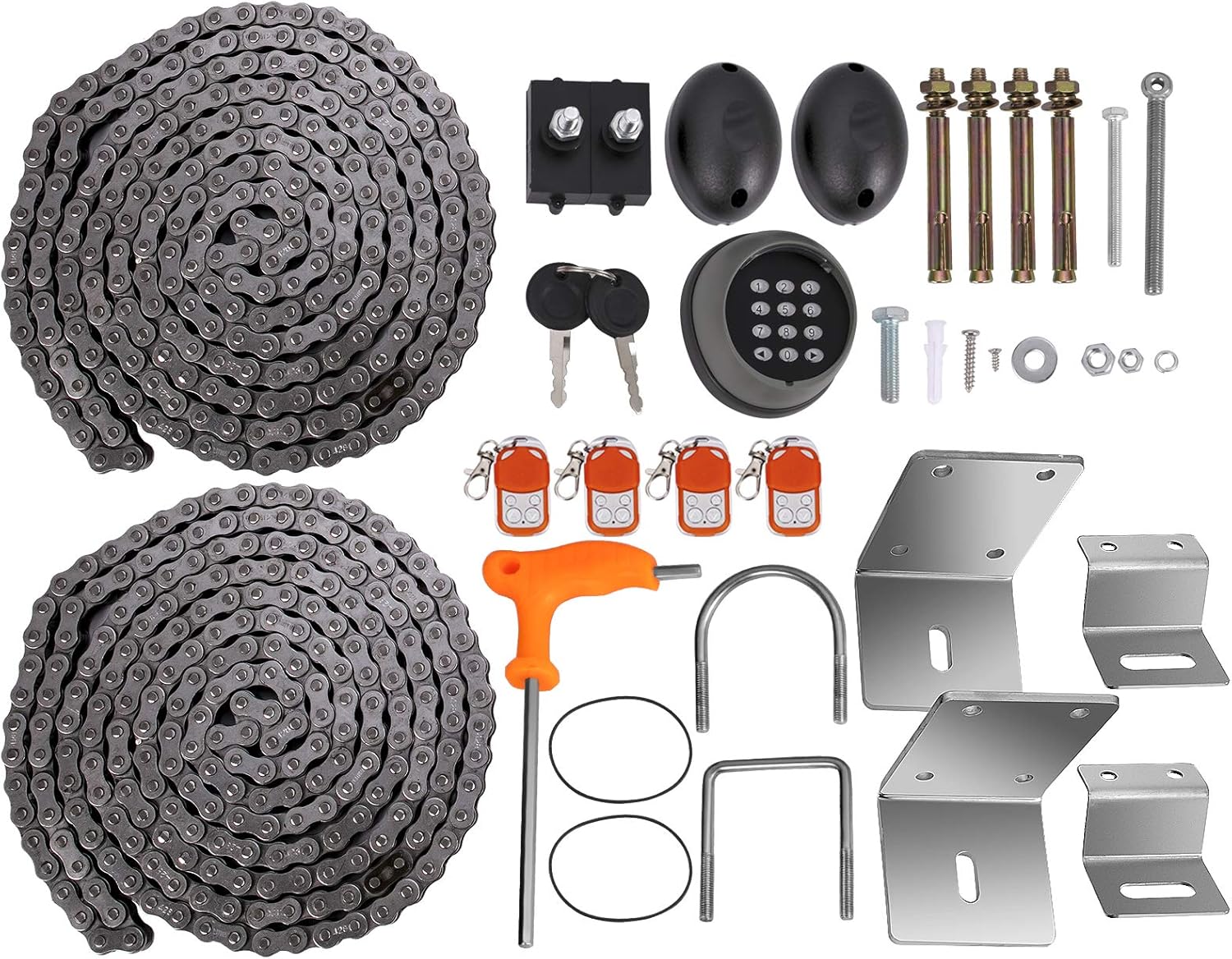
Figure 3 : Contenu complet de l'emballage
4. Spécifications
| Fonctionnalité | Spécification |
|---|---|
| Alimentation électrique | 220 V |
| Max. Poids de la porte | 3300 lb / 1497 kg |
| Longueur du porte-bagages | 20 ft / 6 m (two 10 ft / 3 m long chains) |
| Puissance du moteur | 1 CV / 750 W |
| Vitesse de déplacement de la porte | 12 m/minute |
| Distance de la télécommande | 230 pi / 70 m |
| Niveau de bruit | Moins de 60 dB |
| Dimensions du produit (L x l x H) | 27.4 x 19.8 x 33 cm |
| Poids du produit | 20.4 kg |
| Numéro de modèle | MD750 |

Figure 4: Gate Opener Dimensions
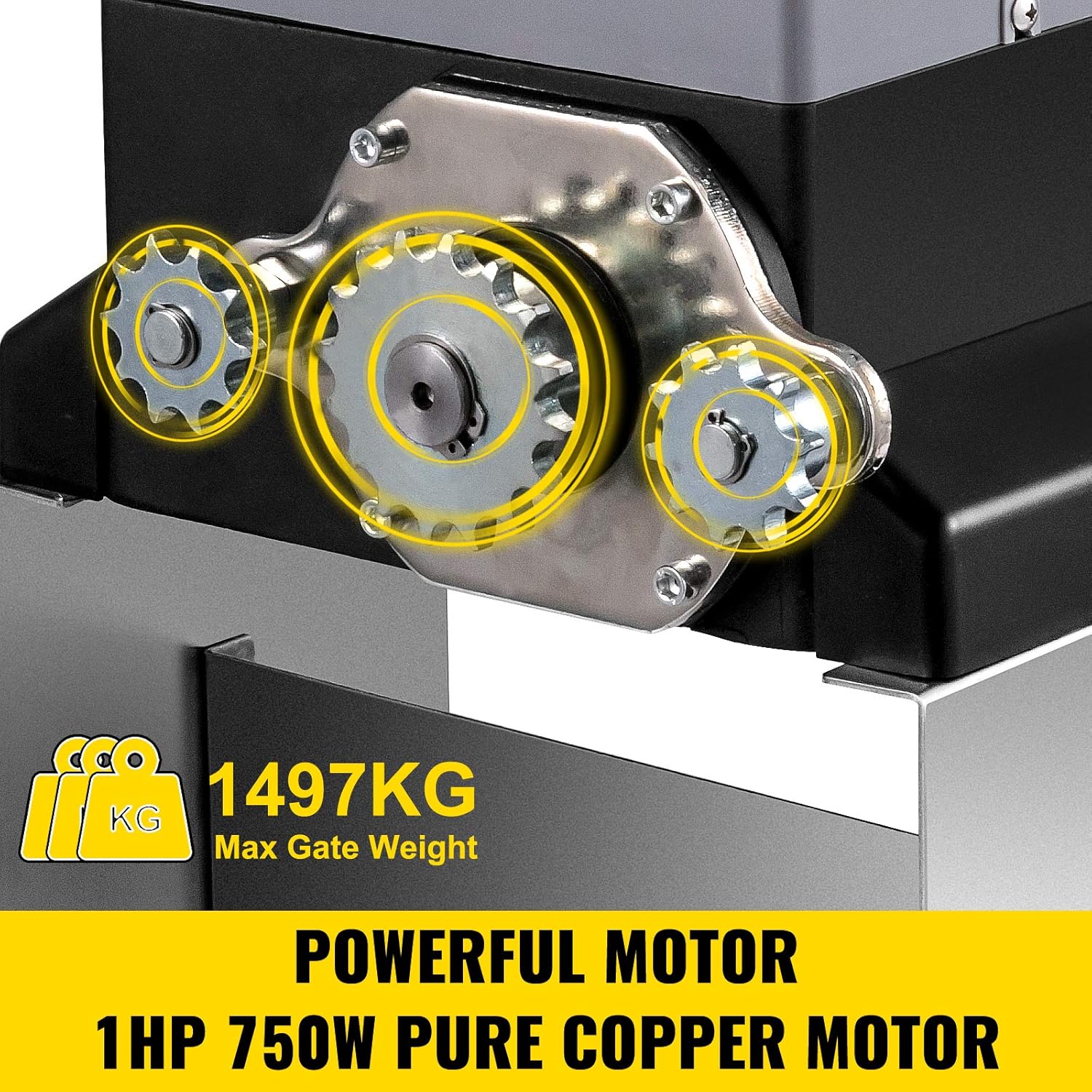
Figure 5: Motor and Weight Capacity
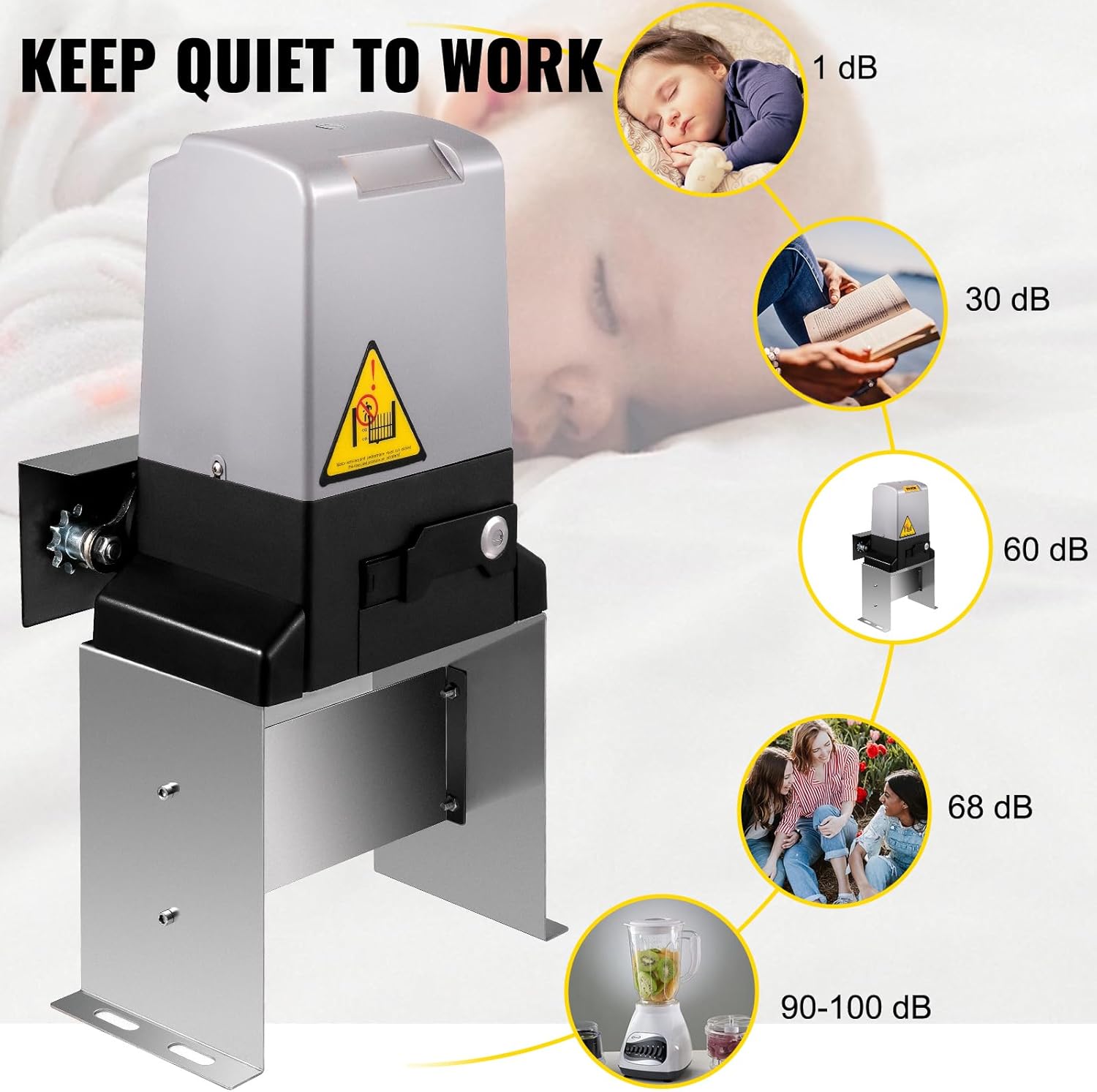
Figure 6 : Comparaison des niveaux de bruit
5. Configuration et installation
5.1 Installation de base
- Prepare a stable concrete base for the gate opener unit. Ensure the base is level and provides adequate support for the unit and gate movement.
- Secure the mounting plate to the concrete base using appropriate anchor bolts.
- Place the gate opener unit onto the mounting plate, aligning the mounting holes.
- Fasten the gate opener to the mounting plate using the provided bolts, washers, and nuts. Ensure all fasteners are tightened securely.
5.2 Installation de la crémaillère
- Align the first gear rack section with the opener's pinion gear. Ensure there is a small gap (approx. 1-2mm) between the gear and the rack to allow for smooth operation.
- Mark the drilling points on the gate for the rack's mounting brackets.
- Drill holes and attach the first gear rack section using self-tapping screws and mounting plates. Do not fully tighten the screws yet.
- Insert subsequent gear rack sections, ensuring proper alignment and maintaining the small gap with the pinion gear.
- Once all rack sections are in place, manually move the gate to verify smooth movement across the entire length of the rack without binding.
- Serrez fermement toutes les vis.
5.3 Câblage
- Remove the cover of the control board unit.
- Disconnect the power supply terminal (marked PE, N, L) from the control board.
- Connect the live wire (L), neutral wire (N), and ground wire (PE) from your main power supply to the corresponding terminals. Ensure connections are firm and correct.
- Pass the three-conductor wire through the cover and make the connections as indicated in the wiring diagram.
- Reconnect the power supply terminal to the control board.
5.4 Installation du commutateur de fin de course
Limit switches define the open and closed positions of your gate.
- Manually move the gate to its fully open position.
- Install the left limit switch on the gear rack, ensuring it will activate the opener's internal limit sensor when the gate is fully open. Secure it with screws.
- Manually move the gate to its fully closed position.
- Install the right limit switch on the gear rack, ensuring it will activate the opener's internal limit sensor when the gate is fully closed. Secure it with screws.
- Test the gate operation to confirm that it stops correctly at both open and closed limits.
5.5 Installation du capteur infrarouge
Infrared sensors provide an essential safety feature, preventing the gate from closing if an obstruction is detected.
- Mount the infrared sensors (transmitter and receiver) on opposite sides of the gate opening, ensuring they are at the same height and have a clear line of sight.
- Connect the receiver's V+ to 24V, V- and COM to GND, and NC to IR on the control board.
- Connect the emitter's V+ to 24V and V- to GND on the control board.
- Twist together the emitter's V+ with the receiver's V+ and the emitter's V- with the receiver's V- and COM.
- Connect all the wires to the signal terminal, and re-plug it back in on the control board.
- After installation, block the sensors. If the alarm indicator lights up and the indicator light on the control board turns off, your infrared sensors are correctly installed.

Figure 7 : Composants du systèmeview
6. Mode d'emploi
6.1 Couplage de la télécommande
To pair a new remote control:
- Locate the 'LEARN' button on the control board.
- Press and hold the 'LEARN' button until the corresponding indicator light illuminates.
- Press any button on the remote control twice. The indicator light on the control board will flash to confirm successful pairing.
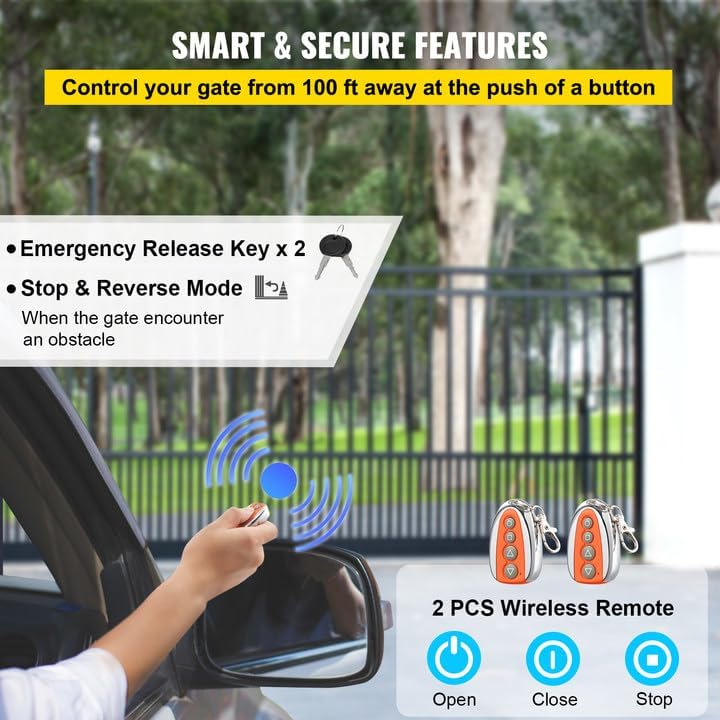
Figure 8: Remote Controls and Emergency Keys
6.2 Test de fonctionnalité
After installation and pairing, perform the following tests:
- Limit Switch Test: Operate the gate using the remote control. Ensure the gate stops precisely at the fully open and fully closed positions as set by the limit switches.
- Infrared Sensor Test: While the gate is closing, place an object or your hand in the path of the infrared beam. The gate should immediately stop and reverse direction.
- Remote Control Test: Test all buttons on the remote control (open, close, stop) to ensure they function correctly from various distances within the specified range.
7. Entretien
Un entretien régulier garantit la longévité et le bon fonctionnement de votre ouvre-portail.
- Mensuel: Inspect the gate and opener for any loose fasteners, signs of wear, or damage. Clean the gear racks and remove any debris that might obstruct movement.
- Trimestriel: Lubricate the gate's moving parts (rollers, hinges) and the opener's chain/gear system with appropriate lubricant. Check the tension of the drive chain.
- Annuellement: Have a qualified technician inspect the entire system, including electrical connections, safety devices, and motor performance.
8. Dépannage
| Problème | Cause possible | Solution |
|---|---|---|
| Le portail ne répond pas à la télécommande. | Pas d'alimentation, pile de la télécommande faible, télécommande non appariée. | Check power supply, replace remote battery, re-pair remote. |
| La barrière s'arrête ou s'inverse de façon inattendue. | Obstruction detected by infrared sensors, gate binding. | Clear obstruction, check sensor alignment, inspect gate for binding. |
| Gate does not fully open or close. | Limit switches incorrectly set, gate obstruction. | Adjust limit switches, clear any obstructions. |
| Le moteur tourne mais le portail ne bouge pas. | Manual release engaged, gear rack disengaged or damaged. | Disengage manual release, inspect gear rack for damage or proper engagement. |
9. Garantie et assistance
VEVOR products are designed for durability and performance. For warranty information, technical support, or to order replacement parts, please refer to the contact information provided with your purchase or visit the official VEVOR website.
Always provide your product model number (MD750) and purchase date when contacting support.


