
1. Introduction
This manual provides detailed instructions for the setup, operation, and maintenance of your Cluvox 1200Mbps Dual-Band WiFi Repeater. This device is designed to extend your existing wireless network coverage, offering enhanced signal strength and speed across both 2.4GHz and 5GHz bands. Please read this manual carefully before using the product to ensure proper installation and optimal performance.
2. Consignes de sécurité
- Gardez l’appareil à l’abri de l’eau, du feu, de l’humidité ou des environnements chauds.
- N'essayez pas de démonter, de réparer ou de modifier l'appareil.
- Utilisez uniquement l'adaptateur secteur fourni avec l'appareil.
- Assurez une bonne ventilation autour de l’appareil.
- Tenir hors de portée des enfants.
3. Contenu du colis
Le colis doit contenir les éléments suivants :
- Cluvox 1200Mbps Dual-Band WiFi Repeater
- Câble Ethernet
- Guide d'installation rapide
4. Produit terminéview
Familiarize yourself with the repeater's components:

Image 1: Haut view of the Cluvox WiFi Repeater, showing its square design with four adjustable antennas and a central LED indicator.

Image 2: Devant view of the Cluvox WiFi Repeater, highlighting the WAN/LAN port at the bottom for wired connections.

Image 3: Côté view of the Cluvox WiFi Repeater, showing the WPS button and ventilation design for heat dissipation.
Indicateurs LED :
- Voyant d'alimentation : Indique l'état d'alimentation de l'appareil.
- LED 2.4 GHz : Indique l'état du réseau sans fil 2.4 GHz.
- LED 5 GHz : Indique l'état du réseau sans fil 5 GHz.
- LED de signalisation : Indicates the signal strength received from the main router.
Ports et boutons :
- Port WAN/LAN : Used for wired connections in Router or AP mode, or to connect a wired device in Repeater mode.
- Bouton WPS : For quick setup with a WPS-enabled router.
- Bouton de réinitialisation : Used to restore the device to factory default settings (usually a small pinhole button).
5. Installation
There are two main methods to set up your Cluvox WiFi Repeater: using the WPS button or via a web navigateur.
5.1 Placement initial
Plug the repeater into a power outlet near your main router. Wait for the Power LED to turn solid. This ensures the device is powered on and ready for configuration.
5.2 Configuration WPS (Recommandée pour une configuration rapide)
- Plug the repeater into a power outlet near your main router. Wait for the Power LED to turn solid.
- Appuyez sur le bouton WPS de votre routeur principal.
- Within two minutes, press the WPS button on your Cluvox WiFi Repeater.
- Wait for the Signal LED on the repeater to turn solid (green or blue), indicating a successful connection.
5.3 Web Configuration du navigateur
- Plug the repeater into a power outlet near your main router. Wait for the Power LED to turn solid.
- Connect your computer or mobile device to the repeater's default Wi-Fi network (SSID usually found on a label on the device, e.g., "Cluvox_Extender"). No password is required for the initial connection.
- Ouvrir un web dans le navigateur, entrez l'adresse IP ou le nom de domaine par défaut (par exemple,
http://repeater.localor192.168.0.254, check the Quick Installation Guide for exact details). - Create a new login password for the repeater's management page.
- Follow the on-screen instructions to select your main Wi-Fi network (2.4GHz and/or 5GHz) and enter its password.
- Customize the extended network names (SSIDs) or keep the default ones (e.g., "YourNetworkName_EXT").
- Confirm the settings and wait for the repeater to reboot.
- Once rebooted, the Signal LED should turn solid, indicating a successful connection. You can now connect your devices to the extended Wi-Fi network.
6. Modes de fonctionnement
The Cluvox WiFi Repeater supports multiple operating modes to suit various network needs:

Image 4: Diagram illustrating the three operational modes: Repeater, AP, and Router, and how they connect to the internet and devices.
6.1 Repeater Mode (Default)
Extends the range of your existing wireless network. It connects wirelessly to your main router and re-broadcasts the signal, eliminating Wi-Fi dead zones.
6.2 Mode point d'accès (AP)
Transforms your wired network into a wireless one. Connect the repeater to your wired router or modem via an Ethernet cable, and it will create a new Wi-Fi access point.
6.3 Mode Routeur
Functions as a primary router. Connect it to your modem via an Ethernet cable to create a new private wireless network for your home or office.
7. Placement optimal
For the best Wi-Fi coverage and performance, follow these guidelines:
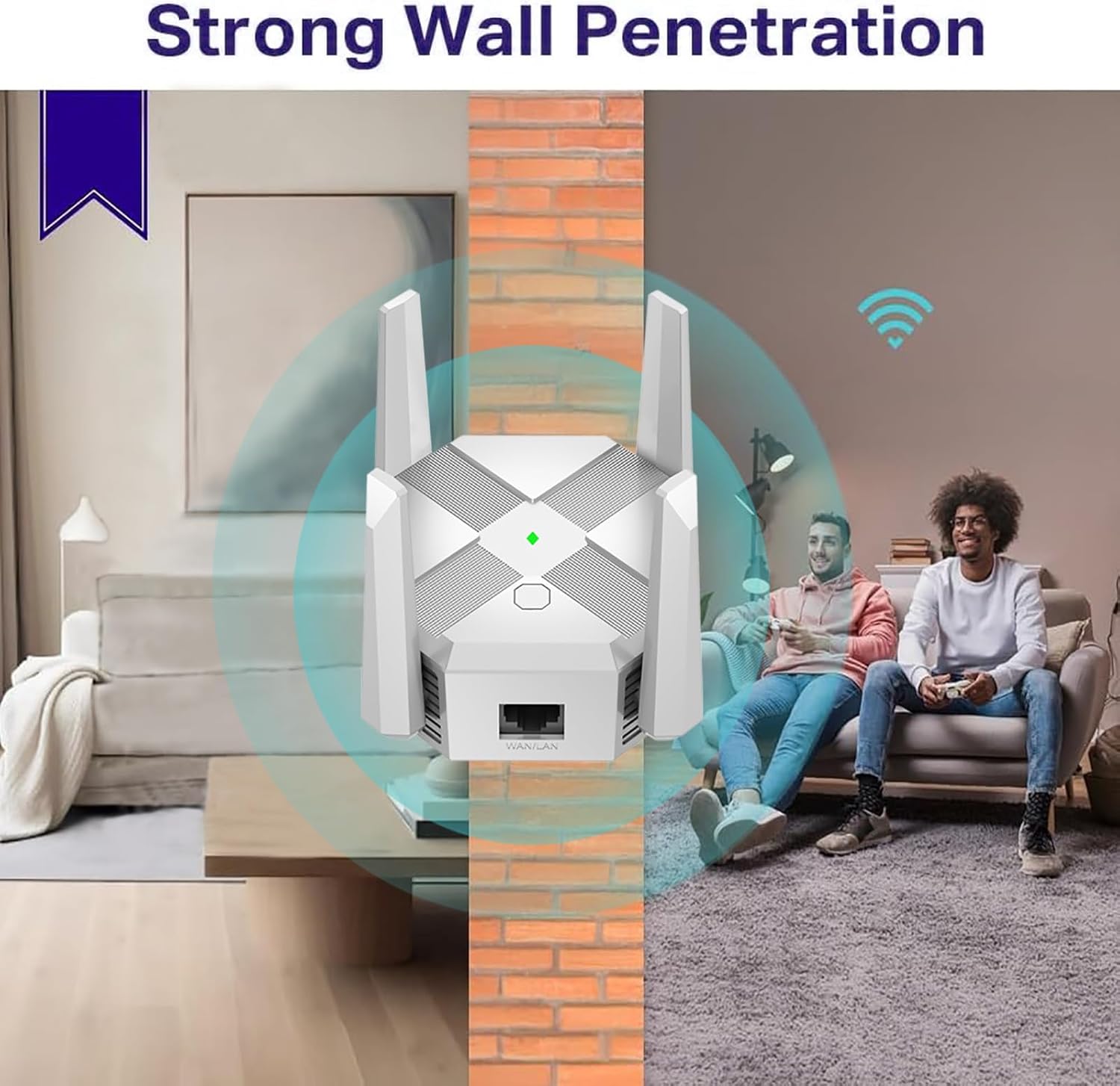
Image 5: Illustration demonstrating the repeater's ability to provide strong Wi-Fi signal penetration through walls, extending coverage to adjacent rooms.

Image 6: A floor plan diagram illustrating how strategically placing repeaters can ensure seamless Wi-Fi coverage throughout an entire house.
- Mid-way Point: Plug your repeater about halfway between your router and the Wi-Fi dead zone. The location you choose must be within the range of the host network.
- Ligne de vue dégagée : Place the extender in an open, unobstructed area. Avoid placing it behind large furniture or inside cabinets.
- Évitez les interférences : Keep the extender away from large electrical appliances (e.g., microwave ovens, refrigerators) to minimize interference.
- Voyant de signalisation à vérifier : After relocating the repeater, wait for the Signal LED to turn solid green/blue. If it's red or off, move the extender closer to the router to achieve better signal quality.
8. Spécifications
| Fonctionnalité | Détail |
|---|---|
| Marque | Cluvox |
| Couleur | Blanc |
| Norme de communication sans fil | 802.11a/g/n/ac, 802.11bgn |
| Taux de transfert de données | 1200 mégabits par seconde |
| Bandes de fréquences prises en charge | 2.4 GHz, 5 GHz |
| Appareils compatibles | Personal Computer, Laptop, Smartphone, Tablet, Mobile Phone |
9. Dépannage
If you encounter issues with your Cluvox WiFi Repeater, try the following steps:
- Pas d'alimentation : Ensure the repeater is securely plugged into a working power outlet. Check if the Power LED is on.
- Pas d'accès Internet: Verify that your main router has internet access. Check the Signal LED on the repeater; if it's red or off, the repeater is too far from the router or not connected.
- Signal faible: Relocate the repeater to an optimal position (refer to Section 7). Ensure there are no major obstructions or sources of interference.
- Impossible d'accéder à la page de gestion : Ensure your device is connected to the repeater's Wi-Fi network. Try clearing your browser's cache or using a different browser. If issues persist, reset the repeater to factory defaults.
- Réinitialiser aux paramètres d'usine : With the repeater powered on, use a paperclip to press and hold the Reset button for about 5-10 seconds until all LEDs flash. The device will then restart with default settings.
10. Garantie et assistance
For warranty information and technical support, please refer to the documentation included with your product or visit the official Cluvox website. Conservez votre reçu d’achat pour les réclamations au titre de la garantie.