
1. Introduction
The Yahboom Robot Expansion Board V3.0 is a versatile control board designed for robotics development, compatible with various single-board computers such as Raspberry Pi 5, Jetson, and RDK series. It integrates an STM32F103RCT6 microcontroller, a 9-axis IMU sensor, and provides rich peripheral interfaces for motor control, servo operation, and multiple communication methods. This manual provides essential information for setting up, operating, maintaining, and troubleshooting your expansion board.

Figure 1: Yahboom Robot Expansion Board V3.0
2. Installation
2.1 Contenu du paquet
Avant de commencer, assurez-vous que tous les composants sont présents :
- Yahboom Robot Expansion Board V3.0 (PCB with STM32F103RCT6 and 9-axis IMU Sensor)
- Câble de données micro-USB
- Double-ended Type-C power supply cable
- Double-ended DC power supply cable
- OLED 0.91-inch display
- Copper post screw package
2.2 Compatible Development Boards
The expansion board is compatible with:
- Raspberry Pi series (including Raspberry Pi 5, with support for its power supply protocol)
- Jetson series development boards
- RDK series development boards
- Industrial control board development boards
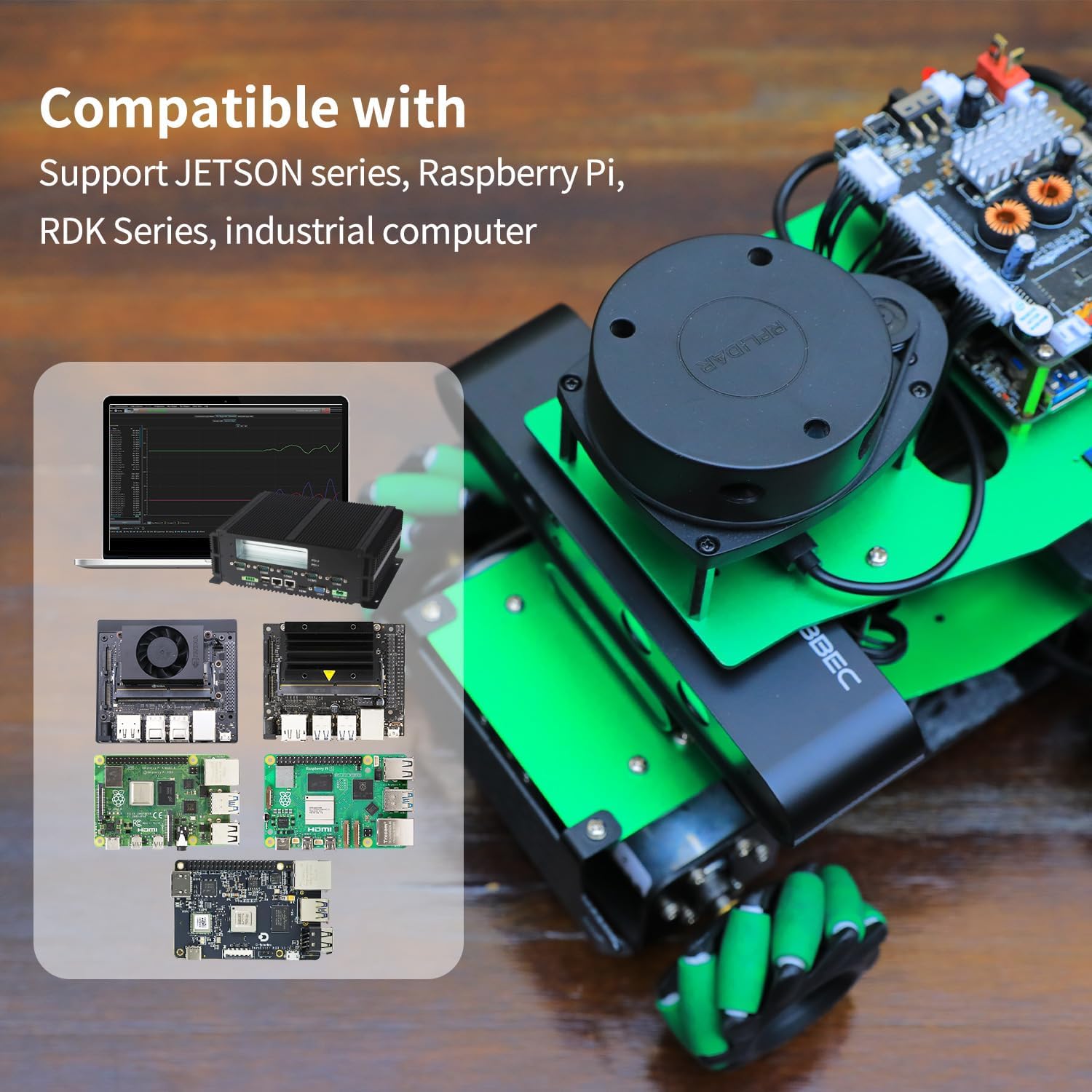
Figure 2: Compatibility with various development boards
2.3 Alimentation
The board supports 12V voltage input and provides multiple power supply interface outputs. For Raspberry Pi 5, the board supports its power supply protocol, providing 5.1V/5A power to lift the current limit of the Raspberry Pi 5 USB port, ensuring full performance for USB peripherals.
2.4 Connexion de la carte
Connect the expansion board to your chosen development board using the appropriate cables. Ensure all connections are secure before powering on. The board features microUSB and Type-C interfaces for data communication and power.

Figure 3: Labeled interfaces on the expansion board
2.5 Configuration initiale du logiciel
Yahboom provides fully open-source data, including basic peripheral driver routines written in STM32CUBEIDE. These routines cover driving encoder motors, PWM servos, serial bus servos, reading 9-axis attitude sensor data, and controlling communication interfaces. Hardware schematics are also available to assist with driver routine integration.
For detailed software setup and driver installation, refer to the official Yahboom documentation and tutorials. A relevant video demonstrating the MicroROS expansion board functionality is provided below:
Video 1: MicroROS Expansion Board Overview et fonctionnalité
3. Fonctionnement
3.1 Motor Control
The expansion board supports 4-way encoder motors, enabling control of various vehicle types such as mecanum wheels, four-wheel differentials, and tracked robots. PID control can be implemented for precise motor speed management.

Figure 4: Motor and servo connections
3.2 Servo Control
Both PWM servos and serial bus servos are supported, allowing for adaptation to various robot arm configurations. The onboard interface supports cascading up to 6 serial bus servos.
3.3 Capteur IMU
Equipped with a 9-axis IMU attitude sensor (ICM20948), the board can acquire real-time posture information of the robot. This data is crucial for ROS robot development and attitude calculation.

Figure 5: On-board 9-axis IMU sensor details
3.4 Interfaces de communication
The board supports multiple communication methods:
- USB Serial Communication: Utilizes a built-in serial port to USB communication chip for plug-and-play functionality with various main control boards.
- Communication par bus CAN : The factory firmware includes a CAN chip driver protocol, supporting access to CAN networks for receiving and executing control instructions.
- SBUS Bus Communication: Firmware supports connecting to aircraft model receivers via the SBUS communication interface.
3.5 ROS Support
The expansion board supports both ROS1 and ROS2 environments, providing SDKs and technical support for integration into robotics projects.
4. Entretien
4.1 Entretien général
To ensure the longevity of your expansion board, keep it in a dry environment and avoid exposure to extreme temperatures, humidity, or corrosive substances. Handle the board by its edges to prevent damage to components.
4.2 mises à jour du micrologiciel
Firmware updates can be performed using the microUSB data interface in conjunction with an MCUSP tool. Refer to the official Yahboom documentation for specific instructions on updating the firmware.
4.3 Fonctions de protection
The board incorporates several protection circuits, including servo over-current protection, anti-reverse connection protection, and short-circuit protection, to safeguard the components during operation.
5. Dépannage
5.1 Problèmes d'alimentation électrique
- La carte ne s'allume pas : Verify the 12V power input connection. Ensure the main power switch (DC 12V) is in the ON position.
- Raspberry Pi 5 not powering from the board: Ensure the Type-C power supply cable is correctly connected and the Raspberry Pi 5 power supply protocol is supported and enabled. If issues persist, consult the Yahboom documentation for specific power configuration details.
5.2 Problèmes de communication
- USB communication not detected: Check the microUSB cable connection. Ensure the correct drivers for the CH340 chip (USB to serial port chip) are installed on your host system.
- CAN/SBUS communication errors: Verify wiring and termination. Ensure the correct firmware and software configurations are applied as per Yahboom's documentation.
5.3 Sensor Malfunctions
- IMU data incorrect or missing: Check the IMU sensor connection. Ensure the driver routines for the 9-axis IMU are correctly implemented and calibrated.
5.4 Questions générales
For more in-depth troubleshooting and specific error codes, refer to the comprehensive development materials and online resources provided by Yahboom. These resources often include FAQs, community forums, and detailed guides for common problems.
6. Spécifications
6.1 Paramètres du produit
| Paramètre | Valeur |
|---|---|
| On board MCU model | STM32F103RCT6 |
| Débit en bauds de communication | 115200 bps |
| Interface de données | microUSB interface |
| USB to serial port chip | CH340 chip |
| Data output method | microUSB data interface |
| Contrôle de commande | Support serial commands: whistle, light up, drive motor, etc. |
| IMU chip | ICM20948 nine-axis IMU attitude sensor |
| Motor drive model | AM2861 driver chip*4 |
| Moteur codeur | Support 4-channel 12V encoder motor |
| SBUS model aircraft remote control | Support, the factory firmware has been adapted to the driver function |
| Communication CAN | Support, the factory firmware has been adapted to the driver function |
| Other peripheral interfaces | Support PWM servos, serial servos, RGB light bars, OLED displays, buzzers, and SWD debugging interfaces |
| Bouton | RESET key, KEY1 key, BOOT0 key |
| Méthode de mise à jour du micrologiciel | microUSB data interface + MCUSP tool to update firmware |
| Vol. de fonctionnementtage | T type DC12V input |
| Courant de veille | Environ 50 mA |
| Voltage sortie | DC 12V interface*2, DC 5V interface*1, Type-C 5V output interface (supports Raspberry Pi 5 power supply protocol)*1 |
| Protect the circuit | Servo over-current protection, anti-reverse connection protection, short-circuit protection |
| Température de fonctionnement | -40°C ~ +85°C |
| Taille du produit | 85 mm x 56 mm |
| Poids du produit | Environ 46 g |
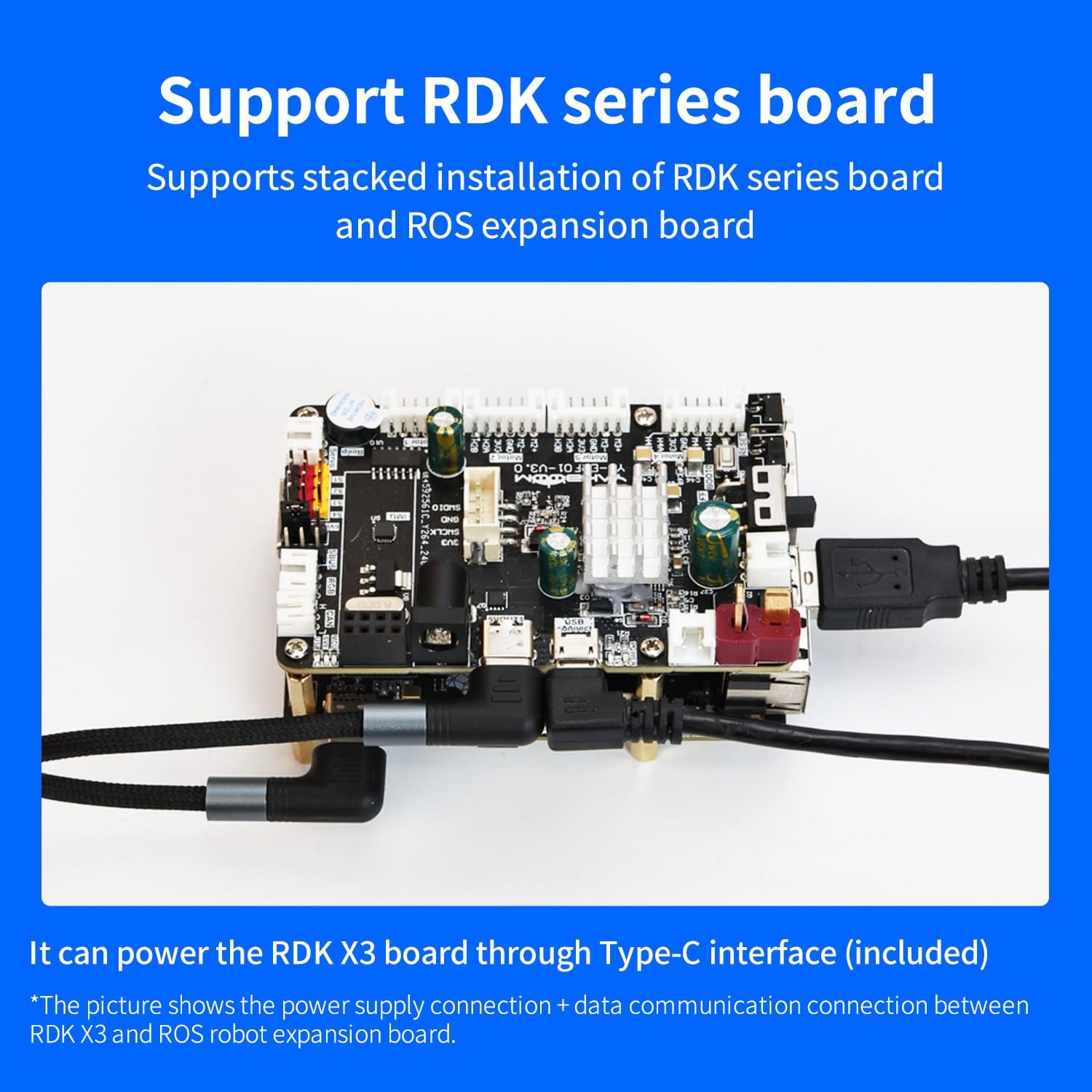
Figure 6 : Dimensions du produit
7. Garantie et assistance
The Yahboom Robot Expansion Board V3.0 is manufactured by Yahboom. For warranty information, technical support, and access to the latest documentation, drivers, and software, please visit the official Yahboom website or contact their customer service directly. Always refer to the manufacturer's official resources for the most accurate and up-to-date support.