
1. Introduction
This manual provides detailed instructions for the installation, operation, and maintenance of your AsiaHorse WK-A360 ARGB 360mm All-in-One (AIO) CPU Liquid Cooler. This high-performance cooling system is designed to efficiently dissipate heat from your CPU, ensuring stable operation even under heavy loads. It features a ceramic bearing pump, a dual-chamber pump design, a 360mm high-density aluminum radiator, and three 120mm PWM ARGB fans.
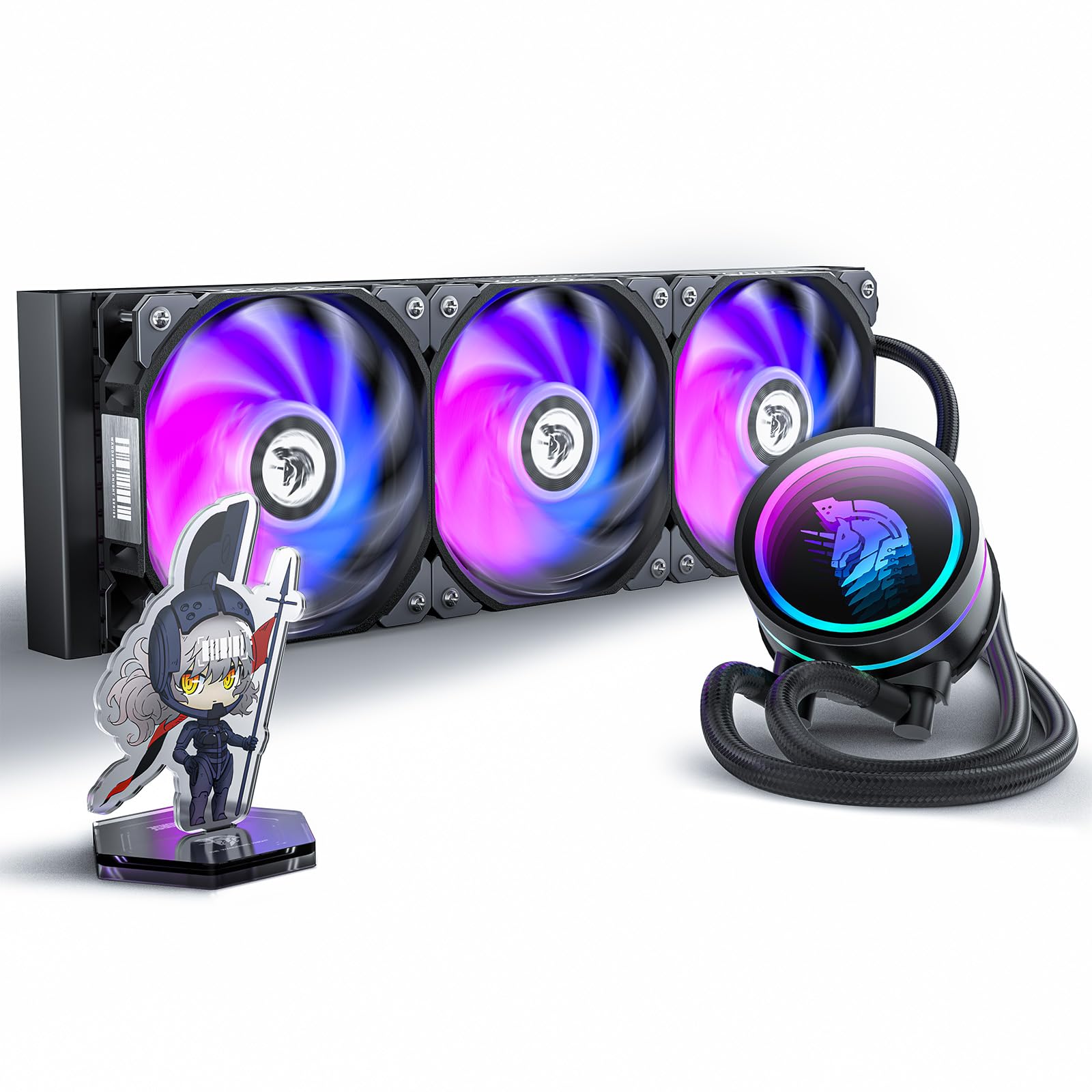
Figure 1: AsiaHorse WK-A360 ARGB 360mm AIO CPU Liquid Cooler.
Vidéo 1 : Terminéview of the AsiaHorse WK-A360 ARGB All-in-One CPU Liquid Cooler, showcasinet son design et ses fonctionnalités.
2. Contenu du colis
Verify that all components listed below are present in your package before beginning installation. If any items are missing or damaged, please contact AsiaHorse customer support.
- WK-A360 ARGB 360mm AIO CPU Liquid Cooler (Radiator, Pump, Tubing, and 3x 120mm PWM ARGB Fans pre-attached)
- Intel Mounting Hardware (Backplate, Standoffs, Screws, Brackets)
- AMD Mounting Hardware (Standoffs, Screws, Brackets)
- Pâte thermique
- Câble répartiteur d'alimentation pour ventilateur
- Câble répartiteur ARGB
- Manuel d'utilisation

Figure 2: Complete package contents including the AIO unit, mounting hardware, and cables.

Figure 3 : Détaillé view of Intel and AMD mounting accessories.
3. Spécifications
| Fonctionnalité | Spécification |
|---|---|
| Dimensions du produit | 8.27"L x 5.51"l x 17.17"H |
| Marque | AsieCheval |
| Type de connecteur d'alimentation | 3 broches (pompe), 4 broches PWM (ventilateurs) |
| Voltage | 12 volts |
| Quoitage | 2.5 watts (Pompe) |
| Méthode de refroidissement | Eau |
| Appareils compatibles | Bureau |
| Niveau de bruit | 21-33 Decibels (Fans) |
| Matériel | Alliage d'aluminium, acrylique |
| Vitesse de rotation maximale | 4500 RPM (Inter-tube pump), 3000 RPM (Base pump) |
| Capacité de débit d'air | 65 pieds cubes par minute (ventilateurs) |
| Compatibilité des sockets de processeur | Intel LGA 1700/1200/1150/1151/1155/1156/1366/2011/2066, AMD AM5/AM4/AM3, Ryzen 7, Ryzen 5, Ryzen 3 |
4. Configuration et installation
Before installation, ensure your system is powered off and unplugged. Wear anti-static gloves to prevent damage to components. Refer to your motherboard manual for specific header locations.
4.1 Préparation générale
- Identify your CPU socket type (Intel or AMD) and select the appropriate mounting hardware.
- Ensure the radiator can be mounted in your PC case (e.g., top, front, or side).
- The three 120mm fans are pre-attached to the radiator. Connect the fan power cables using the provided splitter cable to a CPU_FAN or CPU_OPT header on your motherboard.
- Connect the ARGB cables from the fans and pump to the provided ARGB splitter cable, then connect the splitter to a 5V ARGB header on your motherboard.

Figure 4: Wiring diagram for fan and ARGB connections.
4.2 Intel Installation Guide
Follow these steps for installing the WK-A360 on Intel platforms:
- Install the Intel backplate behind the motherboard.
- Secure the Intel standoffs through the motherboard holes into the backplate.
- Apply thermal paste to the center of your CPU.
- Attach the Intel mounting brackets to the pump head.
- Carefully place the pump head onto the CPU, aligning the holes with the standoffs.
- Secure the pump head with the provided thumb screws.
- Mount the radiator with attached fans to your desired location in the PC case using the long fan screws.
- Connect all necessary cables as described in Section 4.1.
Video 2: Step-by-step installation guide for Intel CPUs.
4.3 AMD Installation Guide
Follow these steps for installing the WK-A360 on AMD platforms:
- Ensure your motherboard's original AMD backplate is in place.
- Secure the AMD standoffs into the motherboard's original backplate.
- Apply thermal paste to the center of your CPU.
- Attach the AMD mounting brackets to the pump head.
- Carefully place the pump head onto the CPU, aligning the holes with the standoffs.
- Secure the pump head with the provided thumb screws.
- Mount the radiator with attached fans to your desired location in the PC case using the long fan screws.
- Connect all necessary cables as described in Section 4.1.
Video 3: Step-by-step installation guide for AMD CPUs.
5. Mode d'emploi
Once installed, the AsiaHorse WK-A360 AIO cooler operates automatically based on your motherboard's fan and pump control settings. The ARGB lighting can be customized through your motherboard's RGB software.
5.1 Contrôle de l'éclairage ARGB
The WK-A360's ARGB lighting is compatible with most major motherboard RGB synchronization software (e.g., ASUS Aura Sync, MSI Mystic Light Sync, GIGABYTE RGB Fusion, ASRock Polychrome Sync). Connect the 5V ARGB cable to the appropriate header on your motherboard and use the software to customize lighting effects, colors, and patterns.

Figure 5: Customizable ARGB lighting effects of the WK-A360.
Video 4: Demonstration of various ARGB lighting effects.
5.2 Commande de la vitesse du ventilateur et de la pompe
The fans are PWM controlled, allowing your motherboard to dynamically adjust their speed based on CPU temperature. The pump also operates at variable speeds to optimize cooling performance and minimize noise. These settings can typically be configured within your motherboard's BIOS/UEFI or through manufacturer-provided software.
6. Entretien
Un entretien régulier contribue à garantir des performances optimales et une longue durée de vie à votre système de refroidissement AIO.
- Nettoyage de la poussière : Periodically clean the radiator fins and fan blades using compressed air to remove dust buildup. Dust can impede airflow and reduce cooling efficiency.
- Inspecter les tubes : Check the tubing for any signs of kinks, damage, or leaks. Ensure connections are secure.
- Pâte thermique : While not frequently required, if you remove the pump from the CPU, reapply a fresh layer of thermal paste before re-mounting.
7. Dépannage
If you encounter issues with your WK-A360 cooler, refer to the following common problems and solutions:
- Pas d'alimentation/Ventilateurs ne tournant pas :
- Check all power connections (fan headers, SATA power for ARGB controller if used).
- Ensure the CPU_FAN header is connected to the fan splitter or pump.
- Performances de refroidissement médiocres :
- Verify the pump is running (you may feel a slight vibration or hear a faint hum).
- Ensure the pump head is securely mounted to the CPU and thermal paste is properly applied.
- Vérifiez l'accumulation de poussière sur les ailettes du radiateur et nettoyez-les si nécessaire.
- Confirm fans are spinning in the correct direction (typically pushing air through the radiator).
- Éclairage ARGB défectueux/Couleurs incorrectes :
- Ensure the 5V ARGB cable is correctly connected to a 5V ARGB header (3-pin, 5V, D, G) on your motherboard, not a 12V RGB header (4-pin, 12V, G, R, B). Connecting to a 12V header can damage the LEDs.
- Check connections to any ARGB controller or splitter.
- Update your motherboard's RGB software and firmware.
If these steps do not resolve the issue, please contact AsiaHorse customer support for further assistance.
8. Garantie et assistance
AsiaHorse products are backed by a manufacturer's warranty. For specific warranty terms and conditions, please refer to the warranty card included with your product or visit the official AsiaHorse website. For technical support, troubleshooting assistance, or to inquire about replacement parts, please contact AsiaHorse customer service through their official channels.
Vous trouverez plus d'informations et les coordonnées sur le Boutique AsiaHorse sur Amazon.