
1. Introduction
Thank you for choosing the MONODEAL DV68 Bone Conduction Headphones. These headphones are designed to provide a comfortable and safe listening experience, especially during sports and outdoor activities. Utilizing advanced bone conduction technology and Bluetooth 5.3, they deliver clear audio while keeping your ears open to ambient sounds. The integrated smart light enhances visibility and safety during nighttime use.
2. Contenu du colis
Veuillez vérifier que le colis contient les éléments suivants :
- MONODEAL DV68 Bone Conduction Headphones
- Câble de charge magnétique
- Manuel d'utilisation
- Bouchons d'oreilles (facultatifs, pour une meilleure isolation sonore)
3. Produit terminéview
Familiarize yourself with the components of your MONODEAL DV68 headphones.
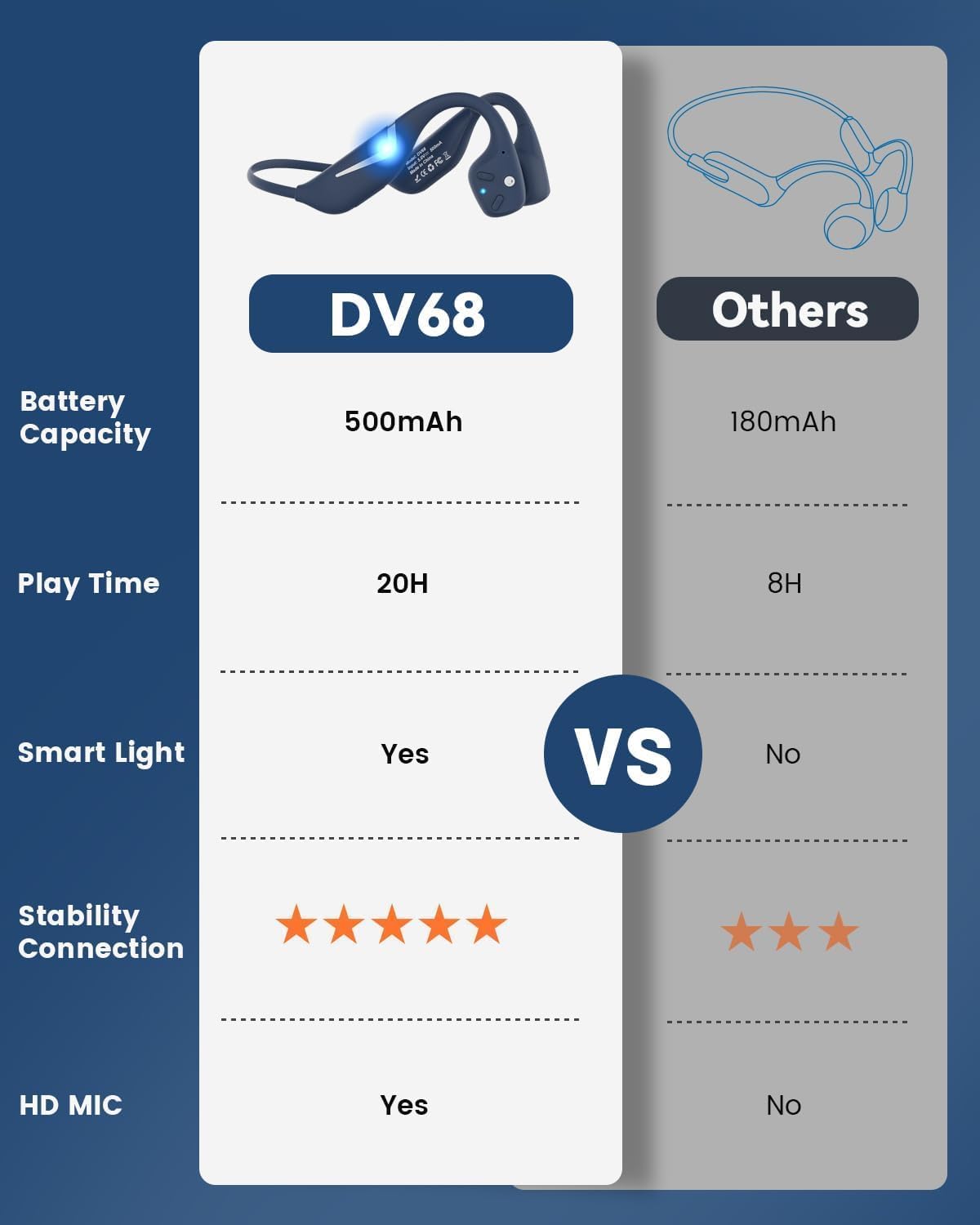
Figure 3.1: MONODEAL DV68 Bone Conduction Headphones, showing the overall design.

Figure 3.2 : Vue éclatée view illustrating the bone conduction transducer and built-in microphone.
3.1 Commandes et ports
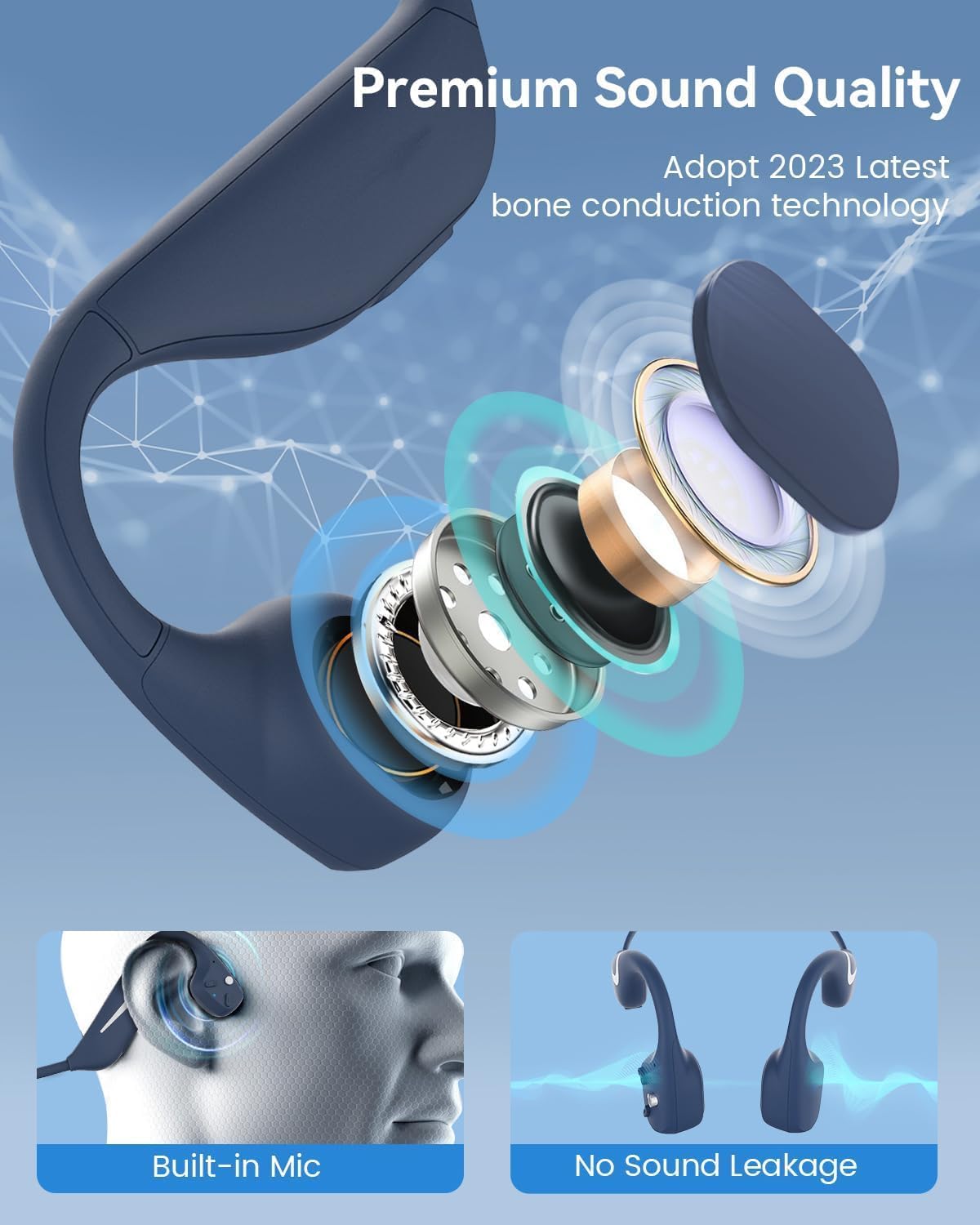
Figure 3.3 : Côté view of the headphones highlighting the control buttons.

Figure 3.4 : Gros plan view of the magnetic charging port.
The headphones feature physical buttons for power, volume, and playback control. The magnetic charging port is located on one of the ear pieces for convenient charging.
4. Spécifications
| Fonctionnalité | Spécification |
|---|---|
| Numéro de modèle | DV68 |
| Version Bluetooth | 5.3 |
| Capacité de la batterie | 500 mAh |
| Récréation | Jusqu'à 20 XNUMX heures |
| Indice de résistance à l'eau | IP67 (Sweat, rain, and splash resistant) |
| Poids | 34 grammes |
| Gamme de fréquences | 20 Hz - 20,000 XNUMX Hz |
| Technologie de connectivité | Sans fil (Bluetooth) |
| Type de pilote audio | Conduction osseuse |
| Caractéristiques spéciales | Smart LED Light, Built-in Microphone, Multipoint Pairing |

Figure 4.1 : Plusview of key features including Open-Ear design, IP67 Waterproofing, 500mAh Battery, Bluetooth V5.3, Lightweight, HD Microphone, Multipoint Pairing, and RGB Light.
5. Installation
5.1 Chargement des écouteurs
Avant la première utilisation, chargez complètement vos écouteurs.
- Connectez le câble de chargement magnétique au port de chargement des écouteurs.
- Connectez l'autre extrémité du câble à un adaptateur secteur USB (non inclus) ou au port USB d'un ordinateur.
- Le voyant LED indiquera l'état de charge. Une charge complète prend généralement environ 2 heure.

Figure 5.1: Illustration of 20-hour battery life and quick charge feature (10 minutes charging for 2 hours playtime).
5.2 Couplage Bluetooth
Pour connecter vos écouteurs à un appareil :
- Assurez-vous que les écouteurs sont éteints.
- Press and hold the Power button until the LED indicator flashes red and blue, indicating pairing mode.
- Sur votre appareil (smartphone, tablette, ordinateur), activez le Bluetooth et recherchez les appareils disponibles.
- Select "MONODEAL DV68" from the list of found devices.
- Une fois connecté, le voyant LED deviendra bleu fixe ou clignotera lentement en bleu.
The headphones support multipoint pairing, allowing connection to two devices simultaneously. Refer to your device's Bluetooth settings for managing multiple connections.
6. Mode d'emploi
6.1 Mise sous/hors tension
- Mise sous tension : Appuyez sur le bouton d'alimentation et maintenez-le enfoncé pendant 3 secondes.
- Éteindre: Appuyez sur le bouton d'alimentation et maintenez-le enfoncé pendant 5 secondes.
6.2 Lecture de musique
- Lecture/Pause : Appuyez une fois sur le bouton multifonction.
- Piste suivante : Maintenez le bouton Volume + enfoncé pendant 2 secondes.
- Piste précédente: Maintenez le bouton Volume - enfoncé pendant 2 secondes.
- Monter le son: Appuyez sur le bouton Volume +.
- Baisser le volume: Appuyez sur le bouton Volume -.
6.3 Gestion des appels
- Répondre/Terminer l'appel : Appuyez une fois sur le bouton multifonction.
- Rejeter l'appel : Appuyez sur le bouton multifonction et maintenez-le enfoncé pendant 2 secondes.
- Assistant vocal: Appuyez deux fois sur le bouton Multifonction.
6.4 Smart LED Light
The headphones feature a smart LED light for enhanced visibility during nighttime activities.
- Allumer/éteindre la lumière : Refer to the specific button combination in your quick start guide (usually a dedicated light button or a long press of a volume button).
- The light can cycle through different colors (e.g., blue, green, red) to increase your safety and visibility.

Figure 6.1: A runner demonstrating the smart LED light feature for night safety.
7. Entretien
7.1 Nettoyage
To maintain hygiene and product longevity:
- After sweating or intense workouts, gently wipe the headphones with a damp un chiffon ou une lingette humide.
- Évitez d’utiliser des produits chimiques agressifs ou des nettoyants abrasifs.
7.2 Stockage
- Rangez les écouteurs dans un endroit frais et sec, à l'abri de la lumière directe du soleil et des températures extrêmes.
- When not in use, it is recommended to store them in their original packaging or a protective case.
7.3 Résistance à l'eau
The MONODEAL DV68 headphones are IP67 rated, meaning they are resistant to sweat, rain, and splashes. However, they are Ne convient pas à la baignade ni à l'immersion dans l'eau..

Figure 7.1: A person exercising with the headphones, demonstrating their IP67 water resistance against sweat and rain. Note: Not for swimming.
8. Dépannage
Si vous rencontrez des problèmes avec vos écouteurs, veuillez consulter les solutions courantes suivantes :
- Pas d'alimentation :
Assurez-vous que les écouteurs sont complètement chargés. Branchez-les au câble de chargement et à une source d'alimentation. - Impossible d'appairer :
Make sure the headphones are in pairing mode (LED flashing red and blue). Turn off Bluetooth on other nearby devices that may have previously connected. Try restarting both the headphones and your device. - Aucun son/Volume faible :
Check the volume levels on both the headphones and your connected device. Ensure the headphones are properly positioned on your cheekbones. If using earplugs, ensure they are correctly inserted. - Connexion intermittente :
Ensure your device is within the Bluetooth range (up to 15 meters) and there are no significant obstacles between the headphones and your device. Avoid strong electromagnetic interference. - Mauvaise qualité des appels :
Ensure the microphone is not obstructed. Move to an area with better network reception for your phone.
9. Garantie et assistance
9.1 Informations sur la garantie
MONODEAL provides a Garantie de 2 ans for the DV68 Bone Conduction Headphones from the date of purchase. This warranty covers manufacturing defects and ensures the product meets its specified performance. Please retain your proof of purchase for warranty claims.
9.2 Assistance clientèle
For further assistance, technical support, or warranty inquiries, please contact MONODEAL customer service through the retailer where you purchased the product or visit the official MONODEAL website pour les coordonnées.