
MECOOL KM9 PRO
Manuel d'utilisation du boîtier TV Android MECOOL KM9 Pro Classic
Model: KM9 PRO
1. Introduction
Welcome to the user manual for your MECOOL KM9 Pro Classic Android TV Box. This guide provides essential information on setting up, operating, maintaining, and troubleshooting your device. Please read this manual thoroughly before using the product to ensure optimal performance and safety.
2. Contenu du colis
Veuillez vérifier que tous les articles énumérés ci-dessous sont inclus dans votre colis. Si un article est manquant ou endommagé, veuillez contacter votre revendeur.
- 1 x MECOOL KM9 Pro Classic ATV TV Box
- 1 x Power Adapter (EU version, 110V-240V universal)
- 1 x Voice Remote Control (2 AAA batteries not included)
- 1 x câble HDMI
- 1 x Manuel d'utilisation

Image: Contents of the MECOOL KM9 Pro Classic package, showing the TV box, voice remote, power adapter, HDMI cable, and user manual.
3. Produit terminéview
3.1 Ports de l'appareil
Familiarize yourself with the various ports on your KM9 Pro Classic TV Box for proper connection.

Image : Arrière et côté view of the MECOOL KM9 Pro Classic TV Box, highlighting its ports including TF Card slot, USB 3.0, USB 2.0, DC 5V power input, HDTV (HDMI), LAN (RJ45), and AV output.
- Emplacement pour carte TF: Pour insérer une carte microSD afin d'étendre la capacité de stockage.
- Port USB 3.0: Pour un transfert de données à haute vitesse avec les périphériques USB compatibles.
- Port USB 2.0: For connecting USB peripherals like keyboards, mice, or flash drives.
- Port CC 5V : Alimentation électrique de l'appareil.
- HDTV (HDMI) Port: Se connecte à votre téléviseur pour la sortie vidéo et audio.
- Port LAN (RJ45) : Pour une connexion réseau Ethernet filaire.
- Port AV : Pour la connexion à des téléviseurs plus anciens à l'aide d'un câble AV.
3.2 Principales caractéristiques
- Système opérateur: Certified Android 10.0 TV OS.
- Processeur: Amlogic S905X2 64-bit Quad-core ARM Cortex-A53 CPU and Mali-G31 MP2 GPU for high performance.
- Mémoire: 2 Go de RAM et 16 Go de ROM pour un fonctionnement fluide et ample stockage.
- Connectivité : Built-in Dual-band 2.4G/5G WiFi (802.11ac) and Bluetooth 4.0+HS.
- Sortie vidéo : Supports 4K Ultra HD (4K*2K@30fps, 4K*2K@60fps) with HDR 10, HDR+/HLG, and HDCP 2.2.
- Contrôle vocal : Integrated Google Assistant and voice-activated Bluetooth remote control.
- Chromecast intégré : Diffusez facilement du contenu depuis vos appareils mobiles vers votre téléviseur.
- Mises à jour OTA : Supports Over-The-Air software updates for continuous improvement.

Image : Un diagramme montrantasing the high-performance Amlogic S905X2 Quad-core CPU and Mali-G31 MP2 GPU, which power the device for smooth operation and gaming.

Image: A television screen demonstrating the visual difference between Standard Dynamic Range (SDR) and 4K HDR (High Dynamic Range) content, highlighting enhanced color and contrast.

Image: A graph illustrating the speed advantage of USB 3.0 over USB 2.0, showing USB 3.0 offers up to 10 times faster transfer rates. Below the graph are illustrations of a USB flash drive and an external HDD, indicating their compatibility.
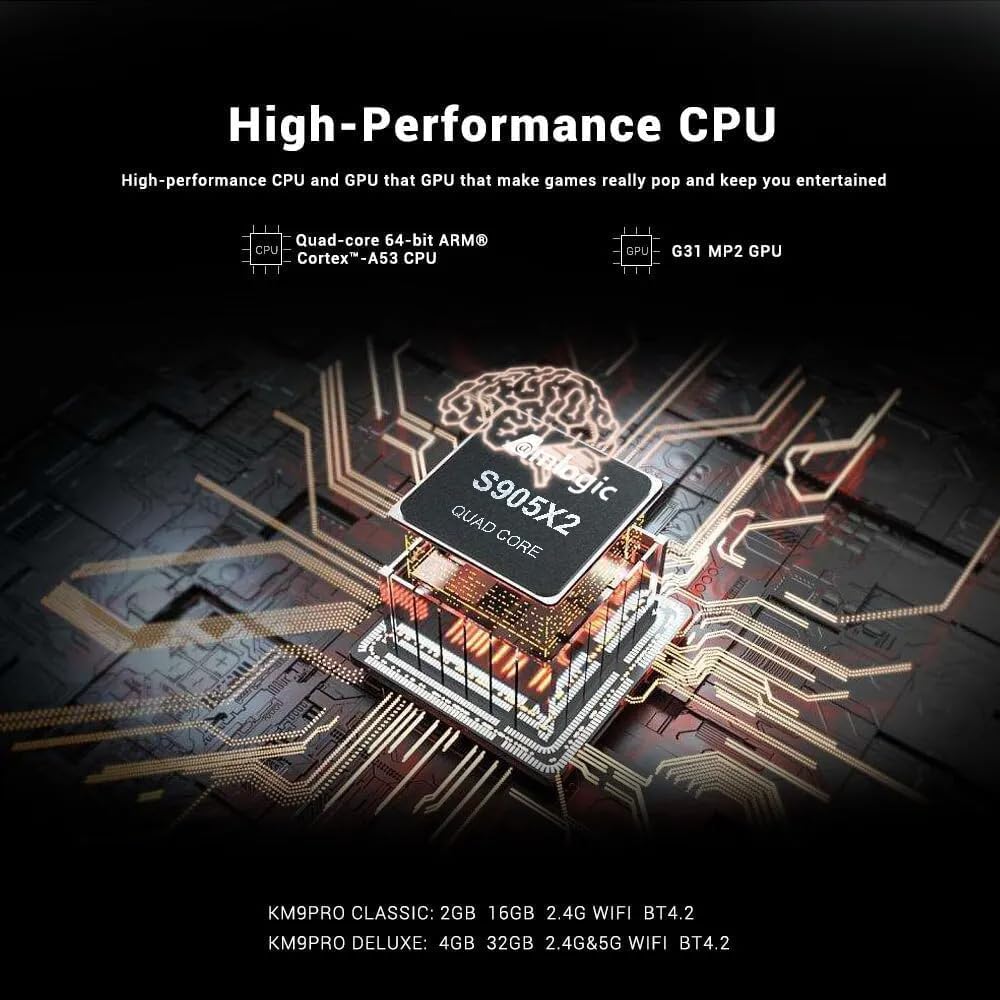
Image: A visual representation of Chromecast functionality, where a smartphone is wirelessly casting content to a television screen through the MECOOL TV box, displaying the Google Play Store interface.
4. Guide de configuration
Follow these steps to set up your MECOOL KM9 Pro Classic Android TV Box.
- Se connecter à la télévision : Connect one end of the HDMI cable to the HDTV port on the TV Box and the other end to an HDMI input port on your television. Note the HDMI input number (e.g., HDMI 1, HDMI 2).
- Connecter l'alimentation : Plug the power adapter into the DC 5V port on the TV Box, then plug the adapter into a wall outlet. The device should power on automatically or show a power indicator light.
- Sélectionnez Entrée : Turn on your television and use its remote control to select the corresponding HDMI input source you connected in step 1.
- Configuration de la télécommande : Insert 2 AAA batteries (not included) into the voice remote control. Follow the on-screen instructions to pair the Bluetooth remote with your TV Box. This usually involves holding down specific buttons on the remote near the device.
- Connexion réseau: Once the initial setup screen appears, follow the prompts to connect to your network. You can choose between Wi-Fi (select your network and enter the password) or Ethernet (connect an Ethernet cable from your router to the LAN port on the TV Box).
- Connexion au compte Google : Sign in with your Google account to access the Google Play Store, Google Assistant, and other Google services.
- Configuration complète : Suivez les instructions restantes à l'écran pour terminer le processus de configuration initiale.
5. Mode d'emploi
5.1 Navigation de base
Use the directional pad (up, down, left, right) and the 'OK' button on your remote control to navigate through the Android TV interface. The 'Back' button returns to the previous screen, and the 'Home' button takes you to the main home screen.
5.2 Utilisation de la télécommande vocale
The MECOOL KM9 Pro Classic features a voice-activated Bluetooth remote. Press the dedicated Google Assistant button on your remote and speak clearly into the microphone to:
- Rechercher films, séries télévisées ou applications.
- Control smart home devices (e.g., "Turn off the lights").
- Ask questions or get information.
- Ouvrir les candidatures.
5.3 Installation des applications
Access the Google Play Store from the home screen to browse and install a wide variety of apps, games, and streaming services compatible with Android TV.
5.4 Fonctionnalités Chromecast
With Chromecast built-in, you can cast content (videos, photos, music) from compatible apps on your smartphone, tablet, or computer directly to your TV via the TV Box. Ensure your mobile device and the TV Box are connected to the same Wi-Fi network.
5.5 External Storage
Connect USB flash drives or external hard drives to the USB 2.0 or USB 3.0 ports, or insert a TF card into the TF card slot, to access media files or expand storage for apps and games.
6. Entretien
- Nettoyage: Utilisez un chiffon doux et sec pour nettoyer l'appareil. N'utilisez pas de nettoyants liquides ni de produits abrasifs.
- Ventilation: Veillez à placer le décodeur TV dans un endroit bien aéré afin d'éviter toute surchauffe. Ne bouchez pas les ouvertures de ventilation.
- Mises à jour logicielles : The device supports OTA (Over-The-Air) updates. Regularly check for and install available system updates to ensure optimal performance, security, and access to new features. You can usually find this option in the device settings under "About" or "System Update."
- Cycle d'alimentation : Si l'appareil ne répond plus, débranchez l'adaptateur secteur, attendez 10 secondes, puis rebranchez-le pour effectuer un cycle d'alimentation.
7. Dépannage
Si vous rencontrez des problèmes avec votre MECOOL KM9 Pro Classic, consultez les problèmes et solutions courants suivants :
| Problème | Cause possible | Solution |
|---|---|---|
| Pas de courant | Adaptateur secteur non connecté ou défectueux. | Vérifiez que l'adaptateur secteur est bien branché à l'appareil et à une prise de courant fonctionnelle. Essayez une autre prise. |
| Pas de signal à la télévision | Entrée HDMI incorrecte sélectionnée ou câble HDMI mal branché. | Verify your TV is on the correct HDMI input. Check that the HDMI cable is securely connected to both the TV Box and the TV. Try a different HDMI cable or port. |
| La télécommande ne fonctionne pas | Batteries are dead or remote is not paired. | Replace batteries. Re-pair the Bluetooth remote control by following the on-screen instructions during initial setup or in the device settings. |
| Problèmes de connexion Wi-Fi | Mot de passe incorrect, signal faible ou problème de routeur. | Double-check your Wi-Fi password. Move the TV Box closer to your router or try connecting via Ethernet. Restart your router. |
| Les applications sont lentes ou plantent. | Trop d'applications ouvertes, espace de stockage insuffisant ou logiciels obsolètes. | Close background apps. Clear cache for problematic apps (Settings > Apps). Check for and install system updates. Free up storage space. |
8. Spécifications
Detailed technical specifications for the MECOOL KM9 Pro Classic Android TV Box:
| Fonctionnalité | Détail |
|---|---|
| Marque | Moi-Cool |
| Nom du modèle | KM9 Pro |
| Numéro de modèle | KM9 PRO |
| Système opérateur | Android 10.0 (Certified Android TV OS) |
| Processeur | Amlogic S905X2 64-bit Quad-core ARM Cortex-A53 up to 2.0 GHz |
| GPU | Mali-G31 MP2 (Penta-core up to 750MHz + DVFS) |
| BÉLIER | 2 Go DDR3 |
| ROM | eMMC 16 Go |
| Wifi | Built-in 2.4G/5G Wi-Fi, supports IEEE 802.11 a/b/g/n/ac 2T2R |
| Bluetooth | Bluetooth 4.0+HS |
| Réseau local | 10 / 100M Ethernet |
| Sortie vidéo | 4K*2K@30fps, 4K*2K@60fps, HDR 10, HDR+/HLG, HDCP 2.2 |
| Ports | 1x USB 3.0, 1x USB 2.0, 1x TF Card Slot, 1x HDMI, 1x DC 5V, 1x LAN (RJ45), 1x AV |
| Alimentation électrique | CC 5 V/2 A |
| Services Internet pris en charge | YouTube, Amazon Prime Video, Disney+, HBO Max, Sling, Peacock, Stars, ESPN, Tubi, Google Play Store, etc. |
| Appareils compatibles | Télévision |
| Caractéristiques spéciales | Chromecast Built-in, Voice Control, OTA Update Support |
9. Garantie et assistance
9.1 Informations sur la garantie
The MECOOL KM9 Pro Classic Android TV Box comes with a Garantie d'un an À compter de la date d'achat, cette garantie couvre les défauts de fabrication dans des conditions normales d'utilisation. Elle ne couvre pas les dommages causés par une mauvaise utilisation, un accident, des modifications non autorisées ou une catastrophe naturelle.
9.2 Assistance clientèle
For technical assistance, troubleshooting beyond this manual, or warranty claims, please contact your original retailer or the MECOOL customer support team. Please have your purchase receipt and product model number (KM9 PRO) ready when contacting support.
Ask a question about this manual
Ask about setup, troubleshooting, compatibility, parts, safety, or missing instructions. Manuals+ will review the question and use this page’s manual context to help answer it.