
1. Introduction
Welcome to the Canal Toys Photo Creator CLK 017 Pocket Instant Printer user manual. This guide provides essential information for the safe and effective use of your new thermal printer. Please read these instructions carefully before operating the device and retain them for future reference.
The Canal Toys Photo Creator CLK 017 is a compact, ink-free thermal printer designed for instant printing of photos, labels, and creative designs directly from your smartphone. It offers a convenient way to bring digital creations to life in black and white.
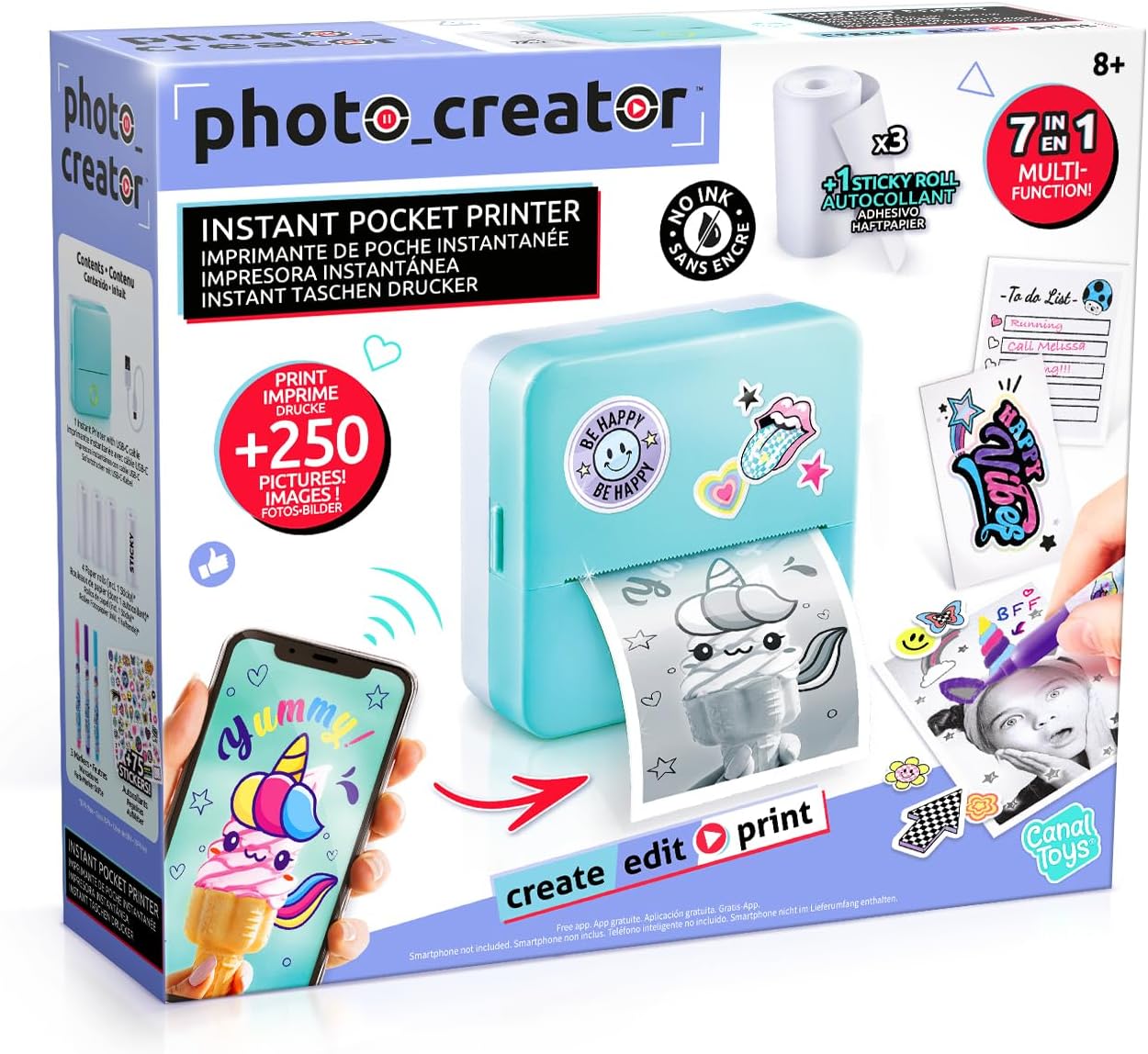
Illustration 1.1 : Avant view of the Canal Toys Photo Creator CLK 017 Pocket Instant Printer retail packaging.
2. Consignes de sécurité
AVERTISSEMENT!
- Not suitable for children under 8 years. To be used under adult supervision.
- Tenir hors de portée des enfants de moins de 8 ans.
- Read the package leaflet before first use.
- AVERTISSEMENT! Functional cutting edges and dangerous sharp functional edges. Exercise caution during paper handling.
- Improper use of the power supply can cause electric shock. Use only the provided USB-C charging cable and a compatible power adapter (not included).
- This toy contains rechargeable batteries that are not replaceable. Do not attempt to remove or replace the battery.
- Les batteries rechargeables ne doivent être chargées que sous la surveillance d'un adulte.
- Do not dispose of the product with household waste. Please use the local recycling collection points provided for electronic waste.
3. Contenu du colis
Vérifiez que tous les éléments énumérés ci-dessous sont présents dans votre colis :
- 1 x Canal Toys Photo Creator CLK 017 Pocket Instant Printer
- Câble de charge 1 x USB-C
- 3 x Rolls of Thermal Paper (standard)
- 1 x Roll of Thermal Adhesive Paper (sticky)
- 3 x Felt-tip Pens
- 1 planche d'autocollants
- 1 x Manuel d'instructions

Image 3.1: All included components of the Canal Toys Photo Creator CLK 017 kit.
4. Produit terminéview
The CLK 017 Pocket Instant Printer utilizes thermal printing technology, eliminating the need for ink cartridges. It connects wirelessly to your smartphone via Bluetooth, allowing you to print various content through a dedicated application. The printer supports black and white output with a resolution of 200 dpi.
Caractéristiques principales :
- Impression thermique sans encre : Economical and mess-free printing.
- Connectivité des smartphones : Connects via Bluetooth to a dedicated app.
- Impression polyvalente : Print photos, drawings, labels, to-do lists, stickers, and AI-generated images.
- Sortie de haute qualité : 200 dpi print resolution for clear black and white images.
- BPA-Free Paper: Safe thermal paper rolls included.
- Compact et portable : Designed for on-the-go creativity.
5. Installation
5.1 Chargement de l'imprimante
- Locate the USB-C charging port on the printer.
- Connect the provided USB-C charging cable to the printer.
- Plug the other end of the USB-C cable into a compatible USB power adapter (e.g., smartphone charger, computer USB port).
- The indicator light on the printer will show charging status (refer to the printer's specific light indicators for details, usually red for charging, green for full).
- Allow the printer to fully charge before first use.
5.2 Chargement du papier thermique
- Ouvrez délicatement le capot de l'imprimante.
- Insert a roll of thermal paper into the paper compartment, ensuring the printing side faces the print head. The paper should feed smoothly.
- Pull a small length of paper out of the printer slot.
- Fermez bien le couvercle de l'imprimante jusqu'à ce qu'il s'enclenche.
5.3 Téléchargement et connexion de l'application
- Download the official companion app for the Photo Creator printer from your smartphone's app store (e.g., Apple App Store for iOS, Google Play Store for Android). Rechercher "Photo Creator" or refer to the QR code in the included instruction manual.
- Assurez-vous que Bluetooth est activé sur votre smartphone.
- Turn on the Photo Creator printer by pressing and holding the power button.
- Open the Photo Creator app on your smartphone.
- Within the app, follow the on-screen instructions to search for and connect to your printer via Bluetooth. The printer will typically appear as "CLK 017" or a similar identifier.
- Une fois connectée, l'application indiquera que l'imprimante est prête à l'emploi.
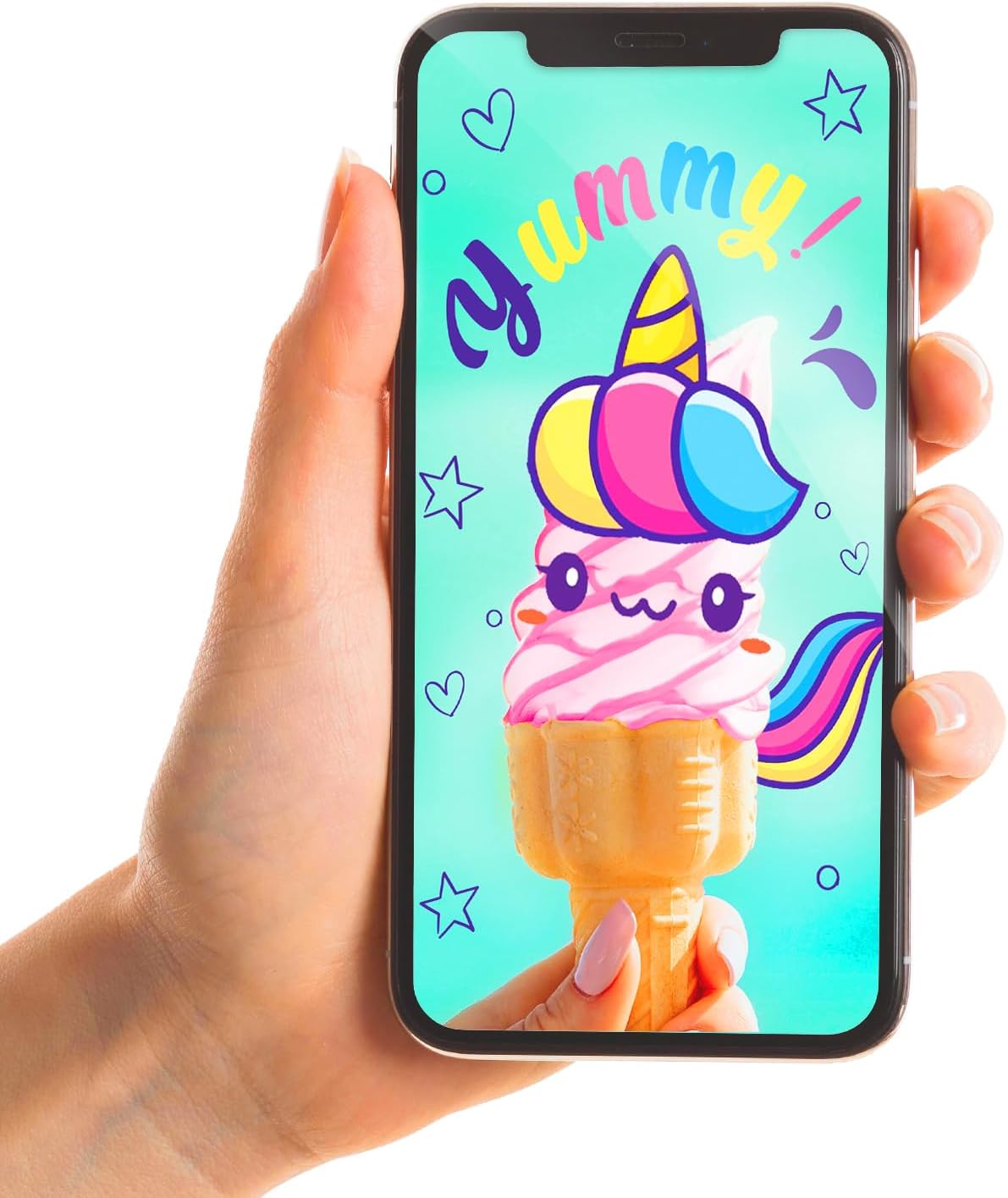
Image 5.1: The Photo Creator app interface on a smartphone, connected to the printer.
6. Mode d'emploi
6.1 Printing Photos and Images
- Ensure your printer is charged and connected to the app via Bluetooth.
- Open the Photo Creator app.
- Select the desired function, such as "Photograph" to print an existing photo from your gallery, or explore other options like "AI Painter" for generating images.
- Choose the image you wish to print. The app may offer basic editing options like cropping or filters.
- Confirm your selection and tap the "Print" button within the app.
- The printer will instantly print the image in black and white.

Image 6.1: The printer in operation, producing a black and white print.
6.2 Using AI Generated Images
- Within the Photo Creator app, navigate to the "AI Painter" section.
- Enter a text description of the image you want to create.
- The app will generate an image based on your description.
- Review the generated image and proceed to print as described in Section 6.1.
6.3 Personnalisation des impressions
After printing, you can personalize your creations using the included felt-tip pens and stickers. This allows for unique designs on photos, labels, or scrapbooking projects.

Image 6.2 : Examples of customized prints and creative applications.
7. Entretien
7.1 Nettoyage de l'imprimante
- Ensure the printer is turned off and disconnected from the charging cable before cleaning.
- Utilisez un chiffon doux et sec pour essuyer l'extérieur de l'imprimante.
- N’utilisez pas de nettoyants liquides ni de matériaux abrasifs, car ils pourraient endommager l’appareil.
- If the print head appears dirty or print quality degrades, gently wipe the print head with a cotton swab lightly dampTerminé avec de l'alcool isopropylique. Laisser sécher complètement avant utilisation.
7.2 Stockage du papier
- Store thermal paper rolls in a cool, dry place away from direct sunlight and excessive heat to preserve their quality and print longevity.
- Avoid touching the thermal paper surface excessively, as oils from skin can affect print quality.
8. Dépannage
If you encounter issues with your Photo Creator printer, refer to the following common problems and solutions:
| Problème | Cause possible | Solution |
|---|---|---|
| L'imprimante ne s'allume pas | Batterie faible ; bouton d'alimentation mal enfoncé | Charge the printer using the USB-C cable; Press and hold the power button for a few seconds. |
| Impossible de se connecter à l'application | Bluetooth désactivé ; imprimante non en mode de couplage ; problème d’application | Ensure Bluetooth is enabled on your phone; Restart printer and app; Try pairing again. |
| Qualité d'impression médiocre (faible, lignes) | Low battery; Incorrect paper loading; Dirty print head; Faulty paper | Charge printer; Re-load paper correctly; Clean print head (see Section 7.1); Try a new roll of paper. |
| Bourrage de papier | Improper paper loading; Foreign object | Turn off printer, open cover, carefully remove jammed paper; Ensure paper is loaded correctly. |
| L'imprimante ne répond pas. | Bug logiciel ; batterie faible | Restart the printer and the app; Charge the printer. |
9. Spécifications
Detailed technical specifications for the Canal Toys Photo Creator CLK 017 Pocket Instant Printer:
| Fonctionnalité | Spécification |
|---|---|
| Marque | Jouets de canal |
| Modèle | CLK 017 |
| Technologie d'impression | Thermique |
| Résolution d'impression | 200 dpi (Monochrome) |
| Max Vitesse d'impression | 10 ppm (Monochrome) |
| Couleur de l'encre | Black (Ink-free thermal printing) |
| Connectivité | Bluetooth |
| Interface matérielle | USB Type C (pour le chargement) |
| Appareils compatibles | Smartphones (iOS and Android via app) |
| Capacité de stockage de la mémoire | 64 MB (for internal operations, not user accessible) |
| Type de batterie | Lithium Ion (included, non-replaceable) |
| Dimensions du produit (L x l x H) | 5 x 10 x 10 cm (environ) |
| Poids de l'article | 500 g |
| Type de matériau | Plastique |
| Âge recommandé | 8+ années |

Image 9.1: Technical parameters as displayed on the product packaging.
10. Garantie et assistance
10.1 Service à la clientèle
For any questions, technical support, or warranty inquiries regarding your Canal Toys Photo Creator CLK 017 Pocket Instant Printer, please contact Canal Toys customer service:
- E-mail: sav@canaltoys.fr
- Adresse: Canal Toys, 18, rue Curnonsky, 75017 Paris, France
Veuillez conserver votre preuve d'achat pour les réclamations au titre de la garantie.