
1. Produit terminéview
The AUTO-VOX CAM7 is a versatile 180° ultra-wide-angle camera designed for use as a front, side, or backup camera in various vehicles. Its compact, OEM-style design allows for discreet installation, and its robust construction ensures durability in diverse environmental conditions. The camera provides clear, true-color images even in low-light conditions and features advanced waterproofing.

Figure 1.1: AUTO-VOX CAM7 Camera with various mounting options.
2. Principales caractéristiques
- 180° Ultra Wide Angle: Offre un vaste champ de view, effectively reducing blind spots and aiding in maneuvering in tight spaces.
- True Color Image & 0.1 Lux Low Night Vision: Delivers clear, accurate color images and maintains performance in extremely low-light environments without significant graininess.
- IP69K Waterproof Durability: Engineered with four enhanced waterproofing processes (PCB-Coating, Sealing adhesive, Filled potting, specially-designed waterproof structure) to ensure reliable operation in wet conditions.
- Factory Mini OEM-look: Designed for an unobtrusive, integrated appearance, blending seamlessly with the vehicle's aesthetics.
- Haute compatibilité : Supports CVBS/AHD compatible PAL signals and features an RCA video port, making it compatible with a wide range of aftermarket display devices such as double-DIN stereos, head units, monitors, and rearview miroirs.
- Montage polyvalent : Can be mounted horizontally (front view) or vertically (license plate, brake light, 5th wheel) to suit various vehicle types and applications.
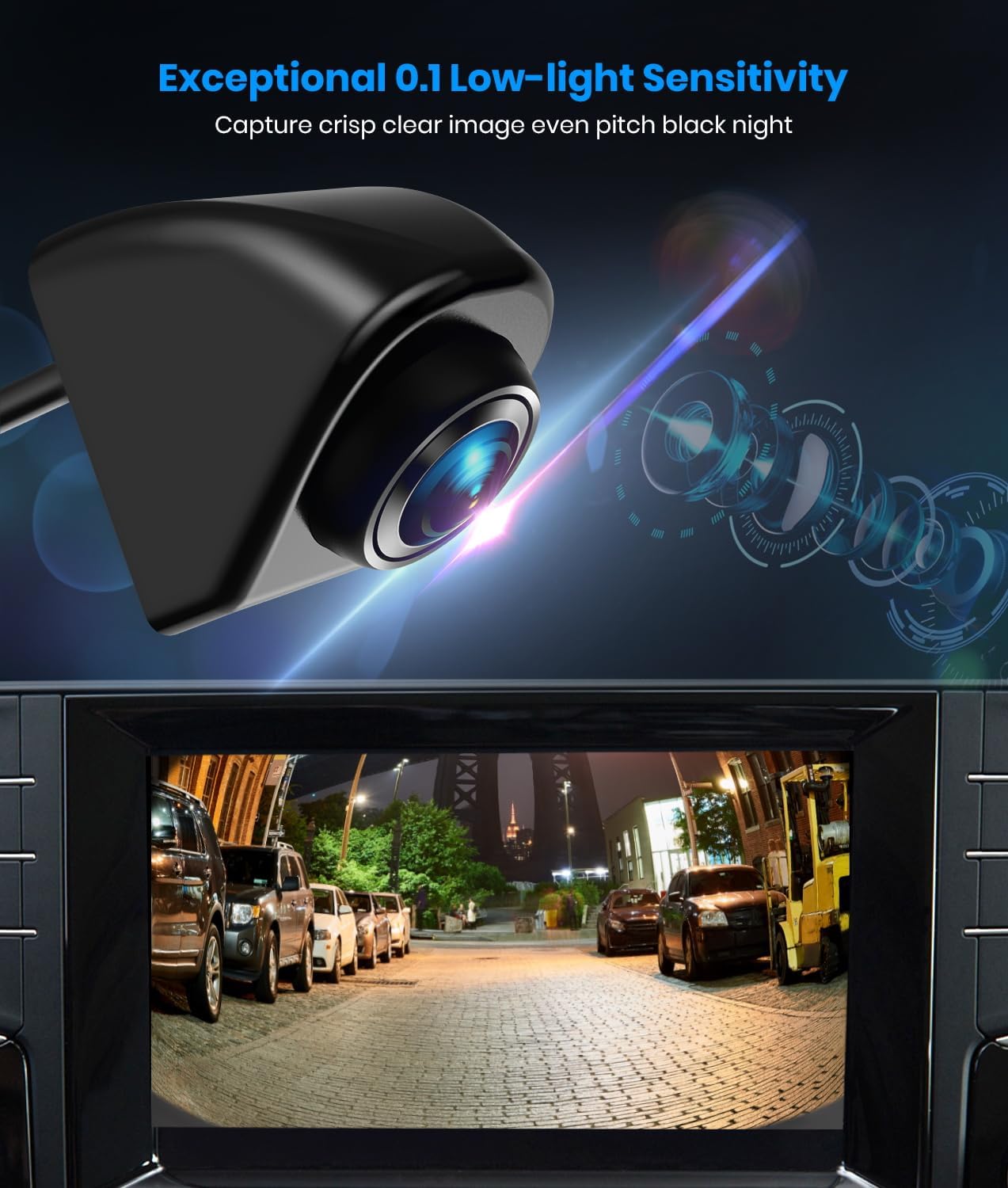
Figure 2.1: Exceptional 0.1 Lux Low-light Sensitivity for clear night vision.

Figure 2.2: IP69K Waterproof design ensures durability in harsh weather.

Figure 2.3: Designed to withstand extreme temperatures.
3. Contenu de la boîte
Vérifiez que tous les composants sont présents avant de commencer l'installation :
- AUTO-VOX CAM7 Backup Camera
- Câble RCA
- Tampon adhésif 3M
- Vis 15mm
- Noix
- Manuel de l'utilisateur (ce document)
4. Configuration et installation
The AUTO-VOX CAM7 offers multiple mounting options and is designed for straightforward installation. Ensure the vehicle's power is off before beginning any wiring.
4.1 options de montage
The camera can be mounted using the included screw (standard or longer stud) or the 3M adhesive pad, providing flexibility for various vehicle surfaces.

Figure 4.1: Three optional mounting methods for the camera.
Les emplacements d'installation courants incluent :
- Devant View: Horizontal mount, often near the grille.
- Arrière View: Vertical mount, typically above the license plate, near a brake light, or on a 5th wheel.
- Côté View: Can be adapted for side mirror or other side-facing applications.

Figure 4.2 : Examples of suitable installation points for different vehicle types.
4.2 Schéma de câblage
Follow the wiring diagram carefully to ensure proper functionality. The camera operates on 12 Volts DC.

Figure 4.3: Wiring Diagram for AUTO-VOX CAM7.
- Connectez le Fil rouge to a 12V power source (e.g., reversing lamp for backup camera function, or an accessory fuse for constant power).
- Connectez le Fil noir to a reliable ground point (GND) on the vehicle chassis.
- Connectez le Câble RCA from the camera to the video input port on your display device (monitor, head unit, etc.).
- If your display device has a trigger wire for camera activation (e.g., for reverse gear), connect the camera's trigger wire (often integrated into the RCA cable) to the display's trigger input.
Note on Wire Gauge: Some users have reported that the camera's wires are very thin. When making connections, ensure a secure splice or consider soldering for optimal contact, especially if using standard wire taps.
4.3 Compatibilité des signaux
The CAM7 supports CVBS (default) and AHD video signals. It is primarily designed for PAL TV systems. If your monitor is not compatible with the default CVBS PAL signal, you may need to adjust the camera's settings.

Figure 4.4: Video Signal Compatibility Table.
To switch to AHD 1080P PAL, select "AHD 1080P PAL" in your monitor's video signal setting, and then cut the green wire on the camera's cable. The CAM7 PRO does not support NTSC TV signals.
4.4 Image Orientation
The camera supports various image orientations (mirror, normal, upright, inverted) which can be configured by manipulating specific wires on the camera cable. Refer to the detailed instructions provided with the camera for specific wire cutting procedures to achieve desired image effects.

Figure 4.5: Various Installation Methods and Image Orientations.
5. Mode d'emploi
Once installed and powered, the AUTO-VOX CAM7 camera will transmit video feed to your connected display device. The operation largely depends on how it is integrated with your vehicle's system (e.g., automatically activating when reverse gear is engaged, or manually switched on).
- Mise sous tension : The camera receives power from the connected 12V source. Ensure the vehicle's ignition is on if connected to an accessory power source.
- Activer l'affichage : The video feed will appear on your monitor when the camera is powered and the display is set to the correct input. For backup camera use, this typically occurs when the vehicle is shifted into reverse.
- Qualité d'image: The camera provides a crisp, clear image with a 180° ultra-wide angle. The 0.1 Lux low-light sensitivity ensures visibility even in very dark conditions.
6. Entretien
The AUTO-VOX CAM7 is designed for durability and requires minimal maintenance.
- Nettoyage: Nettoyez régulièrement l'objectif de l'appareil photo avec un chiffon doux et sec.amp chiffon pour enlever la saleté, la poussière ou les taches d'eau qui pourraient obstruer le viewÉvitez les nettoyants abrasifs.
- Inspection: Regularly check the mounting point and wiring connections to ensure they remain secure and free from damage.
- Imperméabilisation : The IP69K rating ensures high resistance to water and dust. No special waterproofing maintenance is required under normal use.
7. Dépannage
If you encounter issues with your AUTO-VOX CAM7 camera, refer to the following common problems and solutions:
| Problème | Cause possible | Solution |
|---|---|---|
| No image on display / Black screen |
|
|
| Image scintillante |
|
|
| Distorted or "fisheye" image |
|
|
| Image quality is poor / Blurry |
|
|
| Guidelines are incorrect or duplicated |
|
|
8. Spécifications
| Fonctionnalité | Détail |
|---|---|
| Numéro de modèle | AUTO-VOX CAM7 |
| Dimensions du produit | 0.98 po L x 0.98 po l x 0.98 po H (environ 2.5 x 2.5 x 2.5 cm) |
| Poids de l'article | 9.1 onces (environ 258 grammes) |
| Voltage | 12 volts CC |
| Technologie de capteur optique | CMOS |
| Type de lentille | Grand angle |
| Angle réel de View | 180 degrés |
| Type de connecteur | RCA |
| Type d'installation | Montage en surface |
| Couleur | Noir |
| Indice d'étanchéité | IP69K |
| Faible sensibilité à la lumière | 0.1 lux |
9. Garantie et assistance
For warranty information and technical support, please contact AUTO-VOX customer service. Details are typically provided on the product packaging or the official AUTO-VOX website.
When contacting support, please have your product model number (AUTO-VOX CAM7) and purchase details ready.
Fabricant: AUTO-VOX