
1. Produit terminéview
The Irfora Smart WiFi Temperature Humidity Sensor is designed to provide real-time monitoring of indoor temperature and humidity. It features an LCD screen for direct readings and can be remotely monitored via the Smart or Smart Life mobile application. This device supports both Fahrenheit (℉) and Celsius (℃) units, offers customizable update frequencies, and includes an alarm function for out-of-range conditions. It is compatible with popular voice control platforms like Amazon Alexa and Google Home, and supports intelligent linkage for creating automated home environments.
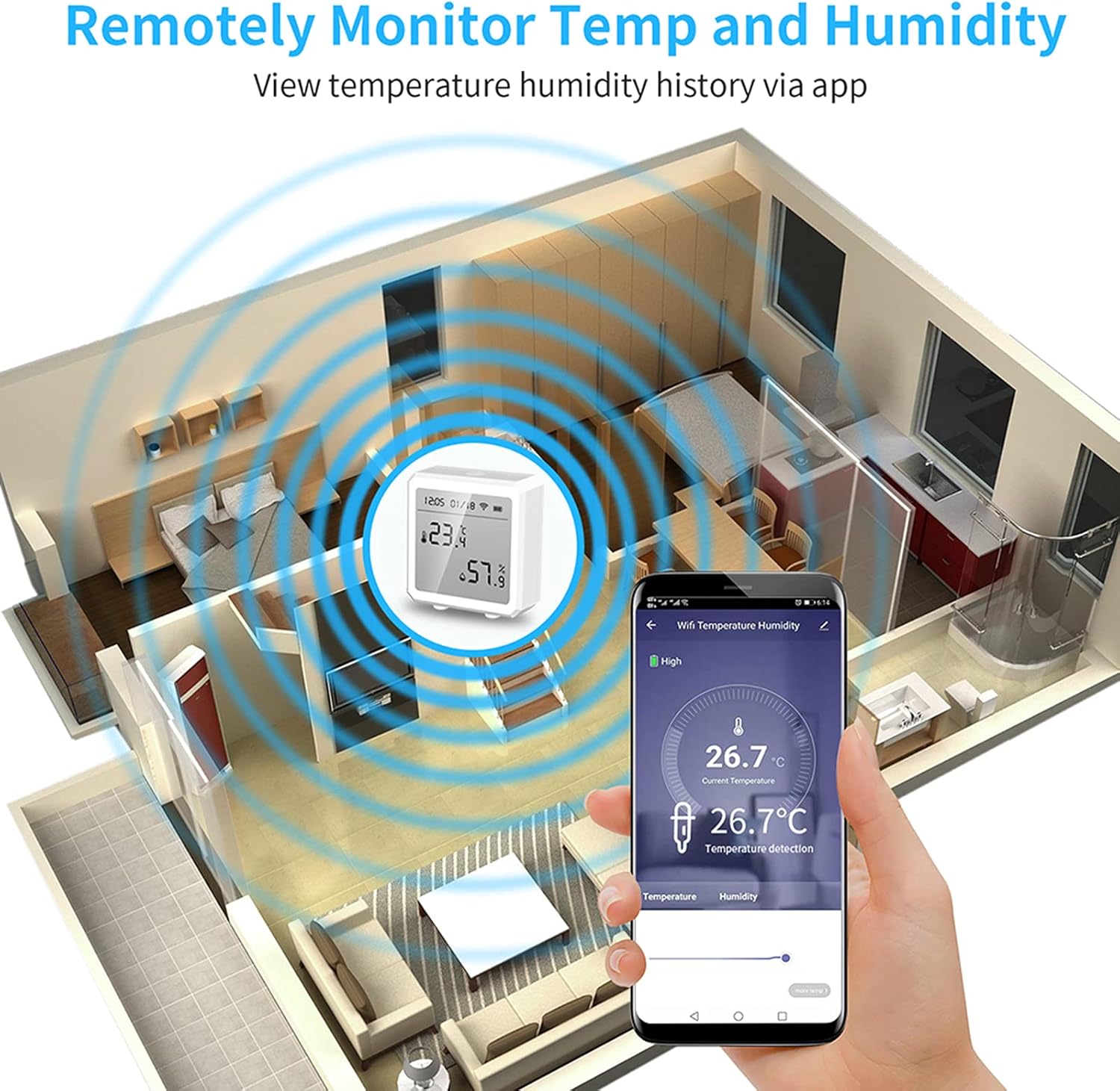
Figure 1.1 : Plusview of the Smart WiFi Temperature Humidity Sensor highlighting its key features including LCD display, temperature and humidity monitoring, app control, WiFi 2.4G connectivity, intelligent linkage, and long battery life.

Figure 1.2: The sensor's LCD screen displaying current temperature (23.4°C) and humidity (57.9%), along with time, date, WiFi status, and battery level.
2. Guide de configuration
2.1. Alimenter l'appareil
The sensor is powered by 3 x LR03 batteries (AAA size), which are not included. To install the batteries:
- Localisez le compartiment à piles à l'arrière de l'appareil.
- Ouvrez le couvercle du compartiment à piles.
- Insert three LR03 (AAA) batteries, ensuring correct polarity (+/-).
- Fermez soigneusement le couvercle du compartiment à piles.
2.2. Installation et appairage de l'application
To utilize the remote monitoring and smart features, download the Smart Life or Smart app on your mobile device.
- Téléchargez le Vie intelligente or Intelligent app from your mobile device's app store (Google Play Store for Android, Apple App Store for iOS).
- Inscrivez-vous ou connectez-vous à votre compte dans l'application.
- Ensure your mobile device is connected to a 2.4GHz WiFi network. The sensor supports 802.11b/g/n, 2.4GHz WiFi.
- Follow the in-app instructions to add a new device. The sensor supports multiple connection modes including WiFi and Bluetooth (BT).
- Once successfully paired, the sensor's WiFi icon on the LCD screen will indicate a stable connection.

Figure 2.1: The sensor is available in white and black, both featuring an LCD display and indicators for WiFi, battery, and alarm status. The device connects to your home WiFi network.
3. Mode d'emploi
3.1. Viewing Readings
The sensor's LCD screen displays real-time temperature and humidity. You can switch between Fahrenheit (℉) and Celsius (℃) units directly on the device or through the app, if supported.
3.2. Surveillance à distance via une application
After pairing, you can view current and historical temperature and humidity data from anywhere using the Smart Life or Smart app.
- Open the Smart Life or Smart app on your mobile device.
- Select your sensor from the device list to view its current readings and historical graphs.
- You can adjust the data update frequency in the app (e.g., 1 minute or 120 minutes). Note that more frequent updates will consume battery power faster.

Figure 3.1: The sensor allows for remote monitoring of temperature and humidity from anywhere through the mobile application, providing real-time data and historical trends.
3.3. Setting Alerts and Alarms
The sensor can be configured to send alerts to your app if temperature or humidity levels exceed predefined thresholds.
- In the Smart Life or Smart app, navigate to the sensor's settings.
- Définissez les limites supérieures et inférieures souhaitées pour la température et l'humidité.
- If the current readings go beyond these limits, the sensor will automatically trigger an alarm, and the app will push a notification to your phone.

Figure 3.2: When the temperature or humidity exceeds the maximum set limit, the sensor automatically alarms, and a notification is pushed to the connected mobile application.
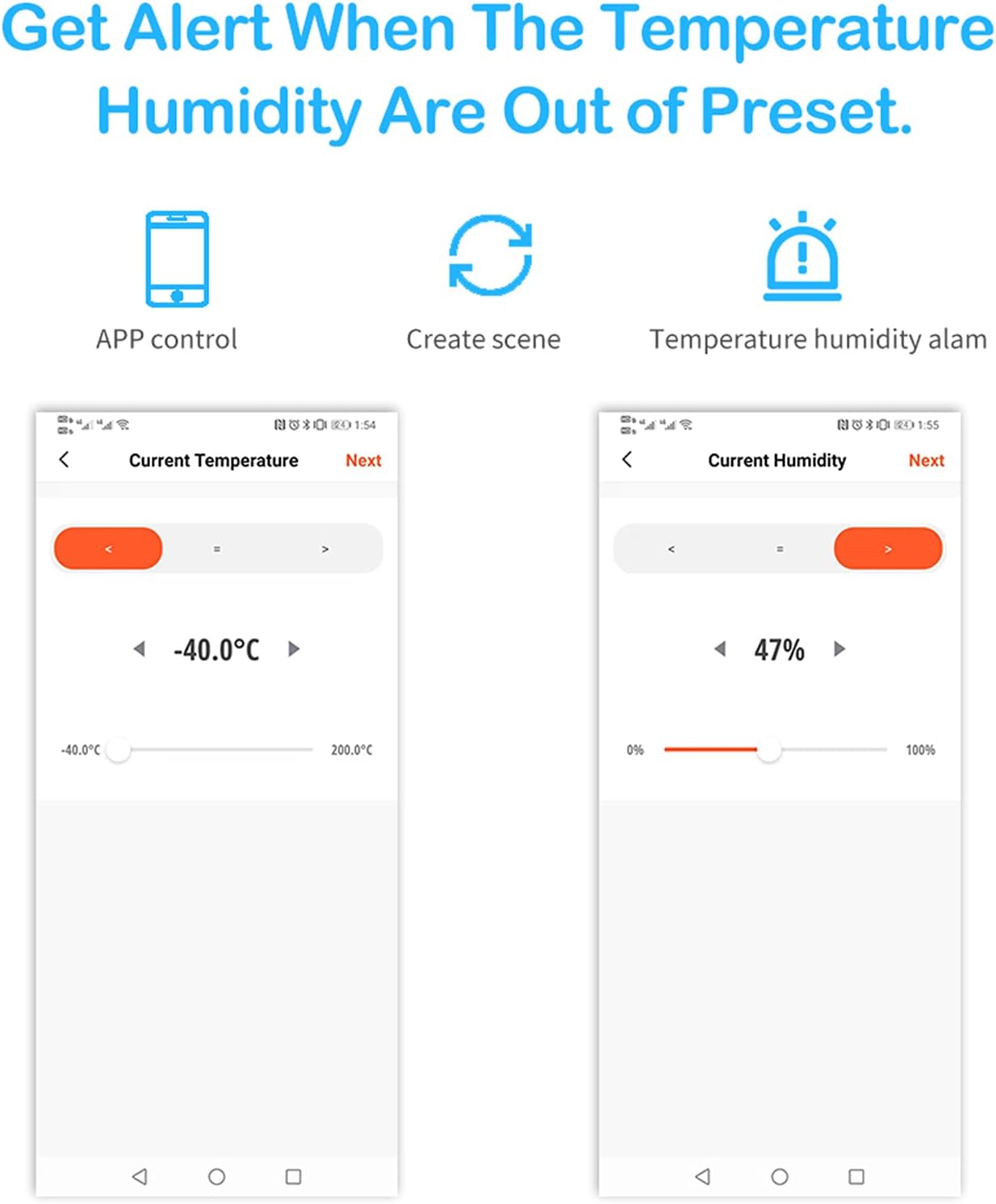
Figure 3.3: The mobile application allows users to easily set custom temperature and humidity thresholds, triggering alerts when readings fall outside the desired range.
3.4. Voice Control and Intelligent Linkage
The sensor supports voice control and intelligent linkage with other smart home devices.
- Contrôle vocal : Compatible with Amazon Alexa and Google Home. You can ask your voice assistant for the current temperature and humidity readings.
- Liaison intelligente : Use the app to create scenes and automate actions. For example, you can set a rule to turn on an air conditioner if the temperature exceeds a certain level, or activate a humidifier if humidity drops too low.
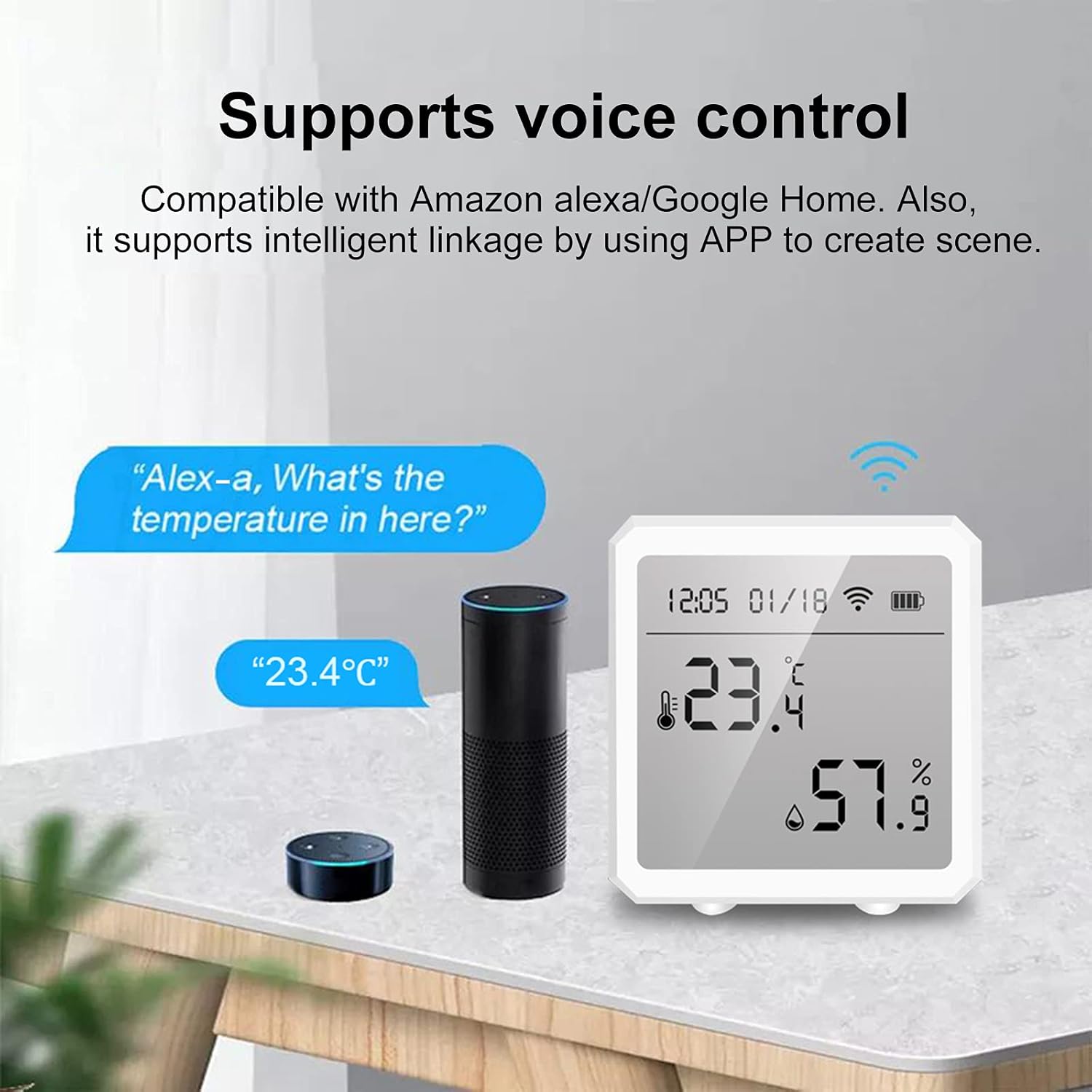
Figure 3.4: The sensor supports voice control, allowing users to inquire about temperature and humidity readings through compatible smart speakers like Amazon Alexa or Google Home.

Figure 3.5: Intelligent linkage allows the sensor to trigger other smart devices. For instance, if the indoor temperature reaches 32.6°C, an air conditioner can automatically turn on. Similarly, if humidity drops below 68.0%, a WiFi humidifier can activate.

Figure 3.6: Using the Tuya app, users can create intelligent scenes. For example, when the temperature exceeds 28°C, the temperature sensor can communicate with a WiFi IR remote to turn on an air conditioner, enhancing comfort.
4. Entretien
4.1. Nettoyage
To clean the sensor, simply wipe it with a clean, dry cloth. Do not use liquid cleaners or abrasive materials.
4.2. Remplacement de la batterie
When the battery indicator on the LCD screen or in the app shows low power, replace the 3 x LR03 (AAA) batteries following the instructions in Section 2.1.
5. Dépannage
5.1. L'appareil ne s'allume pas
- Assurez-vous que les piles sont insérées correctement en respectant la polarité.
- Remplacez-les par des piles LR03 (AAA) neuves.
5.2. Sensor Offline / No Data in App
- Check if the sensor's WiFi indicator is active.
- Ensure your home WiFi network (2.4GHz) is active and stable.
- Verify that the sensor is within range of your WiFi router.
- Restart the sensor by removing and reinserting the batteries.
- Check your mobile app for any connection errors or updates.
5.3. Lectures inexactes
- Ensure the sensor is placed in an area free from direct sunlight, drafts, or heat sources that could affect readings.
- Avoid placing the sensor near windows, vents, or appliances that generate heat or cold.
6. Spécifications
| Fonctionnalité | Spécification |
|---|---|
| Vol d'entréetage | 3 * DC1.5V LR03 (AAA batteries, NOT included) |
| Courant de repos | ≤ 30 µA |
| Sous-tension à faible puissancetage | ≤2.7V |
| WiFi standard | 802.11b / g / n, 2.4GHz |
| Température de fonctionnement | -10℃ ~ 55℃ (14℉ ~ 131℉) |
| Humidité de travail | 10% ~ 90% HR |
| Matériel | ABS (acrylonitrile butadiène styrène) |
| Couleur | Blanc (En option : Noir) |
| Dimensions | 7.5 x 7.5 x 4.5 cm (2.95 x 2.95 x 1.77 pouces) |
| Poids | 85g |
| Type d'affichage | Écran LCD |
| Utilisation intérieure/extérieure | Intérieur |
| Instructions d'entretien du produit | Essuyer propre |
7. Informations sur la garantie
Specific warranty details for this product are not provided in this manual. Please refer to the product packaging or contact the retailer/manufacturer for warranty terms and conditions.
8. Assistance clientèle
Contact information for customer support is not provided in this manual. For assistance, please refer to the contact details provided by your retailer or visit the Irfora official website.