
PONNOR AL929
Manuel d'utilisation de la compteuse de billets PONNOR AL929
Modèle: AL929
1. Introduction
This manual provides detailed instructions for the safe and efficient operation of your PONNOR AL929 Money Counter Machine. The AL929 is designed for mixed denomination counting, serial number reading, and multi-currency counterfeit detection, suitable for various business environments.
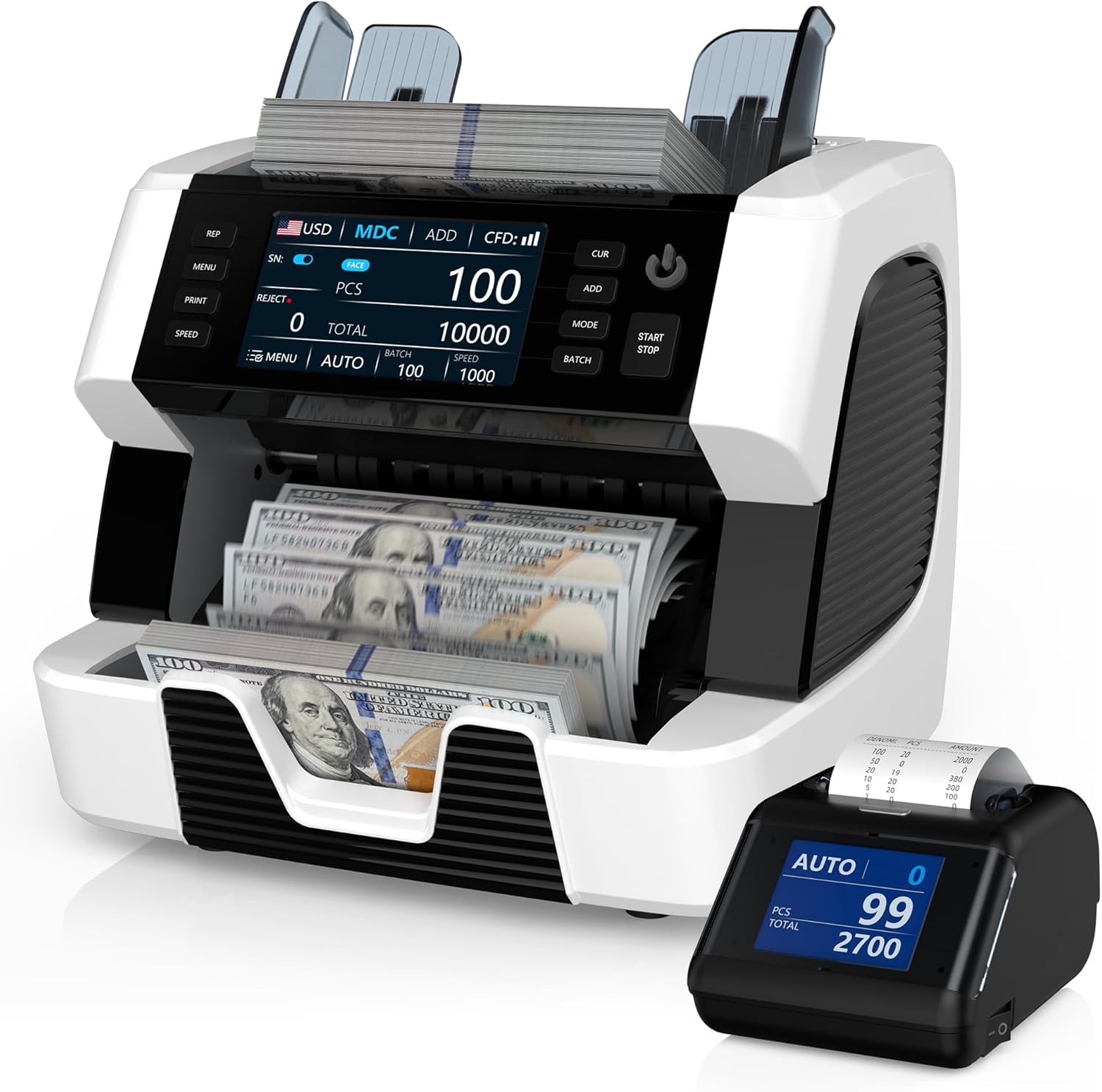
Figure 1: PONNOR AL929 Money Counter Machine with external display and counted bills.
2. Contenu du colis
Vérifiez que tous les éléments sont présents dans le colis :
- PONNOR AL929 Banknote Counter
- Affichage externe
- Câble d'alimentation
- External Monitor Data Cable
- Manuel d'utilisation
- Brosse en nylon pour le nettoyage
- Papier d'étalonnage CIS
- Fusible
- Chiffon de nettoyage doux

Figure 2: Package contents of the PONNOR AL929 Money Counter Machine.
3. Installation
3.1 Installation initiale et raccordement électrique
- Placez la machine sur une surface stable et plane.
- Connect the power cable to the machine's power socket and then to a suitable power outlet.
- Turn on the machine using the power switch located on the rear panel.
3.2 Connecting the External Display and Printer
- Affichage externe : Connect the external monitor data cable from the machine's "External Display Port" to the external display unit.
- Imprimante : Connect the data cable from the machine's "RS232 Printer Port" to the external thermal printer. Ensure the printer has a paper roll installed.

Figure 3: Rear panel connections for power, external display, and printer.
4. Fonctionnement
The AL929 features a 4.5-inch touch screen and button keypad for intuitive control.

Figure 4 : Panneau de commande au-dessusview with key functions labeled.
4.1 Basic Counting Modes
- AUTO/MANUAL Counting: Select the desired mode on the control panel. In AUTO mode, counting begins automatically when bills are placed in the hopper.
- Mixed Denomination Counting (MDC): This mode counts mixed bills and provides a total value, quantity, and value breakdown by denomination.
- Fonction ADD : Accumulates the count of multiple batches.
- BATCH Function: Counts bills into preset batches (e.g., 100 bills).
- Réglage de la vitesse: Adjust the counting speed (e.g., 800-1200 pieces/min) as needed.
4.2 Multi-Currency Support
The AL929 supports over 120 currencies. The default recognizable currencies include USD, EUR, GBP, CAD, and MXN. For other currencies, contact support to obtain the necessary update files.

Figure 5: Multi-currency and mixed denomination counting display.
4.3 Serial Number Reading
The machine can read and record serial numbers of counted bills. This feature is accessible via the control panel.
4.4 Détection de contrefaçon
The AL929 is equipped with multiple detection methods for bank-level anti-counterfeiting:
- UV (Ultraviolet Detection): Détecte les caractéristiques UV sur les billets de banque.
- MG (Magnetic Ink Detection): Checks for magnetic ink patterns.
- IR (Infrared Sensor): Verifies infrared security features.
- 2CIS (Contact Image Sensor): Provides image recognition for detailed analysis.
- NT (Note Thickness) & SN (Serial Number) Recognition: Additional security checks.
If a counterfeit note is detected, the machine will issue a red warning and an audible alert.

Figure 6: Bank-grade counterfeit detection features.
4.5 Printing Results
After connecting the external printer, press the 'PRINT' button on the machine to generate a detailed report. The report includes currency type, total amount, serial numbers, and the number of notes counted.

Figure 7: External thermal printer in operation, showing a sampl'impression.
5. Entretien
5.1 Nettoyage de la machine
Un nettoyage régulier garantit des performances optimales et une longue durée de vie.
- CIS Sensors: Open the back cover and use the provided nylon brush or soft cleaning cloth to gently clean the CIS sensors.
- Poussière générale : Use the nylon brush or soft cleaning cloth to remove dust from the hopper, stacker, and other accessible areas.
5.2 Adjusting Feeding Gap
If bills are jamming frequently or feeding improperly, the feeding gap may need adjustment. Locate the adjustable screw and turn it slightly to optimize the gap. Refer to the manual for precise adjustment instructions.

Figure 8 : Interne view highlighting the banknote processing wheel and adjustable screw.
6. Dépannage
| Problème | Cause possible | Solution |
|---|---|---|
| Red warning/Audible alert | Counterfeit, half bills, or very worn bills detected. Incorrect function setting (e.g., FACE/ORI, ADD, BATCH, SN). Counting mode error (MDC mode only effective for multi-currency). | Remove the suspect note from the stacker. Check and adjust function settings. Refer to the manual for specific mode requirements. Press RESTART to continue. |
| Bill Jamming | Bills are wrinkled or damaged. Feeding gap is too tight or too loose. CIS sensors are dirty. | Remove the jammed bill. Adjust the feeding gap using the adjustable screw. Clean the CIS sensors as described in the Maintenance section. |
| Cannot count specific currency | Currency not pre-installed or firmware is outdated. | Contact PONNOR support to obtain the necessary currency installation packages and update the machine via the USB port. |
7. Spécifications
- Modèle: AL929
- Dimensions: 7.1 x 13.1 x 11.4 pouces
- Poids de l'article : 19.05 livres
- Vitesse de comptage : 800-1200 pieces/min
- Detection Methods: 2CIS, UV, MG, IR, NT, SN
- Prise en charge des devises: 120+ currencies (default: USD, EUR, GBP, CAD, MXN)
- Afficher: Écran tactile de 4.5 pouces
- Connectivité : USB for updates, RS232 for printer, External Display Port
8. Garantie et assistance
PONNOR is committed to providing high-quality products and customer satisfaction. For warranty information, technical support, or currency updates, please contact PONNOR customer service. We provide more than 120 currencies for you to update; you can contact us to get the file.
Coordonnées: Refer to the contact details provided on the official PONNOR website ou votre documentation d'achat.
Documents connexes - AL929
 |
Manuel d'utilisation du compteur de billets MUNBYN IMC01 Manuel d'utilisation du compteur de billets MUNBYN IMC01, détaillant ses caractéristiques, son fonctionnement, son installation, sa maintenance et ses spécifications techniques. Apprenez à compter et gérer efficacement les billets avec cet appareil performant. |
 |
Manuel d'utilisation du compteur de billets MUNBYN IMC01 Manuel d'utilisation du compteur de billets MUNBYN IMC01, détaillant ses caractéristiques, son fonctionnement, son installation, son entretien et ses spécifications techniques. Apprenez à compter les billets, à utiliser les différents modes et à résoudre les problèmes courants. |
 |
Manuel d'utilisation du compteur de billets DETECK DT600C : Fonctionnement, caractéristiques et dépannage Manuel d'utilisation complet du compteur de billets DETECK DT600C. Découvrez ses fonctionnalités, ses modes de fonctionnement, la détection des faux billets, ses caractéristiques techniques, son entretien, le dépannage et la garantie. |
 |
Kolibri KBR-1500 One-Pocket Mixed Denomination Money Counter User Manual User manual for the Kolibri KBR-1500, a one-pocket mixed denomination money counter. Provides detailed instructions on operation, safety, maintenance, troubleshooting, and warranty information. |
 |
Manuel d'utilisation du compteur de billets multidevises DETECK DT500 Manuel d'utilisation du DETECK DT500, un compteur de billets multidevises. Ce manuel fournit des informations détaillées sur les fonctionnalités, les spécifications, le fonctionnement, l'étalonnage, l'entretien et les consignes de sécurité. |
 |
Compteuse de billets MUNBYN IMC01 : Guide de dépannage et questions fréquentes FAQ complète et guide de dépannage pour le compteur de billets MUNBYN IMC01, couvrant les fonctionnalités, les codes d'erreur, le nettoyage, l'étalonnage et les paramètres. |
Ask a question about this manual
Ask about setup, troubleshooting, compatibility, parts, safety, or missing instructions. Manuals+ will review the question and use this page’s manual context to help answer it.