
1. Introduction
This manual provides essential information for the proper installation, operation, and maintenance of your Beetronics 12-Inch Full HD IPS Monitor, model 12HD7M. Please read this manual thoroughly before using the product to ensure optimal performance and safety.
Caractéristiques principales :
- Full HD 1920 x 1080 resolution IPS panel with 178° viewangles d'inclinaison.
- Multiple video inputs: HDMI, VGA, BNC, and RCA.
- Durable metal housing designed for continuous 24/7 operation.
- Vol d'entrée largetage range (9-36 Volts) and dimmable backlight.
- Flexible mounting options: Collapsible stand and 75mm VESA mount.
2. Contenu du colis
Verify that all items listed below are included in your product package. If any items are missing or damaged, please contact Beetronics support.
- Beetronics 12-Inch Full HD IPS Monitor (12HD7M)
- Cordon d'alimentation
- Télécommande
- Flush Mounting Brackets
- Support pliable
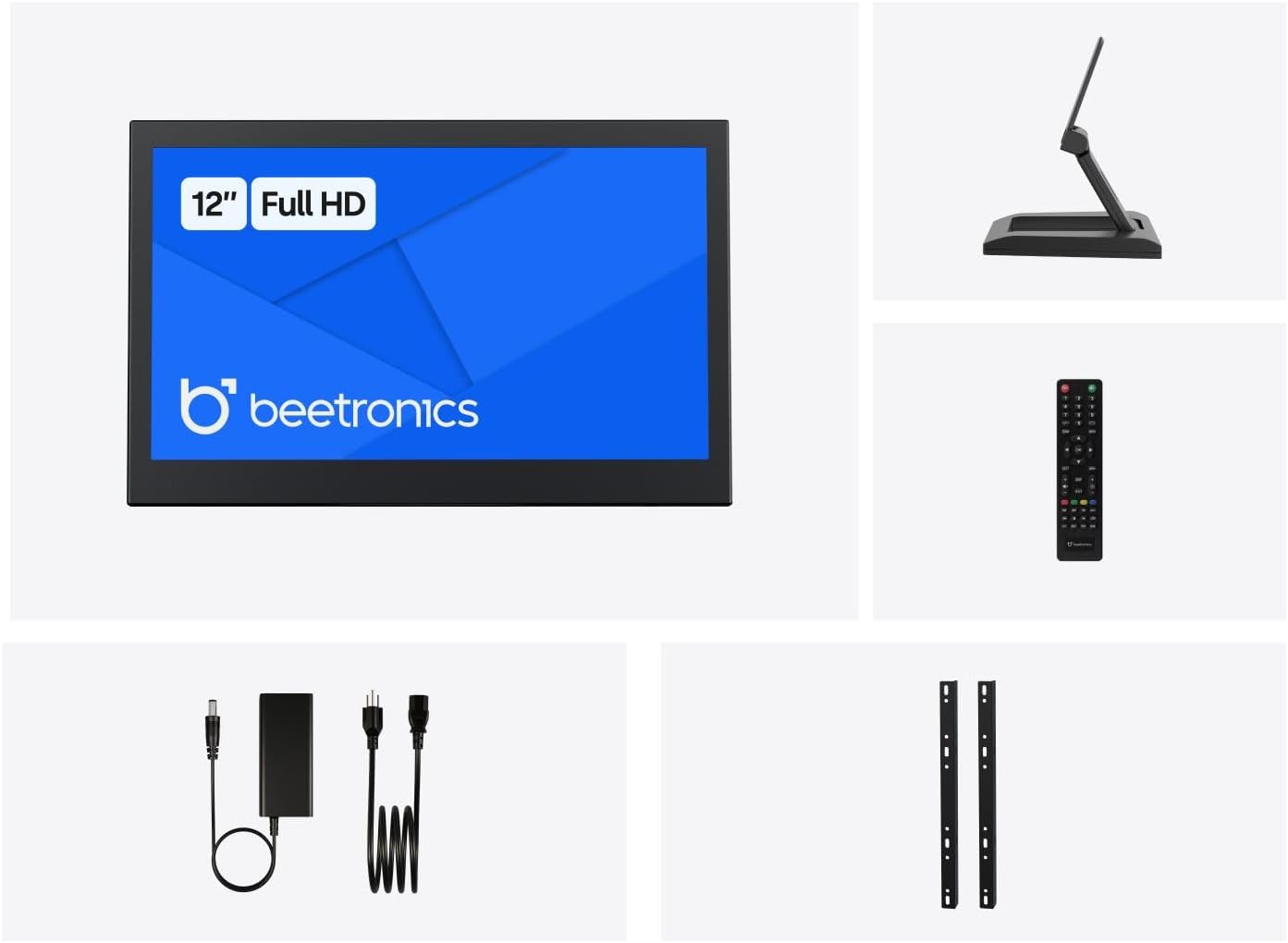
Figure 2.1 : Package Contents. This image displays the Beetronics 12HD7M monitor along with its standard accessories, including the power adapter, remote, mounting brackets, and desktop stand.
3. Produit terminéview
Monitor Dimensions and Design:
The Beetronics 12HD7M monitor features a robust metal housing, designed for industrial environments. Its compact form factor allows for versatile integration.

Figure 3.1 : Monitor Dimensions. This image illustrates the physical dimensions of the 12HD7M monitor, including width (279 mm), height (179 mm), and stand height adjustment (50-64 mm).
Ports d'entrée/sortie :
The monitor is equipped with a comprehensive set of rear-facing, downward-oriented input ports for easy cable management and installation.

Figure 3.2 : Rear I/O Ports. This image provides a clear view of the monitor's rear panel, detailing the DC power input, HDMI, VGA, USB, AV, BNC, and audio input/output ports. Control buttons for power, menu, and volume are also visible.
- Entrée d'alimentation CC : Pour brancher l'adaptateur secteur fourni.
- HDMI: High-Definition Multimedia Interface for digital video and audio.
- VGA: Video Graphics Array for analog video input.
- BNC: Bayonet Neill-Concelman connector, commonly used for professional video applications.
- RCA (AV) : Composite video and stereo audio inputs.
- USB: Pour le service ou les connexions périphériques spécifiques.
- Entrée/sortie audio : 3.5mm jacks for audio connectivity.
4. Installation
4.1 options de montage
The 12HD7M monitor offers flexible mounting solutions to suit various environments.
Desktop Stand Installation:
The included collapsible stand allows for desktop placement and angle adjustment. Ensure the stand is securely attached to the monitor and placed on a stable, flat surface.
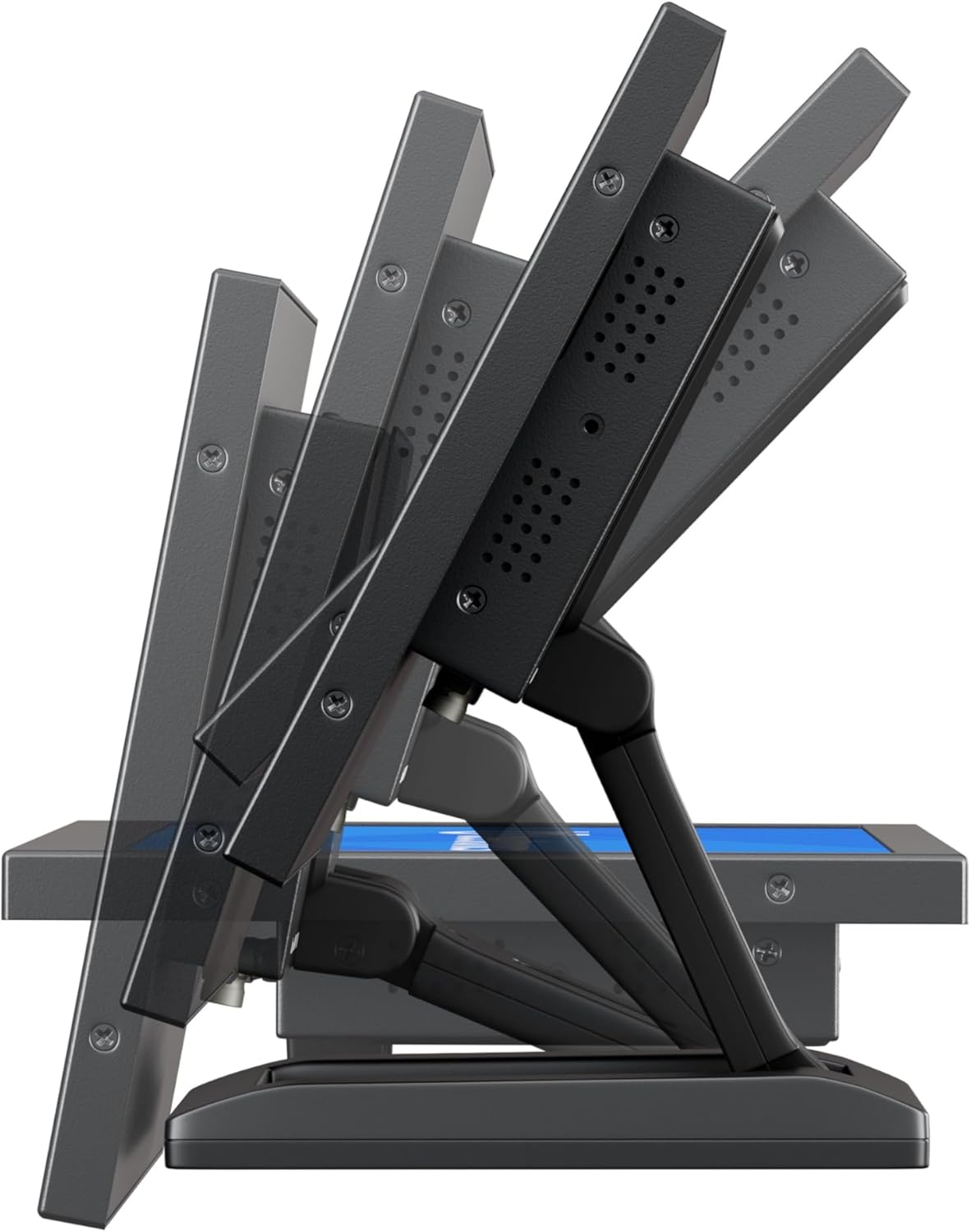
Figure 4.1 : Adjustable Stand. This image shows the monitor's side profile, highlighting the flexibility of the collapsible stand to adjust the screen's tilt angle for optimal viewing.
VESA Wall/Panel Mounting:
The monitor features a 75mm VESA mount pattern on the rear, allowing it to be mounted on compatible VESA arms, wall mounts, or integrated into panels using the flush mounting brackets. Ensure appropriate screws (M4) are used and tightened securely.

Figure 4.2 : VESA Mount Points. This image displays the back of the monitor, indicating the standard VESA mounting points for secure attachment to compatible brackets or arms.
4.2 Connexion de l'alimentation
- Connect the power adapter cable to the DC input port on the rear of the monitor.
- Plug the power adapter into a suitable electrical outlet. The monitor supports a wide input voltagLa gamme de 9-36V DC.
4.3 Connexion des sources vidéo
Connect your video source (e.g., computer, camera, media player) to the desired input port on the monitor using appropriate cables.
- HDMI: For high-quality digital video and audio.
- VGA: For analog video connections.
- BNC: For professional video equipment.
- RCA (AV) : For composite video and analog audio.
5. Mode d'emploi
5.1 Mise sous/hors tension
Press the 'ON/OFF' button located on the rear panel or on the remote control to power the monitor on or off.
5.2 Navigation dans les menus (OSD)
The On-Screen Display (OSD) menu allows you to adjust various monitor settings. Use the 'MENU' button to access the OSD, and the '+', '-', 'AUTO' buttons to navigate and adjust settings. The remote control can also be used for easier navigation.
5.3 Sélection d'entrée
To switch between different video input sources, press the 'AUTO' button on the rear panel or the 'Input' button on the remote control. Cycle through HDMI, VGA, BNC, and AV inputs until the desired source is displayed.
5.4 Paramètres de l'image
Accédez au menu OSD pour régler les paramètres de qualité d'image :
- Luminosité: Ajuste la luminance globale de l'écran.
- Contraste: Contrôle la différence entre les zones claires et sombres.
- Température de couleur: Sélectionne les modes de couleur prédéfinis (par exemple, Chaud, Froid, Utilisateur).
- Rapport hauteur/largeur : Adjusts the display ratio (e.g., 16:9, 4:3).
- Acuité: Enhances edge definition.
5.5 Paramètres audio
If an audio source is connected, adjust the volume using the '+' and '-' buttons on the rear panel or remote control. Further audio settings may be available in the OSD menu.
6. Entretien
6.1 Nettoyage du moniteur
- Éteignez et débranchez toujours le moniteur avant de le nettoyer.
- Utilisez un chiffon doux et non pelucheux légèrement dampterminer avec de l'eau ou un nettoyant pour écrans doux et non abrasif.
- Ne pas vaporiser de liquide directement sur l'écran ou dans les ouvertures.
- Évitez d'utiliser des produits chimiques agressifs, des solvants ou des matériaux abrasifs.
6.2 Entretien général
- Évitez de placer des objets lourds sur le moniteur.
- N’exposez pas le moniteur à des températures extrêmes, à l’humidité ou à la lumière directe du soleil.
- Assurez une ventilation adéquate autour du moniteur pour éviter toute surchauffe.
7. Dépannage
Si vous rencontrez des problèmes avec votre moniteur, consultez la section suivante consacrée aux problèmes courants et à leurs solutions.
| Problème | Cause possible | Solution |
|---|---|---|
| Pas de courant | Câble d'alimentation non connecté ; adaptateur secteur défectueux ; prise de courant non fonctionnelle. | Vérifiez les connexions du câble d'alimentation ; testez l'adaptateur secteur avec un autre appareil ; essayez une autre prise de courant. |
| Pas de signal | Video cable not connected; Incorrect input source selected; Video source not active. | Ensure video cable is securely connected; Select the correct input source using the 'Input' button; Verify video source is powered on and outputting a signal. |
| L'image est déformée ou floue. | Résolution incorrecte ; câble vidéo mal branché ; paramètres du moniteur. | Set the video source to the monitor's native resolution (1920x1080); Reconnect video cable; Adjust 'Sharpness' or 'Auto' settings in the OSD. |
| Pas de son | Audio cable not connected (for VGA/BNC/RCA); Volume too low; Audio source not active. | Ensure audio cable is connected (if not using HDMI); Increase monitor volume; Check audio output from the source device. |
8. Spécifications
Detailed technical specifications for the Beetronics 12HD7M monitor.
| Fonctionnalité | Spécification |
|---|---|
| Numéro de modèle | 12HD7M |
| Taille de l'écran | 11.6 pouces (diagonale) |
| Résolution | 1920 x 1080 (Full HD) |
| Type de panneau | IPS |
| Rapport hauteur/largeur | 16:9 |
| ViewAngle d'attaque | 178° (Horizontal/Vertical) |
| Luminosité de l'image | 500 XNUMX Candela |
| Surface de l'écran | Mat |
| Entrées vidéo | HDMI, VGA, BNC, RCA (AV) |
| Entrées/Sorties audio | 3.5mm Audio In, 3.5mm Audio Out |
| Puissance d'entrée | 9-36 volts (CC) |
| Dimensions du produit | 1.4 x 11 x 9.6 pouces (35.6 x 279.4 x 243.8 mm) |
| Poids de l'article | 3.7 livres (1.68 kg) |
| Montage | 75mm VESA, Collapsible Stand |
9. Garantie et assistance
9.1 Informations sur la garantie
The Beetronics 12HD7M monitor comes with a solid Garantie de 2 ans, reflecting our commitment to quality and reliability. This warranty covers defects in materials and workmanship under normal use. Please retain your proof of purchase for warranty claims.
9.2 Assistance technique
For technical assistance, troubleshooting beyond this manual, or warranty inquiries, please contact Beetronics customer support. Refer to the official Beetronics website contenant les informations de contact et les ressources d'assistance les plus récentes.
Website: www.beetronics.com