
1. Introduction
This manual provides essential information for the safe and effective use of your Soocas X3U-NEW Pink Electric Toothbrush. Please read it thoroughly before first use and retain it for future reference.

Image: The Soocas X3U-NEW Pink Electric Toothbrush, including the handle, three different brush heads, a facial brush, and a travel case.
2. Consignes de sécurité
- Do not charge the device in a wet environment to prevent electrical hazards.
- Do not use this product while it is charging.
- Tenir hors de portée des enfants de moins de 6 ans.
- Consult a dentist before use if you have severe gum disease or oral surgery.
- The product contains ABS and METAL components.
3. Contenu du colis
Vérifiez que tous les éléments sont présents dans votre colis :
- Soocas X3U-NEW Pink Electric Toothbrush Handle
- 3 x Toothbrush Heads (Clean, Sensitive, Polish)
- 1 x tête de brosse faciale
- 1 x trousse de voyage
- Câble de charge 1 x USB-C
- Manuel de l'utilisateur (ce document)

Image: Various brush heads included with the toothbrush, designed for different cleaning needs.

Image: An illustration showing the four different brush types: whitening, facial cleansing, sensitive, and standard cleaning.

Image: The electric toothbrush and its heads neatly stored within the included travel case.
4. Installation
- Chargez l'appareil : Before first use, fully charge the toothbrush. Connect the USB-C charging cable to the port at the bottom of the handle and plug it into a compatible USB power source (e.g., power bank, laptop, adapter, car charger). A full charge takes approximately 4 hours.
- Fixez la tête de brosse : Align the desired brush head with the metal shaft on the toothbrush handle and push it down firmly until it clicks into place.

Image: The Soocas electric toothbrush connected to a USB-C charging cable, illustrating the charging process.

Image : Une image détaillée view of the USB-C charging port located at the base of the toothbrush handle, showing compatibility with various power sources.
5. Mode d'emploi
5.1 Sélection de la mise sous/hors tension et du mode
- Press the power button once to turn on the toothbrush. It will start in the last used mode due to the Smart Memory Chip Technology.
- Press the power button repeatedly within 5 seconds to cycle through the available modes: Cleaning, Sensitive, Gentle, Whitening.
- To turn off the toothbrush, press and hold the power button for 2 seconds, or press the power button once if it has been operating in the same mode for more than 5 seconds.

Image: A close-up of the toothbrush handle, highlighting the power button and the four distinct cleaning modes: Cleaning, Sensitive, Gentle, and Whitening.

Image: An internal diagram of the toothbrush highlighting the Smart Memory Chip Technology, which remembers the last used brushing mode.
5.2 Technique de brossage et minuteur intelligent
- Appliquez une petite quantité de dentifrice sur la tête de la brosse.
- Placez la tête de brosse contre vos dents avec un léger angle vers la ligne des gencives.
- Move the brush slowly across your teeth, allowing the sonic vibrations to clean each tooth surface. Do not scrub vigorously.
- La brosse à dents est dotée d'une 2-minute Smart Timer, which is the dentist-recommended brushing time.
- A 30-second Reminder will briefly pause the vibrations every 30 seconds, signaling you to move to a different quadrant of your mouth.

Image: A user demonstrating proper brushing technique with the Soocas electric toothbrush, highlighting the integrated 2-minute smart timer and 30-second quadrant reminder.
5.3 Using the Facial Brush
- Attach the facial brush head to the toothbrush handle.
- Wet your face and apply your preferred facial cleanser to the brush head or directly to your skin.
- Gently move the facial brush in circular motions across your face. The high-density bristles provide deep cleaning, while the patterned silicone massages and soothes the skin.
- Rinse your face and the facial brush thoroughly after use.

Image: A woman using the facial cleansing brush attachment, demonstrating its application for deep cleaning and skin massage.
5.4 Guide vidéo du produit
Video: An official product video from the seller demonstrating the features and operation of the Soocas X3U-NEW Pink Electric Toothbrush.
6. Chargement
- The Soocas X3U-NEW Pink Electric Toothbrush features a long-lasting battery. A 4-hour charge provides approximately 30 days of use (based on 2 minutes of brushing, twice daily).
- To charge, locate the USB-C port at the bottom of the handle.
- Connect the provided USB-C cable to the toothbrush and a suitable USB power source.
- Le voyant indicateur de la batterie affichera l'état de charge.
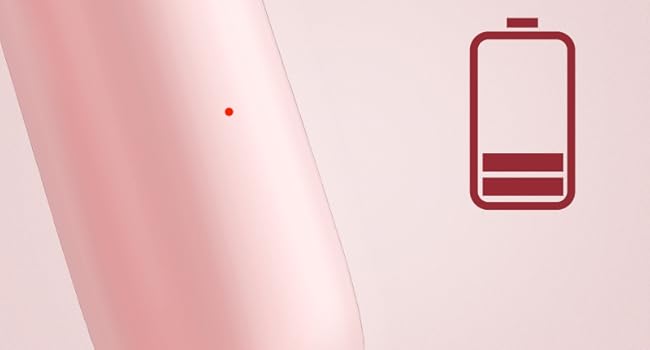
Image: An illustration of the battery indicator on the toothbrush handle, showing the current charge level.
7. Maintenance et entretien
7.1 Nettoyage de la brosse à dents
- Après chaque utilisation, rincez soigneusement la tête de brosse à l'eau courante, brosse à dents toujours en place, afin d'éliminer tout résidu de dentifrice et de débris.
- Turn off the toothbrush and remove the brush head. Rinse the brush head and the metal shaft of the handle separately.
- Essuyez la poignée avec de la publicitéamp cloth. Do not immerse the entire handle in water for extended periods, although it is IPX7 waterproof.
- Pour préserver l'étanchéité, veillez à bien fermer le couvercle du port de chargement lorsqu'il n'est pas en charge.

Image: The Soocas electric toothbrush partially submerged in water, demonstrating its IPX7 waterproof capability for easy cleaning.
7.2 Remplacement des têtes de brosse
- Dentists recommend replacing toothbrush heads every 3 months, or sooner if the bristles appear frayed or worn.
- Pour retirer une tête de brosse, tirez-la tout droit hors du manche.
- Pour fixer une nouvelle tête de brosse, alignez-la avec la tige métallique et appuyez fermement jusqu'à entendre un clic.
- The brush heads feature DuPont Soft Bristles with 100% rounded ends and non-metal bristles for effective yet gentle cleaning.

Image: A diagram detailing the DuPont Soft Bristles technology, highlighting features like increased bristle count, 100% rounded ends, and non-metal construction for gentle and effective cleaning.
8. Dépannage
| Problème | Cause possible | Solution |
|---|---|---|
| La brosse à dents ne s'allume pas. | La batterie est épuisée. | Chargez la brosse à dents pendant au moins 4 heures. |
| Vibrations faibles ou performances réduites. | Batterie faible ou tête de brosse usée. | Recharge the toothbrush. Replace the brush head if it is old or frayed. |
| La brosse à dents ne charge pas. | Charging cable or adapter issue; charging port not clean. | Ensure the USB-C cable is properly connected and the power source is functional. Clean the charging port if necessary. |
| Bruit inhabituel pendant le fonctionnement. | La tête de brosse n'est pas correctement fixée. | Remove and re-attach the brush head, ensuring it clicks into place. |
9. Spécifications
- Modèle: X3U-NEW Pink
- Source d'alimentation : Électrique filaire, Alimenté par batterie
- Batterie: 1 batterie lithium-ion requise (incluse)
- Temps de charge : Environ 4 heures
- Autonomie de la batterie : Up to 30 days (based on 2 minutes, twice daily)
- Modes de brossage : 4 (Cleaning, Sensitive, Gentle, Whitening)
- Vibrations: 30,600 alternances/minute
- Caractéristiques spéciales : 3 Toothbrush Heads + 1 Facial Brush, Brushing Timer, Gum Care, Smart Memory Chip, Low Noise (<65dB)
- Indice d'étanchéité : IPX7
- Type de soies : DuPont Soft Bristles, 100% Rounded Ends, Non-metal
- Dimensions du produit : 3.8 x 9.84 x 2.8 pouces
- Poids de l'article : 1.09 livres
- Matériels: ABS, Métal
- Tranche d'âge : Adult and Kids over 6 years old

Image: A visual representation indicating the low noise level of the toothbrush, operating at less than 65 decibels.
10. Garantie et assistance
Soocas is committed to providing quality products and customer satisfaction. Your Soocas X3U-NEW Pink Electric Toothbrush comes with the following:
- Garantie de 2 ans : Bénéficiez d'une tranquillité d'esprit grâce à une garantie de 2 ans couvrant les défauts de fabrication.
- Remplacement gratuit : Defective products are eligible for free replacement.
For any inquiries, support, or warranty claims, please contact our dedicated support team:
E-mail: support@soocas.com

Image: Information on how to contact Soocas customer support via email for assistance.