
Spedal 860
Spedal 860 Portable CarPlay Screen User Manual
9.3" Wireless Apple CarPlay & Android Auto Car Stereo with 4K Dash Cam
1. Introduction
Thank you for choosing the Spedal 860 Portable CarPlay Screen. This device is designed to enhance your driving experience by integrating advanced features such as wireless Apple CarPlay, Android Auto, a 4K dash camera, and a high-resolution display. This manual provides detailed instructions for setup, operation, maintenance, and troubleshooting to ensure optimal performance and safety.

This image displays the Spedal 860 Portable CarPlay Screen, showcasing its 9.3-inch display, integrated front 4K dash camera, and the included rear camera. The screen interface shows icons for Apple CarPlay applications like Phone, Music, Maps, and Settings, indicating its primary functionalities.
2. Produit terminéview
2.1 Principales caractéristiques
- Écran tactile IPS HD de 9.3 pouces (résolution 1600 x 600)
- Compatibilité sans fil avec Apple CarPlay et Android Auto
- Integrated 4K Front Dash Camera with Loop Recording
- Optional 1080p Rear/Reverse Camera support
- Bluetooth Stereo connectivity
- GPS Navigation Head Unit functionality
- Split Screen Display capabilities
2.2 Composants
The Spedal 860 package typically includes:
- Spedal 860 Portable CarPlay Screen Unit
- Front Dash Camera (integrated)
- Rear Camera (optional, may vary)
- Câble d'alimentation (chargeur de voiture)
- Mounting Bracket (e.g., suction cup or adhesive mount)
- Manuel d'utilisation
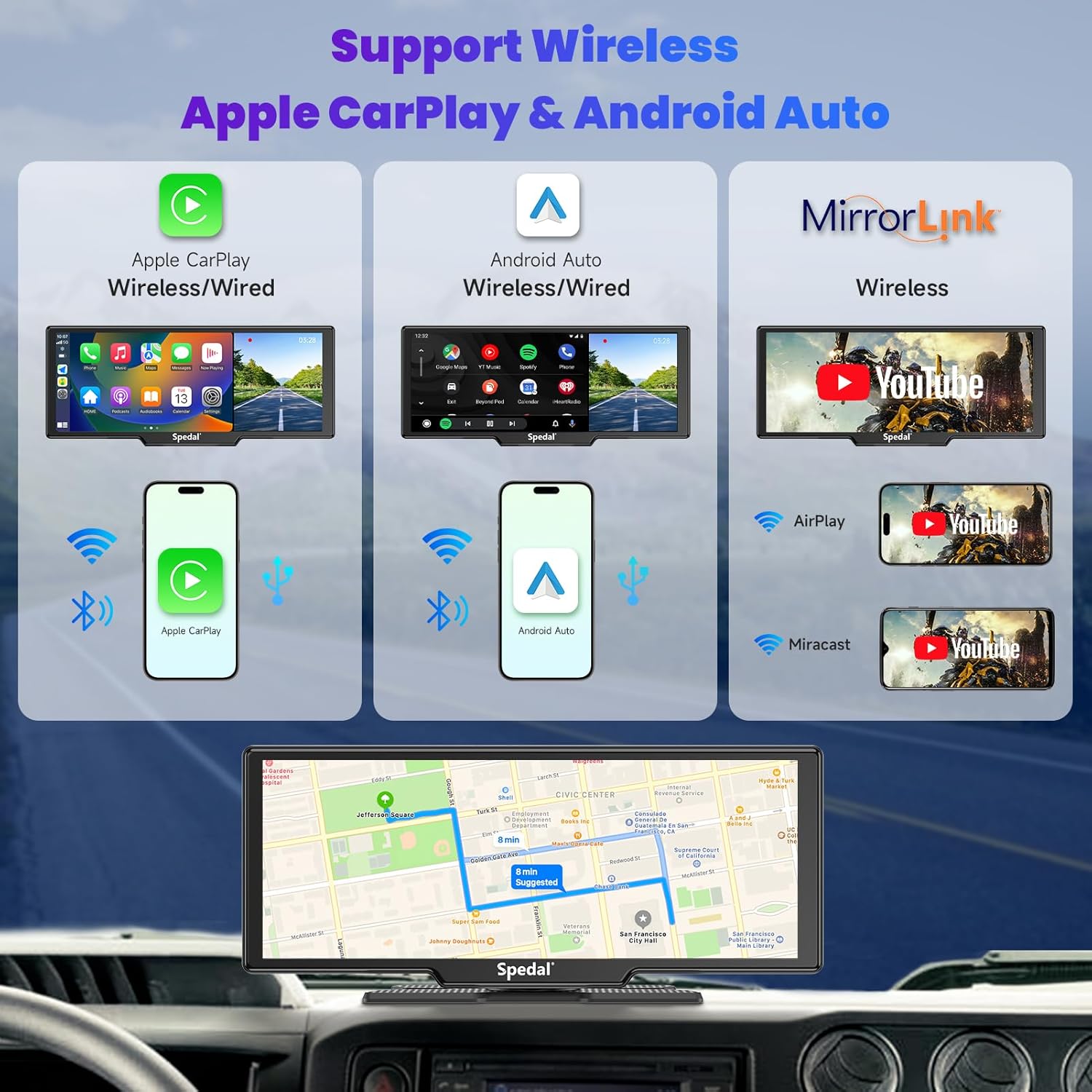
This diagram illustrates the wireless connectivity options of the Spedal 860, including Apple CarPlay, Android Auto, and MirrorLink. It shows how smartphones can connect wirelessly to the device, displaying their interfaces on the screen, and also highlights GPS navigation capabilities.

This image focuses on the 4K front dash camera feature, showing the screen displaying live road footage. Icons indicate features such as 4K resolution, wide-angle view, loop recording, locked video, video playback, and night vision. A note indicates a 64GB TF card is included.

This graphic details the dual camera system, featuring a 4K front camera and optional 1080p rear and reverse cameras. It visually explains how the cameras provide comprehensive coverage for driving and parking, with a note about random shipment of rear or reverse camera types.

This image demonstrates how the Spedal 860 integrates with your car's audio system. It shows three connection methods: via AUX cable, via FM transmitter, and using the built-in speaker, allowing for flexible audio output of CarPlay/Android Auto sound.
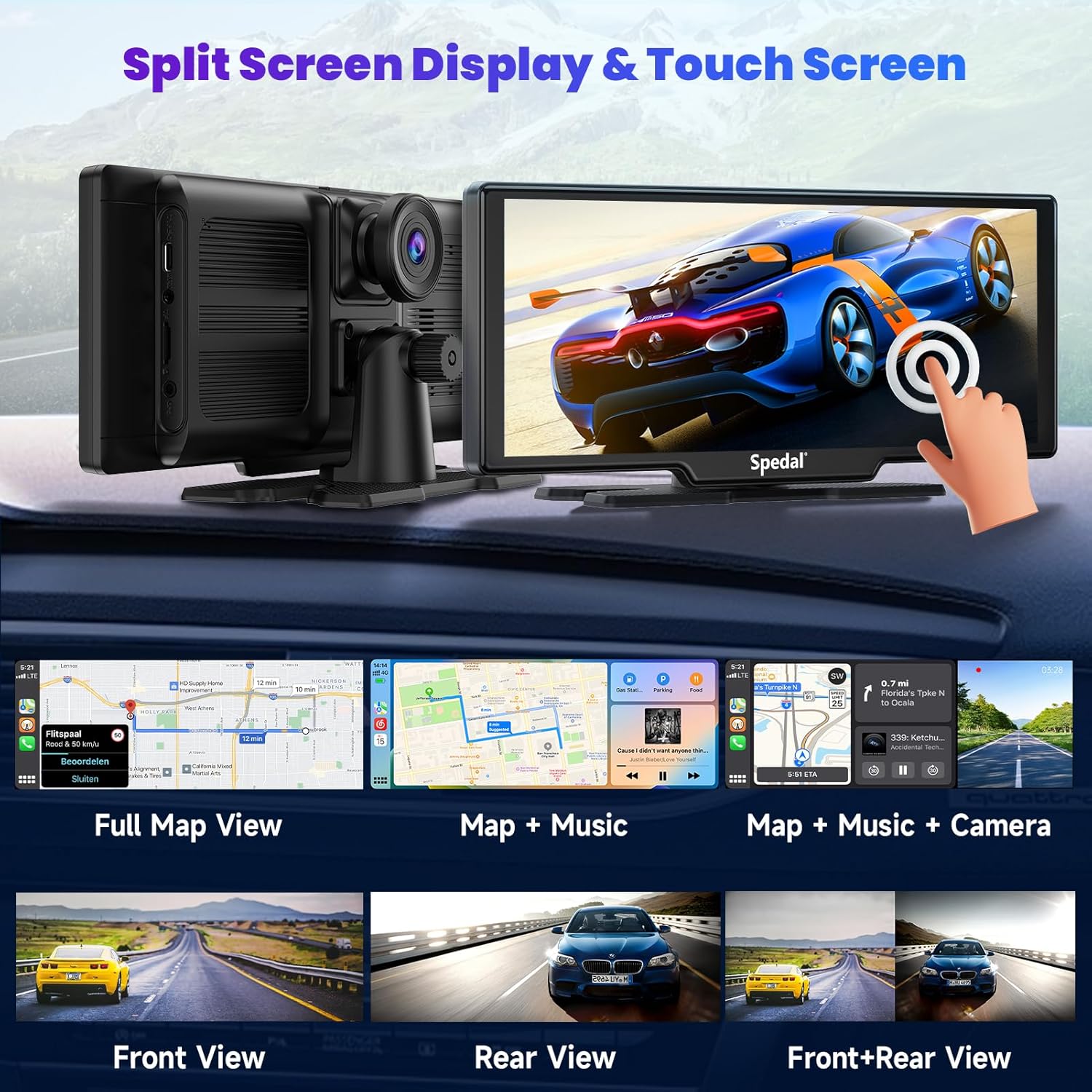
This image highlights the split-screen display and touch screen capabilities. It shows examples of different screen layouts, such as full map view, map with music, and map with music and camera view. It also illustrates front, rear, and combined front+rear camera views.

This image provides technical details about the Spedal 860's core components. It features the RK1126 8-core chip, highlights the 9.3-inch IPS screen with 1600x600 HD resolution, and mentions the 2.5D curved design, emphasizing the display quality and processing power.
3. Installation
3.1 Montage de l'unité
- Choisissez un emplacement approprié sur votre tableau de bord ou votre pare-brise qui ne gêne pas votre visibilité. view ou interférer avec les airbags.
- Nettoyez soigneusement la surface de montage pour garantir une bonne adhérence.
- Attach the mounting bracket to the Spedal 860 unit.
- Secure the unit to the chosen surface using the suction cup or adhesive base. Ensure it is stable and does not wobble.
3.2 Connexion d'alimentation
- Connect the provided car charger cable to the power input port on the Spedal 860 unit.
- Branchez l'autre extrémité du chargeur de voiture dans la prise allume-cigare 12V de votre véhicule.
- L'appareil devrait s'allumer automatiquement ou en appuyant sur le bouton d'alimentation.
3.3 Camera Installation (Optional Rear Camera)
- If using an optional rear camera, route the camera cable from the Spedal 860 unit to the rear of your vehicle.
- Installez la caméra de recul à un endroit approprié, généralement au-dessus de la plaque d'immatriculation ou sur la lunette arrière, en veillant à ce qu'elle soit bien dégagée. view.
- Connect the rear camera cable to the designated input port on the Spedal 860 unit.
- For reverse camera functionality, connect the reverse trigger wire (if present) to your vehicle's reverse light power supply.
4. Mode d'emploi
4.1 Initial Power On & Settings
- Upon first power-on, the unit may prompt you to select language and time zone.
- Navigate through the settings menu to adjust display brightness, audio output method (FM transmitter, AUX, built-in speaker), and dash cam preferences.
4.2 Apple CarPlay/Android Auto sans fil
- Assurez-vous que Bluetooth et Wi-Fi sont activés sur votre smartphone.
- On the Spedal 860, select the Apple CarPlay or Android Auto icon.
- On your phone, search for the Spedal 860's Bluetooth name and pair.
- Follow the on-screen prompts on both the Spedal 860 and your phone to establish the wireless connection.
- Once connected, your phone's CarPlay or Android Auto interface will appear on the Spedal 860 screen.
4.3 Fonctionnement de la caméra embarquée
- Enregistrement: The dash cam typically begins recording automatically when the unit powers on.
- Enregistrement en boucle : Vieux footage will be overwritten by new recordings once the memory card is full. Important videos can be locked to prevent overwriting.
- Capteur G : In case of a sudden impact or collision, the G-sensor will automatically lock the current video segment to prevent it from being overwritten.
- Lecture: Access recorded videos through the 'Playback' or 'Gallery' option on the main menu.
4.4 Écran partagé
The Spedal 860 supports various split-screen modes. From the main interface, you can typically drag and drop app icons or select pre-defined layouts to display multiple functions simultaneously, such as navigation and music, or front camera and rear camera views.
5. Entretien
5.1 Nettoyage
- Use a soft, lint-free cloth to clean the screen and camera lenses.
- N’utilisez pas de nettoyants abrasifs ni de solvants, car ils pourraient endommager les surfaces.
5.2 Gestion des cartes mémoire
- Regularly format the memory card (TF card) within the device's settings to ensure optimal recording performance and prevent data corruption.
- Replace the memory card if you experience frequent recording errors or data loss.
5.3 mises à jour du micrologiciel
Periodically check the Spedal official website for available firmware updates. Updates can improve performance, add new features, or fix bugs. Follow the instructions provided with the firmware update package carefully.
6. Dépannage
| Problème | Cause possible | Solution |
|---|---|---|
| L'unité ne s'allume pas | No power supply; faulty cable/outlet | Vérifiez la connexion du câble d'alimentation ; essayez une autre prise 12 V ; assurez-vous que le contact du véhicule est mis. |
| CarPlay/Android Auto ne se connecte pas | Bluetooth/Wi-Fi off; incorrect pairing; phone software issue | Ensure phone's Bluetooth/Wi-Fi is on; forget device on phone and re-pair; restart phone and Spedal unit. |
| Dash cam not recording | Memory card full/corrupted; card not inserted | Format the memory card; ensure card is properly inserted; try a new memory card. |
| Pas de sortie audio | Incorrect audio output setting; volume too low | Check audio output settings (FM, AUX, built-in speaker); increase volume on unit and car stereo. |
7. Spécifications
| Fonctionnalité | Détail |
|---|---|
| Marque | Spécial |
| Technologie de connectivité | Bluetooth |
| Type de contrôleur | Androïde |
| Dossier spécial | Apple CarPlay |
| Appareils compatibles | Smartphone |
| Type de connecteur | Prise jack 3.5 mm |
| Mode de sortie audio | Stéréo |
| Couleur | 9.3 Inch+Front and Rear Camera |
| Dimensions du produit | 7"P x 14"L x 11"H |
| Nombre de canaux | 4 |
8. Garantie et assistance
For warranty information, please refer to the documentation included with your product packaging or visit the official Spedal website. If you require technical support or have questions not covered in this manual, please contact Spedal customer service through their official channels.