
1. Introduction
This manual provides detailed instructions for the setup, operation, and maintenance of your SANSUI 24 Inch Gaming Monitor, model ES-G24F4. Please read this manual thoroughly before using the product to ensure proper functionality and to prevent damage.
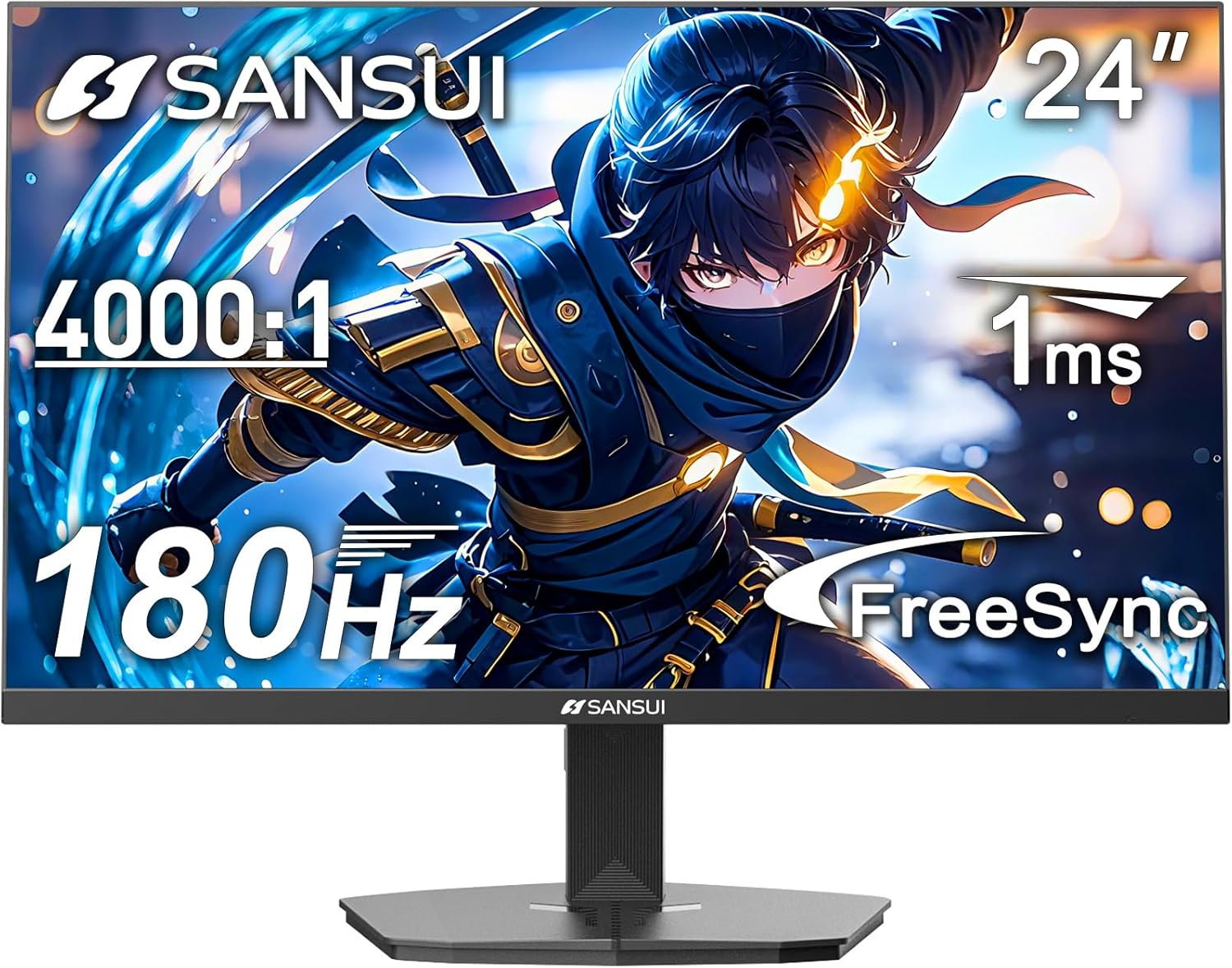
Figure 1 : Face avant view of the SANSUI 24 Inch Gaming Monitor (ES-G24F4).
2. Produit terminéview
The SANSUI ES-G24F4 is a 24-inch Full HD gaming monitor designed for an enhanced visual experience. Key features include:
- Taille et résolution d'affichage : 24 Inch Full HD (1920x1080)
- Taux de rafraîchissement : 180Hz for smooth visuals
- Temps de réponse : 1ms MPRT to minimize motion blur
- Gamme de couleurs : 110% sRGB for vibrant and accurate colors
- Luminosité: Nits 300
- Synchronisation adaptative : Technology to eliminate screen tearing and stuttering
- Connectivité : DP 1.4 and HDMI 2.0 Ports (HDMI Cable included)
- Montage: 75x75mm VESA compatibility
- Ergonomie: Eye care features, stable stand with -5° to 15° tilt, 178° viewangle d'attaque
- Audio: No built-in speakers

Figure 2 : Plusview des fonctionnalités du moniteur.

Figure 3: Multimedia connection options for the monitor.
3. Installation
3.1 Assemblage du support
The monitor comes with a detachable stand for desktop use. To assemble:
- Retirez soigneusement le moniteur et son support de leur emballage.
- Attach the base to the stand pillar using the provided screws.
- Align the stand pillar with the mounting slot on the back of the monitor.
- Push the stand firmly into the slot until it clicks into place. Ensure the latch is engaged for a secure connection.
To detach the stand for VESA mounting, pull the latch located on the back of the monitor near the stand connection point, and gently pull the stand away from the monitor.
3.2 Câbles de connexion
Connect the necessary cables to the monitor's ports:
- Câble d'alimentation: Branchez l'adaptateur secteur au port d'entrée CC du moniteur, puis à une prise de courant.
- Câble vidéo : Connect one end of the HDMI cable (included) or a DisplayPort (DP) cable to the corresponding port on your computer's graphics card and the other end to the HDMI 2.0 or DP 1.4 port on the monitor.
- Sortie audio: If using external speakers or headphones, connect them to the Audio Out port on the monitor.
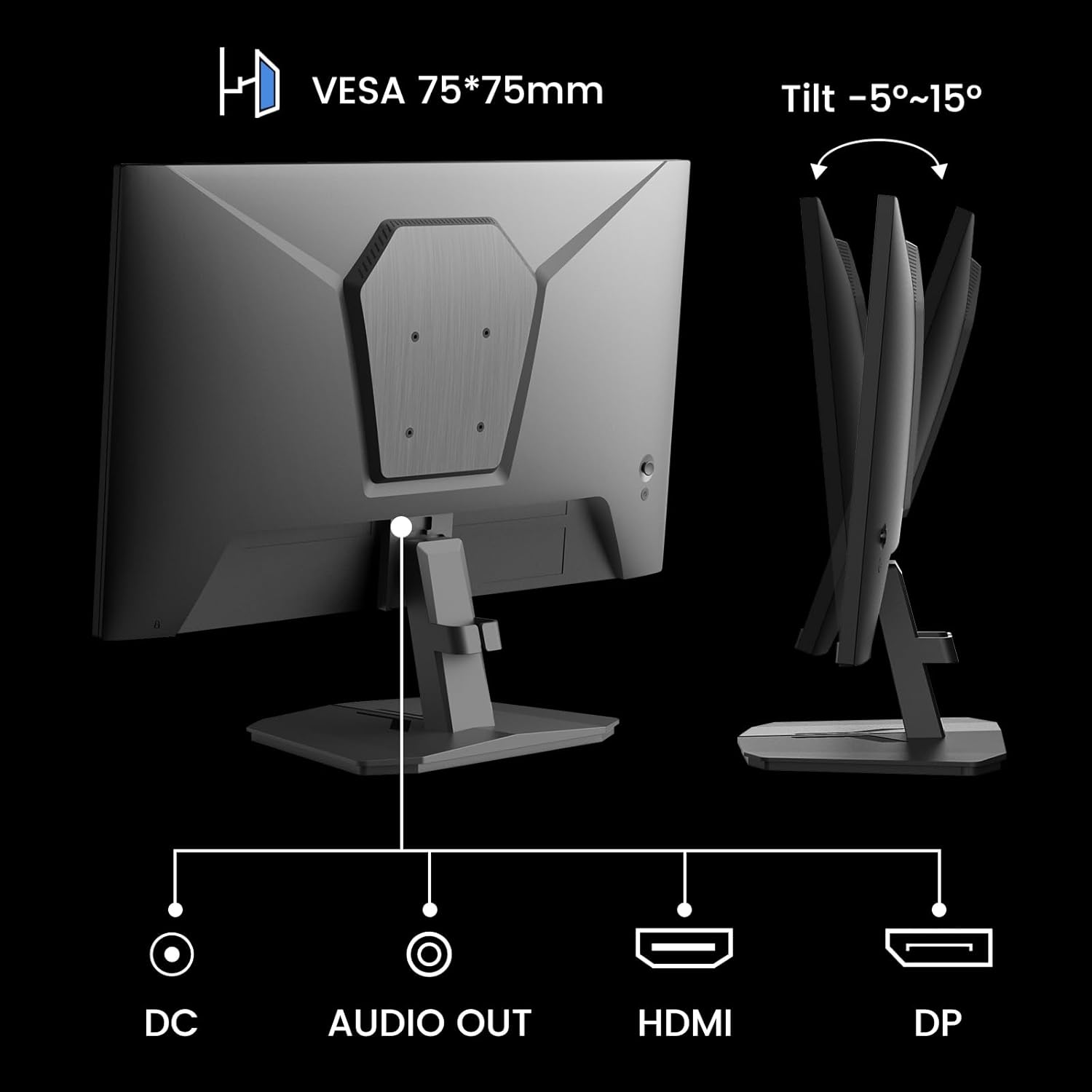
Figure 4: Monitor ports and tilt adjustment.
3.3 Montage VESA
The monitor supports VESA 75x75mm mounting standards. If you wish to mount the monitor on a wall or an alternative stand, ensure the VESA mount is compatible and can support the monitor's weight (approximately 5.94 pounds).
Video 1: Demonstrates the monitor's thin design and detachable stand, highlighting its suitability for various setups including wall mounting.
4. Mode d'emploi
4.1 Navigation dans le menu OSD
The On-Screen Display (OSD) menu is controlled by buttons located on the back of the monitor. Use these buttons to navigate through settings and adjust display parameters.
4.2 Paramètres de l'image
- Luminosité: Ajuste la luminance globale de l'écran.
- Contraste: Contrôle la différence entre les zones les plus claires et les plus sombres.
- Acuité: Améliore la netteté des contours de l'image.
- Niveau de noir : Adjusts the depth of black colors.
4.3 Paramètres de couleur
- Gamma: Adjusts the tone response curve of the display.
- Faible lumière bleue : Réduit l'émission de lumière bleue pour un confort visuel optimal.
- Température de couleur: Sélectionne les températures de couleur prédéfinies (par exemple, Chaud, Froid, Utilisateur).
- Teinte/Saturation : Fine-tunes color tones and intensity.

Figure 5: Color depth and gamut information.
4.4 modes de jeu
The monitor offers optimized gaming modes for different genres:
- FPS (jeu de tir à la première personne) : Améliore la visibilité dans les zones sombres.
- RTS (Stratégie en temps réel) : Optimizes clarity for strategic gameplay.
- Courses: Provides a smooth and immersive experience for racing games.

Figure 6: Exclusive Gaming Modes (RTS, FPS, Racing).

Figure 7: Different display modes for various content types.
4.5 Adaptive Sync (FreeSync)
Adaptive Sync technology synchronizes the monitor's refresh rate with your graphics card's frame rate, eliminating screen tearing and stuttering for a smoother gaming experience. Ensure this feature is enabled in both the monitor's OSD and your graphics card settings.

Figure 8: FreeSync ON vs. FreeSync OFF comparison.
4.6 Prise en charge HDR
The monitor supports HDR (High Dynamic Range) for a clearer display of moving graphics and enhanced visual depth. Enable HDR in your operating system's display settings and ensure it is activated on the monitor if applicable.
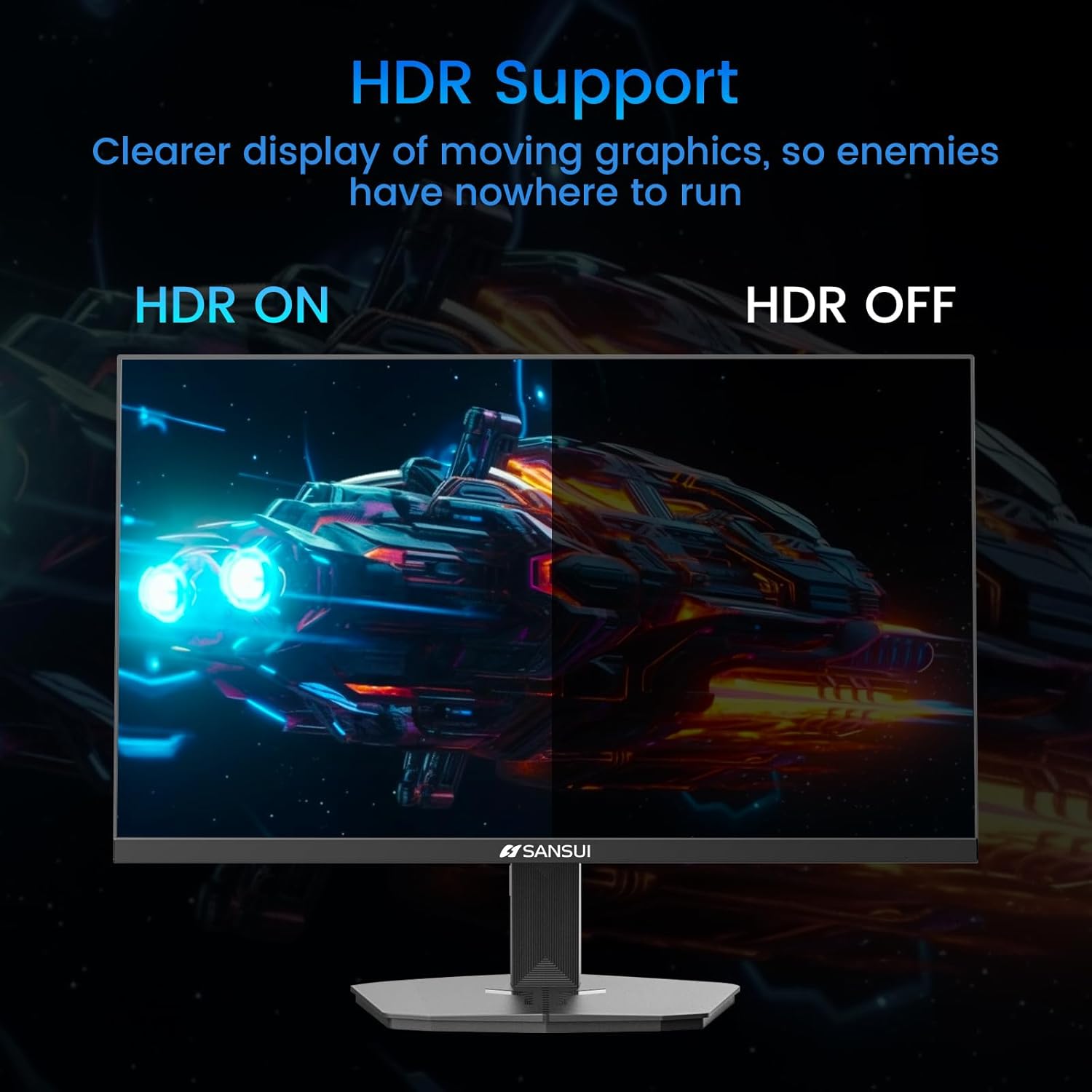
Figure 9: HDR ON vs. HDR OFF comparison.
5. Entretien
Pour garantir la longévité et les performances optimales de votre moniteur, suivez ces consignes d'entretien :
- Nettoyage de l'écran : Utilisez légèrement un chiffon doux et non pelucheux.ampNettoyez à l'eau ou avec un nettoyant pour écran sans ammoniaque ni alcool. Ne vaporisez pas de liquide directement sur l'écran.
- Nettoyage du Casing: Utilisez un chiffon doux et sec pour essuyer le moniteur.asing. Évitez les nettoyants abrasifs.
- Ventilation: Veillez à ce que les ouvertures de ventilation du moniteur ne soient pas obstruées afin d'éviter toute surchauffe.
- Éteindre: Éteignez toujours le moniteur et débranchez-le de la prise de courant avant de le nettoyer ou s'il ne doit pas être utilisé pendant une période prolongée.
6. Dépannage
Si vous rencontrez des problèmes avec votre moniteur, consultez les problèmes et solutions courants suivants :
| Problème | Cause possible | Solution |
|---|---|---|
| Aucune image à l'écran | Power cable disconnected, video cable loose, incorrect input source. | Check power and video cable connections. Select the correct input source via the OSD menu. |
| scintillement ou distorsion de l'image | Faulty video cable, refresh rate mismatch, Adaptive Sync issue. | Replace video cable. Ensure refresh rate is set correctly in OS. Check Adaptive Sync settings. |
| Les couleurs semblent incorrectes | Incorrect color settings, HDR not enabled/disabled properly. | Adjust color settings in OSD. Verify HDR settings in OS and monitor. |
| Monitor wobbles on desk | Stand not securely attached, uneven surface. | Ensure stand is fully clicked into place. Place monitor on a stable, level surface. |
If the problem persists after attempting these solutions, please contact SANSUI customer support for further assistance.
7. Spécifications
| Fonctionnalité | Spécification |
|---|---|
| Numéro de modèle | ES-G24F4 |
| Taille de l'écran | 24 pouces |
| Résolution | 1920 x 1080 (Full HD) |
| Taux de rafraîchissement | 180 Hz |
| Temps de réponse | 1 ms MPRT |
| Luminosité | Nits 300 |
| Gamme de couleurs | 110 % sRGB |
| Rapport hauteur/largeur | 16:9 |
| ViewAngle d'attaque | 178° (Horizontal/Vertical) |
| Connectivité | 1 port DisplayPort 1.4, 2 ports HDMI 2.0, 1 sortie audio |
| Compatibilité VESA | 75x75mm |
| Réglage de l'inclinaison | -5° à 15° |
| Poids de l'article | 5.94 livres |
| Câble inclus | Câble HDMI 1.5 m |

Figure 10 : Dimensions du produit.
8. Garantie et assistance
SANSUI provides the following support for your monitor:
- Garantie: A 30-day money-back and free replacement warranty from the order date.
- Support technique : Une assistance technique à vie est disponible.
For warranty claims, technical assistance, or any product-related inquiries, please contact SANSUI customer service through their official channels.

Figure 11 : Détails de la garantie et de l'assistance.