Introduction
The PROHEAR 030 Bluetooth Electronic Hearing Protection Earmuffs are designed to provide effective noise reduction while allowing for wireless audio streaming and environmental sound amplification. These earmuffs are suitable for various loud environments, including shooting ranges, hunting, woodworking, mowing, and other high-noise tasks.

Figure 1: PROHEAR 030 Bluetooth Electronic Hearing Protection Earmuffs with accessories.
Caractéristiques principales :
- Bluetooth intégré: Seamless wireless streaming for music, calls, and podcasts.
- Protection auditive : NRR 22dB / SNR 27dB for effective noise reduction.
- Sound Performance: Recessed dual microphones capture subtle environmental sounds under 82 dB, minimizing wind interference.
- Firearm-Friendly Design: Mince, peu profile cups with cutouts for comfortable firearm stock clearance.
- Confort: Ultra-soft cushioned ear pads and a padded headband for extended wear.
- Durabilité: Premium rubberized coating for improved tactile feel and longevity.
- Ajustement ajustable : Telescopic sliders ensure a perfect fit for various head sizes.
- Portabilité: Compact folding design for easy storage and transport.
Installation
1. Installation de la batterie
The PROHEAR 030 earmuffs require 2 AAA batteries (not included) for operation. Locate the battery compartment on one of the ear cups, open it, insert the batteries according to the polarity indicators, and securely close the compartment.

Figure 2: Illustration of battery compartment and ear cushions.
2. Ajustement de l'ajustement
Adjust the telescopic sliders on both sides of the headband to ensure a snug yet comfortable fit over your ears. The earmuffs should fully cover your ears without excessive pressure. The padded headband and ultra-soft ear cushions are designed for all-day wear.

Figure 3: Close-up of the soft, skin-friendly silicone ear cushions.
Mode d'emploi
1. Marche/Arrêt
Locate the power button on one of the ear cups. Press and hold the button for a few seconds to power the earmuffs on or off. An audible cue or indicator light will confirm the status.
2. Couplage Bluetooth
- Vérifiez que les protections auditives sont allumées.
- Activate Bluetooth on your mobile device (phone, tablet, etc.).
- Rechercher available Bluetooth devices and select "PROHEAR 030" from the list.
- Une fois l'appairage effectué, vous pouvez diffuser de l'audio sans fil.
3. Contrôle du volume
The earmuffs feature independent volume controls for ambient sound amplification and Bluetooth audio. Adjust the respective controls to your preferred listening levels. It is recommended to keep ambient sound amplification at a level that allows you to hear important environmental cues while protecting against harmful loud noises.
4. Hearing Protection & Environmental Awareness
The NRR 22dB / SNR 27dB rating ensures significant noise reduction. The dual microphones are designed to amplify low-level sounds (under 82 dB) to enhance situational awareness, while instantly suppressing loud impulse noises (like gunshots) within 0.01 seconds to protect your hearing.
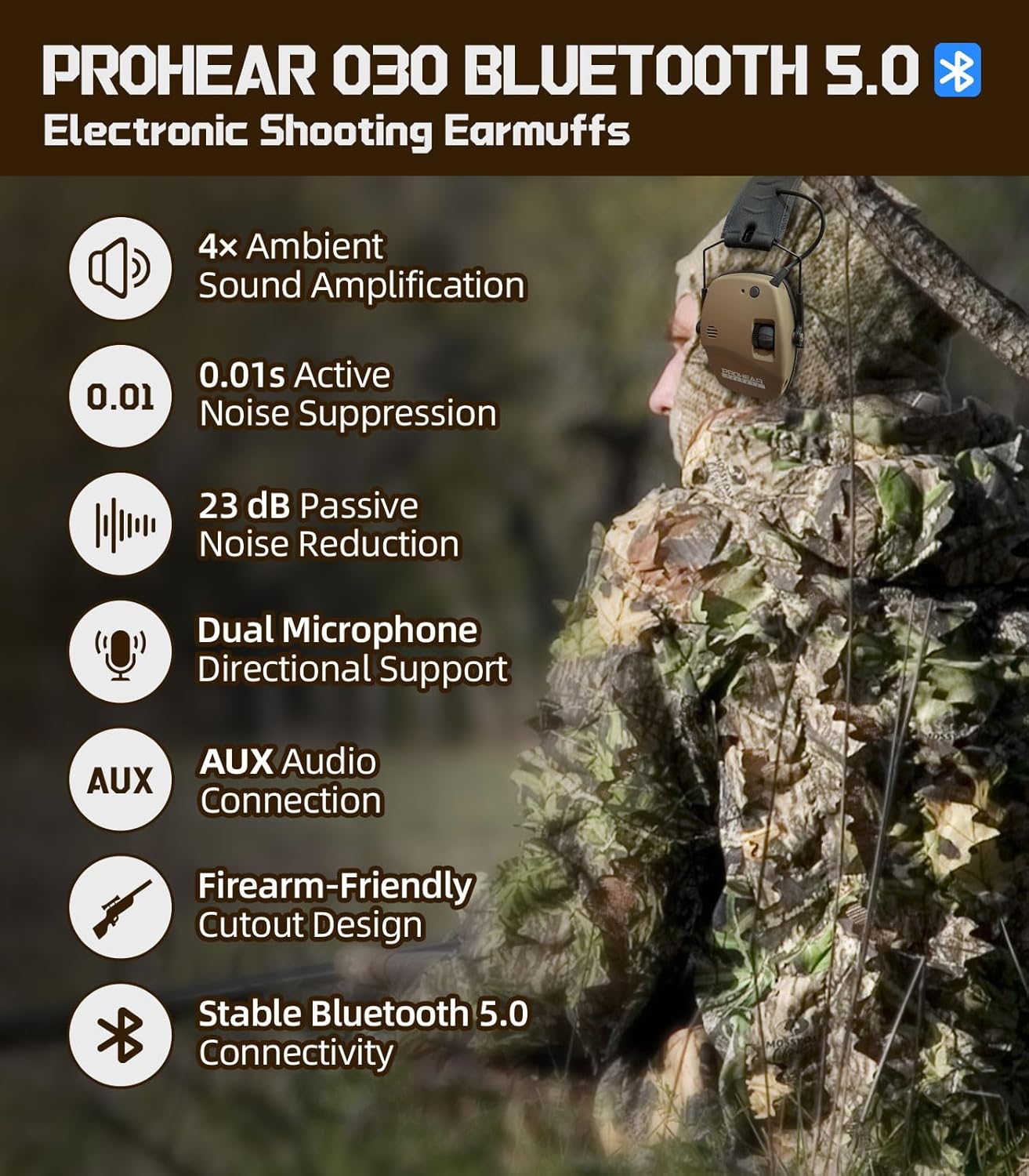
Figure 4 : Plusview of PROHEAR 030 features including sound amplification and noise suppression.

Figure 5: Enhanced environmental awareness through 4x ambient sound amplification.

Figure 6: PROHEAR 030 earmuffs in use during shooting activities.
Entretien
1. Nettoyage
Essuyez les cache-oreilles avec un chiffon doux et sec.amp cloth. Avoid using harsh chemicals or abrasive cleaners. Ensure the ear cushions are clean and free of debris to maintain an effective seal.
2. Stockage
When not in use, fold the earmuffs into their compact form and store them in a dry, clean place away from extreme temperatures. This helps preserve the integrity of the materials and electronics.

Figure 7: The compact folding design of the earmuffs for easy storage.
Dépannage
Pas d'alimentation :
- Check if the AAA batteries are inserted correctly with the correct polarity.
- Remplacez les anciennes piles par des neuves.
Problèmes de connexion Bluetooth :
- Ensure the earmuffs are in pairing mode.
- Assurez-vous que le Bluetooth de votre appareil est activé et à portée.
- Oubliez l'appareil dans les paramètres Bluetooth de votre téléphone et essayez de le jumeler à nouveau.
Poor Sound Quality/No Ambient Sound:
- Adjust the volume controls for both Bluetooth and ambient sound.
- Veillez à ce que les microphones ne soient pas obstrués.
- Vérifiez les niveaux de batterie.
Caractéristiques
| Fabricant | Prohear |
| Numéro de modèle | PROHEAR 030 |
| Poids de l'article | 15.5 onces |
| Dimensions du colis | 5.31 x 5.04 x 4.57 pouces |
| Couleur | Brun |
| Style | Bluetooth Brown |
| Piles requises | Yes (2 AAA batteries, not included) |
| Indice de réduction du bruit (NRR) | 22 dB |
| Rapport signal sur bruit (SNR) | 27 dB |
| Temps de lecture Bluetooth | Jusqu'à 30 XNUMX heures |
| AUX Playtime | Jusqu'à 120 XNUMX heures |
Garantie et assistance
PROHEAR is committed to customer satisfaction. If you have any questions or suggestions regarding your PROHEAR 030 earmuffs, please contact our support team. We are available 24/7 to assist you.
For further assistance, please visit the official PROHEAR Store: Boutique PROHEAR sur Amazon