
1. Introduction
The KJK Trail Camera (Model LK227) is designed for capturing high-quality photos and videos of wildlife, for farm monitoring, home security, and plant growth observation. It features advanced motion detection, night vision capabilities, and a durable, waterproof design.

Figure 1: KJK Trail Camera, showing the exterior and interior display with controls.
2. Contenu de la boîte
À l'ouverture du colis, vérifiez que tous les composants suivants sont inclus :
- Boîtier de l'appareil photo
- 2.4 inch LCD Screen (integrated)
- Anneau en caoutchouc
- 8x piles AA
- Carte TF 32 Go (carte microSD)
- Câble USB
- Threaded Tripod Mount
- Ceinture d'installation
- Accessoires de vis
- Manuel d'utilisation

Figure 2: Contents of the KJK Trail Camera package.
3. Installation
3.1. Installation de la batterie et de la carte SD
- Ouvrez le boîtier de la caméra en le détachant.asing les loquets latéraux.
- Repérez le compartiment à piles. Insérez 8 piles AA en respectant la polarité (+/-).
- Insert the 32GB TF (Micro SD) card into the designated slot. The camera supports up to 128GB memory cards.
- Close the battery compartment door and secure the housing latches.
3.2. Montage de la caméra
The KJK Trail Camera offers versatile mounting options:
- Support pour arbre : Use the provided installation belt to securely fasten the camera around a tree trunk.
- Monture de trépied: The camera features a standard tripod adapter at its base, allowing it to be mounted on the included threaded tripod or other compatible mounting accessories.
- Wall/Fence Mount: Utilize the provided screw accessories and threaded tripod mount to attach the camera to a wall or fence.

Figure 3: Camera mounted on a tree, showcasing its wide-angle detection.
4. Mode d'emploi
4.1. Powering On and Basic Navigation
To power on the camera, switch the power switch to the 'ON' position. The 2.4-inch LCD screen will activate, allowing access to settings and playback. Use the arrow buttons and 'OK' button for navigation and selection.
4.2. Modes photo et vidéo
The camera supports 42MP photos and 4K Ultra-clear videos with sound. Adjust resolution and video length settings via the on-screen menu.
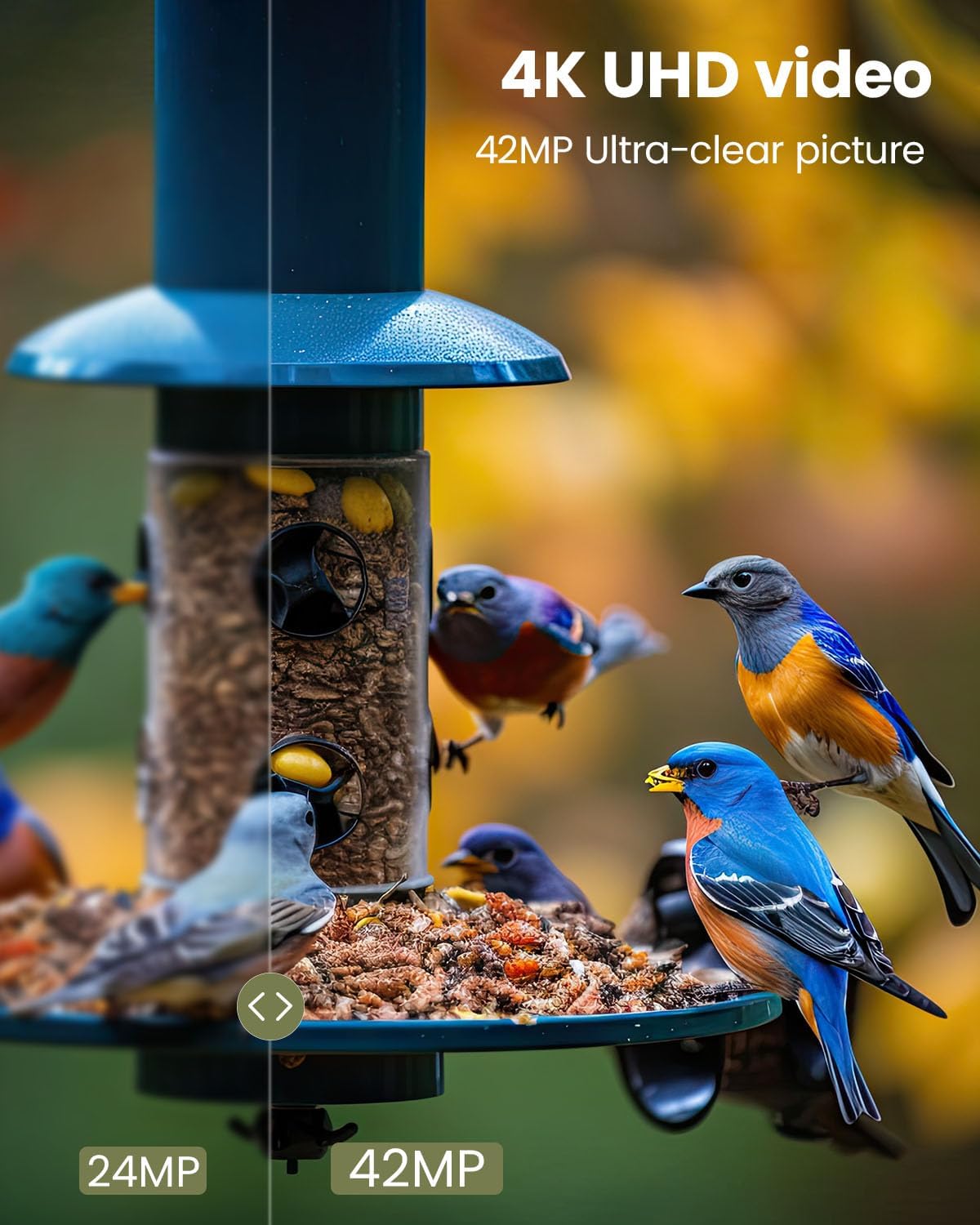
Figure 4: Image quality comparison and video capability.
4.3. Motion Detection and Trigger Time
Equipped with three sensitive PIR sensors, the camera boasts a fast 0.05-second trigger time. This ensures that motion is detected and captured quickly, minimizing missed moments. The 130° wide-angle lens provides an expansive field of view.

Figure 5: Fast trigger time in action.
4.4. Vision nocturne
The camera features upgraded 940nm infrared technology and powerful 4pcs NO Glow Infrared LEDs, providing clear night vision up to 100ft without disturbing wildlife. The smart infrared illumination technology and advanced optical lens ensure crisp and clear night images and videos.

Figure 6: Night vision capability capturing a fox.
4.5. Laps de temps
Utilize the time-lapse function for observing long-term events such as plant growth or construction projects.

Figure 7: Time-lapse feature demonstrating plant growth over time.
5. Entretien
The KJK Trail Camera is designed for durability and minimal maintenance:
- Conception imperméable à l'eau: With an IP66 waterproof and dustproof rating, the camera is protected against rain, snow, and dust. Ensure the housing latches are securely closed when deployed outdoors.
- Plage de température : The camera operates reliably in temperatures ranging from -22°F to 158°F (-30°C to 70°C).
- Nettoyage: Use a soft, dry cloth to clean the lens and sensors. Avoid abrasive materials or harsh chemicals.
- Remplacement de la batterie : Vérifiez régulièrement le niveau des piles et remplacez les 8 piles AA lorsqu'elles sont faibles afin d'assurer un fonctionnement continu.

Figure 8 : Conception étanche IP66.
6. Dépannage
If you encounter issues with your KJK Trail Camera, consider the following:
- Pas d'alimentation : Ensure batteries are correctly installed with proper polarity and are fully charged. Check that the power switch is in the 'ON' position.
- Aucun enregistrement : Verify that the Micro SD card is inserted correctly and has sufficient free space. Format the memory card if necessary (this will erase all data). Check motion sensor sensitivity settings.
- Qualité d'image/vidéo médiocre : Ensure the lens is clean and free from obstructions. Check the selected photo/video resolution settings.
- Faux positifs : Adjust the motion sensor sensitivity to a lower setting. Ensure the camera is not pointed at heat sources or moving branches that could cause false triggers.
For further assistance, please refer to the detailed User Manual (PDF) provided with your product or contact customer support.
7. Spécifications
| Fonctionnalité | Spécification |
|---|---|
| Marque | KJK |
| Numéro de modèle | LK227 |
| Résolution photo | 42 MP (Max), 24 MP (Effective Still) |
| Résolution vidéo | 4K (Video Capture), 1080 Pixels (Effective Video) |
| Temps de déclenchement | 0.05s |
| ViewAngle d'attaque | 130 degrés |
| Vision nocturne | 940nm NO Glow Infrared LEDs, up to 100ft |
| Détecteur de mouvement | 3 Sensitive PIR Sensors |
| Indice d'étanchéité | IP66 |
| Écran d'affichage | Écran LCD 2.4 pouces |
| Source d'énergie | 8 piles AA (incluses) |
| Stockage | 32GB TF Card (Micro SD) included, supports up to 128GB |
| Dimensions (L x l x H) | 5.1 x 3.8 x 2.6 pouces |
| Poids | 1.52 livres |
| Température de fonctionnement | -22°F à 158°F (-30°C à 70°C) |
8. Garantie et assistance
KJK is committed to providing superior products and services. Your KJK Trail Camera comes with:
- Politique de retour de 90 jours : For any issues, a return policy is available.
- Plan de protection de 2 ans : Enjoy peace of mind with a 2-year protection plan and prompt repairs.
For any questions or support needs, please contact the KJK team. They are available 24/7 to assist you.
Courriel de contact : trailcambest@gmail.com
You can also find more information and support by scanning the QR codes on the product packaging or visiting the following links:
9. Important Notes and FCC Compliance
Cet appareil est conforme à la partie 15 des règles de la FCC. Son fonctionnement est soumis aux deux conditions suivantes :
- (1) Cet appareil ne doit pas provoquer d’interférences nuisibles.
- (2) Cet appareil doit accepter toute interférence reçue, y compris celles qui peuvent provoquer un fonctionnement indésirable.
Please ensure to follow all safety guidelines and instructions provided in this manual for proper use and longevity of the product.