
SANODESK 156E
SANODESK Electric Standing Desk User Manual
Model: 156E | Size: 55x28 Inch | Color: Black Frame + Black Tabletop
1. Introduction
Thank you for choosing the SANODESK Electric Standing Desk. This manual provides essential information for the safe assembly, operation, and maintenance of your new height-adjustable desk. Please read these instructions thoroughly before use to ensure proper functionality and longevity of the product.

Image 1.1: SANODESK Electric Standing Desk in use.
2. Informations importantes sur la sécurité
To prevent injury or damage to your desk, always adhere to the following safety guidelines:
- Assurez-vous que tous les composants sont solidement fixés avant utilisation.
- Ne pas dépasser la capacité de poids maximale de 176 livres (80 kg).
- Tenez les enfants et les animaux domestiques éloignés du bureau pendant les réglages de hauteur.
- Lors du réglage de la hauteur du bureau, veillez à ce qu'aucun obstacle ne se trouve au-dessus ou en dessous.
- Ne vous asseyez pas et ne vous tenez pas debout sur le bureau.
- Coupez l'alimentation électrique avant de procéder au nettoyage ou à la maintenance.
- Utilisez uniquement l’adaptateur secteur fourni.
- If any unusual noise or movement occurs, immediately stop operation and consult the troubleshooting section or contact customer support.
Avertissement: Improper assembly or use can lead to product damage or personal injury.
3. Contenu du colis
Veuillez vérifier que toutes les pièces sont présentes et en bon état avant de commencer l'assemblage. Si des pièces sont manquantes ou endommagées, veuillez contacter le service client.
| Article | Description | Quantité |
|---|---|---|
| A | Bureau (55 x 28 pouces) | 1 |
| B | Colonnes de levage (Pieds) | 2 |
| C | Pieds | 2 |
| D | Boitier de contrôle | 1 |
| E | Handset (6-Button Controller) | 1 |
| F | Adaptateur secteur | 1 |
| G | Plateau de gestion de câbles | 1 |
| H | Crochet pour casque | 1 |
| I | Matériel de montage (vis, clé Allen, etc.) | 1 ensemble |
4. Instructions de montage
Assembly typically requires two people. All necessary tools are included. Follow these steps carefully:
- Fixez les colonnes de levage au bureau : Place the desktop (A) upside down on a soft, clean surface to prevent scratches. Align the lifting columns (B) with the pre-drilled holes on the underside of the desktop. Secure them using the appropriate screws from the hardware kit (I).

Image 4.1: Secure the lifting columns to the desktop.
- Installer les pieds : Attach the feet (C) to the bottom of each lifting column (B) using the provided screws.

Image 4.2: Attach the stabilizing feet.
- Boîtier de commande et combiné de montage : Secure the control box (D) and handset (E) to the underside of the desktop in the designated areas using the provided screws. Ensure the handset is easily accessible for operation.

Image 4.3: Mount the control box and handset.
- Connecter les câbles : Connect the cables from the lifting columns (B) and the handset (E) to the control box (D). Then, connect the power adapter (F) to the control box. Route cables neatly using the cable management tray (G) if desired.

Image 4.4: Connect all necessary cables.
- Attacher le crochet pour casque audio : If included, attach the headphone hook (H) to the desired location on the underside of the desktop.

Image 4.5: Install the headphone hook.
- Initial Power-Up and Reset: Carefully flip the desk upright. Plug the power adapter into a wall outlet. The desk may require an initial reset. Press and hold the 'Down' button until the desk reaches its lowest point, then slightly rises and stops. This calibrates the desk.
5. Mode d'emploi
Your SANODESK Electric Standing Desk features an intuitive 6-button controller for easy height adjustment and memory presets.
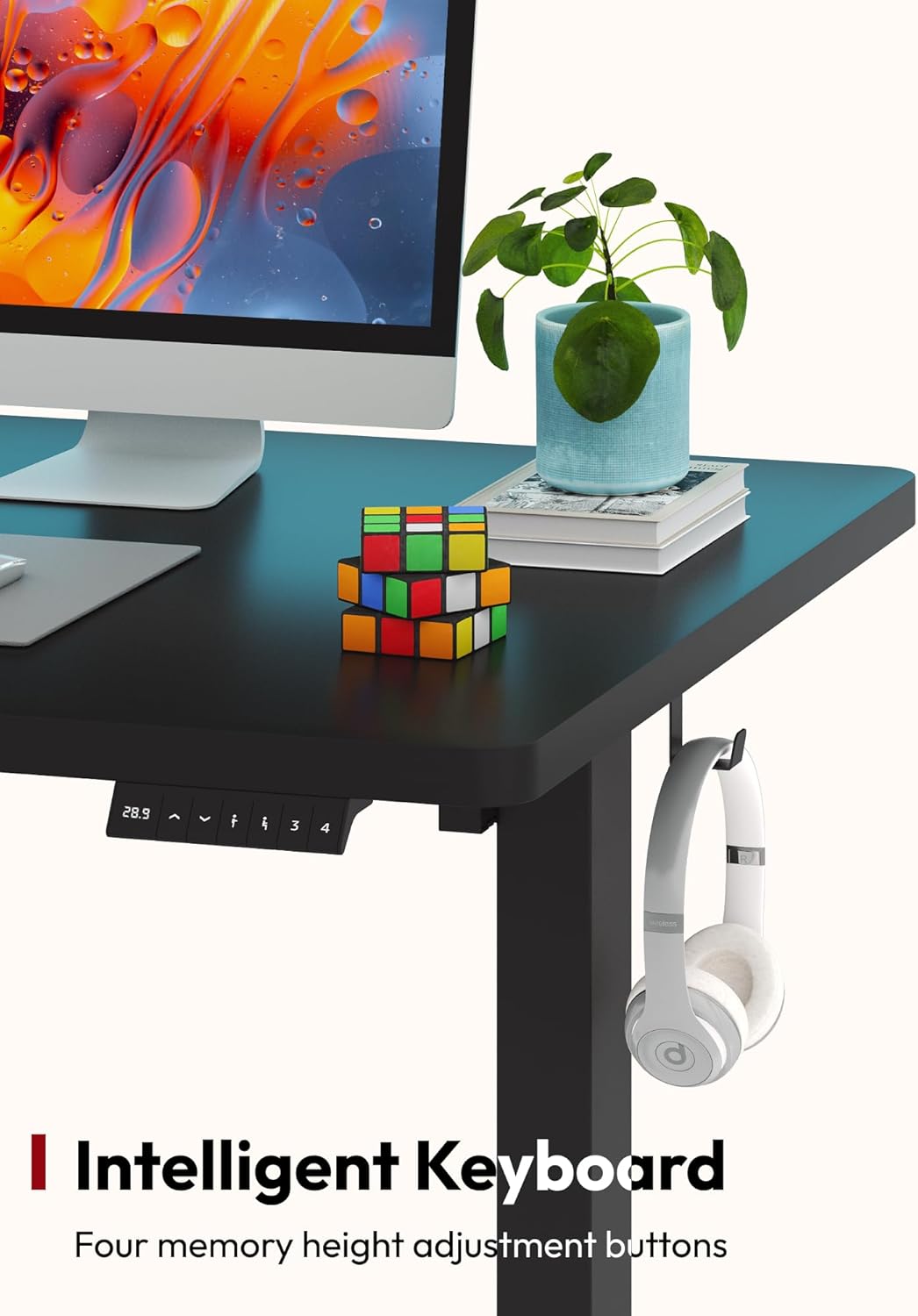
Image 5.1: The 6-Button Controller.
5.1 Réglage de la hauteur de base
- Augmenter: Press and hold the 'Up' arrow button. The desk will move upwards. Release the button at your desired height.
- Baisser: Press and hold the 'Down' arrow button. The desk will move downwards. Release the button at your desired height.

Image 5.2: Desk height adjustment range from 28.1 to 45.7 inches.
5.2 Configuration des préréglages de mémoire
The controller allows you to save up to four preferred heights for quick adjustments.
- Réglez le bureau à la hauteur souhaitée à l'aide des boutons « Haut » ou « Bas ».
- Press the 'M' button (Memory). The LED display will show 'S-'.
- Dans les 3 secondes, appuyez sur l'une des touches numériques (1, 2, 3 ou 4) pour enregistrer la hauteur actuelle. L'écran affichera « S-1 », « S-2 », etc., pour confirmation.
5.3 Utilisation des préréglages de mémoire
To move the desk to a saved height, simply press the corresponding number button (1, 2, 3, or 4). The desk will automatically adjust to the saved position.
6. Entretien
Regular maintenance ensures the optimal performance and appearance of your desk.
- Nettoyage: Essuyez le bureau et le cadre avec un chiffon doux et sec.amp Chiffon. Évitez les nettoyants abrasifs ou les produits chimiques agressifs qui pourraient endommager la finition.
- Gestion des câbles: Periodically check and organize cables to prevent tangles and ensure smooth operation.
- Fixations : Vérifiez régulièrement que toutes les vis et tous les boulons restent bien serrés. Resserrer si nécessaire.
- Vérification d'obstruction : Before each adjustment, quickly check for any objects that might obstruct the desk's movement.
7. Dépannage
If you encounter issues with your SANODESK Electric Standing Desk, refer to the following common problems and solutions:
| Problème | Cause possible | Solution |
|---|---|---|
| Le bureau ne bouge pas. | Power cable disconnected, control box cable loose, overload. | Check all cable connections. Reduce weight on the desk. Perform a reset (see Operating Instructions). |
| Le bureau bouge de façon irrégulière ou fait un bruit inhabituel. | Répartition inégale du poids, fixations desserrées, obstruction. | Distribute weight evenly. Check and tighten all assembly screws. Ensure no obstructions. Perform a reset. |
| Error code displayed (e.g., E01, E02). | Overload, motor overheating, sensor issue. | Remove weight from the desk. Unplug the desk for 20 minutes to allow motors to cool, then plug back in and perform a reset. If the error persists, contact customer support. |
| Les préréglages de mémoire ne fonctionnent pas. | Les préréglages n'ont pas été enregistrés correctement. | Re-save your desired heights following the 'Setting Memory Presets' instructions. |
If the problem persists after attempting these solutions, please contact SANODESK customer support for further assistance.
8. Spécifications
| Fonctionnalité | Détail |
|---|---|
| Numéro de modèle | 156E (810072824103) |
| Dimensions du bureau | 55 po (L) x 28 po (P) |
| Plage de réglage de la hauteur | 28.1 pouces à 45.7 pouces |
| Capacité de poids maximale | 176 livres (80 kg) |
| Matériel | Alloy Steel (Frame), Painted Wood (Desktop) |
| Type de contrôleur | 6 boutons avec affichage LED et 4 mémoires préréglées |
| Assemblage requis | Oui (Recommandé pour 2 personnes) |
| Composants inclus | Desktop, Lifting Columns, Feet, Control Box, Handset, Power Adapter, Cable Management Tray, Headphone Hook, Assembly Hardware |

Image 8.1 : Dimensions du produit.
9. Garantie et support client
9.1 Informations sur la garantie
SANODESK provides a garantie limitée for this product. Details regarding the specific terms and duration of the warranty are typically included with your purchase documentation or can be found on the official SANODESK webVeuillez conserver votre preuve d'achat pour toute réclamation au titre de la garantie.
9.2 Assistance clientèle
For any questions, concerns, or assistance with your SANODESK Electric Standing Desk, please contact our customer support team. You can typically reach us through the order page on the platform where you made your purchase, or by visiting the official SANODESK website pour les coordonnées.
We are committed to providing assistance and ensuring your satisfaction.
Ask a question about this manual
Ask about setup, troubleshooting, compatibility, parts, safety, or missing instructions. Manuals+ will review the question and use this page’s manual context to help answer it.