1. Produit terminéview
This manual provides detailed instructions for the Yosoo Universal Digital Battery Tester, designed to accurately assess the charge level of various battery types. It is an essential tool for identifying good, weak, or depleted batteries, helping to optimize battery usage and prevent unnecessary replacements.
Caractéristiques principales
- Wide Application: Suitable for watchmakers and watch repairers, this tool is practical for testing various battery types.
- Essential Tool: Helps determine if a battery is intact, low in power, or needs replacement. Indispensable for users of standard or rechargeable batteries.
- Easy to Read: Digital display immediately indicates battery level. The number shows the power level, making it easy to understand if a battery is good, weak, or needs replacing.
- High Quality: Made of durable plastic material ensuring maximum longevity. Easy-to-use electronic test instrument with a wide range of applications.
- Small and Convenient: Simple and effective battery checker, lightweight and portable, allowing you to test battery life anytime, anywhere.
2. Consignes de sécurité
- Always identify the correct battery polarity before testing.
- Do not press the brown switch when using probes to detect button cell batteries.
- When testing 9V rectangular or push-button batteries, do not let the red probe touch the black probe or negative electrode.
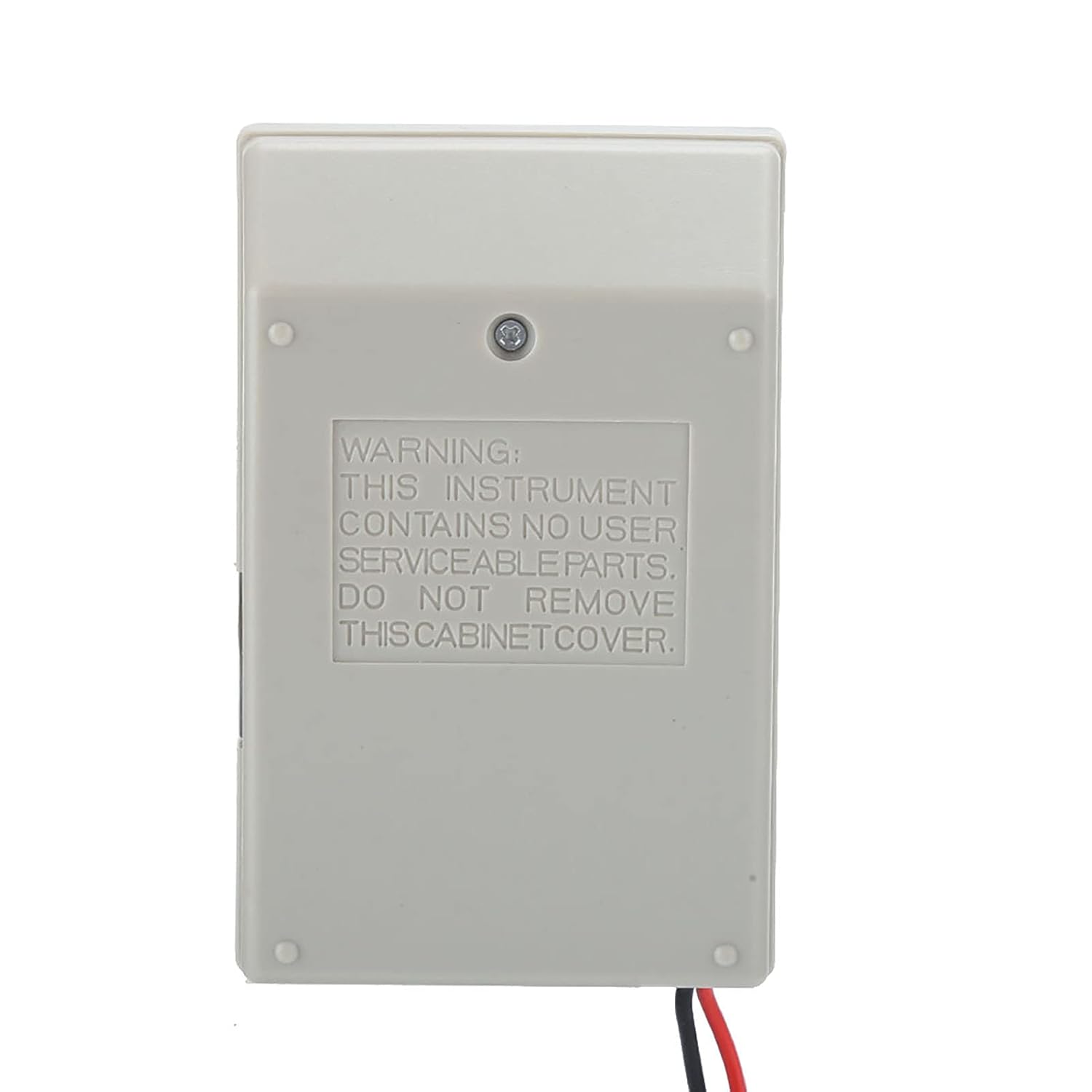
- This instrument contains no user-serviceable parts. Do not remove the cabinet cover.
3. Composants du produit
The Yosoo Universal Digital Battery Tester includes the main testing unit and a set of test probes.


4. Installation
Mise sous tension de l'appareil
The battery tester is powered by a single AAA battery (not included). To install, open the battery compartment on the back of the unit and insert the AAA battery, observing correct polarity.
Identifying Battery Types and Settings
The tester features a rotary switch to select the appropriate voltage and battery type for accurate measurement. Familiarize yourself with the markings on the switch.

5. Mode d'emploi
General Testing Procedure
- Sélectionnez la plage : Rotate the switch to align the polyline marks with the voltage and model of the battery you intend to test. For example, to check a 1.5V Type C battery, move the switch to the side opposite the 1.5V AA battery (labeled 'C'). For a 9V rectangular battery, turn the switch to '9V'. If you want to check for silver oxide or alkaline button cell batteries, move the switch to the '1.5V button unit'. If the button cell is lithium, move the switch to the '3V lithium'.
- Connecter les sondes : Touch the red probe tip to the positive (+) battery terminal and the black probe tip to the negative (-) battery terminal.
- Lire l'affichage : The digital display will immediately indicate the battery's charge level. The analog meter will show the battery status in three zones:
- Zone rouge: "REPLACE" (Battery is running out or depleted).
- Zone jaune : "WEAK" (Battery has low power or electric current).
- Zone verte: "GOOD" (Battery is in good health or full condition).
Specific Battery Testing Methods
Testing 1.25V Batteries (e.g., AA, C, D)
To test a 1.25V battery (such as AA, C, or D), use the appropriate 1.5V setting on the rotary switch (e.g., 'AA.C.Position D 1.5V') and read the lower scale. The current number in range indicates the load current draw placed on the battery during the inspection.
Testing 9V Rectangular Batteries
To examine a 9V rectangular battery, place the battery terminals so that they make contact with the positive and negative 9V terminals on the battery tester.
Testing Coin Cell Batteries
To check a coin cell battery, insert the battery into the grooves on the right side of the tester with the negative electrode facing up. Then, press the brown switch.
Remarque importante :
Do not press the brown switch when using the probes to detect button cell batteries. When using 9V rectangular or push-button battery terminals, do not let the red probe touch the black probe or negative electrode.
Visual Aid: Battery Testing Examples


Vidéos de démonstration de produits
Battery Tester Universal (by Combort)
Video Description: This video demonstrates the general functionality of a universal battery tester, showing how to test different battery sizes and read the results. While it may feature a similar model, the testing principles apply.
Button Cell Battery Checker Power (by zjchao123)
Video Description: This video illustrates the process of checking button cell battery power using a battery checker. It provides a visual guide for proper placement and reading of results for small batteries.
Battery Checker (by Gain Express)
Video Description: A demonstration of a battery checker, showing how to test various battery types and interpret the readings. This video highlights the ease of use for quick battery status checks.
D-FantiX Digital Battery Tester Using Guide (by D-FantiX)
Video Description: This video serves as a user guide for a digital battery tester, demonstrating its features and how to effectively use it for different battery types. It emphasizes quick and accurate testing.
Unboxing video of the battery tester (by kkeanic)
Video Description: An unboxing video showcasing a battery tester, its components, and initial setup. It provides a first look at the device and its various testing slots.
for Small Batteries Button Cell (by Semme)
Video Description: This video specifically demonstrates how to test small button cell batteries using a compatible tester, highlighting the correct method for obtaining accurate readings.
6. Entretien
Keep the battery tester clean and dry. Store it in a cool, dry place away from direct sunlight and extreme temperatures. Regularly check the probes for any damage or wear. Use a soft, dry cloth to clean the device; do not use abrasive cleaners or solvents.
7. Dépannage
No Reading on Display
- Ensure the internal AAA battery is correctly installed and has sufficient charge.
- Verify that the probes are making firm and correct contact with the battery terminals.
- Check if the battery type selected on the rotary switch matches the battery being tested.
Lectures inexactes
- Confirm the correct battery type and voltage range are selected on the tester.
- Ensure the battery is at room temperature for optimal accuracy.
- Clean the battery terminals and tester probes to ensure good electrical contact.
8. Spécifications
| Fonctionnalité | Détail |
|---|---|
| Dimensions du colis | 11.2 x 8.1 x 3.9 cm; 120 g |
| Date de première disponibilité | 24 mai 2022 |
| Fabricant | Yosoo |
| ASIN | B0B25GD2GS |
| Référence constructeur | Yosooi1x08f645a1 |
| Pays d'origine | Chine |
| Marque | Yosoo |
| Source d'énergie | Alimenté par batterie |
| Style | Numérique |
| Spécification rencontrée | UL 61010-1, IEC 61010-2-030 |
| Type de mesure | Voltmètre |
9. Garantie et assistance
For warranty information or technical support regarding your Yosoo Universal Digital Battery Tester, please refer to the product packaging or contact Yosoo customer service directly. Keep your purchase receipt for any warranty claims.