
KoreHealth Kore Elite
Manuel d'utilisation du bracelet connecté Kore 2.0 Elite
Model: Kore Elite | Brand: KoreHealth
Introduction
Welcome to the user manual for your Kore 2.0 Elite Fitness Tracker. This guide provides essential information on setting up, operating, maintaining, and troubleshooting your device to help you maximize its features for a healthier lifestyle. The Kore 2.0 Elite is designed to monitor various health and fitness metrics, keeping you informed and motivated.

Image: The Kore 2.0 Elite Fitness Tracker, a sleek black wristband device with a digital display showing time and step count.
Guide d'installation
1. Charger votre appareil
Before initial use, fully charge your Kore 2.0 Elite. The device comes with a dedicated charging dongle.
- Connect the charging dongle to a USB power source (e.g., computer USB port, USB wall adapter).
- Attach your Kore 2.0 Elite to the charging dongle, ensuring the magnetic contacts align properly.
- A charging indicator will appear on the screen. A full charge typically takes 1.5-2 hours.

Image: The Kore 2.0 Elite Fitness Tracker placed on its sleek charging stand, connected via a cable.
2. Installation de l'application
To access all features and track your data, download the official KoreHealth App.
- For iOS devices, search for "KoreHealth App" in the Apple App Store.
- For Android devices, search for "KoreHealth App" in the Google Play Store.
- Installez l'application sur votre smartphone.
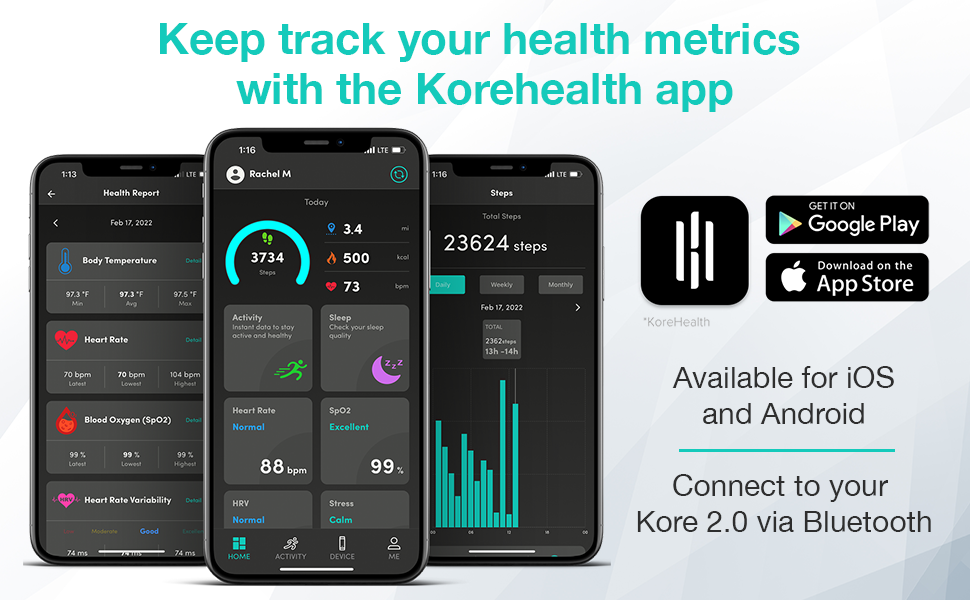
Image: A smartphone displaying the KoreHealth App interface, showing various health metrics like body temperature, heart rate, blood oxygen, and HRV.
3. Couplage de l'appareil
Once the app is installed, pair your Kore 2.0 Elite via Bluetooth.
- Assurez-vous que Bluetooth est activé sur votre smartphone.
- Open the KoreHealth App and follow the on-screen instructions to add a new device.
- Select "Kore 2.0 Elite" from the list of available devices.
- Confirm the pairing on both your smartphone and the fitness tracker if prompted.
- Your device will sync data automatically once paired.
Operating Your Kore 2.0 Elite
Navigation de base
The Kore 2.0 Elite features an advanced touch screen for easy navigation.
- Balayez vers le haut/bas : Scroll through different data screens and menu options.
- Robinet: Select an option or view Plus de détails.
- Appuyez et maintenez : Activate certain functions or return to the main screen.
Surveillance de la santé
Your fitness tracker continuously monitors key health metrics.
- Fréquence cardiaque : Surveillance de la fréquence cardiaque en temps réel.
- Niveaux d'oxygène dans le sang (SpO2) : Supports 24/7 blood oxygen measurement.
- Température corporelle: Fournit des relevés de température corporelle.
- Suivi du sommeil : Monitors sleep cycles (deep, light, awake time) to help understand sleep quality.
- Niveaux de stress : Tracks and provides insights into stress.
- Calories brûlées : Estimates calorie expenditure throughout the day.

Image: A person wearing the Kore 2.0 Elite Fitness Tracker, interacting with their smartphone which displays various health and fitness metrics.

Image: Close-up of the Kore 2.0 Elite on a wrist, showing a 99% blood oxygen reading on its display.

Image: The Kore 2.0 Elite displaying detailed sleep tracking data, including deep and light sleep durations, next to a smartphone showing a sleep analysis graph.
Suivi d'activité
Monitor your daily physical activity with precision.
- Compteur de pas : Enregistre vos pas tout au long de la journée.
- Distance parcourue: Calcule la distance parcourue en fonction de vos pas.
- Calories brûlées : Provides an estimate of calories burned during activities.
- Durée de l'activité : Records the length of your workouts.

Image: A man checking his Kore 2.0 Elite Fitness Tracker on his wrist, with the text "Monitor & count your steps accurately" overlaid.
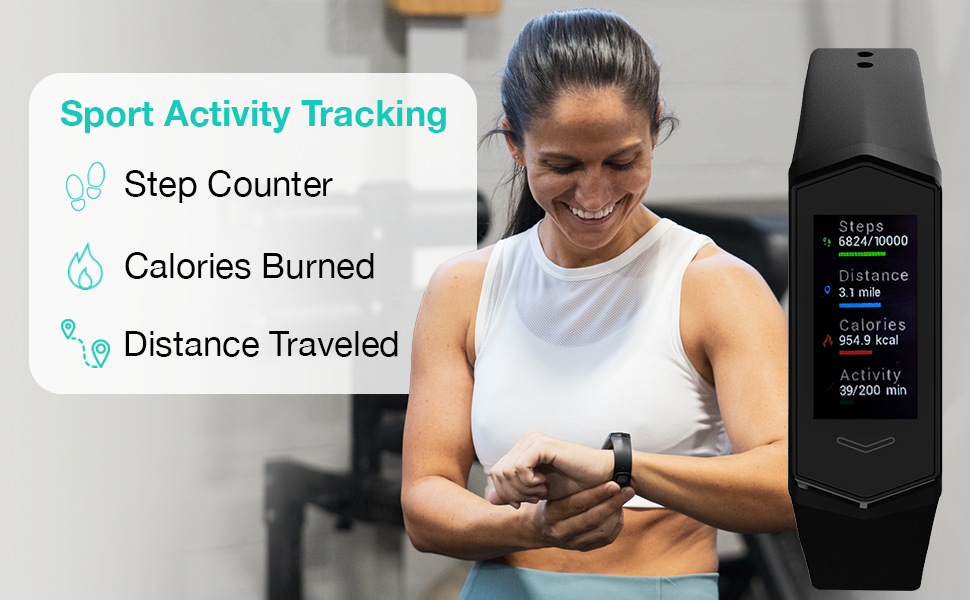
Image: The Kore 2.0 Elite displaying sport activity tracking data, including step count, distance, calories burned, and activity duration, next to a smiling woman in a gym setting.
Smart Notifications & Controls
Stay connected without constantly checking your phone.
- Alertes d'appels et de messages : Recevez des notifications d'appels et de messages entrants directement sur votre poignet.
- Notifications sur les réseaux sociaux : Get alerts from your favorite social media apps.
- Contrôle de la musique : Control your music playback (skip songs, change playlists) directly from the tracker.
- Inactivity Alerts: The device can remind you to get up and move if you've been inactive for too long.
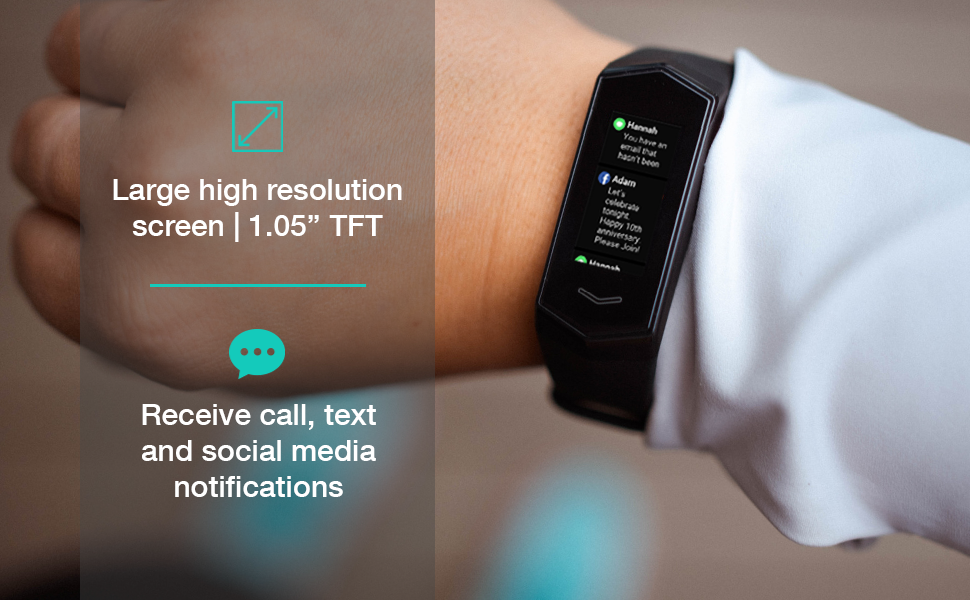
Image: A close-up of the Kore 2.0 Elite on a wrist, showing text and social media notifications on its large, high-resolution screen.
Entretien
Résistance à l'eau
The Kore 2.0 Elite is IP67 water-resistant.
- This means it can withstand immersion in up to 1 meter of water for 30 minutes.
- It is suitable for washing hands, showering, and swimming in shallow water.
- Avoid prolonged immersion or use in hot water/steam (e.g., saunas, hot tubs) as this can compromise the seal.

Image: A woman running outdoors, with text indicating the Kore 2.0 Elite is "Sweat & Splash Resistant with IP67 rating."
Nettoyage de votre appareil
Pour maintenir l'hygiène et la durée de vie de l'appareil :
- Wipe the device and band regularly with a soft, damp tissu.
- Évitez d'utiliser des nettoyants abrasifs ou des produits chimiques agressifs.
- Avant de procéder à la charge, assurez-vous que les contacts de charge sont propres et secs.
Entretien de la batterie
The Kore 2.0 Elite features a long-lasting battery.
- Rechargez l'appareil lorsque le voyant de la batterie est faible.
- Évitez de décharger complètement la batterie fréquemment afin de prolonger sa durée de vie.
- Rangez l'appareil dans un endroit frais et sec lorsqu'il n'est pas utilisé pendant une période prolongée.
Dépannage
If you encounter issues with your Kore 2.0 Elite, try the following steps:
- L'appareil ne s'allume pas : Assurez-vous que l'appareil est complètement chargé. Branchez-le au chargeur pendant au moins 30 minutes.
- Not Syncing with App:
- Vérifiez si le Bluetooth est activé sur votre smartphone.
- Ensure the KoreHealth App is open and running in the background.
- Try restarting both your smartphone and the fitness tracker.
- Unpair and re-pair the device in the app's settings.
- Inaccurate Readings (Heart Rate, Steps, etc.):
- Ensure the tracker is worn snugly on your wrist, about one finger's width above your wrist bone.
- Nettoyez le capteur situé à l'arrière de l'appareil.
- Ensure the firmware is up to date via the KoreHealth App.
- L'écran ne répond pas : Essayez de redémarrer l'appareil en le branchant au chargeur. Si le problème persiste, contactez le service client.
For more detailed troubleshooting or persistent issues, refer to the official KoreHealth App or the PDF user manual.
Caractéristiques
| Fonctionnalité | Détail |
|---|---|
| Nom du modèle | Kore Elite |
| Marque | KoreHealth |
| Taille de l'écran | 1.05 pouces |
| Technologie de connectivité | Bluetooth 5.0 |
| Résistance à l'eau | IP67 |
| Système opérateur | Android Wear 2.0 (Note: This refers to compatibility, not the OS running on the tracker itself.) |
| Type de batterie | Lithium-ion |
| Poids de l'article | 70 gramme |
| Dimensions (L x l x H) | 8.66 x 1.18 x 0.79 pouces |
Informations sur la garantie
The Kore 2.0 Elite Fitness Tracker comes with a Garantie constructeur d'un an covering defects in materials and workmanship. This warranty does not cover damage caused by misuse, accidents, unauthorized modifications, or normal wear and tear. Please retain your proof of purchase for warranty claims.
Soutien
For further assistance, frequently asked questions, or to report an issue, please utilize the following resources:
- KoreHealth App: The app provides real-time data, settings, and often includes an FAQ or support section.
- Manuel d'utilisation officiel (PDF) : Un manuel PDF détaillé est disponible en téléchargement. Manuel Télécharger PDF
- KoreHealth Website: Visit the official KoreHealth website for product information and support contacts.
Ask a question about this manual
Ask about setup, troubleshooting, compatibility, parts, safety, or missing instructions. Manuals+ will review the question and use this page’s manual context to help answer it.