
Introduction
Thank you for choosing the Remax TWS-30 Wireless Bluetooth Earbuds. This manual will guide you through the features, setup, and operation of your new earbuds to ensure optimal performance and user experience. Please read these instructions carefully before use and retain them for future reference.
Contenu du colis
- Remax TWS-30 Wireless Bluetooth Earbuds (Left and Right)
- Étui de chargement
- Câble de chargement USB
- Coussinets d'oreille
- Manuel d'utilisation
Produit terminéview
The Remax TWS-30 earbuds are designed for wireless audio playback and communication, featuring Bluetooth 5.0 connectivity and touch controls. They offer both gaming and music modes for optimized audio experiences.

Image: Remax TWS-30 Wireless Bluetooth Earbuds placed inside their charging case, with green indicator lights visible, showing the earbuds are charging or ready for use.
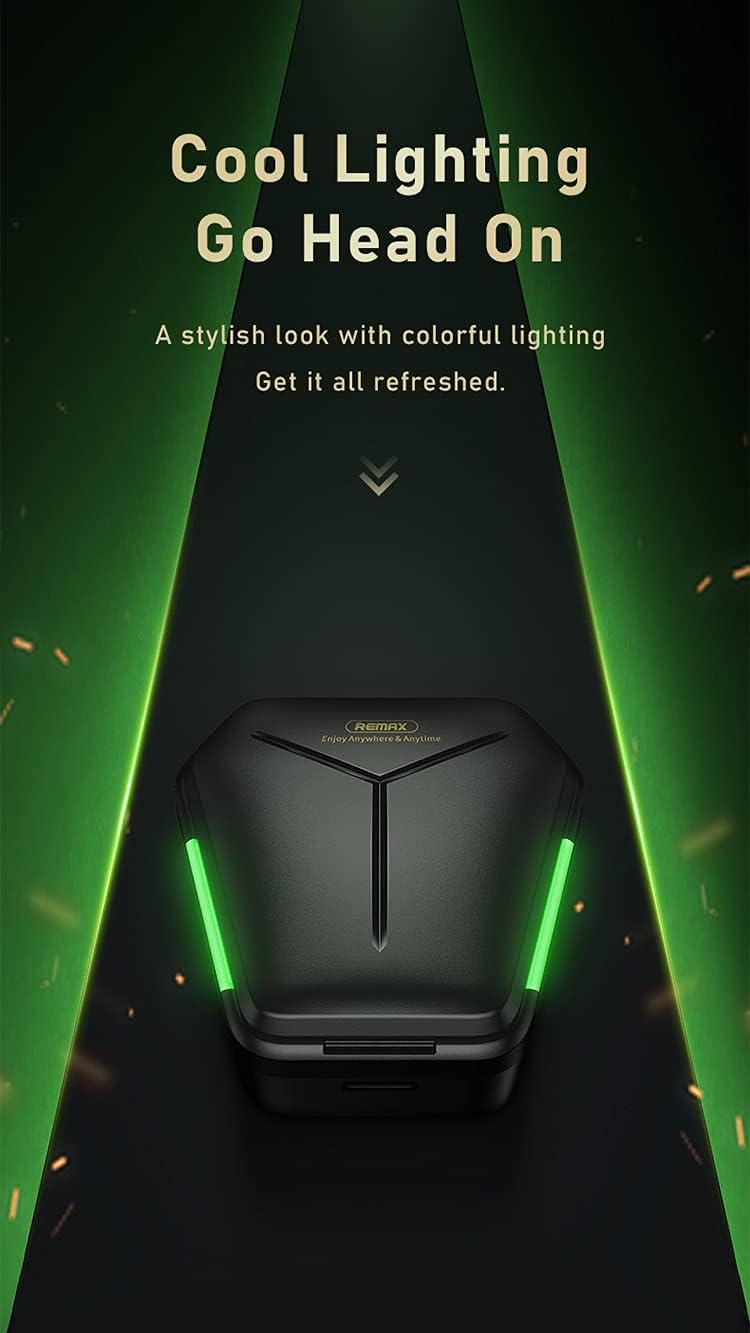
Image: The Remax TWS-30 charging case illuminated with green lighting, highlighting its design.
Installation
1. Chargement des écouteurs et de l'étui
- Charge initiale: Avant la première utilisation, chargez complètement les écouteurs et l'étui de chargement.
- Chargement du boîtier : Connect the USB charging cable to the charging port on the case and to a power source. The indicator lights on the case will show the charging status.
- Chargement des écouteurs : Place the earbuds into the charging case. Ensure they are correctly seated. The earbuds will automatically begin charging. Indicator lights on the earbuds or case will confirm charging.

Image: The Remax TWS-30 charging case with green lights, depicted in a gaming-themed environment, suggesting its suitability for gaming with up to 90 hours of standby time.
2. Couplage avec un appareil Bluetooth
- Mise sous tension : Ouvrez le boîtier de charge. Les écouteurs s'allumeront automatiquement et passeront en mode appairage.
- Activer le Bluetooth : Sur votre appareil (smartphone, tablette, etc.), activez le Bluetooth.
- Choisir un appareil: Rechercher "TWS-30" or "Remax TWS-30" in the list of available Bluetooth devices and select it to connect.
- Confirmation: Une fois la connexion établie, vous entendrez un signal sonore et les voyants des écouteurs pourront changer.
3. Port des écouteurs
Gently insert the earbuds into your ears. Adjust them for a comfortable and secure fit. The ergonomic design ensures a snug fit for extended use.
Mode d'emploi
Commandes tactiles
The Remax TWS-30 earbuds feature intuitive touch controls. Specific functions may vary slightly depending on your device and operating system.
- Lecture/Pause : Appuyez une fois sur l'un des écouteurs.
- Piste suivante : Appuyez deux fois sur l'écouteur droit.
- Piste précédente: Appuyez deux fois sur l'écouteur gauche.
- Répondre/Terminer l'appel : Appuyez une seule fois sur l'un ou l'autre écouteur pendant un appel entrant.
- Rejeter l'appel : Maintenez la pression sur l'un ou l'autre écouteur pendant 2 secondes lors d'un appel entrant.
- Activer l'assistant vocal: Appuyez trois fois sur l'un ou l'autre écouteur (par exemple, Siri, Google Assistant).
- Switch Modes (Gaming/Music): Press and hold for 3 seconds on either earbud (refer to specific product documentation for exact gesture).

Image: Icons representing key features of the Remax TWS-30 earbuds: Wireless 5.0, Dual-mode enjoyment, Cozy fitting, and Touch control.
Gaming Mode and Music Mode
The TWS-30 earbuds offer optimized audio profiles for different uses:
- Mode de jeu: Features low latency (approximately 65ms) for synchronized audio and visual effects, crucial for gaming. This mode provides precise sound positioning.
- Mode Musique : Delivers high-resolution audio for an immersive music listening experience.

Image: A smartphone displaying a game, with white Remax TWS-30 earbuds in the foreground, illustrating the "Zero Latency" feature for gaming with synced audio and visual effects.

Image: A comparison chart showing the benefits of Gaming Mode (ATS decoding, stable 65ms super low latency, precise sound positioning) and Music Mode (SAN decoding, high resolution for super HiFi quality, immersive music).
Annulation de bruit active (ANC)
The earbuds are equipped with Active Noise Cancellation to reduce ambient noise, enhancing your listening experience. Refer to the product's specific touch control gestures for activating or deactivating ANC.
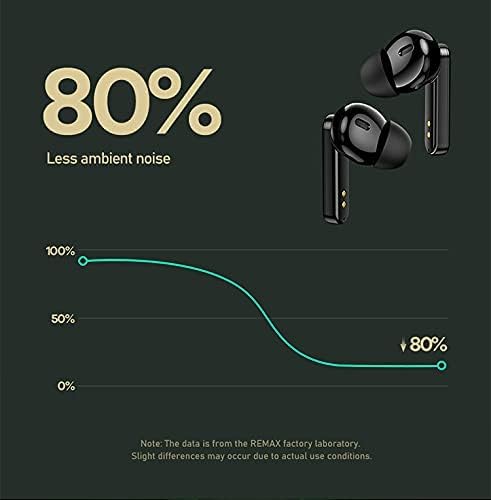
Image: A graph illustrating the noise reduction capability of the Remax TWS-30 earbuds, indicating up to 80% less ambient noise.
Entretien
- Nettoyage: Nettoyez régulièrement les écouteurs et le boîtier de charge avec un chiffon doux, sec et non pelucheux. N’utilisez pas de produits chimiques agressifs ni de matériaux abrasifs.
- Stockage: Lorsqu'ils ne sont pas utilisés, rangez les écouteurs dans leur étui de chargement pour les protéger et maintenir leur charge. Conservez-les dans un endroit frais et sec, à l'abri des températures extrêmes.
- Exposition à l'eau : Avoid exposing the earbuds to water or excessive moisture.
Dépannage
- Les écouteurs ne se connectent pas :
Ensure both earbuds are charged. Place them back in the case, close the lid, then open it again to re-enter pairing mode. Check your device's Bluetooth settings and try reconnecting. If issues persist, try forgetting the device on your phone and re-pairing.
- Aucun son ne sort d'un écouteur :
Ensure both earbuds are charged. Try placing both earbuds back in the case and taking them out again. Sometimes a factory reset (refer to specific product instructions if available) can resolve this.
- Problèmes de charge :
Verify the charging cable and power adapter are working correctly. Ensure the charging contacts on the earbuds and inside the case are clean and free of debris.
- Mauvaise qualité sonore ou déconnexions :
Ensure you are within the Bluetooth range (up to 10 meters). Avoid obstacles between your device and the earbuds. Check for interference from other wireless devices. Ensure the earbuds are fully charged.
Caractéristiques

Image : Une image détaillée view of the Bluetooth 5.0 chip and DSP anti-interference chip, highlighting the advanced wireless technology of the Remax TWS-30 earbuds.

Image: Infographic displaying key performance metrics: 10 meters transmission distance, 99% wireless compatibility, and 0 latency with Smoother V5.0 technology.
| Fonctionnalité | Détail |
|---|---|
| Nom du modèle | TWS-30 |
| Marque | Remax |
| Technologie de connectivité | Sans fil (Bluetooth 5.0) |
| Technologie de communication sans fil | Bluetooth |
| Facteur de forme des écouteurs | Dans l'oreille |
| Placement des écouteurs dans les oreilles | Dans l'oreille |
| Contrôle du bruit | Annulation active du bruit |
| Prise pour casque | Sans Jack |
| Couleur | Noir |
| Composants inclus | Coussinets d'oreille |
| Dimensions du colis | 17.1 x 12.1 x 3.5 cm |
| Poids | 160 g (Emballage) |
Garantie et assistance
Pour toute information concernant la garantie et l'assistance clientèle, veuillez consulter la documentation fournie avec votre achat ou contacter directement le revendeur/fabricant. Conservez votre preuve d'achat pour toute réclamation au titre de la garantie.