
1. Consignes de sécurité
Read all safety warnings and instructions carefully before using this appliance. Failure to follow the warnings and instructions may result in electric shock, fire, or serious injury.
- Assurer le voltagLe voltage indiqué sur la plaque signalétique correspond au voltage du secteur.tage dans votre maison.
- Ne couvrez pas le radiateur. Il pourrait surchauffer.
- Keep flammable materials (e.g., curtains, furniture) at least 1 meter (3 feet) away from the heater.
- Do not use the heater in bathrooms, laundry areas, or similar indoor locations where it may come into contact with water. The appliance has an IP24 rating, meaning it is protected against splashing water, but it is not fully waterproof.
- Débranchez toujours le radiateur lorsqu'il n'est pas utilisé ou avant de le nettoyer.
- N’utilisez pas le chauffage si le cordon ou la prise est endommagé(e), ou si l’appareil a mal fonctionné, est tombé ou a été endommagé de quelque manière que ce soit.
- Cet appareil n'est pas destiné à être utilisé par des personnes (y compris les enfants) ayant des capacités physiques, sensorielles ou mentales réduites, ou manquant d'expérience et de connaissances, à moins qu'elles ne bénéficient d'une surveillance ou d'instructions concernant l'utilisation de l'appareil par une personne responsable de leur sécurité.
- Les enfants doivent être surveillés pour s’assurer qu’ils ne jouent pas avec l’appareil.
2. Produit terminéview
The Duux Edge 2000 Smart Convector Heater is designed to provide efficient heating for rooms up to 30 m². It features smart control via a smartphone app, a remote control, and can be operated manually. The heater offers both freestanding and wall-mounted installation options.

Image 2.1: Duux Edge 2000 Smart Convector Heater with its accompanying smartphone application interface.

Image 2.2: The Duux Edge 2000 Smart Convector Heater positioned freestanding in a contemporary living space.
3. Installation et configuration
3.1. Contenu du colis
Vérifiez que tous les composants sont présents :
- Duux Edge 2000 Convector Heater
- Télécommande
- Feet for freestanding use (if applicable)
- Wall mounting brackets and screws (if applicable)
- Manuel d'instructions
3.2. Installation autonome
- Déballez soigneusement le chauffage et tous ses accessoires.
- Attach the provided feet to the bottom of the heater using the screws. Ensure they are securely fastened.
- Place the heater on a stable, level surface, ensuring adequate clearance from walls and furniture (minimum 1 meter).

Image 3.1: Mounting brackets and screws, which may be used for either wall mounting or attaching feet for freestanding use.
3.3. Installation murale
- Select a suitable wall location, ensuring it is clear of obstructions and at least 1 meter from flammable materials.
- Using the provided wall mounting brackets, mark the drilling points on the wall.
- Percez des trous et insérez des chevilles (si nécessaire).
- Secure the brackets to the wall with screws.
- Carefully hang the heater onto the installed wall brackets, ensuring it is stable and level.
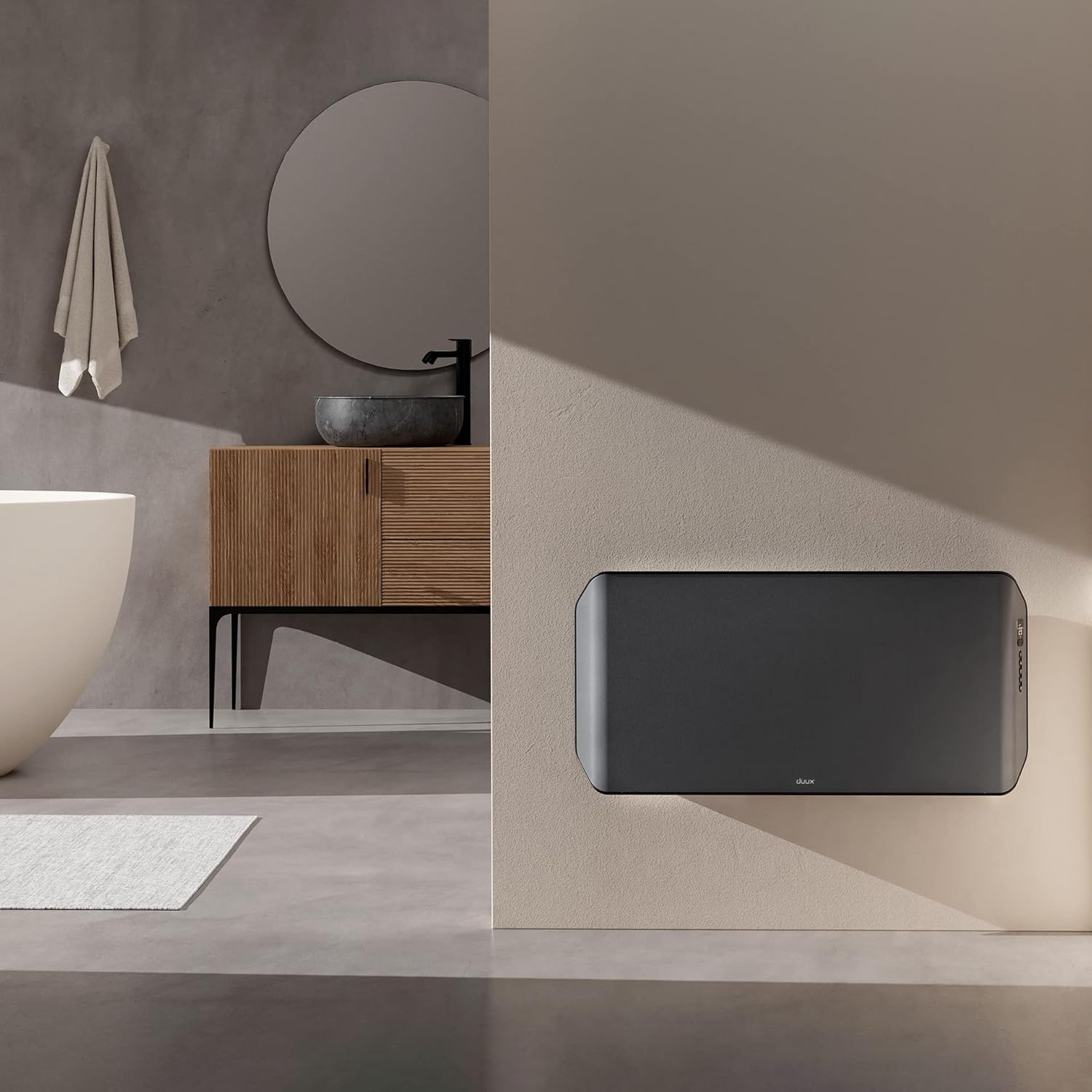
Image 3.2: The Duux Edge 2000 Smart Convector Heater installed on a wall in a bathroom setting.
3.4. Connexion électrique
Plug the power cord into a suitable electrical outlet. Ensure the outlet meets the power requirements of the heater (240V, 2000W).
4. Fonctionnement du radiateur
4.1. Panneau de configuration terminéview
The control panel is located on the side of the heater and features a digital display and several buttons for manual operation.

Image 4.1 : Gros plan view of the Duux Edge 2000 heater's integrated control panel.

Image 4.2: A hand demonstrating interaction with the heater's control panel buttons.
4.2. Fonctions de la télécommande
La télécommande incluse permet un réglage aisé des paramètres à distance.
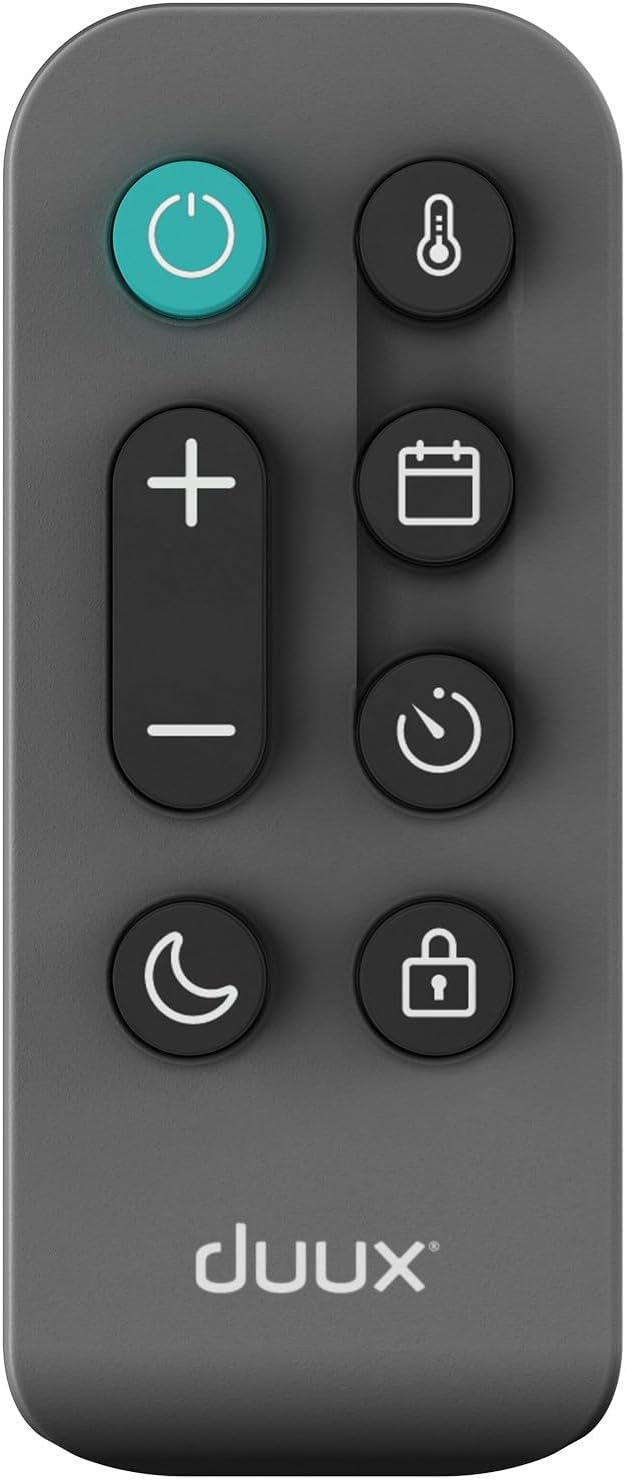
Image 4.3: The remote control for the Duux Edge 2000 Smart Convector Heater, showing various function buttons.
- Bouton d'alimentation : Allume ou éteint le chauffage.
- Température +/- : Règle la température ambiante souhaitée.
- Bouton Mode : Cycles through available heating modes (e.g., Eco, Comfort).
- Bouton de minuterie : Règle une minuterie pour l'arrêt automatique.
- Bouton de sécurité enfant : Active ou désactive la fonction de verrouillage enfant.
- Bouton Mode Nuit : Activates a low-light display mode for nighttime use.
4.3. Contrôle par application intelligente
The Duux Edge 2000 can be controlled via a smartphone app, offering advanced features and scheduling.

Image 4.4: A user interacting with the Duux smartphone application to manage heater settings.
- Download the Duux app from your smartphone's app store.
- Follow the in-app instructions to pair your heater with your device.
- Once paired, you can control temperature, modes, set schedules, and monitor the heater's status remotely.
- The app is compatible with Amazon Alexa and Google Assistant for voice control.
5. Entretien
Un entretien régulier garantit des performances optimales et une longue durée de vie à votre appareil de chauffage.
5.1. Nettoyage
- Débranchez toujours l'appareil de chauffage et laissez-le refroidir complètement avant de le nettoyer.
- Essuyez les surfaces extérieures avec un chiffon doux, damp chiffon. N'utilisez pas de nettoyants abrasifs ou de solvants.
- Use a vacuum cleaner with a brush attachment to gently clean dust from the air intake and outlet grilles.
- Ne plongez pas le chauffe-eau dans l'eau et ne laissez pas d'eau s'infiltrer à l'intérieur.

Image 5.1: Top-rear view of the heater, highlighting the air vents that require periodic cleaning.
5.2. Stockage
If storing the heater for an extended period, clean it thoroughly and store it in its original packaging in a dry, cool place.
6. Dépannage
If you encounter issues with your Duux Edge 2000 heater, refer to the following common problems and solutions:
| Problème | Cause possible | Solution |
|---|---|---|
| Le radiateur ne s'allume pas. | Pas d'alimentation électrique ; bouton d'alimentation non enfoncé ; protection contre la surchauffe activée. | Check power cord connection and wall outlet; Press the power button; Unplug, wait 30 minutes, then plug back in. |
| Le chauffage est allumé mais ne produit pas de chaleur. | Temperature setting too low; Eco mode active; Room temperature already reached. | Increase the target temperature; Switch to a higher heating mode; The heater will resume heating when the room temperature drops. |
| Smart app cannot connect to the heater. | Wi-Fi signal weak; Incorrect pairing procedure; Router issues. | Ensure heater is within Wi-Fi range; Re-attempt pairing process; Restart your Wi-Fi router. |
| La télécommande ne fonctionne pas. | Piles déchargées ; Obstruction entre la télécommande et le radiateur. | Replace remote control batteries; Ensure a clear line of sight to the heater's receiver. |
Si le problème persiste après avoir essayé ces solutions, veuillez contacter le service client.
7. Spécifications
| Fonctionnalité | Spécification |
|---|---|
| Marque | Duux |
| Numéro de modèle | DXCH14 |
| Couleur | 2000w Gray |
| Pouvoir | 2000 watts |
| Voltage | 240 volts |
| Arrêt automatique | Oui |
| Nombre de vitesses | 2 |
| Caractéristiques spéciales | Faible consommation d'énergie |
| Poids du produit | 7.85 kg |
| Dimensions (L x l x H) | 88 cm x 47 cm x 12 cm |
| Utilisation intérieure/extérieure | Intérieur |
| Type de montage | Wall mount or freestanding |
| Type de chambre recommandé | Salle de bains (indice de protection IP24) |
| Couverture de chauffage | Jusqu'à 30 m² |
8. Garantie et assistance
For warranty information and customer support, please refer to the documentation included with your product or visit the official Duux webConsultez le site. Conservez votre preuve d'achat pour toute réclamation au titre de la garantie.